🚦 Upgrade your network speed game — don’t get left behind!
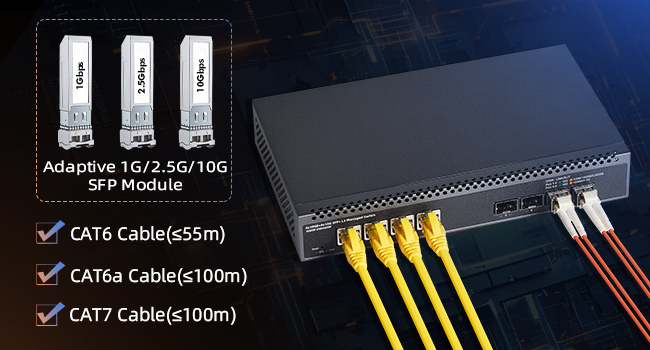
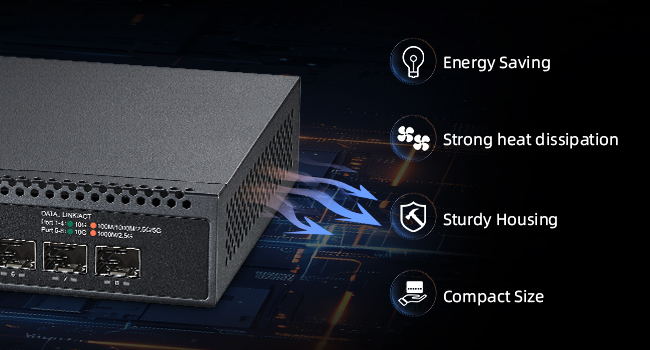
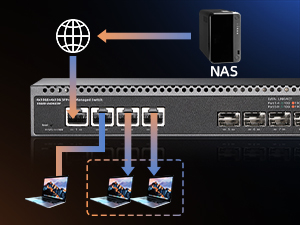
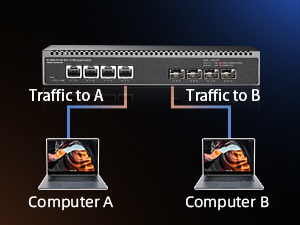
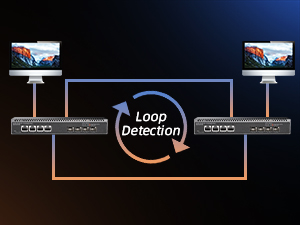
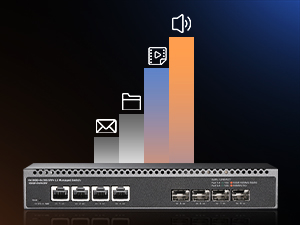
The Binardat 8 Port 10 Gigabit Managed Switch delivers enterprise-grade performance with 4 RJ45 and 4 SFP+ 10G ports, a massive 160Gbps switching capacity, and comprehensive L3 web management. Its compact metal build and quiet cooling make it ideal for professional environments demanding high-speed, reliable connectivity across diverse devices.


| ASIN | B0DQ77BS64 |
| Best Sellers Rank | #183 in Computer Networking Switches |
| Brand | Binardat |
| Built-In Media | 10G Managed Switch, Power Cable |
| Color | black |
| Compatible Devices | Desktop, Laptop, Server |
| Customer Reviews | 4.2 out of 5 stars 612 Reviews |
| Data Transfer Rate | 160 Gigabits Per Second |
| Included Components | 10G Managed Switch, Power Cable |
| Interface | RJ45,SFP+ |
| Manufacturer | Binardat |
| Number of Ports | 8 |
| Platform | Not Machine Specific |
| Switch Type | managed |
| Upper Temperature Rating | 55 Degrees Celsius |
| Warranty Description | 1 Year |
P**M
Great value, works as advertised
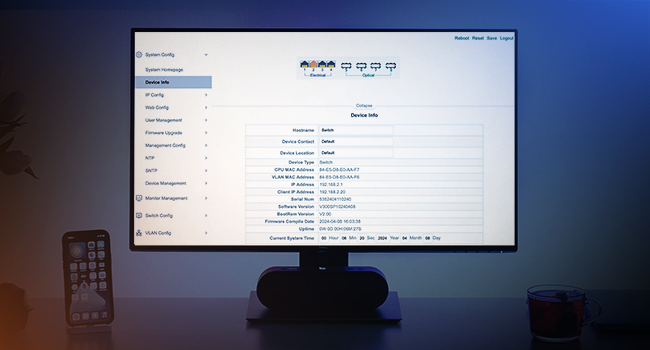
All in all exceeded my expectations. This is a great entry point for 10gbit networking. For the price, these specs and features cannot be found anywhere else. Been using it about a week now (All ports, most at 10gbit). Some of my thoughts: - I got this switch because I needed something that can handle 10,5,2.5g and this switch uniquely does them all - Works as advertised, I am reaching the 10 gig speeds on all ports (tested with cat6a on the RJ45 ports, and the included dac on the SFP) - Noise is really not that bad. Yes, the fan is not quiet, but I see reviews here saying they can hear it two rooms away. I placed it in a closet less than 1ft away from my workspace, when that closet is closed I don’t hear a thing. Not nearly as bad as I feared. - Does get a bit hot but this is expected for such a small package. I have all the ports in use and it’s not concerningly hot. - Setup is relatively easy. Lots of settings that can be tuned. CLI is very similar to most typical managed switches so it’s not difficult to figure out. WebUI is surprisingly intuitive and useful - All my use is on L2, I cannot speak of L3 performance, but I wouldn’t expect much as the CPU is probably not too powerful. I would not buy this based on its L3 abilities. - Definitely do not expect any support or firmware updates of any kind.
N**Z
Affordable.
Installed easily. It is working well
D**D
Excellent 10G Switch - a PLANET XGS-6311-12X Clone with Bonus Features !!!
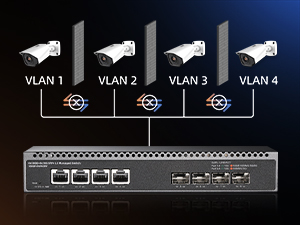
I purchased two of these 12-port 10GbE SFP+ managed switches as the backbone for my home network and main server switch, connecting to an OPNsense firewall and trunking VLANs to other switches. The switch itself is a solid piece of hardware with great specs for the value. The biggest challenge is that Binardat provides no detailed CLI reference guide of its own that I could find on my own. The included documentation is minimal, and their website lacks the technical manuals needed for advanced configuration; which is also probably the reason for some of the confusion in the comments imo. Thus, a 4-star rather than a 5-star review. However, after extensive research, I can confirm this Binardat switch is a hardware and software near-clone of the Planet XGS-6311-12X. This discovery is a game-changer, as the official Planet manuals are excellent and cover about 95% of this switch's functionality. For comprehensive documentation, I highly recommend searching online for the "Planet XGS-6311-12X CLI Manual" and "Planet XGS-6311-12X User Guide". Attached Photos: A look inside the Binardat switch confirms it's built with quality, industry-renowned name-brand components. The main switch controller is a Realtek RTL8231, the same family of chips used in many commercial enterprise switches. The firmware is stored on a GigaDevice flash memory chip, a publicly traded company. This switch also contains Texas Instrument logic gate chips. Warning: opening the switch voids the warranty - but I had to look! Undocumented Bonus Features on the Binardat: What's most interesting is that this Binardat firmware includes a significant number of additional, undocumented commands not found in the PLANET guide, suggesting a more feature-rich version of the software. For advanced users, these are a welcome surprise. The extra CLI config commands include: Advanced Security: copp-policy-map (Control Plane Policing) dosattack-check port-scan-mode Advanced Networking & Diagnostics: fib (Forwarding Information Base) fulleaps (a proprietary ring protocol) L3-station-move local-arp tcam (for viewing ACL/QoS hardware memory) port-redirect Hardware & Vendor-Specific: onvif (for IP camera integration) rps-power (for a Redundant Power Supply) button-reset show temperature show asset show sn (serial number) System & General Config: backup (for running-config status) baudrate dns format public-key userpassword vlan-port-redirect vlan-trunk-range Features NOT Included: Conversely, be aware that features mentioned in the PLANET guide for their PoE models (like all power inline commands) are not present here, as this is not a PoE switch. A Key to Success: SFP/SFP+ Transceivers Like many enterprise switch brands, this unit can be particular about the transceivers it fully recognizes. Here's a breakdown of what that means and what worked for me: Vendor Whitelisting is Key: Many switches have a "whitelist" in their firmware, meaning they are programmed to fully recognize and trust transceivers that identify as a specific brand (like Cisco, Juniper, etc.). Modules not on this list may work but can report as "OEM" or "Unsupported" and might not display full diagnostic data (DDM). What Worked Perfectly: I had 100% success with genuine, secondhand Cisco-branded SFP-10G-SR transceivers (10Gbps Fiber Optical), which are very affordable on the secondary market and were recognized perfectly, showing the manufacturer, serial number, and full diagnostic details as expected. For Copper: I would not recommend without experimenting for yourself. One port not only failed to acknowledge a Cisco RJ45 SFP adapter but also failed to eject the same because the design of the lock/release mechanism is different from the fiber optic adapter and I almost ruined the port attempting to remove it. In my case, this switch is connected to several programmable/managed ethernet switches downstream that have ethernet ports, so this is the main hub for my fiber backbone. What Partially Worked: I tested a brand new 10-pack of 10Gtek 10GBase-SR SFP+ transceivers (the popular model advertised as being compatible with Cisco SFP-10G-SR). While these modules passed traffic without any issue, the switch did not fully recognize them. It identified them as generic "OEM" modules and constantly reported "RX loss of signal" and "RX power low" alarms in the diagnostics, even with a perfectly stable link. My strong recommendation is to ONLY use secondhand, Cisco-coded 10GbE Fiber transceivers to ensure full compatibility and accurate diagnostic reporting from this switch. A quick note on the fans: this switch has active cooling, which is a major plus for the longevity of a high-performance 10G switch. The trade-off is fan noise, so just plan to locate this unit in a server room or network closet where noise isn't a concern. Bottom line: This is a fantastic switch for the price, but it's best for those comfortable with a command-line interface (CLI). Pro-Tip for an Easy Setup Workflow: To get started, I connected directly to the switch's console port using a common FTDI USB to RJ45 Console Cable (which requires a quick FTDI driver download). I used the free, public domain TERA TERM software for my terminal (because PUTTY didn't work) with the standard settings: 9600 speed, 8 data bits, no parity, 1 stop bit, and no flow control. For the most efficient configuration, I used Perplexity AI as a setup assistant. I uploaded the PLANET switch's CLI reference manual and described my goals (e.g., "this will be a main backbone switch for my lab, connecting to a firewall and trunking these specific VLANs"). Perplexity asked clarifying questions about my needs before generating a complete CLI configuration script. I simply copy-pasted this script directly into the TERA TERM terminal window, which made the complex initial setup incredibly fast and straightforward. Important CLI Difference for SFP+ Ports: This process also highlighted the most critical difference you MUST know. The PLANET manual does not contain the 'media-type' config command, which is essential for configuring the 10G fiber ports on this Binardat switch. An online AI assistant using only the PLANET manual won't know to add this. For every SFP+ port you intend to use with a 10G fiber transceiver, you must manually add the media-type fiber-10g command for the link to be configured properly. Here is an example of a working trunk port configuration: ! --- PORT CONFIGURATION EXAMPLE --- interface ethernet 1/0/1 description "TRUNK to LAN Switch 40.11" media-type fiber-10g switchport mode trunk switchport trunk allowed vlan all exit
C**W
Works as intended
Works great. This was the right solution to an outdated On-Q cabinet built into our house. We now have internet to each Ethernet port in the house.
J**7
8 Port SFP+ 10G Managed Switch Login Problem
I wish they didn't mix reviews but they do, this review is for the 10G08-0800GSM. I wanted to write this before I have more experience with this switch to help if you're having a problem getting past the login on the web ui. My login screen did not change to the settings pages after entering the default credentials, it just stayed on the login. What i found is if you check the "remember password" box on the login it will then go on when you enter them. Just a glitch in the firmware that I guess they will soon fix but I saw someone else wrote a review about the same problem and it shakes my confidence in this switch a bit. It does get warm and I wish they had used a perforated case like my Mikrotik but you get what you pay for. The first time I powered it up it got to 51C but today I've had it idling for about 2 hours, in the identical environment, and it's not gotten over 42C. I've gone ahead and designed a 3d printed fan holder to help keep it cool since I plan on rack mounting it and don't know how it's going to do under load. It's currently drawing just under 10 watts with 3 SFP+ LC-SR transceivers idling. I'd also point out that Amazon refers you to the manufacturer for warranty information and when I checked the manufacturer website I couldn't find any. There may not be any manufacturer warranty so you may want to do your own research and see what you can find.
M**R
Works Perfectly
Works great. My speeds are almost maxed out for my consulting and researching from home.
B**U
8-port SFP Switch Does Not Work & Slow to Boot
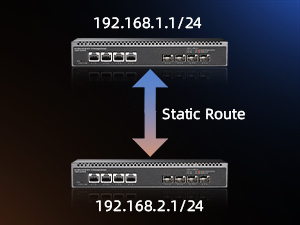
This review is for the 8-Port 10G L3 Managed Fiber Switch 10G08-0800GSM. I have 3 different 10G SFP switches and this is the only one I didn't get to work. Pros: * Very compact Cons: * Does not properly boot up. I can't access the web portal on 192.168.2.1 with a direct connection to the laptop which is not connected to any other network. Arp -a doesn't show the switch. The SFP module and Ethernet cable are known to be good as they work on other switches. * Gets very hot, probably because it is so compact. * Out of 4 different SFP+ ETH modules only one worked (though other switches had the same issue). Only the 10Gtek ASF-10G-T worked. I have a feeling the switch doesn't work with Broadcom chips. The following SFP+ modules didn't work: 10Gtek ASF-10G-T80, tp-link SM5310-T, ASFPTEK AT-SFP-10G-T-80 * It takes 28 seconds for the SYS LED to start blinking. This is very consistent. According to the manual, a blinking SYS LED means "Starting". So that means it does not start booting for 28s. Every other switch starts booting as soon as it gets power. * It takes 52 seconds for the connected SFP ports to be recognized. The second worst switch took 36 seconds, i.e. 16 seconds faster. * The status LEDs are below the ports. If you want to check the LEDs and the switch is not above eye level, you have to tilt it up or lift it up to see the LEDs.
J**Y
Great port configuration - perfect for a 10G homelab
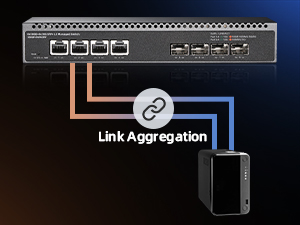
Small 10G switch perfect for home NAS with SSDs. The 4 + 4 port setup seems to be unique on the market at time of launch, and is convenient for Link Aggregation with multiple clients. Note: I can't confirm this is a full L3 switch. Pros: - It's quiet. The case, heatsink, and fan seem to be redesigned. - The user interface is an upgrade over the cheapest switches. Con: - HTTP management is enabled by default and insecure. Immediately switch to HTTPS and disable HTTP.
Trustpilot
3 days ago
1 month ago