
DOWNLOAD THE APP


Customer Services
Copyright © 2025 Desertcart Holdings Limited
DOWNLOAD THE APP


🚀 Elevate your workspace and game with stunning 4K clarity on the go!
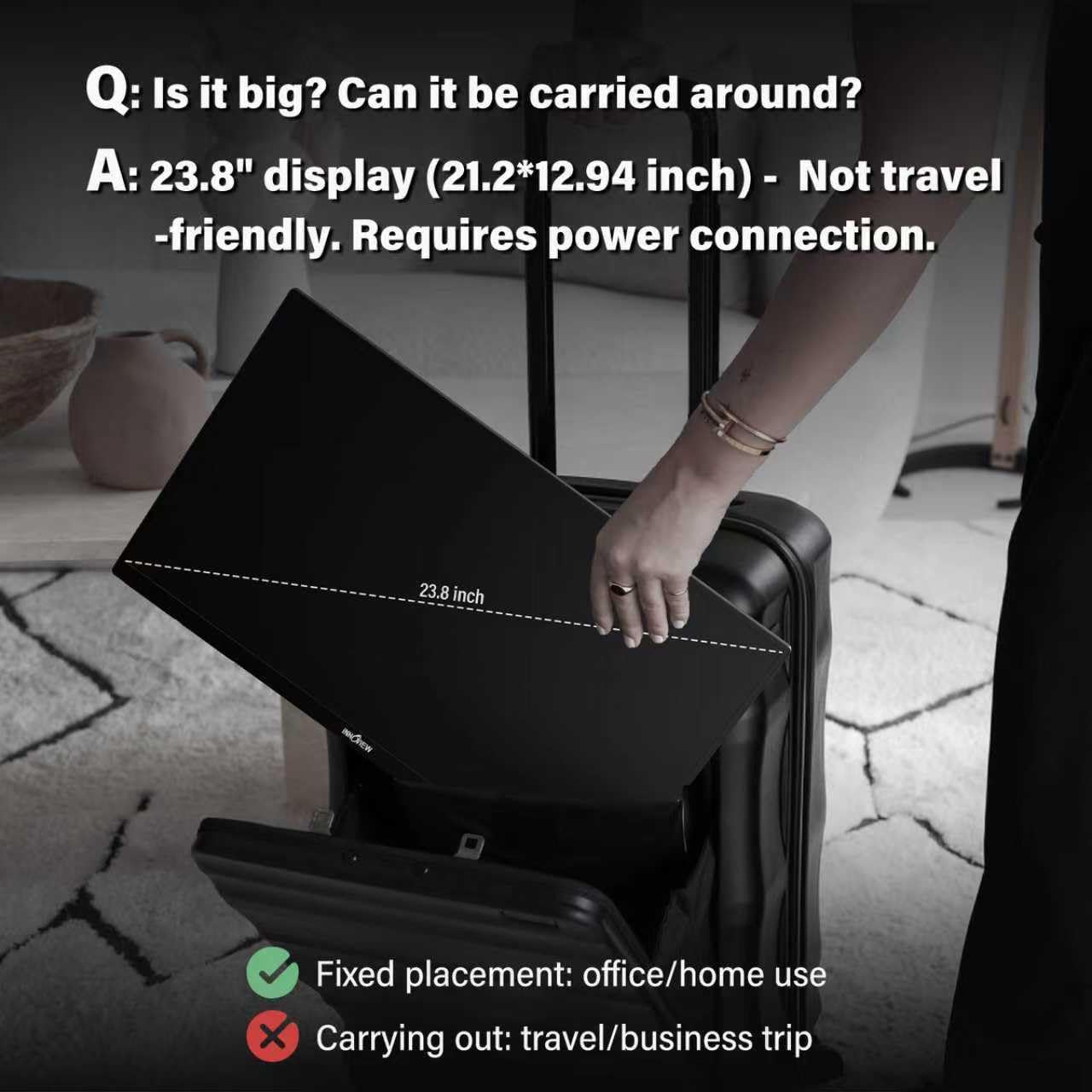
The Innoview 23.8” 4K Portable Monitor features a vibrant 3840x2160 UHD IPS display with 100% sRGB color accuracy, USB-C and HDMI connectivity, built-in speakers, and a 180° adjustable stand. Weighing just 3.45 kg, it’s designed for professionals and gamers seeking a high-quality second screen that’s both portable and versatile.


| ASIN | B0DKT69JYB |
| Are Batteries Included | No |
| Brand | InnoView |
| Color | black |
| Customer Reviews | 4.1 4.1 out of 5 stars (64) |
| Date First Available | 24 February 2025 |
| Item Weight | 3.45 Kilograms |
| Item model number | US-PM608-01B |
| Number of HDMI Ports | 1 |
| Number of USB 3.0 Ports | 1 |
| Product Dimensions | 53.34 x 1.63 x 32.23 cm; 3.45 kg |
| Resolution | 3840 x 2160 |
| Screen Resolution | 3840x2160 |
| Series | US-PM608-01B |
| Standing screen display size | 23.8 |
C**N
Ótima imagem. Mas o som deveria ser melhor.
D**A
I’ve been using this Innoview 23.8” 4K portable monitor as a second screen for work and gaming, and it’s excellent. The 4K resolution with 100% sRGB looks sharp and vibrant, great for productivity and media. Setup was plug-and-play with USB-C, and it works flawlessly with my laptop and PS5. The 180° adjustable stand is very convenient, and despite the large size, it’s surprisingly easy to move around. If you want a high-quality portable 4K monitor, this one delivers
S**Z
I absolutely love this monitor! The screen is super clear, it's very thin, yet still extremely light. I can get a lot of tasks done at one time because I can fit multiple applications on the screen at once. This makes it extremely productive. While this is lightweight and can easily be moved, it also feels very strong and you do not need to worry about it breaking easily. It comes with a 45W charger, and a usb c for charging, and another usb c for display. The accessories are very good quality.
R**U
Honestly I was looking for a large size good quality 4K Digital Photo Frame that can take input from an HDMI so I can use use it to display my photography in high resolution and I couldn't find any. Then I looked into thin TVs but those were quite expensive and then I came monitors and I wasn't expecting this. It is the thinnest and lightest monitor I could find with 4K picture quality and covers sRGB color range. It is also a little expensive but the quality and portability and weight beats many other options. I used it with my USB c Pen drive as well as Chromecast and it worked great. Its compatible with most inputs and looks good for gaming as well. I am a liitle concerned about how I'll wall mount this as it doesn't come with any mount but it has screw whole for the same. Will update and photos once I'm able to mount this. For now I'll use its sturdy stand to use it. Update - The monitor started flickering and suddenly died. Seems like it has quality control issues. Would have ordered a replacement but I couldn't use it for the purpose I wanted it for, as I was unable to find any way to mount this and the stand makes it too tilted to view photos at height.
J**F
As a "HDMI" monitor, this merits 4 or 5 stars. As a DisplayPort Alt-Mode (DPAM) monitor, it deserves one star. Let me explain why... and why it took me several months of frustration to finally get to the root of the problem. I purchased my monitor back in early December 2024. It's badged as "Innoview", but "Monitor Asset Manager" revealed "YCT" as the actual manufacturer, and "YCT5AA1" as the underlying model number. I also purchased a bidirectional DPAM cable. The OVERWHELMING majority of "USB-C DisplayPort" cables sold on Amazon are NOT Bidirectional... they work to connect a USB-C source (like a phone) to a DisplayPort sink (ie, monitor), but they can NOT be used to connect a DisplayPort source (like a Nvidia GPU in a desktop PC) to a USB-C sink (like THIS monitor). And I'd say at least 1/4 to 1/2 of the cables on Amazon that are CLAIMED to be "bidirectional" actually aren't. I literally went through three cables before finding one that worked. This is not the monitor's fault, but it's something you ABSOLUTELY need to be aware of when shopping for a cable. Now... getting to the reason why I'm so critical of this monitor's DPAM capabilities: it uses a RealTek RTD2851 scaler chip, and whomever developed the monitor's firmware BADLY screwed up the setting that governs its power-saving timeout behavior. As sold, from the moment the monitor powers up, it has approximately 1 second to see a valid source connected before it goes into power-saving mode and shuts itself off. The problem is, negotiation of a DPAM connection takes time... and can, in fact, take longer than the RTD2851 is willing to wait before going into powersave mode. Even worse, pressing side-buttons (to bring up and navigate its menus) DOES NOT extend the time window. You can literally be in the middle of madly mashing buttons, and when that 1-second timeout rolls around... the monitor will turn off. The net result is, the only way to reliably use DPAM with this monitor is to ALSO have a live HDMI video source connected at the moment you power up, in order to keep the monitor from going to sleep before the DPAM handshake completes. OK, so let's suppose you don't mind having to carry and connect TWO video cables wherever you go (keeping in mind this is supposed to be a PORTABLE monitor), to ensure that you can always bootstrap the monitor using the HDMI cable to keep it alive long enough for DPAM to handshake & allow you to switch to it. Let's suppose you have an AMD Ryzen 9 motherboard that allows you to connect the HDMI cable to that, and the DPAM cable to your RTX videocard. Every time you power up, you have approximately 50-50 odds of the monitor deciding to use the HDMI connection instead of the DPAM connection, regardless of what your last-selected connection was. I can assure you that this gets REALLY tedious and annoying after a while. I personally bought the monitor to use with my eBlaztr portable ITX gaming case. As a monitor for an eBlaztr, it can be great... it fits perfectly (though you'll need to add ~1cm spacers to the VESA bolts to shift it slightly away from the case), and looks good. But the need to always carry a HDMI "jumper cable" to bootstrap the monitor and force it awake long enough for DPAM to handshake is SERIOUSLY annoying. Eventually, I made ANOTHER bad discovery about this monitor, which led me to abandon DPAM altogether and settle for HDMI: this monitor CAN NOT DO VRR, FreeSync, AdaptiveSync, or G-Sync when connected to a Nvidia GPU. The problem is, the RTD2851 scaler chip is CAPABLE of those modes, but doesn't ADVERTISE them via EDID. Nvidia's drivers WILL NOT even ATTEMPT to use variable framerates unless they see that data in the EDID block. Period, end of story. I've spent months looking for ways to hack it. To the best of my knowledge, as of July 2025... if you use this monitor with a Nvidia GPU, you WILL NOT be able to use VRR or Freesync. In theory, AMD GPUs *can* be coaxed into doing VRR/FreeSync/AdaptiveSync by overriding the EDID via software configuration... but I didn't spend $800 on a RTX 4070Ti Super just to settle for the motherboard's intergrated graphics. So as far as MY computer is concerned... the monitor can't do VRR/FreeSync. In the end, I think I'm being EXTRAORDINARILY generous by giving this monitor 3 stars, because the timeout and EDID problems I mentioned effectively render it unusable for USB-C DPAM in general, and Freesync/VRR with Nvidia GPUs in particular. If, by some miracle, Innoview had some way to provide a flashable firmware update to correct those two specific problems, I'd give the monitor 5 stars. As it stands, they're incredibly lucky that I'm nice enough to let them have three just because it's one of the only 24" UHD monitors presently available AT ALL (as of July 2025) in the US, and it's decent as a HDMI-connected non-gaming monitor for people who NEED the specific combination of "24 inches" and "UHD" (like, eBlaztr owners). TL/DR: 1. If you have a Nvidia GPU and want a monitor that supports VRR and/or Freesync... do NOT buy this monitor. 2. If 4k60 (without VRR/Freesync) via HDMI is an acceptable compromise, it's a nice monitor... especially considering the nearly total and complete lack of alternative options for 24-inch UHD
Trustpilot
3 weeks ago
3 weeks ago