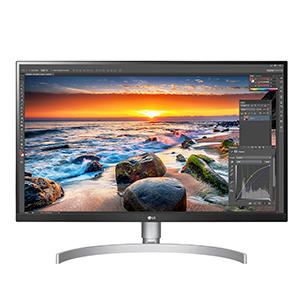
🚀 Elevate your workspace with LG’s 4K powerhouse — clarity, color, and connectivity in one sleek package!
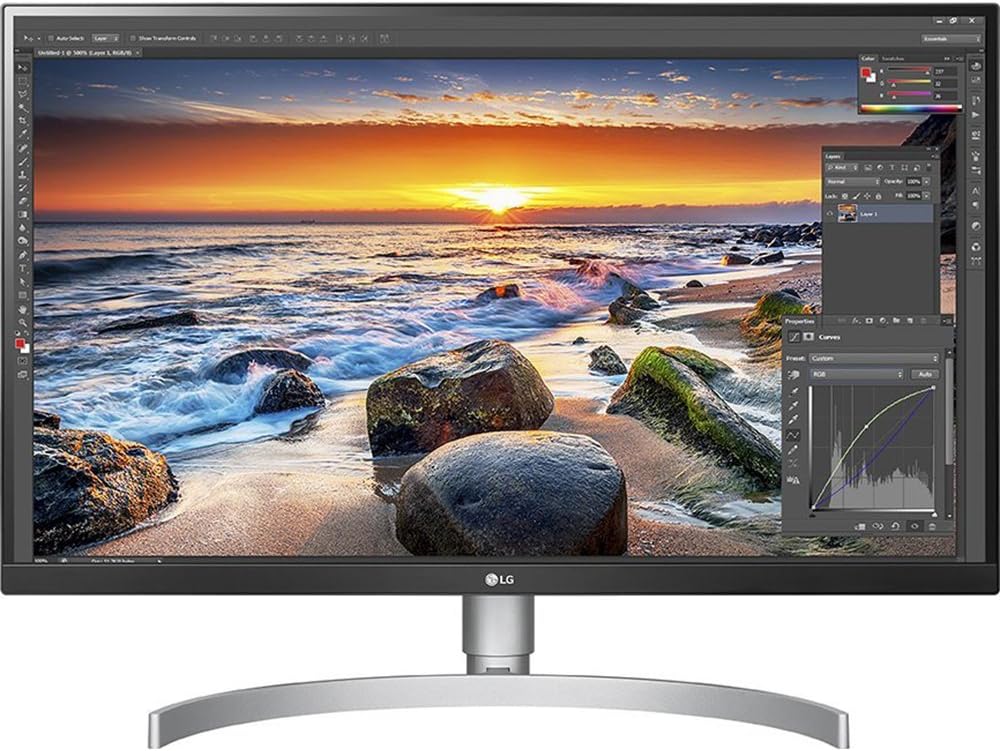
The LG 27UK850-W is a 27-inch 4K UHD IPS monitor featuring HDR10 support, 99% sRGB color gamut, and AMD FreeSync technology. It offers versatile USB Type-C connectivity with power delivery, a 3-side virtually borderless design, and a 5ms response time at 60Hz refresh rate. Ideal for professionals and gamers seeking stunning visuals, precise color accuracy, and seamless device integration.


| ASIN | B078GVTD9N |
| Adaptive Sync | FreeSync |
| Additional Features | Anti Glare Screen, Height Adjustment, High Dynamic Range, Pivot Adjustment, Tilt Adjustment, USB Hub |
| Aspect Ratio | 16:9 |
| Best Sellers Rank | #52,759 in Electronics ( See Top 100 in Electronics ) #1,150 in Computer Monitors |
| Brand | LG |
| Brightness | 350 Candela |
| Built-In Media | monitor, base, power cord, hdmi cable, display port, usb type-c, cd |
| Color | white |
| Color Gamut | 99 |
| Compatible Devices | [Devices with HDMI, DisplayPort, USB, USB Type-C, or DP to DP connectivity; Suitable for personal, gaming, and business uses] |
| Connectivity Technology | DisplayPort, HDMI, USB, USB Type C |
| Contrast Ratio | 1000:1(Typ) |
| Customer Reviews | 4.4 out of 5 stars 2,914 Reviews |
| Display Resolution Maximum | 3840 x 2160 Pixels |
| Display Technology | LCD |
| Display Type | LCD |
| Global Trade Identification Number | 00719192617476 |
| Hardware Connectivity | USB |
| Has Color Screen | Yes |
| Image Contrast Ratio | 1000:1(Typ) |
| Is Electric | Yes |
| Item Dimensions D x W x H | 28"D x 26"W x 16"H |
| Item Type Name | LG 27UK850-W 27-Inch 4K UHD IPS Monitor with FreeSync and USB Type-C Connectivity |
| Item Weight | 13.4 Pounds |
| Manufacturer | LG Electronics |
| Model Name | 27UK850-W |
| Model Number | 27UK850-W |
| Mounting Type | VESA Compatibility - Mountable: 100 x 100 mm |
| Native Resolution | 3840x2160 |
| Number of Component Outputs | 1 |
| Picture Quality Enhancement Technology | HDR, Fast Response Time, Wide Color Gamut, Super Resolution+, Dual Controller (if applicable) |
| Pixel Pitch | 0.1554 |
| Power Consumption | 50 Watts |
| Refresh Rate | 60 Hz |
| Resolution | 4K UHD 2160p |
| Response Time | 5 Milliseconds |
| Screen Finish | Matte |
| Screen Size | 27 Inches |
| Screen Surface Description | Matte |
| Shape | Rectangular |
| Specific Uses For Product | personal, gaming, business |
| Total Number of HDMI Ports | 1 |
| Total USB 3.0 Ports | 1 |
| Total Usb Ports | 1 |
| UPC | 719192622760 719192622791 719192622890 719192622784 719192622821 719192617476 719192622869 |
| Unit Count | 1.0 Count |
| Viewing Angle | 178 Degrees |
| Voltage | 240 Volts |
| Warranty Description | Limited - 1 year parts and labor |
| Warranty Type | 1 Year Manufacturer Warranty |
C**L
Really nice monitor (Update 2) 1 Week Later
I got this monitor today and I have to say that it is really nice (also did a great job of adding to my setup). It worked without any problems, the HDR works well and the picture is fantastic on it. The only downside is that I have a little light bleed on the left side of the screen (picture included, nothing that would deter me from using it or cause me irritation I just thought it was worth mentioning (but I will update if it gets worse or other issues arise). Other than that no issues, not a dead pixel or anything else. ! Update 1: The light bleed was gone the next day and I haven't seen it since. A little strange but I am not complaining. !! Update 2: The light bleed I had when I first go the monitor (you can see the picture included) is completely gone and I have not seen it after the 2nd day of use, so give it a couple days to make sure it doesn't just disappear. I got this monitor because I do a lot of 3d modeling and photoshop work. So far I have done some drawings in photoshop and not a single complaint. I will update my review as I use it more. ! Update 1: I decided to give gaming a try with this monitor and while it is the first 4k monitor that I have owned. It was fantastic, I even got to use the HDR in THPS1 and it took the visuals to another level. But I will say if you find games with HDR capability, at least with the one I tested it took some fiddling with the settings to get it looking right. !! Update 2: The gaming performance is amazing, HDR gaming is spot on and the detail is generally unreal (I only used a 2k monitor for about 6 months before getting this and prior to that I was using 1080p. So leaps and bounds better. As for modeling with Maya, it works amazingly (a little laggy, I think doing all that work on much more pixels takes more work from my pc, but it isn't anything horrible. Just keep in mind to keep off any "effects" (ambient occlusion, motion blur, etc.) if you are animating to make sure that it plays smoothly, unless you have an epic system. Pros: - Great screen - HDR works well - Not a single dead picture - Beautiful 4k gaming and HDR support for games that offer it. -Beautiful for animating in Maya. -Beautiful for working on drawing in Photoshop Cons: - A small amount of light bleed off of the bezel ***Gone after a day or 2*** Unknowns: - Color Accuracy (I am planning on trying color correcting in a couple months when I get a calibrator to get an idea of how close everything is.)
F**I
Mac Monitor
I had a lot of anxiety over whether the resolution of this monitor is on par with iMac 27 5K or LG 5K monitor. Had worked with both monitors and played around at Apple Store with both. Always amazed at the resolution and clarity of both LG 5K and iMac 27. From a photographer and pixel peeper standpoint (and owner of LG OLED TV, iPhone X owner): this 27 inch LG is on par with both of the above LG 5K and iMac 27 5K for a fraction of the cost. 1) Resolution is beyond what is considered "retina" in my book. I cannot even run this monitor on its full 4K resolution as it is just beyond "retina" at that point. It is, for all intents and purposes, as "retina" my iPhone X and MacBook Pro 13 inch with Retina display. I would not even hesitate to consider LG 5K monitor over this monitor as the 5K resolution is completely useless for practical purposes (i.e. content will look so small at 5K in a 27 inch monitor that it is unusable). 2) 27uk850 vs 27uk650: the USB-C is absolutely worth the extra 100$ cost. Not only integration with Apple ecosystem is seamless, but also the back of this monitor (and not the 650) has regular USB ports that can be used to hook up your peripherals too. For instance, my wireless mouse (not bluetooth, has a small receiver) is hooked up to the back of the monitor and works seamlessly with the MacBook. This saved from buying a dongle to convert my receiver for the mouse to USB-C and saved me from using a USB-C output on MacBook for connecting a mouse. 3) Charging of MacBook via USB-C is also key. Otherwise, I would have been left with absolutely no ports to hook up anything to my MacBook (1 USB-C gone for displays, 1 USB-C gone for charging). 850 is absolutely worth the price over 650. Would not even be able to live with 650 now that I see the difference. Please don't worry about whether this is "retina" enough compared to LG 5K at $1300. This is absolutely "retina" enough with excellent color reproduction. Now the whole DCI-P3 business, I'm not sure about. But then again, I'm a photographer and have never felt like I'm lacking "colors" in even my MacBook Pro monitor which is not covering the whole DCI-P3. The additional cost of having DCI-P3 is absolutely ridiculous in 2018 in my opinion and the difference likely very negligible for 97% of users. I could understand if your life depends on accurate color reproduction, but for the rest of us, DCI-P3 is not worth an extra $700. Excellent monitor. Speakers are also a nice addition. Reduces clutter from the desk. And can be turned off. In my opinion, the inclusion of USB-C and the back ports of the monitor to attach other peripherals via regular USB is absolutely worth the extra cost compared to 650, even not including the speakers.
P**N
Gorgeous 4K display, and it powers your USB-C and USB 3.0 devices
The 4K display on the LG 27UK850-W 27" monitor is flawless. It's worth every penny. I upgraded to this monitor primarily because of the USB-C connectivity. I purchased a new Apple 13" MacBook Pro (2018) which has four USB-C ports as it's only way to charge and connect peripheral devices. I was skeptical that a single USB-C connection could provide data and power, but I am a true believer now. Amazingly, I only have ONE single USB-C cable connected from the laptop to the monitor - no tangle of laptop charging cables, wall transformers, or data cables. This makes it so much easier to disconnect the laptop and go mobile, and reconnect when you come home. The LG 27UK850-W 27" power block supplies ample power to the monitor, peripherals, and charging capability to the laptop. The monitor's two USB 3.0 ports are adequate to support my 4-port USB hub. Strangely, the supplied USB-C cable is a must for connecting your laptop - the genuine Apple USB-C cable won't work. The monitor also sleeps/wakes perfectly and causes no radio frequency interference with the bluetooth keyboard and trackpad. The internal speakers are average. I recommend getting a pair of decent powered speakers. I connect a pair of powered speakers to the monitor's audio input and they work perfectly. The sound is passed from the computer through the monitor to the speakers. The LG 27UK850-W 27" is a solid choice if you are considering purchasing a 4K UHD monitor. You won't be disappointed.
J**N
LG 27UK850 - Nice price for 4K
Just got this monitor and pretty happy with it so far. I think I got lucky, I haven't noticed any light bleeds. And definitely no dead pixels. Still getting used to the larger resolution, coming from dual display setup. I still have one of my existing panels set up right next to it. The different resolutions kinda makes it interesting/annoying to drag windows between screens. Planning to use it for photo editing, some coding, and general office related stuff. Larger resolution will be handy for spreadsheets. My gripes so far are minor.. - White everything.. back casing, cables, power brick, etc. Only thing that isn't white is the face and the stand. I have a feeling the white will change color over time. - External power brick. Kinda disappointed it doesn't have internal power supply. The brick is white and it's huge! Just adds clutter. But I suppose it's easier to replace if it ever goes bad. - It's heavy. Tried to mount it on my existing Ergotron mount.. it sagged due to the extra weight. Had to use the LG stand.. which takes up a lot of desktop footprint. And it's bright silver. - Weird controls. There's a "joystick" under the panel that gives you access to the settings/menu. Not really a fan, but I do prefer tactile controls over touch sensitive (the Dell Ultrasharp it replaced). - So many inputs but you can only use one at a time. Not sure why modern monitors have all these inputs, but can't perform picture-in-picture. - USB-C connection downgrades the USB hub to USB 2.0 speeds. It's stated in the manual, but not clearly stated here in the product specs. Not a big deal. I normally don't use the built-in hubs in any of my monitors. If this is important to you, then you're going to have to use the DP or HDMI ports. - Speakers are meh. Yes! This monitor has built-in speakers with a headphone jack in the back. By default, it turns on some audio enhancement. It's terrible but you can disable it. The speakers are awful for anything but system sounds/beeps or spoken word like from video chat. Music, movies, etc.. you're better off using proper external speakers. Good stuff.. - You don't have to buy cables. This comes with all the cables you could possibly need.. DisplayPort, HDMI, USB-C. They are all thick and stiff though. Kinda hard to do cable management. But they seem to be good quality. I tried using my existing HDMI cable but the screen randomly flickered. I plugged in the LG HDMI cable and the flicker went away. If you plan to use your existing HDMI cable, make sure it's the modern high speed type. Also, don't use long 6 foot cables. I've heard that long cables will also cause flickering for 4K displays. - Easy setup. Don't even have to read the manual. There are pictures on the inside flaps of the box that show you how to assemble it. Also downloaded the latest driver from the LG website. You can basically toss the CD it comes with. It's probably outdated. - Display is gorgeous so far. I haven't opened up Lightroom yet to view photos but will probably get to it over the weekend. Supposedly it's calibrated from the factory. But if you have access to calibration hardware, you can download drivers and calibration profiles from the LG website. Random.. - Forget the additional software from the LG website. They're probably useless for most people. All you need is the 4K drivers. If you're curious, one software is a remote access KVM-like application. Basically allows you to access and control other computers on your network. Careful with this one because during the setup process, it will update the Windows firewall and open up some ports. The other software is some screen layout tool. Basically it allows you to "partition" parts of your screen for specific applications. So next time you boot up your computer, those applications will launch and only display in the section that you specify. This might be good for people that like to meticulously arrange/tile their program windows on screen. - Overall not a bad panel for the price. I was considering a Dell Ultrasharp with similar specs but it was a couple hundred dollars more. But this LG will be fine for the time being.
C**.
Loved this with my Mac Book Pro
So glad I got this. I avidly read reviews on multiple monitors that had a USB-C outlet, and I liked the idea of 4K resolution with a 27" screen. I always used to rely on in person evaluation, back in the day when you could go to a Best Buy and look at all the different choices and judge for yourself the quality of color and image reproduction, but the year of Covid and basically general downsizing of tech stores made that impossible so I had to rely on reading about the qualities of my future purchase. I will attempt to briefly convey what I like about this device. No problems at all with shipping and packaging, and very easy to set up. Pretty much plug and play. I'm happy with the usb-C outlet that simultaneously charges my laptop--this frees up another power outlet for my home office set up. Also use the other usb outlets for charging, no downloading or web cam hook up so no complaints with any speed issues there. I don't have an elaborate set up where I would have any knowledge of testing the speed of the outlets, I saw that commented on other reviews so I'll leave you to their expert feedback on this. I'm very happy with the clarity of the picture, very good color reproduction next to my MBP 2018 so can't complain. I'm not a gamer so those type of issues wouldn't apply to my experience. I also am not tech savvy enough to comment on any "bleeding" or faulty pixels, but am very happy with the result when I stream movies. Purchased some additional speakers because I wasn't happy with the sound quality coming from this screen, and did not like that it did not respond to my keyboard controls either. Nice stable base, would hate if it wobbled as I type like some other devices per their reviews. Tilting and telescope options work well for my use; I did see another model that went from turned horizontal to vertical and that almost swayed me, but glad I saved the money as I really wouldn't need that feature anyway. Have used this now for ten months so no problems and no regrets choosing this model.
E**C
Awesome 4K monitor
Recently I upgraded my PC to something capable of outputting a 4K image, and I've been wanting to buy a 4K monitor for a while. My previous monitor was a Samsung 23" 1920x1080 monitor. I do occasional photo editing, which I figured the 4K resolution would be good for (as well as the additional screen space). I also like to play PC games occasionally. After reading some reviews, I decided to splurge a bit and buy this monitor, and I'm not disappointed. Some things I like about this monitor: - The picture quality is excellent. It is bright and looks clear and sharp. Colors are well-defined. I've only used the 4K for a few days so far, but with some photos, I feel like I could stare at them for a while and marvel at how good they look. My photos look nice on this display, and I also downloaded some 4K desktop wallpaper that just look great. Even though this is a PC monitor that isn't as big as a 4K TV, you can still see the detail in images, and it looks great. - It can connect to a USB type-C port on the PC and has a couple of USB ports on the back of the monitor. I didn't really think this was necessary and didn't really need it, but this is a nice feature. The monitor's USB ports would be useful for plugging in a webcam, for example, so that the USB cable doesn't have to go all the way to the back of the PC case. Or perhaps a USB printer or any other device that is located closer to the monitor than the PC case. - Good size for a PC monitor. It's bigger than my older 23" monitor, but it still fits on my computer desk at a good distance from my eyes and good level (after some re-organizing of my desk) for me to see it well. - It has built-in speakers, so it can be used as an audio output device if desired. Also, the stand lets you move the monitor up or down. One thing I was worried about was having dead pixels, but mine doesn't have any dead pixels that I can see. Overall I think this is a great monitor, and I'll enjoy using it.
T**M
I want to love this monitor.
This could be a great monitor. The colors are great, everything is crisp, even the design of the panel and base look great on my desk. I’m giving 1/5 stars to LG and to the entire monitor industry manufacturing IPS panels right now. I’ve been through 3 of these monitors, and they’ve all had separate issues. #1 - Unacceptable backlight bleed. And no, it wasn’t just IPS glow. Corners were consistently yellow regardless of viewing angle. Made watching movies or viewing dark content miserable. Also lots of ghosting and artifacts. #2 - Backlight bleed wasn’t an issue on this one, but there was a noticeable shift in color temperature across the panel. Green to magenta tint left to right. Also dead pixels. #3 - Great color uniformity, but guess what.. back to excessive backlight bleed. I’m so sick of companies (and even consumers) trying to normalize this phenomenon. If manufacturers like LG cared at all, they’d do a better job of encasing the panel within its enclosure. I could watch the backlight bleed vanish before my eyes just by fiddling with the bezels. I know some people have had luck putting thin bits of plastic between the screen and bezel, but does that really sound like a reasonable thing to do for a product that goes up to $700 something dollars? Shame on the entire monitor industry, forcing those of us who care about quality (or just want to watch a movie on our screens without annoying backlight bleed) to play this stupid panel lottery, returning multiple units to stores. It’s not fair to the consumers, or the stores, as it’s not even their fault LG is shipping units with abysmal quality control. I even tried to give the 3rd party sellers a break, and shipped one of my panels to LG for repair. Guess what, it wasn’t even worth their time to address my panel. They offered me a refund or a replacement, which would most likely end up being yet another panel with horrible backlight bleed, as nobody in their facility would commit to inspecting it first. Affordable consumer OLED can’t come fast enough. But until then, us consumers will be gaslighted by the monitor industry who tells us this is perfectly acceptable even in this high price range.
J**M
Research pays off!
I hardly ever write reviews for anything I purchase on Amazon. Honestly, most things I get are as expected. This was the first time I purchased a monitor sight unseen, and I was cautiously optimistic. The reviews were very good, so I took the plunge. Admittedly, I was nervous when I first hooked this up to my Macbook Pro 13". I plugged the USB-C cable provided with the display into the Macbook and voila...it came on. Unfortunately, it was at 30 Hz rather than 60 Hz, and I could notice that difference in scrolling. Sometimes it would connect at 60 Hz, sometimes at 30 Hz. I researched some more. I ended up buying a high quality Anker USB-C to USB-C cable that fixed that problem right up. If you have the same problem, it may just be the cable. The other frustration was that the picture setting default for the monitor was set to "Game." This made text on the screen very hard to read. I honestly thought there was a problem with the display. More research. After reading some blog posts online, I found out that changing the display setting to SMPTE-C fixed that right up. Now, the good stuff. This display, once I changed the cable and the display settings, is the most beautiful pairing with my Macbook Pro! The colors are perfect, display is sharp, bright. I have NO regrets and would not hesitate to buy more of these. The 4K LG display Apple sells is only 22". I'm shocked Apple doesn't have an option like this one (though I'm pleased as well, as I'm sure it would be more expensive). Run, don't walk, to buy this display. Just be ready if needed to get a new USB-C cable, and be sure to change the picture setting. Also, another lesson I learned: Thunderbolt 3 cables 18 inches long or less may work for USB-C, but longer than that typically won't. If you DO need another cable, be sure to buy a TOP of the line USB-C cable, not a Thunderbolt cable. Many of you already know, I'm sure, but there is a difference! I only have one remaining gripe: the speakers are really that bad. My iPhone puts out better sound (no exaggeration). Just buy a good pair of speakers. Honestly, after all the research I did, there's not really an ideal pairing of good sound and good display, unless you go with the ridiculously expensive LG Apple displays.
Trustpilot
2 days ago
1 month ago