
DOWNLOAD THE APP


Customer Services
Copyright © 2025 Desertcart Holdings Limited
DOWNLOAD THE APP
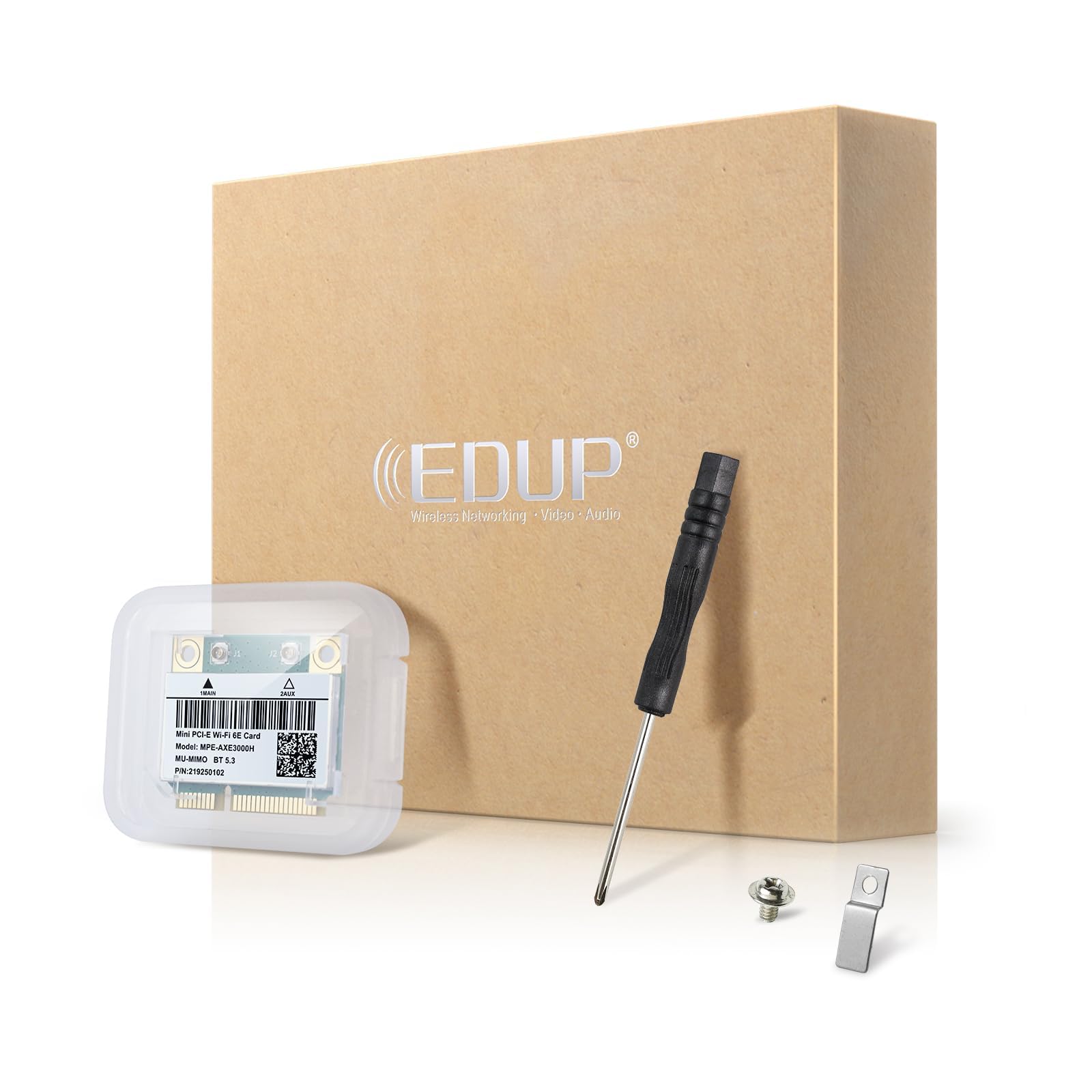
🚀 Upgrade Your Connection, Own the Future of WiFi!
The AX210HMW WiFi Card is a cutting-edge tri-band WiFi 6E adapter featuring blazing speeds up to 5400 Mbps, Mini PCIe interface for easy installation, and Bluetooth 5.3 support. Designed for laptops and mini PCs, it delivers ultra-low latency with MU-MIMO technology and broad OS compatibility including Windows 10/11 and Linux. Backed by a one-year warranty and lifetime support, it’s the ultimate upgrade for professionals demanding fast, reliable wireless connectivity.


| ASIN | B0C559XB9L |
| Best Sellers Rank | #86 in Internal Computer Networking Cards |
| Brand | EDUP |
| Built-In Media | 1* 6E AX210HMW Card, 1* Metal clip, 1* Screw, 1* Screwdriver |
| Compatible Devices | Laptop |
| Customer Reviews | 4.5 out of 5 stars 120 Reviews |
| Data Link Protocol | IEEE 802.11a |
| Data Transfer Rate | 5400 Megabits Per Second |
| Hardware Interface | Mini PCI |
| Item Weight | 1.76 Ounces |
| Manufacturer | EDUP |
| Warranty Description | one year warranty and lifetime technical support |
A**R
Linux Compatible
Bought this to replace the stock card in an older Sony Laptop when I changed the OS from Windows 10 to Linux. Turns out the stock card in that laptop was not compatible. I was able to get Wifi but not Bluetooth working. After installing this card both Bluetooth snd WiFi work immediately and ss a bonus my Wifi speed was upgraded to Wifi 6
M**R
Now works out-of-the box on Linux, no compiling needed!
I am pleased to report that the product description is outdated, but in a good way-- with Linux Kernel 6.12 on Debian 13, I can use this wifi card with no out-of-tree kernel drivers and no compiling! Just needed the "firmware-iwlwifi" package and I was off to the races, with way better performance than the OEM card.
L**P
Fantastic!
I used this as an inexpensive way to update and greatly improve the Wi-Fi capabilities of a Dell M4800 workstation laptop (circa ~2014). This laptop came with an Intel Centrino Ultimate-N 6300 adapter, and at this point Wireless-N (aka "WiFi 4") is a very old and slow standard. Although I had a minor reservation about replacing a 3x3 card with a 2x2 (less theoretical range), I'm nothing but happy with the end result. It's simply great that the old Mini PCIE standard still has some support from these modern adapters. This EDUP AX210HMW adapter is a genuine Intel chipset (meaning that it is rock-solid stable and widely compatible), features Bluetooth 5.3, and with Wireless-AX ("WiFi 6E") is capable of blazing-fast speeds. I have used EDUP products before and had good experiences, so I was confident in buying this. Installation difficulty will depend on your specific laptop or motherboard, but it's very easy on the M4800. Testing of the old card showed that the old Centrino adapter could only muster downstream/upstream speeds of 140.64mbps and 26.82mbps with respective latencies of 224ms and 215ms. Perhaps good in 2014, even impressive in 2009 when the standard was new, but simply poor in the modern era. Plus, it did not have Bluetooth of any sort. Testing of this new adapter resulted in downstream/upstream speeds of 753.45mbps and 465.39mbps, with respective latencies of 26ms and 25ms. MASSIVE improvement! WiFi-6E and BT 5.3 are not the latest-and-greatest standards - that would be Wireless-BE ("WiFi-7") and BT 5.4 - however, Windows 10 and prior are not capable of supporting WiFi-7, so unless you're running Win11 or Linux, and unless the networks you're using are also WiFi-7, it would be of little use and this adapter is the best option. There are some other caveats to keep in mind, as well. Many laptops will have BIOS restrictions and refuse to boot with unapproved, non-whitelisted adapters (Looking at you, Lenovo) UNLESS you are willing to perform a fairly complicated and potentially risky UEFI BIOS modification, which is not something I would recommend for the uninitiated. The BT functionality also relies on the Mini PCIE slot being capable of USB, since it functions via USB, so it may not work on some laptops. On the M4800 none of this was an issue, but be sure to do a little research beforehand as due diligence to save yourself a headache.
C**B
Drivers can be Tricky to Install
Included driver instructions are obsolete. Had to install the drivers twice for WIFI and BT to complete a successful install. Will be getting fiber at 1 GB with a 6E router in a month or so to test the higher speed. Currently at 100MB max download speed and was getting close to 40 MB with this card installed vs 10 MB with the original. BT works great and I can walk pretty far away from my laptop and still hear YouTube music videos through my buds. Definitely not plug and play, but it works on my Dell laptop running Win 11(unsupported).
M**R
Love this thing.
If you want to really speed up your Wifi speed, this thing is awesome. There are a lot of older i7 laptops out there that are perfectly usable for most tasks - except that the network speed is just so slow. If your WiFi supports it, this device will significantly increase your internet speed.
J**E
Most awesome product
Seller delivers the product he says he is going to deliver. The Wireless card came in a beautiful package; they even included a small screwdriver and extra screws for the installation. However, the delivery person left the package far away from my apartment, I found it by accident. Clearly this is not the seller's fault but the fault of the delivery people. In reality I was very impressed with this product. It is somewhat expensive but well worth it.
O**E
Works well in my old laptop...
The WiFi connection in my 2014 Gateway Intel-based laptop seemed to drop often lately, and it required more reboots than anything else to get the WiFi card and Windows to function together again. I think it must have been the driver software, as the RealTek driver had not been updated in a long while. I decided to upgrade it to something much newer as I had extra m.2 cards lying around... then I opened the case and found that it used an older PCIe short length card for its WiFi. I was amazed that they still sold them on Amazon... even more amazed that they had a recent Intel chipset available. I ordered this one as it upgraded the laptop from 2.4Ghz only to also support 5Ghz and possibly 6Ghz channels. I can confirm that the Intel drivers work well on this card as they have not yet dropped the signal and refused to connect like the old one... (and also no weird new crashes of Win10). The card connects to my WiFi 6 (AX) network and the Windows properties show that it is using AX style channel sizing on the 5Ghz channels... so the WiFi 6 is functional as well. As for WiFi 6E (6Ghz), I will just have to wait for my next router upgrade to see if it works -- I just paid the extra five bucks to have that silly future-proofing in my mind.... but also because there are probably other firmware/driver updates to the AX210 vs the AX200 to support performance and stability. I am rating it four stars... it works well and it is stable, but I dropped a star mostly because installing these cards is not really that easy for the average user... and connecting those tiny wires is not easy for anyone. As always, your mileage and preferences may vary...
J**E
Works with Lenovo Thinkpad W520.
Saved my 13-year-old Thinkpad W520. Its old Intel Centrino Advanced-N 6205 (Model 62205ANHMW) card had pathetic Bluetooth range and Wi-Fi was frustratingly choppy, averaging around 20 Mbps download speeds or less. Meanwhile, my router reported over 500 Mbps download speeds. (This speed may be for wired Ethernet connections.) The EDUP card took a few days longer to ship than I had expected, but it was worth the wait. As of July 2, 2024, I was able to easily download BIOS 1.45 from Lenovo’s site and install that over 1.46, in order to install a modded 1.46 that removes BIOS Wi-Fi whitelist. I installed Intel’s Proset Wireless Tools from their website, took out the two screws holding the keyboard in, and lifted the keyboard to replace the old Wi-Fi card with EDUP’s card. My eero router reported that a Hon Hai Precision Industry device connected to my network when I fired up the W520. Download speeds now max out at about 220 Mbps, but mostly stay in the 170-190 Mbps range even with nobody else connected to the network. (Please inform me if there is a way to push it faster on this old machine.) Bluetooth also connects quickly. I can finally have the laptop in one room and a Bluetooth speaker in another! -- July 6, 2024 update: I am not a tech geek, but Device Manager shows this card as a Qualcomm Atheros AR5BWB222 Wireless Network Adapter. I had supposedly bought an Intel AX210HMW, and the little flyer that came with the card directed me to install Intel drivers. I am also running Windows 10 Pro. I do not have a Wi-Fi 6 network. However, my speeds appear to be in 802.11ac "real world" ranges, which matches my eero mesh network (installed in 2020). Strange, but good enough.
Trustpilot
2 weeks ago
5 days ago