📡 Cut the cord, not the quality — your ultimate OTA entertainment hub!
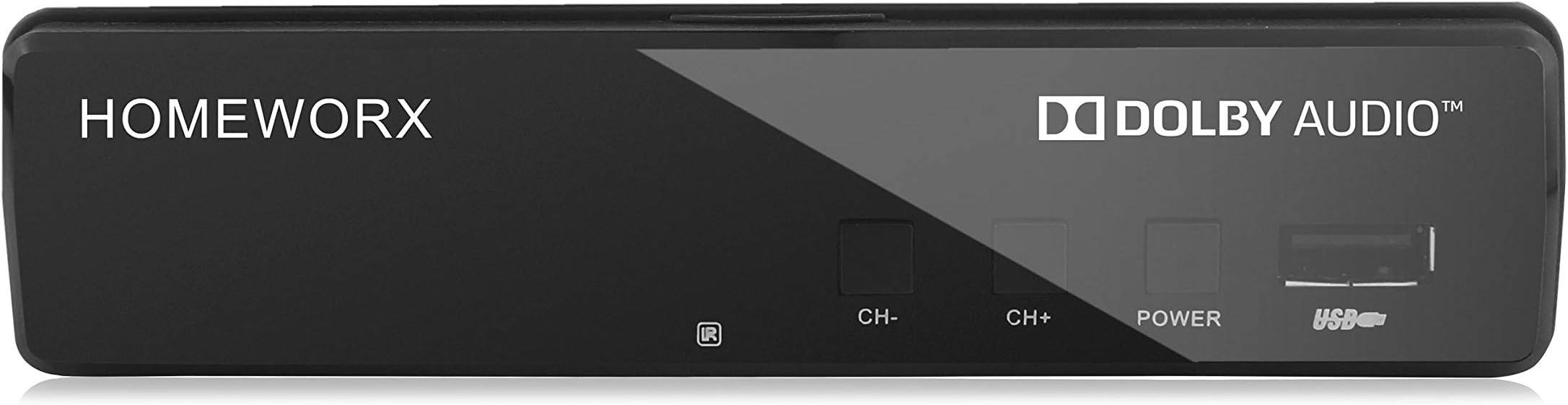
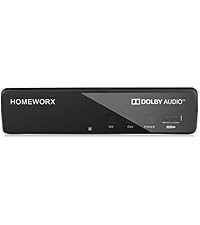
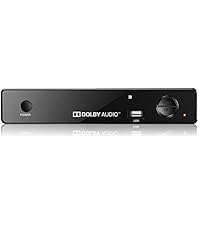
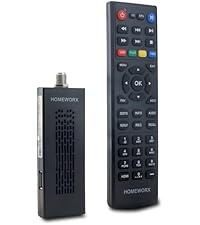
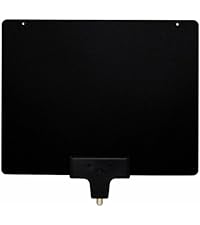
The Mediasonic HW130STB is a versatile ATSC digital converter box designed for cord-cutters seeking to receive and record over-the-air broadcasts. Supporting up to 1080p HDMI output and real-time or scheduled recording on external USB hard drives up to 2TB, it transforms any analog or digital TV into a smart DVR system. With parental controls, favorite channel lists, and multiple output options, it offers a comprehensive, budget-friendly solution for modern media consumption—just add an antenna.


| ASIN | B01EW098XS |
| Best Sellers Rank | #13,755 in Electronics ( See Top 100 in Electronics ) #7 in Analog-to-Digital (DTV) Converters |
| Brand | Mediasonic |
| Brand Name | Mediasonic |
| Customer Reviews | 3.8 out of 5 stars 9,483 Reviews |
| Interface | Coaxial, HDMI, RCA, USB |
| Interface Type | Coaxial, HDMI, RCA, USB |
| Item Dimensions L x W | 5"L x 4"W |
| Item Weight | 0.29 Pounds |
| Manufacturer | Mediasonic |
| Material Type | ABS |
| Maximum Supply Voltage | 5 Volts |
| Mounting Type | Coaxial,Surface Mount |
| Number of Channels | 1 |
| Number of Pins | 25 |
| UPC | 629329006762 |
| Unit Count | 1.0 Count |
| Warranty Description | 1 Year Warranty from Mediasonic Store |
S**D
Replaced old model ATSC box with Mediasonic
My new Mediasonic Homeworx replaced an older version of ATSC box that I bought directly from Shenzen on eBay several years ago. I really liked the old box until the flash memory stopped working. When new, the old box would let me create up to about nine DVR schedules. Then after about three years it went to zero. All the functions of the old box are still good, except for the DVR schedule. I am still using a second old version ATSC box where the DVR schedule capacity has gone from about 14 entries to four. I replaced the ATSC box with zero DVR schedule with a new Shenzen model. I expected it to be like the one it replaced. Instead the DVR schedule has an eleven day week and zero working flash memory to hold schedules. I am really hoping that the new Mediasonic will have better quality flash memory. Ask me in three years how the flash memory is holding up. Right now it looks very good. I have been using old model USB 1 Western Digital disk drives for DVR storage. They worked great on the old model ATSC box and work just as well on the new Mediasonic box. I assume that the new box will support USB 2, but have not tried it. The old boxes do not support USB 2. The old model Western Digital units arrived formatted as fat32. To use them for DVR storage I had to reformat them to NTFS. I suspect the reason thumb drives do not work is that they are formatted as fat32. I bet that after reformatting to NTFS, they would work. I noticed that the Mediasonic has a disk format feature in the menu. I did not need to use this, the USB 1 Western Digital drives transferred to the new box without a hitch. I had two boxes because I had two outdoor antenna. I’ve been experimenting. The first antenna has stopped working. I suspect it is because it is now pointing to the sky rather toward the horizon. I have it clamped to a plumbing vent that is now bent over after the last wind storm. I wanted two working ATSC boxes, one to watch while the other records or record different channels at the same time. I tried using the RF output on one box to the second box. That works, but there is significant signal attenuation especially when the first box in the series is working. I installed a Channel Master signal-splitter amplifier. Now both boxes get the same signal strength. I have two antenna on the roof on the same mount with a Wineguard signal combiner feeding a Channel Master antenna preamp. That feeds into the signal-splitter amplifier inside the house. All this gets me about 40-60 over the air channels depending on atmospheric conditions. The antenna mount once held a Direct TV satellite antenna. I’m thinking of another type of antenna to try. I might replace the antenna on the bent plumbing vent with something on a tower next to the house. We will see how much ambition I have. Some things to note. The Mediasonic menus are identical to the old ATSC box. The remote controllers have the same functions, but they are arranged very differently. With the two old model ATSC boxes, when I clicked the controller on/off button, one box would turn on and the other would turn off. That, I found, was a useful feature. I now have two separate controllers. I suspect, if I get another Mediasonic that this feature would return. I set my Mediasonic to the 24 hour clock. Please remember that it does not automatically switch between standard and day light time. I seem to get caught twice each year. The DVR scheduler assumes that a digit placed in one of the two hour slots means that a zero should be in the other. Why? The old model didn’t do this. I like that the Mediasonic DVR scheduler starts with the working channel. The old model did not do this. The old ATSC box DVR scheduler has an annoying bug. When more than two shows are scheduled to record where each starts on the same hour that the previous show ended, there is about a 20-30 second additional delay that adds up. This delay pushes the start time and end time forward by that amount. This means that after several iterations the start and stop times are out of sync with the shows being recorded. This is a real issue when recording one of those marathons where 10+ episodes are broadcast back to back. Making the stop time a minute earlier than the next start time seems to help. Except when the scheduler is turning on the unit before starting to record, then it turns off on the ending minute and back on at the starting minute. Fortunately there tends to be a lot of advertising between each iteration to absorb the slop in the time. I haven’t used the Mediasonic enough yet to check this on the new model. I noticed that the Mediasonic initial boot goes a lot faster than the old ATSC boxes. Otherwise there is no difference. -- It is now official: The bug described above is present in the Mediasonic. Here is instructions to reformat a thumb or disk drive to NTFS: Put the following in a Windows Shortcut Target: %windir%\system32\cmd.exe Start in: %HOMEDRIVE%%HOMEPATH% Use the following commands in the Microsoft Command Prompt Type "DiskPart" in the command prompt. Type "List Disk” (make note of the disk number of the target USB drive). Type "Select Disk X”, where X is the target USB drive noted above. Type "Clean”. Type "Create Partition Primary”. Type "format FS=NTFS”. Type "Active”. Type "Assign". Type "list volume". Type "Exit" Be real careful with this. As soon as you type “clean” the target disk is wiped clean. If you want to get rid of a disk drive and hide your data, use the above procedure. I suspect a well-equipped forensic lab can still get at your data, but not easily. The format can take a long time. A 1TB disk drive can take 8+ hours to format. Like those Western Digital disks noted above.
R**E
Works ok for a low cost unit.
These things function ok, basically works like an old VCR but digital, if you view it that way you'll probably like it. I have bought several of these over the years. I bought one about 15 years ago that lasted a really long time, I don't think they're being made as well now though. There seems to be a fairly high fail rate on them, they seem buggy too. The programming doesn't always work as I think it should. The on screen menus and the remote are not super user-friendly. But hey, it's really inexpensive, you can buy several of these for the cost of one expensive name brand that might not work any better. Good choice for cord cutters, I record lots of ota shows with it. I have had best results using an external mini usb hard drive with it rather than a thumb drive, just my experience.
B**L
This works great as an OTA DVR. There are some drawbacks, but for the price it is well worth it.
This works great as an OTA DVR. There are some drawbacks, but for the price it is well worth the minor inconveniences. As a long-time cable cutter, the thing I missed most was the ability to time shift. The Mediasonic HW130STB takes care of that. If you expect this to do the same things your $200/ month cable box did, you'll be disappointed. If you think of it as a 2020's version of your old VCR, you'll be quite pleased The UI is pretty clunky and takes some getting used to. The remote has way too many buttons and would be much better if it was simplified. That being said, it gets 5 stars because it's about 1/3 of the price of one month's worth of cable and less than 1/2 of what the streaming services charge per month and yet provides robust recording options. You can record real time by pressing the record button. You can choose to schedule a recording from the channel guide, or you can record by time and channel like an old fashioned VCR. You can set it up to record a program or time slot one time or every day, week, month, etc. The HW130STB is a single tuner device, so your recording has to end before you can watch what you recorded. You also can't watch one channel while recording another. The picture and sound quality are both spot-on 1080 if you use an HDMI cable. It records in a standard format on a USB stick or USB drive that can be read by other devices. For the price, I am quite pleased. And if it stops working in a year, so what? It's cheap enough to just buy another.
R**2
Other than recording, most TV with coaxial can give you the same thing this provides
First off I would say about this is that it does not exactly last very long. It burned out from just being on stand by alone. I am not sure why this is. The next thing is that it does not come with an HDMI cable only RCA cable. That being said, this does what it is suppose to which is to get some channels. Other than recording though, most TV with coaxial can do what this box does. It does not give you any additional channels. Sometimes the TV gives you more but honestly everything depends on your antenna. The device is not perfect. The quality can be choppy as times but you can get the news and some random channels. It is definitely not a sport channel getting device. It does have a USB port that had limited movie playing experience. You can watch avi or mpeg formats. The device can be a bit buggy and actually crash during play or have sound lag. It does get a bit hot which makes me wonder if that was the issue for the device breaking down. The remote had to be in direct line of sight to register. It does takes two AAA batteries that are not provided. The connection is stable for the most part. I would recommend doing a few video scans. The video quality you can pretty decent video but there can be a bit of static here and there. The device does come with component cables. It CAN be hooked up via HDMI but the cable will need to be purchase separately. There are also a place for antenna in and out (antenna is recommended and needs to be purchased separately.) It runs on a traditional power brick. Overall I think this box is not really needed and it burns out super fast. You can get the same amount of channels on most televisions with a coaxial port built in. The only thing you get from this is recording. The user interface is pretty simple I am just concerned that this thing burns out way too soon on just stand by.
M**X
Good ASTC Tuner, Poor Recorder.
I purchased one to replace a Magnavox DVR, hence my review is based on comparing with my experience using the Magnavox. I also purchased a second Mediasonic Homeworx for a friend to use as a tuner attached to a 55" monitor. The conclusion is the Homeworx is a good tuner. However, I do not recommend purchasing one to use as a recorder. This review is more of a contrast than a comparison between the Magnavox and this unit because the Mediasonic's quality does not come close. However, the Mediasonic costs 5% what a used, comparable-to-the-one-I-owned Magnavox DVR will run you. My biggest complaint is that recorded programs contain significant, both in size and number, gaps of missed content. The recordings are so bad they rendered the PVR useless to me. While fighting through the few recordings I attempted to watch, I found that the lack of a fast-forward-30-seconds button and a rewind-15-seconds button quite annoying. Instead, recordings can be forwarded and rewound by 2X, 4X, 8X, 16X and 32X, however watching the video during either is difficult and annoying because it is not smooth. Furthermore, attempting to stop at a specific point is almost impossible (without luck). A button to go to a specific time is available, however the steps required to figure out what point in time to enter, then entering it, makes the use of that button cumbersome, at best. The tuner works fine, although when powered on (taken out of their "standby" mode), the loop-through cable output loses a couple of channels. I have pre and post amplifiers attached to the OTA antenna, thus the problem is not with the source or input to the Homeworx. In other words, the problem is with the Homeworx internals. Note: I tried various permutations of antennas and amplifiers, yet the problem persists. Finally, the thumb drive attached to the unit is a 32G SanDisk USB 2.0. Given the chance, I'll try out an USB 3.0 drive and update this review if the faster bus significantly reduces or eliminates the recording gaps.
D**.
Very nice box for the money!
Overall, I'm quite impressed with this little digital converter box. My local cable company recently decided to start scrambling all their channels and charging customers $10 a month per TV to have a decoder box. So I said to heck with the cable TV and got a DTV antenna for local stations and this little DVR converter box. The coax out on this is just the RF modulator, not an antenna pass-through. But, my digital TV has both HDMI and basic antenna input, so I was able to put an antenna splitter between the antenna and this box and connect the antenna directly to the TV as well as the HDMI from this box, which allows me to record one show on this box while watching a different one via the TV at the same time. And, I can still connect my old school CRT TV to this convert via either the RF modulator or the composite video outputs, allowing me to run both TVs with only one box. I swear the richness of color is better on the old CRT than any setting combination I can achieve on the new digital TV... so it comes down to a question of 4:3 format and 480i resolution with good color or a 16:9 format and 1080p or even 4K resolution with less good color. I did have to dig around to find two AAA batteries for the remote, since they weren't included with this converter box, which I thought was a little odd (as most things needing batteries like that tend to come with them). Otherwise, it worked great right out of the box. And for the money, I can't complain much. I did a few quick recordings on this box to make sure the DVR function worked, but haven't fully put it through its paces yet. It seems quite functional, though doesn't have all of the bells and whistles my old TiVo had with scheduling options and whatnot. But for basic over the air DTV recording, this box is a good replacement for that for the money. The LEDs though, as others have reported in their reviews, are a bit weird, as there's a really bright red LED on when the box is turned off, but only a very faint green LED when it's actually on -- so faint you can barely see it. Not sure what's up with that. Maybe they did it so that if this thing loses power and turns off, when power is restored you'll notice the bright red LED and know that you need to turn it back on? Not sure. I'm probably just going to leave this box powered up all the time anyway. In any case, for the money, this box is definitely worth it and surpasses similar converters I've bought in the past.
V**V
Outstanding solution to over the air broadcast TV recording. Fantastic for the money.
So far, I love it. It is a lot smaller then I thought and the build quality is a little on the cheap side as far as the plastic case and buttons....BUT it does exactly what I need it to do and it is simple to hook up and use. I have an antenna in my house because I don't care to pay $100 for cable, so the ONLY thing I could not do was record the Browns games. I couldn't hook up an old VCR because of the digital signal so I thought I would try and find a cheap digital recorded. I know that there are expensive ones out there, but honestly, I don't have much interest in anything on TV except the Browns. So I thought I'd give this a try. Honestly...this thing was simple to hook up, ran the antenna into the co-axe in, ran a HDMI out to my 55" LG, did the channel scan and plugged in a thumb drive to record onto. It all worked flawless! The picture is better than Cable and I didn't spend much money on this. It picks up the broadcast schedule so you choose the channel. it shows the upcoming shows, you highlight and click. The only issue I had was that I only had a 16GB thumb drive and it ran out of memory about 2 hours into the game which was ok since the Browns Played Horrible :) So I would HIGHLY recommend this thing if you want a cheap solution to record over the air stuff with out paying for a subscription. As stated, it is very delicately made with cheap plastic, but does do what it says with flying colors. I even took the thumb drive out and played plugged it directly into my TV and it played back perfect, so you can set it up in another room and watch it back on another TV with a USB input.
M**S
Good choice for an older TV set
Set up is pretty easy but I already had an older RCA converter from way back, so I knew what to expect. This unit however has the built-in ability to mute and raise and lower volume via the remote (This is pretty much what I purchased this for.) As you can see by the pictures, my TV is a manual one, so all I need do now is turn the volume knob on my set to an acceptable level, then sit back and enjoy show, upping or lowering the volume from my easy chair using the remote, or muting it during commercials. "Recall" (last channel) works fine as well. My old RCA converter didn't have either of these features... pluses with this new converter. Not too many negatives but there are some unknowns with this unit. When you press the "Info" button you get channel info and a dotted line. What this line measures is unclear as the supplied manual (pg. 7) does not explain. Press the "Info" button a second time and a different dotted line appears labeled "Quality" (along with other information on the channel) and it does vary a bit with a percentage reading so I assume this one measures signal strength. Again, the manual doesn't explain. You get seven choices for screen ratios. I found that the 4:3 ratios work best for my old TV, although I did have to adjust the vertical and horizontal knobs on the back of my TV ever so slightly to get the best screen orientation (no fault of the converter.) Others have said the build quality is questionable. It is a light unit to be sure. The remote is small but does fit my hand well. It does have a finger size knotch on the under side that your index finger naturally falls nicely into which allows your thumb to work most of the buttons. So far, I have no complaints. I have not tried the "PVR" recording feature or playing a movie from a thumb drive. I will add to this review (if possible) when I do so. Update... I had a couple movies that were recorded as "avi" format. Loaded them onto a thump drive and they played well. Also tried my hand at the "PVR" recording function. This also worked well. The only negative I have is that the on screen prompts are not visually clear using my older TV. At times the "1" or "2" on the keypad is prompted but it takes some doing (and squinting) to discern the shape on the screen. This is not necessarily the fault of Mediasonic but they should know their units will be used with aging TV sets. It would be nice if the manual spelled out these functions step by step. As it is, one is left with trial an error. Mind you, this wasn't deal breaker but annoying just the same. There are other aspects with the included manual that leave the user hanging with what to do next. Because of this, I would have given this converter box five stars. Still a good unit once figured out.
Trustpilot
1 month ago
1 day ago