Desert Online General Trading LLC
Dubai, United Arab Emirates
Desert Online General Trading LLC
Dubai, United Arab Emirates


⚡ Power up your smart home game with effortless control and energy insights!
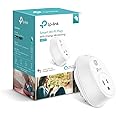
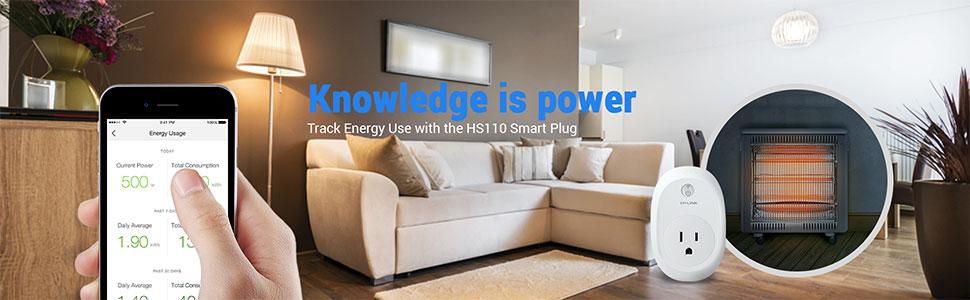
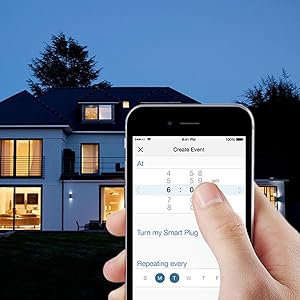
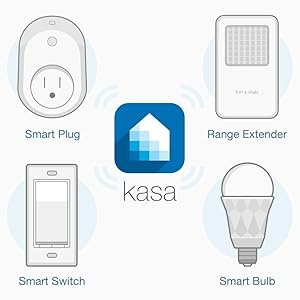
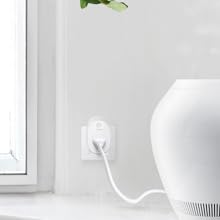
The TP-Link Kasa Smart WiFi Plug HS110 offers reliable remote control of your appliances via smartphone, supports voice commands through major assistants, and features built-in energy monitoring to help you save on electricity. With easy scheduling and no hub needed, it’s a sleek, UL-certified solution designed for modern connected living.


| Manufacturer | TP-LINK USA |
| Part Number | HS110 |
| Item Weight | 5.3 ounces |
| Product Dimensions | 2.6 x 2.5 x 3.9 inches |
| Item model number | HS110 |
| Is Discontinued By Manufacturer | No |
| Size | 1-Pack |
| Color | White |
| Style | Kasa Smart Plug, Energy Monitoring |
| Material | PC |
| Voltage | 120 Volts |
| Item Package Quantity | 1 |
| Certification | UL approved |
| Special Features | WPS |
| Included Components | Smart Plug HS110, Quick Start Guide |
| Batteries Included? | No |
| Batteries Required? | No |
| Warranty Description | 2 Years |
S**E
Simple, Intuitive, Effective, and Reliable Plug.
UPDATE 10/28/16:We are still very happy with these two plugs, as they have worked great with our devices. We are using the Amazon Echo Dot to control them, and set up was incredibly simple. The devices were identified right away by the Alexa App and Alexa is able to control them instantly (before she finishes saying "ok").We connected our devices to our local demand response program (OhmConnect) and these devices have worked perfectly to turn off our devices at these crucial times to maximize our savings. They are certainly a fantastic tool for the environmentally-conscious consumer.We have been so impressed with these that we have since purchased several other TP-LINK smart home devices, including their smart bulbs and smart switches.I have a few suggestions for improvement, but overall we are very pleased with these smart home devices from TP-LINK.Suggestions for improvement :- integration with IFTTT- integration with Siri/Homekit- smaller footprint to make it easier to use the outlet below- additional device icons representing a larger range of lights and devices- default Remote Control feature to "on"- add ability to export or download usage data from the energy monitoring- add more sophisticated energy usage statistics(graphs?)- fix bug when setting up devices on ios phones that prevent the wifi setup from working on the first tryORIGINAL REVIEW 9/27/16:I wish all smart home automation products could be this simple. I purchased two of these plugs last week, and I could not be happier with their performance.They are as close to "plug and play" as one could hope for. Once the app is installed, setup is a breeze, and the devices can be connected to your wifi in less than one minute. I found for both of the plugs that I received an error message while connecting to wifi the first time around, but had no problems the second time. Once they work through this very minor issue, setup will be perfect.I found that the Kasa App is very intuitive. I appreciated the variety of icons to choose from so I can easily tell at a glance which device is which. As I add to my collection, I may find the choices a bit limited. I have one of my plugs connected to a refrigerator, and I was surprised to not see an icon for that, but I suppose many people probably do not need a timer for their refrigerator. I use mine to automate turning off my fridge during Ohm Hours, as I participate in the OhmConnect program (if you live in California you can get paid to save energy during specific hours through their demand response program). I love that my connected devices can be shut off automatically at these crucial times and then powered back on when the energy saving hours pass. I also find it fascinating to track the energy usage of this power-hungry device throughout the day.I have the second device connected to our TV power strip, so our vampire home entertainment system devices no longer waste energy throughout the day. I have the timer function set up and it works flawlessly. I love the fact that I can easily control this from my phone, both in my home and anywhere in the world with an internet connection. I have found that the response time is incredibly fast, which I greatly appreciate.I am looking forward to testing these devices out with the new Echo Dot once that is released. Based on my initial use of the plugs, I assume that the Alexa integration will make a great item even more user-friendly. I will update this review if I encounter any issues that would warrant a decreased star rating.In case you are wondering about the behavior of these plugs in the event of a power outage, I contacted TP-LINK support and I have been informed that these plugs are capable of remembering their previous state and will resume that state when power is restored. This is a huge relief! So, if you have this plug attached to your fridge, power will be restored to your fridge when power is restored to the rest of your home, which is the best you can expect. Also, if you have the plug attached to a light, and the light is off (perhaps because it is the middle of the night), then your lamp will remain off when power is restored. I was concerned about lights potentially coming on in the middle of the night during a power outage, as this is the behavior of the Philips Hue bulbs. However, these smart plugs and the TP-LINK bulbs are all smart enough to remember their previous state and avoid waking you up or wasting energy.I look forward to trying out additional TP-LINK smart home products (I have one of their bulbs on order) and seeing how their products all integrate together.So far, I have been highly impressed. The one big limitation that I have found that I hope will be addressed in the future is the lack of HomeKit integration. I have to use the App (if away from home) or Alexa (if at home) instead of using Siri, which just means that these devices cannot be controlled centrally in the new Home App like my other devices. I knew about this limitation in advance and still love these plugs, but would like to see HomeKit integration for the plugs and light bulbs and light switches in the future.
D**N
Seamless Connectivity with Echo (5- Stars)
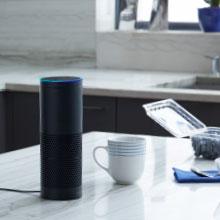
This is a review of a free product received by TP-LINK as part of the review program.When I first received this smart plug, it hadn't yet been fully integrated with Amazon Echo, and it was a bit clumsy to use with it because I had to call up the Kasa app first. Within days, however, Amazon announced TP-LINK's smart home connectivity, and a step has been taken out of the process, making everything run extremely smoothly. All I have to do is say, "Alexa, turn on the bedside lamp" within earshot, and it's done. Of course, I don't need an Echo or its companion the Echo Dot to work this plug. All I need is a smart phone with the TP-LINK Kasa app downloaded. Integration with Alexa, however, makes control voice-operated within the home.Before you begin, you must download the TP-LINK Kasa app to your smart phone since there's no other way to configure it. As with most smart plugs, set-up requires you to leave your WiFi network to connect to the one broadcast from the plug in order to configure it and to get it on your home network. You can re-name your plug, assign it an icon, set a schedule, put it in away mode, and set a timer for it to go off/on after a programmable period of time -- all from your phone. If you want to use it with Echo, you also need to connect your Echo to Kasa via the Alexa app, again from your smart phone. You only need to do this once. From then on, any newly configured devices can be found by the Echo and added to your list. I have an Echo on one floor and an Echo Dot on another. It doesn't matter which of these I use to request control over the plugs -- both will do the correct action, no matter where the plugs are located in my house. Once you connect the plug to your home wireless network, you can configure additional aspects of the plug without having to go to the plug's WiFi signal -- unless, of coures, you switch routers.The app makes programming easy. You do need to set your time zone properly for scheduling, so don't forget to do that. I'm a little surprised that the plug can't scrape the local time data from the internet, but then again, I haven't found a smart plug yet that could do that. (I had two plugs that reverted after two months to Greenwich Mean Time and couldn't be reset -- ugh.) Still, considering that other small devices like my FitBit can adapt to local time by using my cell phone, I expect that particular functionality to be present in future generations if not in future firmware updates. You can also monitor energy usage for each plug with the app. Although energy usage can be instructive, most people won't feel the need to check that information.The plug isn't perfect, just a lot better than other brands that I've tried. One drawback is the large size of the plug. Right now, I have two HS110s, and both need to be plugged into three-prong power strips because they take up valuable outlet space otherwise. It would be fantastic if future versions would be smaller so as not to block outlets from other plugs. Note that it comes in three-prongs only for powering, although a two-prong can be plugged into its three-prong opening; this could cause a problem in older homes or with two-prong extension cords.Because I am thrilled by how well the HS110 works with the Echo, I hope TP-LINK comes out with wall switches and other Internet of Things devices.UPDATE: I now have the light switch version of the plug, and it's wonderful to use as a timer or to activate via Alexa as long as it's on a single switch. You cannot use it on the three-way one.-- Debbie Lee Wesselmann
Trustpilot
3 weeks ago
2 weeks ago