Some deliveries may take a little longer than usual due to regional shipping conditions.

DOWNLOAD THE APP


Customer Services
Copyright © 2025 Desertcart Holdings Limited
DOWNLOAD THE APP


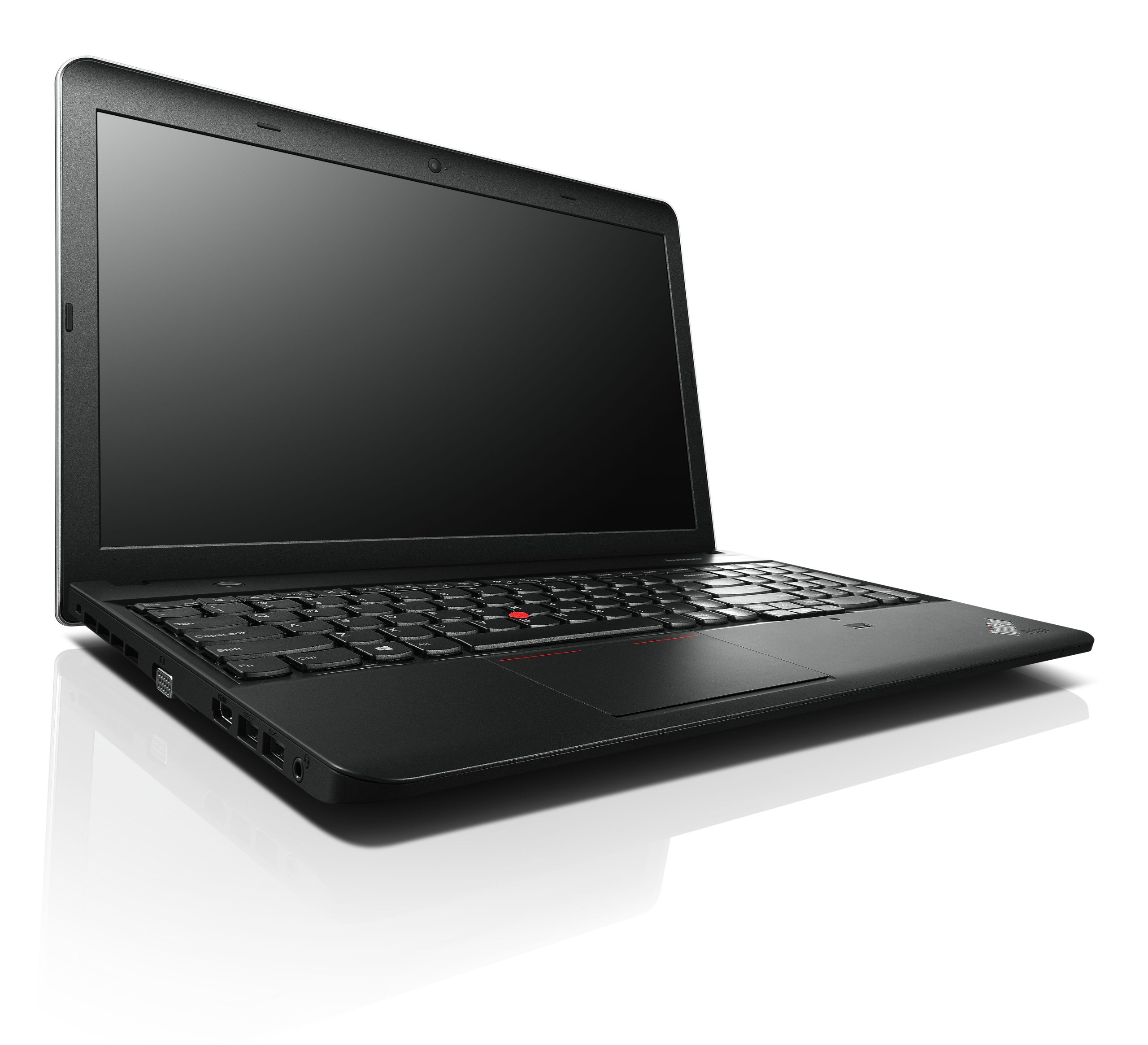
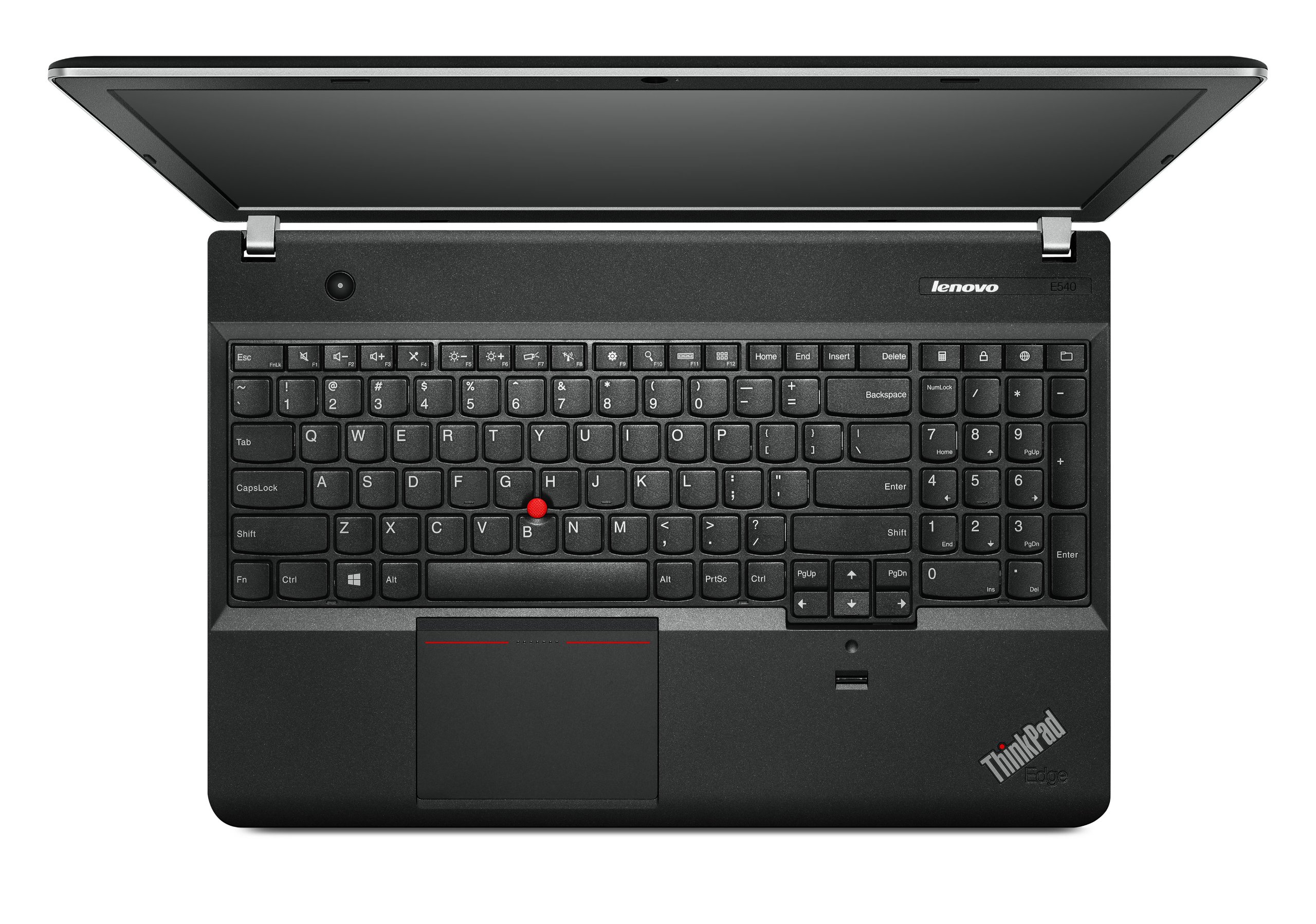
🚀 Elevate your grind with ThinkPad E540 — classic durability meets modern power!
The Lenovo ThinkPad E540 is a robust 15.6" laptop powered by a 4th Gen Intel Core i7-4702MQ quad-core processor clocked at 2.2 GHz, paired with 4GB DDR3 RAM and a 500GB 7200 RPM HDD. It features a fingerprint reader for enhanced security, a 720p HD webcam optimized for low-light video calls, and a numeric keypad for efficient data entry. Running Windows 7 Pro, it supports USB 3.0 for rapid data transfers and includes Bluetooth 4.0 and Wi-Fi connectivity. Notably, it offers an empty M.2 slot for SSD upgrades, making it a versatile choice for professionals seeking a balance of performance, security, and upgrade potential.
| ASIN | B00I52ANOS |
| Average Battery Life (in hours) | 6 Hours |
| Batteries | 1 Lithium Ion batteries required. (included) |
| Brand | Lenovo |
| Card Description | Integrated |
| Chipset Brand | Intel |
| Color | Black |
| Computer Memory Type | DDR3 SDRAM |
| Customer Reviews | 3.6 3.6 out of 5 stars (53) |
| Date First Available | January 30, 2014 |
| Graphics Coprocessor | Integrated |
| Hard Drive | 500 GB HDD |
| Hard Drive Interface | USB |
| Hard Drive Rotational Speed | 7200 RPM |
| Hardware Platform | PC |
| Item Dimensions LxWxH | 14.84 x 1.17 x 9.84 inches |
| Item Weight | 5.4 pounds |
| Item model number | 20C6008QUS |
| Max Screen Resolution | 1366x768 Pixels |
| Memory Speed | 2.2 GHz |
| Number of Processors | 4 |
| Number of USB 2.0 Ports | 1 |
| Number of USB 3.0 Ports | 2 |
| Operating System | Windows 7 |
| Optical Drive Type | DVD RW |
| Power Source | Battery Powered |
| Processor | 2.2 GHz Core_i7_4702MQ |
| Processor Brand | Intel |
| Product Dimensions | 14.84 x 1.17 x 9.84 inches |
| RAM | 4 GB DDR3 |
| Screen Resolution | 1366 x 768 pixels |
| Series | Lenovo |
| Standing screen display size | 15.6 Inches |
| Voltage | 240 Volts |
| Wireless Type | 802.11bgn |
B**N
NEEDS MORE MEMORY! Otherwise good processor for the price. AND has EMPTY M.2 SLOT!!!
UPDATE: See my comments below as this update relates to the issues I described. I purchased 16GB of CL9 RAM (read: high performance) and this thing is FLYING! It's like night and day. Anyone having performance issues buy more RAM immediately! Super happy that the issue was just a hardware bottleneck w/ the RAM. Also, when I was in there changing the RAM I saw THIS SYSTEM COMES WITH AN M.2 CONNECTOR. In case you don't know, this is what's replacing SATA and PCI Xpress eventually. It's faster than SATA 6GB/s . So instead of worrying about shuffling around drives to get an SSD in there, I can simply by a 500GB M.2 SSD and be all set w/ 500GB SSD and the original 500GB 7200RPM mech drive. Stoked. That M.2 slot just got this system a 4th star. END UPDATE This system should have come with more MEMORY! Huge bottleneck at memory causing hard drive bottleneck as well. This system should not be sold with 4GB. 8GB is MINIMUM! I just ordered 16GB performance memory from Kingston w/ CL of 9 and hoping that will be enough. Pros: PRICE: Great deal for this processor, but your going to need to upgrade the memory for sure, so that kind of sucks. TRIPLE DISPLAY: This system is capable of a triple display using VGA and HDMI at the same time. PROCESSOR: The processor is awesome on this. Rated Top 15 still, and probably the best processor your going to get in any system at this price range. It rarely gets above 20% usage and usually sits at around 5 - 7% so no complaints on the processor at all. THINKPAD: It's a thinkpad, old school tradition, sturdy construction, old school track ball, finger print reader, looks cool, etc... SSD OPTIONS: The hard drive is on a SATA III 6GB/s connection so you can replace it with an SSD and get maximum speed. I also read on forums that people were taking out the optical drive and putting a custom caddy and SSD here. Then you would get to keep your hard drive and have an SSD. You can then put your optical drive in a custom enclosure and use it externally. Not sure if the optical connection is SATA III 6GB/s but I think it is, so I may go with that option if so. Cons: MEMORY: !!!! BUY MORE MEMORY IF YOU BUY THIS SYSTEM!! Mine only came with 4GB. This was enough for my old Toshiba that's 4 years old and has slower memory and is running windows 7 as well. But for some reason this thing can't keep up. Huge memory bottleneck which then starts writing to the page file and jams up the hard drive with a bunch of disk access. The lack of memory included is the reason this did not get 4 stars. WIFI: The wireless adapter in this thing is horrible. I'm constantly getting kicked offline, internet browsing is super slow with many lags and freezes throughout. I did some tests using my 4 year old Toshiba and it works fine while this pile of junk is not even able to connect, or getting super bad lag. TOUCHPAD: The touchpad does not have a button to disable it. Also, there is not way to disable it through software. The only way to disable the touch pad is to uninstall the driver. Then if I am in a situation where I don't have the USB mouse, or the USB ports all stop working, or maybe my mouse breaks and I don't have a spare handy, I have no way to use the mouse if I have uninstalled the drivers for the touchpad. So my only two options are have the stupid mouse doing stuff while I'm typing, or possibly be in a situation where my computer is un-usable. Not too great. Most computers have an option to 'disable touchpad while USB mouse is plugged in'. Apparently Lenovo didn't think this was important. I guess they were too busy marking all their systems up $100 to $200 more than other systems with similar hardware by competitors.
C**L
Fine notebook - Fast, competent and free of the cursed Superfish/Adware
Drawn to the i7 (my third i7) and the promise of more sound 2010 engineering than the cheaper "consumer" Lenovo's and all the new super thin notebooks. (I never gave IBM Thinkpads a chance, but was committed to high-end Toshiba notebooks for the last several decades.) Was concerned about Chinese ownership/engineering/manufacture, but mine seems robust (very much so, compared to my flimsy/fragile 2014 HP Envy i7 17") and appears to be competently constructed. Purchased at Amazon marketplace from Adorama (3/13/2015 ~~ low $6xx's), I feared the curse of Superfish (see ZDnet coverage) and prepared myself to remove that dangerous root certificate and the associated adware. I was happy to discover that there was almost no adware. I just had to kill the typical Norton and other pre-installed apps before installing my own. This was the least amount of preloaded junk I've seen in seven years --- the Superfish mess must have scared Lenovo straight! I can't imagine why people complain about the display -- mine is very bright and I run it at about 75% of full bright. Keyboard is very high quality and requires only slight adaptation from a standard keyboard layout. The tilting touchpad required about a half-hour acclimation period before I started to admit that it was also a competent, effective design. Ergonomically, it beats my HP and Toshiba twin-key touchpads and also my wife's Sony Vaio twin-key touchpad. Darn ... I might grow to admire this model. I'm going to give it thirty days of full workload and then report, but my expectations after six days are very high.
G**N
Technically a very good laptop but by todays standards the display just does ...
Technically a very good laptop but by todays standards the display just does not pop and lets face it that impacts everything. Compared to the screen quality on my existing 2008 Pavilion DV-7T with discreet graphics it was not what I had expected/desired so I returned it.
B**R
A good value
this computer replaced an older laptop that was limited in its capacity to support the newer browsers, office programs, etc. It has lived up to my expectations as far as speed and capabilities. A little disappointed in the loss of caps and numeric lock indicators but downloaded a program to provide that information. I like the keyboard feel, but have turned off the expanded size touchpad as my thumbs continually moved cursors, selected unwanted options and just made computing difficult. I am still using Win 7 so may decide it is worthwhile after updating to Win 8+. I have also upgraded the diskdrive to a ssd and added 8 GB of ram which made Libre Office work much faster. Overall a good investment that should last me for another ten years. :)
F**E
A smell like burned plastic came out of it
I bought this laptop for work purposes with the 4GB Kingston extra memory about 2 months ago. I started using it and quickly noticed that something was wrong with it. It was slow (come on, Core i7 with 8GB memory? you got to be kidding me), programs would get stuck all the time, and got the windows blue death error screen a couple times. The integrated webcam did not work so I tried reinstalling drivers and factory resetting but still wouldn't work. Last week I was about to start a really important presentation in front of a large audience, and when I plugged in the audio cable I saw a spark and the computer turned off immediately. A smell like burned plastic came out of it. After that I was not able to turn it back on. I decided to return it to Amazon, which by the way cost me $45 more in shipping hoping I may get my money back. I lost really important documents, a lot of time and it impacted negatively my work. I would never recommend this computer to anyone.
N**S
no right click.....!
Not terrible but crashes more than a new machine should. Also slower than expected. However the main reason I returned this unit is the TERRIBLE 'mouse' not right button. You have to hold the left for 1 to 3 secs and hope it doesn't call it a right click before the right is registered.
Trustpilot
1 day ago
1 week ago