Buy anything from 5,000+ international stores. One checkout price. No surprise fees. Join 2M+ shoppers on Desertcart.
Desertcart purchases this item on your behalf and handles shipping, customs, and support to Vietnam.
⚡ Unlock speed, security, and storage — the ultimate dock for creators on the move!
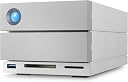
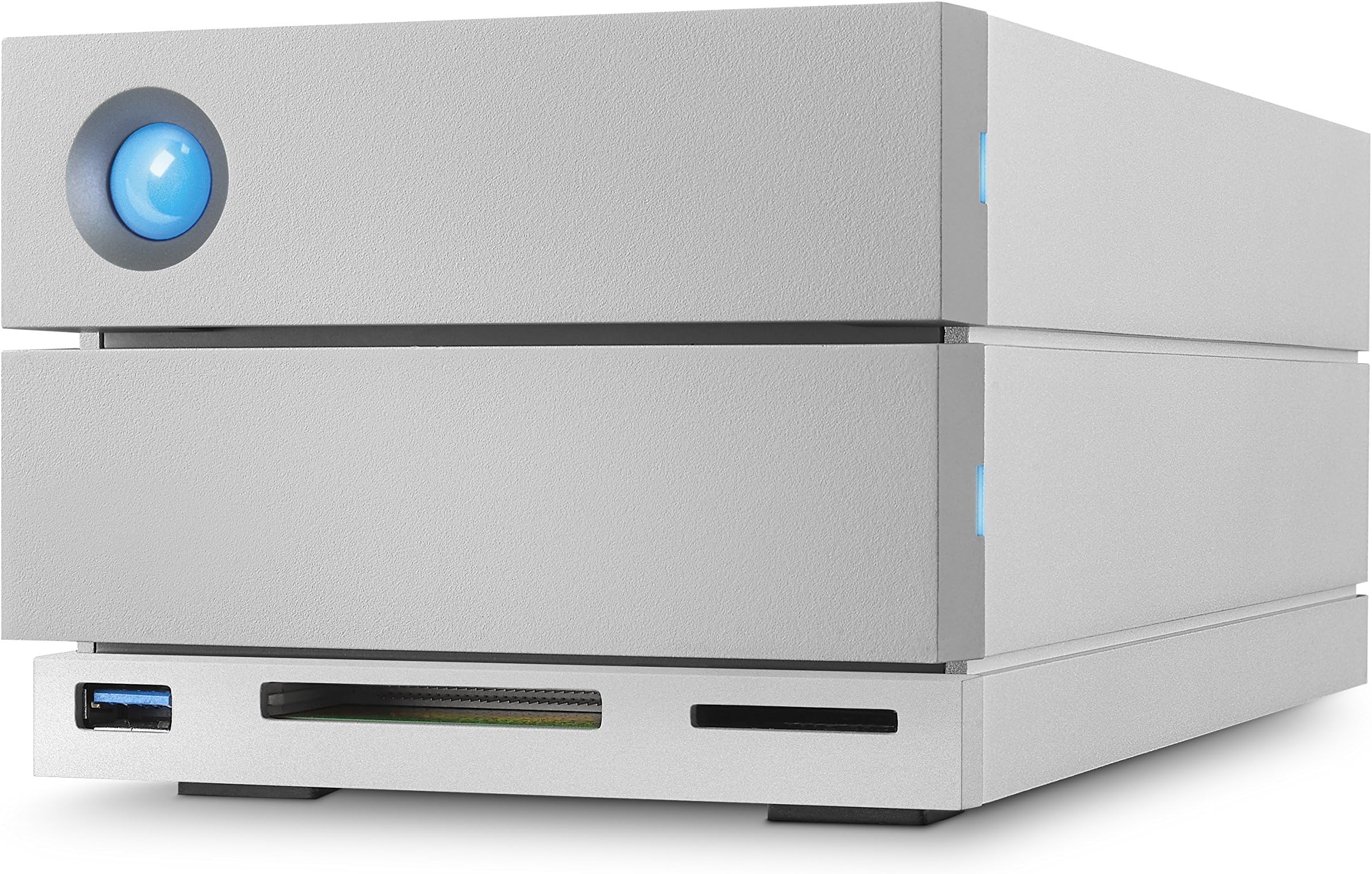
The LaCie 2big Dock Thunderbolt 3 is a premium 8TB external SSD designed for professional content creators and managers. Featuring ultra-fast 5000 Mbps transfer speeds, AES 256-bit encryption, and a durable aluminum chassis, it offers secure, high-capacity storage with versatile Thunderbolt 3 and USB 3.1 connectivity. Its compact design reduces noise and vibration, making it an essential desktop companion for demanding workflows.
| ASIN | B0747VDHFR |
| Additional Features | Compact |
| Best Sellers Rank | #1,135 in External Hard Drives |
| Brand | Seagate |
| Cache Memory Installed Size | 8 |
| Color | argentée |
| Compatible Devices | Desktop |
| Connectivity Technology | Thunderbolt , USB |
| Customer Reviews | 4.2 out of 5 stars 53 Reviews |
| Data Transfer Rate | 5000 Megabits Per Second |
| Digital Storage Capacity | 8 TB |
| Global Trade Identification Number | 03660619402274 |
| Hard Disk Description | Solid State Drive |
| Hard Disk Form Factor | 3.5 Inches |
| Hard Disk Interface | Thunderbolt 3 |
| Hard Disk Rotational Speed | 7200 RPM |
| Hard-Drive Size | 8000 GB |
| Hardware Connectivity | Thunderbolt |
| Installation Type | External Hard Drive |
| Item Weight | 2.9 Kilograms |
| Manufacturer | SEAGATE |
| Media Speed | 440.0 |
| Mfr Part Number | STGB8000400 |
| Model Name | STGB8000400 2BIG DOCK Thunderbolt 3 |
| Model Number | STGB8000400 |
| Number of Items | 1 |
| Read Speed | 440 Megabytes Per Second |
| Special Feature | Compact |
| Specific Uses For Product | individual;gaming;business |
| UPC | 763649121115 |
F**N
Typical La Cie quality
Typical La Cie quality. Better than the new model as they have removed the front ports.
J**M
Died after 4 wks
Seemed like the smart thing to do - spend more to get high quality. But apparently this isn't the case - at first I couldn't read one of the partitions, then it stopped powering up. I can't endorse any product that fails that quickly performing such an essential function.
J**.
Perfetto in tutto
Amazon OK! Il Lacie è perfetto, poco rumoroso, e con le prestazioni c siamo. Io lo uso in un thunderbolt 2. Ho voluto prendere un thunderbolt 3 per un futuro in cui avrò a disposizione la sua presa. Ma cmq va benissimo.
D**K
Un disco duro con muchas posibilidades Lacie 2big Dock Thunderbolt 3
LaCie sin duda es una gran marca, al menos para mi. Se distingue por el diseño de sus discos duros y calidad, actualmente poseo cuatro discos duros de esta marca, y hasta el momento no he tenido ni un solo problema con ellos. Esta claro que no son los discos duros mas baratos del mercado, pero pagas por una buen calidad y servicio. Ademas este en concreto cuenta con una garantía de 5 años. Este disco que nos ocupa de LaCie el 2big Dock Thunderbolt 3 es una gran compra en todos los sentidos, incluido su precio, que a muchos les puede parecer desorbitado. Pero ofrece en su interior dos discos duros de 4 TB (Seagate IronWolf Pro de 7.200rpm) que los podemos configurar en modo RAID, nos ofrece conexiones Thunderbolt 3, actualmente la mas rápida del mercado y por si no fuera poco, incorpora lector de tarjetas SD y CF, podemos conectar monitores 4K, y hasta 5 unidades mas por Thunderbolt 3. Por supuesto también cuenta con conexión USB 3.0 en su parte frontal, donde podemos conectar otro disco duro externo o simplemente cargar nuestro smartphone. El diseño esta muy cuidado, es diría que sobrio y minimalista, enteramente fabricado en aluminio, lo que hace que el calor se disipe mucho mejor, y cuenta en la parte posterior con un ventilador de generosas dimensiones para evitar un calentamiento excesivo. Sin duda uno de los mejores discos que podéis encontrar hoy día en el mercado para vuestro PC o Mac. Y por supuesto cuenta con sistema RAID, que podemos aprovechar toda su capacidad de almacenamiento y velocidad, o tenemos la posibilidad de crear una copia espejo para evitar perder ningún dato, con esto tendremos una seguridad extra, sobre todo si lo que almacenamos es valioso, como es en mi caso mis bibliotecas de FCPX que utilizo para la edición de mis videos en YouTube. VISITA MI CANAL EN YOUTUBE: DONGREGORIOYJACK O MI WEB: UNBOXINGYREVIEW.COM
D**S
Lacie thunderbolt
Ottimo prodotto come archivio per foto e video. Comodo il sistema Raid1. Alta velocità nel trasferimento dei dati. Consigliato a tutti.
H**R
Good performance + G-RAID Thunderbolt 3 comparison
I'm running this on RAID 1 so it's backing itself up as I go along. I'm editing video on a 2011 IMac, I bought this to back-up my info and be compatible when I upgrade the Mac. I had to get a Thunderbolt to ESata + USB 3.0 adapter to achieve anything like decent speeds which was an extra £100 (there's only one type available) but it's worth it. It's a little noisy but acceptable. My biggest gripe is that the light on the front flashes even when it's turned off, you have to completely unplug it to get it to stop this, it's very annoying when it's in your bedroom, so it just sits there with tape over the light looking ugly. It comes with 4 different plugs for different countries, a waste of cables that just creates trash. I like the CF card port in the front but it's not a deal breaker. The charger port is just 15W so apparently according to other reviewers is not good enough for charging a laptop. It's very easy to set up and use, it comes with a good easy to use app. Update, I have now purchased a G-RAID thunderbolt 3 as a comparison it has exactly the same specs but it's faster, not by much but it is faster. It doesn't have all the extra ports it's bigger but I think better looking. After doing several tests the big difference is that the Lacie has a 5-year Data Recovery (they both have 5-year warranty). The G-RAID is faster. I can't imagine professionals using the LaCie I think they would go for the solid dependable G-RAID (but professionals can afford data recovery if they need it, which is very unlikely). There's also an issue with hot-swapping on the Lacie I don't think you can swap out drives (replace them both and have a new drive) because if you put the old drives back in they won't work, this is according to Larry Rivers a very established reviewer however I don't know how this would work on the G-Raid either. It's a very close call, both are good products and are an important part of a video editing workflow. Update, I ended up keeping the G-RAID for me it feels more dependable, professional and it's the brand I'm used to, almost too close to call though.
M**O
LaCie 2big 8To, un très bon disque, on verra dans le temps.
J'ai acheté ce disque suite au retour d'un G-Technology 8To Raid (acheté sur un autre site de commerce) que je trouvais excessivement bruyant. Du coup je peux aider ceux qui, comme moi, hésitent entre ces deux machines. 1) BRUIT : les deux font un peu de bruit. Mais deux bruits différents... Le bruit du G-Tech est principalement le cra-cra d'écriture, qui est CONSTANT, même si le disque est à repos. Très TRES gênant à longueur de journée. Le LaCie par contre est bien plus silencieux à ce niveau là. Le seul véritable bruit c'est un LEGER 'humm' du à la ventilation. Rien de bien gênant. Suffit de le poser sous la table vous ne l'entendez presque plus. 2) PERFORMANCE : les deux sont extrêmement rapides. Honnêtement aucune différence à ce niveau là. On peut aussi connecter un écran via les ports du raid. Si vous avez un Macbook et vous le branchez au LaCie avec le cable (fourni) même pas besoin de prise de courant, le raid fait office de chargeur! Du coup vous avez UN SEUL cable qui se connecte à l'ordi et tout le câblage gênant geste caché sous la table. Seul hic : le cable Thunderbolt fourni est dramatiquement COURT. Du coup, sauf l'avoir à coté de l'ordi, il faudra acheter un cable plus long (50€). Attention : Les connections Thunderbolt et USB-C ne fonctionnent pas ENSEMBLE, si vous branchez via Thunderbolt, la sortie USB-C est désactivée. Et viceversa. Petit constat, Thunderbolt charge le Mac BIEN MIEUX que via USB-C. 3) RAID1 : Si vous voulez saufgarder vos données (double back-up) cliquez sur l'icone qui se trouve dans l'icone du disc dur, mais, si vous avez un Mac RECENT, il vous donnera un message d'erreur. Continuez, cliquez sur ok, il va finir par marcher. En suite il vous demandera de télécharger la nouvelle version, l'update, et c'est sur celle là que vous pourrez enfin séparer les deux disques en RAID 0 ou 1 (conseillé). Si par contre vous essayer de tester le back-up en enlevant un des deux disques attention, il va perdre la fonction Raid1 et il faudra tout réinitialiser (vous aurez perdu toutes vos données au passage). Mais le logiciel Manager vous dit si la fonction Raid1 est correctement activée sans besoin de vérifications ultérieures. Il me semble que LaCie offre un service de de récupérations des données et une nouvelle machine en cas de pannes. Un PLUS du LaCie vs G-Tech c'est la prise USB classique (qui peut faire office de hub USB) et les deux fentes pour carte mémoire SD. Fort utiles pour qui fait de la vidéo ou de la photo. Bref, content de mon achat. Moins satisfait de la LIVRAISON, car le colis (carton extérieur Amazon) est arrivé ouvert et déchiré..... voir photo. Mais bon, la boite LaCie à l'intérieur était intacte, du coup j'en tiens pas rigueur à Amazon, car c'est bien la première fois que ça m'arrive!
Trustpilot
5 days ago
1 month ago