Buy anything from 5,000+ international stores. One checkout price. No surprise fees. Join 2M+ shoppers on Desertcart.
Desertcart purchases this item on your behalf and handles shipping, customs, and support to Vietnam.
❄️ Stay cool, stay ahead — the silent champion your rig deserves!
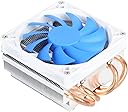
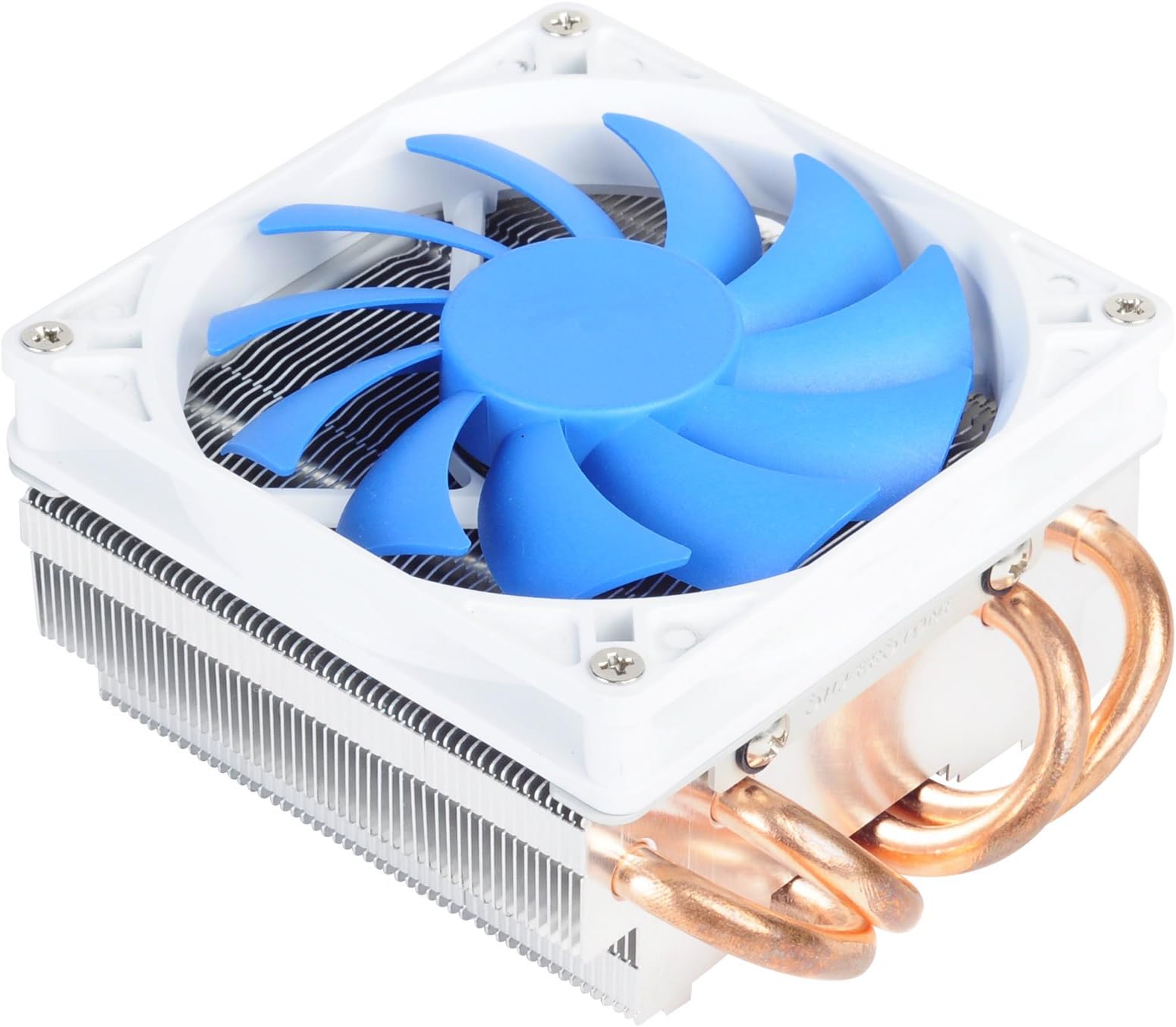
The Silverstone Tek AR06 is a sleek, low-profile CPU cooler featuring four 6mm heat pipes and a 92mm PWM fan that delivers 40.2 CFM airflow at just 28.3 dB noise. Designed for compact builds, it supports a wide range of Intel and AMD sockets and efficiently cools CPUs up to 95W, combining advanced heat-pipe direct contact technology with whisper-quiet operation for professional-grade thermal management.


| ASIN | B00N4OBH92 |
| Air Flow Capacity | 40.2 Cubic Feet Per Minute |
| Best Sellers Rank | #3,383 in Computer CPU Cooling Fans |
| Brand | SilverStone |
| Brand Name | SilverStone |
| Compatible Devices | Desktop |
| Cooling Method | Fan |
| Customer Reviews | 4.4 out of 5 stars 279 Reviews |
| Global Trade Identification Number | 00844761011376 |
| Included Components | Mounting kit, thermal grease |
| Item Dimensions L x W x H | 6.5"L x 5.5"W x 2.5"H |
| Item Weight | 1 Pounds |
| Manufacturer | Silverstone Tek |
| Material Type | Aluminum, Copper |
| Maximum Rotational Speed | 2500 RPM |
| Model | AR06 |
| Noise Level | 28.3 Decibels |
| Number of Items | 1 |
| Part Number | AR06 |
| Power Connector Type | 3 and 4 pin Combo |
| Product Dimensions | 6.5"L x 5.5"W x 2.5"H |
| UPC | 844761011376 |
| Unit Count | 1.0 Count |
| Voltage | 12 Volts |
| Wattage | 95 watts |
Z**³
Good CPU Cooler - Fits well in a Mid Tower Chassis and Works Great
This proved to be an excellent CPU cooling option for my PC. Using an older mid-tower chassis with an Intel I7-377k (not overclocked), running a single exhaust fan in the back (92x92mm), 16GB RAM and a video card. The ambient temperature is about 32 °C, being in the tropics. With the stock Intel heat sink and fan, the temperature of the CPU was about 14 °C above ambient, in the range of 44 to 46 °C without any load. Using Skype or any VOIP applications will push the temperatures closer to 60 °C. After replacing the stock Intel cooler with the AR02 in May2014, the CPU temperature when idle is about 8 °C above ambient at 34 to 36 °C. At similar loads as above, the temperature rarely goes about 42 -44 °C, even with a single 92x92mm exhaust. Subsequently, added two intake fans (two Cougar Vortex 120mm) and replaced the rear fan with a Noctua 92mm to improve the air flow. Added a few Silverstone Tek 120mm Ultra fine fan filters to reduce the dust intake as well. I bought one from here, but the rest from ebay. But are even cheaper from the external store website of the ebay seller. Discovered it only after buying from ebay. Installation itself was easy, having upgraded the motherboard and processor about an year ago, the previous experience helped with the task. Had to remove the existing CPU air intake duct from the chassis. As mentioned in the other reviews here and elsewhere, the instructions need a magnifier to read. The video on the manufacturer's website helps a bit. The holes on the rear bracket not always match. Just match one or two holes and go with whatever hole that coordinates well while looking from the front of the motherboard. Keeping the chassis flat on its side is a must for installing this as with any CPU heat sinks. Positioned the heat sink so that the fan is blowing from front to the back and the air flow is vented by the rear fan. Both fans are almost in a straight line to facilitate this. The full assembly took about 30 minutes with all components ready and also using a magnifier to study the little diagrams on the instruction sheet. As mentioned in questions and answers, the heat sink projects 138mm from the motherboard surface. Still leaves about an inch inside my chassis. Did not have any issues with overhang over the RAM as I have two 8 GB modules with the other two slots empty. Did some research on positioning of the heat sink itself, especially of the heat pipes. My installation has the heat pipes in a sideways U configuration with the U lying on its left side. With sintered heat pipes (most of this type of heat sinks have sintered heat pipes), the positioning of the heat pipes, except for upside down, with the ends pointing down, does not matter. Hope this helps. Update on 13-April-2015: The PC is still going strong. Upgraded to a home grown wooden PC case, to improve the air flow, with better cable management and 3 120mm fans for intake and one 120mm fan for exhaust. The CPU temperature is 1 to 2 °C above ambient (tropical climate) without load. With load, spikes to 7 to 8 °C above ambient and comes down to aforementioned temperatures quickly.
E**M
Replaceable fan, doesn't block any height of RAM, compact
A. Better than stock cooler, *with a replaceable fan*. Since there're many quality 92mm PWM fans available (Noctua is my preference) I feel confident, knowing that in future I won't have to remove the heatsink (and replace thermal compoud) if the supplied SilverStone fan starts to produce noises. Most of those stock fans, let's be real, aren't exactly "quality". Given that, fan replaceability is a BIG extra which you don't usually find at such low priced solutions. B. Installing the fan with the supplied rubber is extremely easy, and the most smart anti-vibration solution I've ever seen in a CPU cooler. SilverStone were creative here. C. Installing the heatsink itself is not difficult. Be sure not to install the M3.5 mounts instead of the M3 mounts (most of us need M3), otherwise you're gonna need a plier to pull them off (doesn't come off easily). It's confusing as they look quite the same but they are NOT. Watch the youtube video to understand better how to install without reading the instructions. D. Once installed, be sure to check BIOS for reasonable temprature. At first I didn't fasten the final screws tight enough (I used my fingers only), so the temprature was high. But once I did fasten tightly with screwdriver temprature decreased to half (Core Duo 2 E8500 3.16GHz now at 31c idle). There is no substitute to fastening the heatsink with a screwdriver, don't attempt to just use your hands. E. Temps dropped by 15c average, very happy. I'm actually think about buying 2 more as backup for my family. F. RAM blocking is a major issue with most tower solutions. This one doesn't block any of your sticks (even the closest). That's a deal breaker with Scythe's \ Thermalteke's currently offered solutions. G. Other current offerings for 92mm tower are lame: Arctic has many models but without replacable fans. However, you pay at least extra 10$ for a heatsink with replacable fan, so.. I don't know, everyone should do their math and decide. Antec also has a C40 cooler which's not currently sold in the US, but seem very similar to the silverstone AR02. H. Heatsink can accomodate an *attidional* fan. Conclusion: 92mm tower heatsinks market is lame, so there aren't much other options. I think this is truely the best option you have for a MicroATX chasis.
N**T
The Good and the Bad
Silverstone Tek Super Low Profile CPU Cooler Pros: - Fits Thin Mini iTX cases - Fits 1150 CPUs - Low temps - Quiet Cons: - Price $$ - Does not have a polished center core - Tight fit for some Thin-Mini-iTX Mobo’s Price: There aren’t many CPU coolers that will fit inside a Thin-Mini-iTX case, and Silverstone knows this. Thus, the higher than normal price tag. I’d expect to pay these prices for a full size i7 CPU cooler, but not for a small lightweight cooler as this one. Size: The fins and pips stick out in all directions. You’ll have to spin it round in 90-degree turns to see which way fits best for your motherboard without hitting anything and causing damage. On my mobo, I got lucky on the second attempt, but it’s still VERY close to some components. Center core: 99% of all coolers use a polished solid steel, aluminum, or copper core. This allows for good heat transfer between the top of the CPU chip and the heatsink. Unfortunately, Silverstone decided that after 35 years of PC history and nearly 100% of all manufacturers using solid cores, that they’d strikeout on their own and not use one. Instead the fins and pipes are flattened and placed on top of your CPU chip leaving spaces for the heat transfer paste to ooz out. They also designed the cooler to require a large amount of pressure to mount on to your motherboard. Large amounts of pressure might be fine for full size ATX or Micro-ATX motherboards, but on a tiny 7” x 7” Thin-Mini-iTX mobo, I’m worried about the stress this places on the fiberglass printed circuit board (PCB). Thermal: On my i3 4130-T, it runs nice and cool. Idles around 30c. Sound: Very quiet. Conclusion: Even with all the “Cons”, I’ll most likely purchase this cooler again, due to its low temps, quiet operation, and low profile.
P**K
A great CPU cooler overall, but it could be quieter
Pros: -Small -Effective (my CPU never reaches above 80 c. This may seem a bit high, but I have this thing in a small case with limited airflow) -Looks nice Cons: -Nothing other than the fan being just a tad bit noisy In general this is a great CPU cooler for its size. If you are looking to build a system within a limited space, you can't go wrong with the AR06. My temperatures go from around 38 c idle to 75 c under load. If these numbers seem high, don't worry too much. My AR06 is in a small case (the Silverstone RVZ01 to be exact), so it doesn't enjoy a lot of fresh, cold air. In fact, I have my GPU fans blowing pretty much right on top of this. Even under these non-ideal conditions, my CPU still hasn't gone anywhere above 80 c. Now to address my one complaint. It is a 4 pin, and therefore a PWM fan, meaning that the speed of the fan is controlled by pulses sent by your computer. Now this is great, as it allows for software fan control. However, the fan on this has a minimum RPM of about 1200 and a max of 2500 RPM. My complaint is with this lower end. Since the minimum is a whole 1200 RPM, making my minimum dB level a bit higher than I'd like. Noctua's slim 92mm fan, on the other hand, has a minimum rotational speed of 500 RPM, allowing for better control. Second complaint: I don't know if it's the AR06 or my motherboard, but the mounting holes for LGA 115X don't seem to line up very well. It's not to the point where it's impossible to install, but I must say that it was quite annoying. I won't dock any stars for that, but just FYI... All in all, still a great CPU cooler considering its size and price. If you need a small form factor CPU cooler, you can't go wrong with this one!
K**E
Solved my thermal issue in HTPC
So I'm putting together a HTPC with some old parts, and some new. I've got a AMD A10-5700 as the foundation, and a Gigabyte GT 1030 Silent Low Profile card running the graphics. That's a passive card with no fan, only a big heat sink. This is all going into a InWin CE-685 case, roughly the size of an Xbox. Needless to say, it gets hot in there, and my CPU was having some thermal issues. I was initially using an old-model AMD Stealth CPU cooler, and it wasn't remotely doing the job. Idle temps with HWINFO (CPU Package TSI - the temps inside the CPU cores) were around 60 degrees C, and under load it was getting as high as 82 degrees C. That's obviously too hot. There's only so much I can do about the airflow in that case, so replacing the CPU cooler was my best option. It's a very small mATX case, 3.8" wide. CPU cooler clearance is an issue. I wasn't sure if this Silverstone cooler would fit, but it turned out to be almost exactly the same height as the other cooler, so clearance wasn't a problem. RAM clearance wasn't an issue either, it's not a large unit. Installation on the FM2 socket board wasn't difficult at all - I've done much worse. It has brackets that will fit Intel and AMD boards of a variety of sockets. Included thermal paste is decent Thermaltake stuff, nothing special though. So I put it all back together and powered it on, ran a video and did some stress tests... Idle CPU temps around 45-50 C range, under load it's 60-65 range. Not bad at all. That AMD chip runs a little hot normally, so those temps are acceptable to me. It's a 15-20 C improvement over the previous cooler, and it's dead silent to boot. I'm very happy with this one, and would definitely recommend it for SFF builds. I'l definitely use this one again on future builds.
B**H
Low profile that works
I install this cooler with ease on my HTPC. Using low profile memory in a Silverstone Ml08b and it fits fine. It is installed on a delidded 8700k that has lapping done to it as well. For stress testing on stock, the cpu reached 85 degree Celsius with mx4 thermal compound. I OC it to 4.7 and it hits high temps of 93~95 during stress testing. Under normal usage and gaming it would be in the low/mid 70s. I found the sweet spot of 4.3ghz and left it be because I didn’t want to push that much temperature on my build and now it will hit mid 80s on stress tests. YMMV but I am satisfied with this cooler. Not many choices out there for 53mm max height coolers. The only other one I would consider is a C1 but that cost twice/triple the price. Performance/$ is not worth it. When the fan is running full speed, it can get load but not annoying. Overall, good product, had my doubts but it does the best it can for in my case (pun intended). If you have a mid tower with a lot more air flow, go for a bigger heat sink or AIO, if you’re limited in space, this is a good cooler. Very very easy to install and remove.
K**6
Good low-profile CPU fan and heatsink
This was intended for use in an ITX-sized case with a bare 57 mm of clearance for the CPU fan. This one came in at 47 mm, and was still rated for use with a 95 W TDP CPU. All the rest were either too large, could only handle 77 W or less, were for the wrong socket type (I needed LGA1151 for an i5-9600KF), or cost 20+% more than this one. The bonus is that the performance has been good so far, with the CPU temperature at under 70 degrees Celsius (despite playing Overwatch), and I cannot distinguish the noise from the fan. The loudest noise is clearly coming from the graphics card, and I can't hear any other noise from the PC (meaning the CPU, power supply, and case fans are relatively quiet).
M**R
Quiet, does the job, but needs more insulating washers for the top of the motherboard.
For starters this is a quiet, low profile cooler which does work better than the stock (Intel) cooler. It dropped temps by at least 5 degrees C, though I have not extensively tested that. I bought it since the stock cooler was not doing the job in my Silverstone FT03 mini which is very constrained for space inside. Assembly is straightforward and it comes with thermal compound which is nice. The reason for the mediocre review is that it only comes with one set of rubber washers which are designed to protect the motherboard from the metal hardware, and per the instructions they go on the backside of the board. They should include some insulating washers for the top of the board as well though since it is otherwise metal to board contact, which on a compact ITX like mine was too close to visible traces not to use something to protect the board. I used some electrical tape since the screws were not long enough to use anything too thick. It would be a simple fix if they would just add some extra insulating washers for the top of the board. I also ran into a clearance problem on the PCI-E side of the cooler (see pic), this is not the fault of the cooler, but something to consider. The heatpipes blocked the USB3.0 header on my GIGABYTE G1 Gaming GA-Z170N-Gaming 5 ITX board. This could be solved with a $10 low profile USB 3.0 adapter cable. There were no issues with RAM clearance however and I decided to use the USB 2.0 ports on my board for the onboard ports.
N**L
Really silent
Perfect Fan for our small case. Fan is silent and works very well.
C**N
Mucho mejor de lo que esperaba,
Realmente no esperaba mucho de un cooler de bajo perfil, pero me sorprendio ver la capacidad de refigeracion del ar06, bastante eficiente, tengo un i5 4460 en un gabinete tipo slim, por lo que la ventilacion es muy importante, las temperaturas de mi cpu son bastante estables aun con el trabajo que suelo meterle, ademas su instalacion es muy sencilla, me preocupaba que fuera complicada, sin embargo no lo fue, al primer intento lo coloque correctamente, en tamaño esta perfecto para gabinetes slim, no estorba las rams, otra cosa que puede verse muy superficial es su estetica, debo decir que en las fotos no se ve igual que en la vida real, se ve muy elegante y de alta calidad, muy buena opcion este cooler.
م**ن
مبرد رائع بصدق
رئع و فاخر و سهل التركيب و المعجون الحراري المرفق معه من نوعية جيدة جدا
D**K
Much better thermal performance than standard Intel cooler.
As in the description. This small cooler is much better than the standard intel cooler. Heatpipes distribute heat effectively and the fan has enough power to properly cool 6 core intel 8600. All this, in a much smaller package than most of the coolers available on market. Very good purchase!
G**T
One of the best low profile cooler available
This is one of the best affordable low profile cooler for htpc or small builds. The mounting mechanism is slightly complex which involves retainers nuts and screws, which could have been avoided for a more simpler approach such as a noctua l9i or cryorig C7. The cooler features a 120mm fan at 1200-1600rpm which stays very quiet at loads and the design of the heatsink, which is taller than most low profile coolers out there, and 4 direct copper heat pipes keeps the cpu cool at loads and even during synthetic benchmarking making it one of the best coolers. It beats the old wraith, intel stock and noctua l9i which is much dearer than this. Lastly for its performance the price at the end of the day is still quite high for regular users to opt for it.
Trustpilot
1 week ago
1 month ago