Buy anything from 5,000+ international stores. One checkout price. No surprise fees. Join 2M+ shoppers on Desertcart.
Desertcart purchases this item on your behalf and handles shipping, customs, and support to Vietnam.
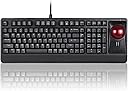
๐ฅ๏ธ Elevate your desk game with the ultimate all-in-one mechanical trackball keyboard!
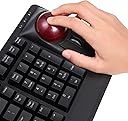
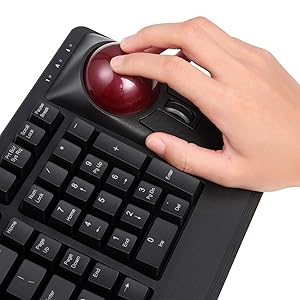
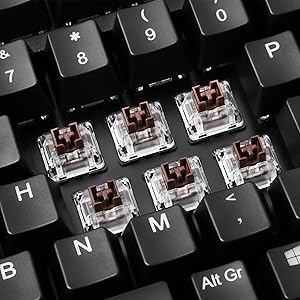
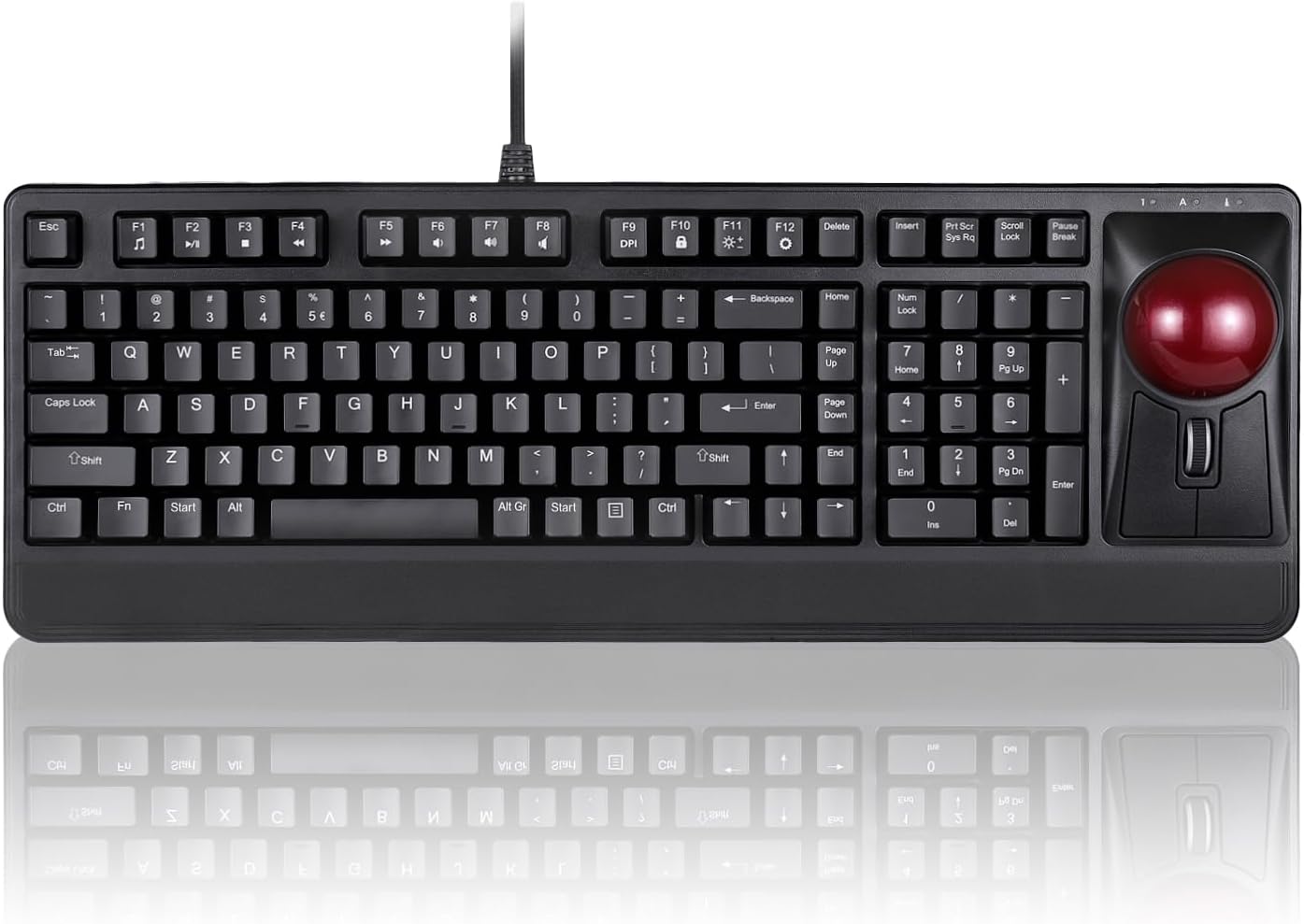
The Perixx Periboard-522 is a wired mechanical keyboard featuring a large 2.17-inch built-in trackball and a tilting scroll wheel, designed for professionals who demand precision and efficiency. Equipped with tactile Brown switches and 9 advanced function keys, it offers customizable sensitivity and easy maintenance. Its durable 3.2-pound build and ergonomic layout make it ideal for multitasking across multiple screens, enhancing productivity whether on a desk or lap.


| ASIN | B07F17YLLM |
| Additional Features | Trackball |
| Antenna Location | Business, Multimedia, Personal |
| Best Sellers Rank | #51 in Computer Trackballs |
| Brand | Perixx |
| Built-In Media | Keyboard |
| Button Quantity | 9 |
| Color | black |
| Compatible Devices | PC |
| Compatible Operating System Family | Windows |
| Compatible Tablet Computer Models | AAUB P30 |
| Connectivity Technology | USB-A |
| Customer Reviews | 3.8 out of 5 stars 262 Reviews |
| Enclosure Material | Metal |
| Global Trade Identification Number | 04049571002286 |
| Hand Orientation | Ambidextrous |
| Item Dimensions L x W x H | 18.49"L x 6.59"W x 2.65"H |
| Item Type Name | Perixx Periboard-522 Mechanical Trackball Keyboard - 2.17 Inch Large Trackball - Tilt Scrolling Wheel - Wired USB |
| Item Weight | 3.2 Pounds |
| Keyboard Description | Ergonomic |
| Keyboard Layout | QWERTY |
| Manufacturer | Perixx Computer GmbH |
| Mechanical Keyboard Switch Model | Brown |
| Mfr Part Number | 11578 |
| Minimum Required Operating System Version | Windows 7 |
| Model Name | PERIBOARD-522 US |
| Model Number | 11578 |
| Number of Keys | 104 |
| Power Source | Corded Electric |
| Recommended Uses For Product | Business, Multimedia, Personal |
| Special Feature | Trackball |
| Style Name | Wired USB only |
| Switch Type | Tactile |
| Unit Count | 1.0 Count |
| Warranty Description | 1 Year Limited Warranty |
R**N
Great all in one keyboard
The scroll wheel takes your thumb or index and middle finger used to, no more wrist motion or pulling and dragging, because the scroll mouse is integrated next to the keyboard you can set it on your lap when you need a rest from the up high keyboard tray or desk setup. I purposely was looking for a scroll wheel instead of a keyboard with laptop style touch pad because i need the scroll wheel for editing, i like to โgrabโ a drawing by pressing the scroll wheel then moving items with the trackbal or zooming in and out to navigate within a drawing. I find it useful for editing and speed. Also wanted it for my keyboard tray and be able to place it on my lap. I have the mouse right next to the keyboard so less knocking down the mouse out of the tray. The LED light was another reason I bought this not because of all the blinking features wich I donโt care for I just used the solid light on keyboard feature but as some reviews say the top numbers are not lit and thatโs true, Iโll attach a picture. but atleast the side number keys are lit. I didnโt have any issues with the trackball being jumpy or issues or it being too fast as some review say, mine came ready to go out of the box, really accurate, I draw electrical boxes and schematics for a living and itโs working for me great, it captures the smallest motions, hope it doesnt wear out as I need these sensitive motions when I draw curves and fine details. I like the scroll wheel, this has side clicking as well for scrolling sideways, pretty cool I didnโt know it had that. Overall all I love it doesnโt feel cheap like some say. It feels like any other keyboard material out there. The price? I didnโt like the price at first but since Iโm enjoying using it I donโt think of the 150 anymore. Itโs actually worth the price for a great large tract ball, LED light up keys. But itโs great for anyone really not just specific for editing or drafting. Only thing that people like on it that I do not, is the clanky noise the keys make. Iโm used to my laptop soft key sounds and my dell and accer desk top keyboard that are soft key presses. These keys are high profile, thereโs buffer in between the press of the key, which to me is fine itโs not noticeable until you start comparing. my laptop keyboard has no buffer you press and it types. This one you have to let the weight of your finger down just a bit into it but itโs two or three hairs less sensitive as a laptop keyboard.
P**R
Great keyboard, slightly weird layout
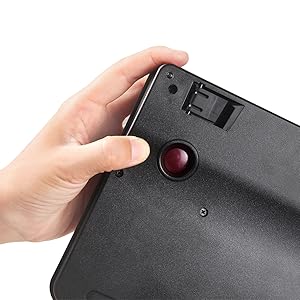
I bought this keyboard as a backup keyboard when I'm sitting in a recliner. My normal setup is a Kensington SlimBlade trackball and a top-shelf mechanical keyboard. This is a great replacement, especially when I'm traveling but still want a full keyboard/trackball. The trackball itself is trapped in the keyboard (you can push it out with some pressure for cleaning), which is really nice so it doesn't go bouncing across the room! The keyboard has a bit of an unusual layout, because it's narrower than other 101 key keyboards. Some things are in weird places, particularly the Home/Delete/etc keys, but that also brings in the trackball to be close to the (normal layout) numeric keypad. Overall, it took me just a few hours to get used to this layout, and I'm very picky about things like that. (I got the US version with the pipe/backslash keyboard over the Enter key, where it belongs!) The Delete key is in a strange place, compared to most laptop keyboards, but at least I won't accidentally hit it. The keys themselves have a nice travel and click, but not overly obnoxious or even loud like an IBM Model M keyboard. They're probably about the same volume as Cherry Brown switches, but not quite as satisfying to press. However, I can type pretty quickly with this keyboard and the keys are nicely shaped, except that the keys are pretty smooth and not quite enough texture (so your fingers slightly slip, but if that bothers you you can add grip stickers). Note that these keys are basically about the same as nearly all mid-range keyboards sold on Amazon, and even some high-end ones, so that's really not too bad. The cable is great - long, fabric covered, and with two sturdy looking plugs. I would have preferred to see a bit more strain relief at the keyboard end, because it arrives bent into the box and I don't want it to get damaged, but it's really a very nice cable. The entire keyboard is plastic-covered, which I prefer because it won't bother me if I'm wearing shorts and metal doesn't really add anything here (the keyboard is very stiff and doesn't flex even when I bang very hard.) If plastic-covered was good enough for the IBM Model M, it's good enough for anything. Given how extremely unusual it is to even find a keyboard with a built-in trackball (let alone such a great trackball -- it's very good, even if it's not quite as good as a Kensington Slim Blade which costs about as much as this keyboard by itself, or my Das Keyboard which also cost as much as this keyboard!) and given the quality of the keyboard itself and the great price, I'm definitely giving this my highest recommendation. Once I got used to the layout and realized that I might even be MORE productive with this slightly compressed layout, I might even ditch my other fancier equipment. If this is Perixx's first try at a trackball-keyboard combo, it's a stunning debut... I'm a huge fan!
J**S
A waste! Didn't work correctly out of the box
I was so excited to get this. I. A studio setting these style keyboards are great, and even makes working with a DAW and severe carpal tunnel easier. Hooked it up, and none of the keys would light up. The track ball is nice but the mouse buttons have only worked half the time, and then it's sketchy. Tried it on my work PC (which it was bought for), my personal gaming PC, work laptop, and my personal gaming laptop. Same with every single device.
J**T
I love the keyboard, but it probably isn't for everyone (I just bought a second one)
This keyboard is a beast. It is heavy. The keys are stiff. It is what I like, but I can see it is not for everyone. I am surprised that I use the trackball as much as I do. I have always had a separate mouse alongside my keyboard. I have a 4-screen system, and I thought I would probably use the trackball just to quickly hop between the screens. But I have found that I hardly ever use my mouse since I have gotten used to this keyboard. Some other reviewers have said they don't like the placement of the buttons and scroll wheel. They seem fine to me. My objection is the USB cable (or rather, cables). In my experience, cables do go bad. It is nice to be able to swap out a bad cable and keep using the keyboard. That won't be possible with this keyboard. The cable does look beefy and it seems to have good strain relief. So hopefully it will last a long time. UPDATE: As I first predicted, the cable went bad. It isn't replaceable, but I love this keyboard so I ordered the same model. I use it nonstop. The keyboard lasted over two years, and I can live with that. The cable failed just beyond the strain relief at the keyboard. For the new keyboard I have ordered a cable wrap to extend the range of the strain relief. In addition, I am going to do surgery on the old keyboard to see if I can fix the cable. That will give me a spare. There are two USB ports on the keyboard. But the keyboard cable is actually a double cable that requires 2 USB ports. So you really are only getting one extra USB port. But I suppose if your computer is out of reach you get two UBS-2 ports in a handy location. UPDATE: I discovered the USB ports on my first keyboard did not work. I have tested them both on the new keyboard, and they do work. I have already used them a couple of times when I needed to dump some files to a USB. Also, I have grown to appreciate the lighted keyboard. I had thought that LED keyboards were just for gamers and were silly. However, I have grown to appreciate the lighted keyboard in an office environment. Others have noted that the keyboard is almost invisible. They need to turn on the lights. Put the white or blue light on at a low level and it will still look professional. Additional note. My second one died after about 18 months. I don't think the cable broke this time. I had bought a cable shield and put around this cable as strain relief. So now I have a decision. I love the keyboard. But I am paying about $10 a month if I look at the lifespan of the two keyboards and their current cost.
R**K
What is NOT in the instructions
I have been using a PERIBOARD 522 keyboard because it has a built in trackball. I had wanted to get the 322 (with backlighting) but they were out of stock. I went looking again for the 322. Lo and behold, they were back in stock so I ordered one. It arrived quickly, safe and sound. I went t hook it up and found that it had 2 USB plugs. Do I need to connect both? Can I use a powered HUB? One has a GREEN insulator. The other plug has an ORANGE insulator. I plugged both into my powered HUB that I use with my Raspberry Pi-5. Keys worked great, track ball worked great. No backlight. I tried everything that the instructions said to do. No luck. I unplugged the keyboard from the powered HUB. I then tried them one at a time, plugging them directly into the Pi-5. With just the GREEN one plugged in, the keyboard did not work at all. With just the ORANGE one plugged in, the keyboard and track ball worked great! But, still no backlight. I decided to search on the Internet to see if somene else had this problem. Not much luck. Then I thought I would check the keyboard reviews here on Amazon. I finally found on that said that you have to push the Fn+End keys to enable the backlight. I did that and it worked! I have also found out that the GREEN plug apparently only connects to the two USB sockets that are on the back of the keyboard. I then tried the keyboard with my powered USB HUB and it worked fine. So, here is what is NOT in the instructions (perhaps they get lost in the translation): 1) You only need to plug in the ORANGE USB plug to have the keyboard work. 2) The GREEN USB plug connects to two USB sockets on the back of the keyboard. 3) Yes, it will work with a powered USB HUB. 4) Yes, it will work with a Linux distribution such as Raspberry Pi OS. My RPi-5 recognized the keyboard and trackball as soon as the keyboard was plugged in. 5) You MUST push Fn+END to enable the backlight! I wish Perixx made a similar model that did NOT have the numeric keypad. I don't use it and it would result in a trackball keyboard that took up less space. All in all, I think it is a great keyboard!
W**S
Interesting keyboard, but it's not ergonomic or that comfortable...
Because I am such a fan of Trackball type mouse for PC, I was trying to see if they did make a combo that had both keyboard and trackball function. This is about as close as I got to finding one. First off, this is nothing really special, the keyboard itself is no more better than if you got a $15 basic lightup keyboard. I actually have an awesome Fiodio basic lightup keyboard and it feels a lot better and not even as noisy as this keyboard. The keys stick up about as high as when they made keyboards for Windows 98. The only added benefit is that this has a trackball. The trackball itself works pretty well, although the left and right buttons on it are not exactly positioned in the right place and feels very out of place. The mouse buttons need to be moved above the trackball, as that is where most regular trackball buttons are located. I am not really sure what they were thinking when they put this contraption together. The feel of the keyboard is not comfortable at all and the placing of the mouse buttons is really off. (My understanding was the keyboard completely lit up, however, only my mouse wheel was the only thing that lit up. Hoping it's just a USB glitch, and if not, may have to return it.) Plus, the $100+ price-tag is not worth it. You are better off getting a $20 lightup keyboard and a $30 trackball and still get the same (If not better) result. To the company that made this, next time you plan to make this again, put the mouse buttons and mouse wheel above the trackball, not below. (Possibly put the mouse buttons on the sides of the trackball for better use with thumb and fingers, just a suggestion. Seriously, not sure what you where thinking) Overall, it's not a completely bad idea, but this is clearly more of a beta-test model/style. There's no reason for paying over $100 for something like this. It's not even ergonomically correct/designed.
R**.
Purchased for the integrated trackball - Instructions are extra
This keyboard delivers on all its claims once you figure out a few things. If the instructions were clothing worn in public, they would be considered scanty if not indecent. For example, the instructions tell you how change the backlit colors but not how to turn the backlight on. Yes, going back to my analogy, I spent a lot of time in the change room trying different combinations until I found a show-and-tell by Kevin Hart on Kevin's tips. Informative but not the funny one. Shout out: https://www.amazon.com/shop/kevinhart?ccs_id=7e33964b-41fb-4240-96cf-1ae122706833 Without the backlit it's more like the emperor's new clothes, using a lot of imagination and memory work if you are a hunt-and-peck (swipe right, backspace, swipe left) typist like me! Finally, it will take a bit getting accustomed to this trackball. I love the tactile clicks of the keyboard but the left and right buttons a placed differently from other standalone trackballs. I change mouse and keyboards every 3 months just for improved brain function, dexterity and to get a fix on my see-it-buy-it addiction so it's part of the process! Surprised there are not more of these integrated keyboards....hint hint! Rocky By the way, to turn on the backlit hold [Fn] [End] Also, my keyboard has two USB cords which is fine with a docking station but might be an issue with a laptop alone and their even scantier input slots.
M**A
updated Awesome keyboard / Trackball didn't work at all
I am keeping the below review as it was true for the first one received changed to 5 star and have a few suggestions to ease into this keyboard trackball. Got the new keyboard love it but beware of a few things and I have added a few suggestions to work your way into this keyboard / trackball. 1. buy some Kinesiology Tape as using this trackball will use some muscles you have not used for a while and you will find some soreness in the following areas. The tape will eliminate the strain as your body gets used to using these new areas. a. wrist over of the first couple fingers b. forearm right side c. bicep area front right d. going into the tri-cep area 2. It takes a little bit of time to get used to the different way to use the trackball and buttons but by the end of one day I was pretty set and got back into a nice pattern. 3. keyboard keys are high yes more like an older typewriter and noisy. Same as a lot of the gamer keyboards that are coming out these days. I am a very heavy keyboard user I am on the keyboard non stop at least 9 hours straight a day and sometimes more so I for one will recommend this keyboard but again use the tape to get your muscles used to it and then you will be a happy camper letting your fingers type nice and fast yet again. So I read a lot of reviews on this and decided to purchase it ... there are several points I would like to make on this review. 1. you don't need both USB plugs to be able to run the keyboard and trackball you only need one. The second one seems to power the spare usb ports (hub). 2. The location of the trackball and size of the trackball is awesome (would be better if they worked) 3. Keyboard is load but not hard to press the buttons actually comfortable typing on it. 4. to fit everything on the one keyboard your space bar is shorter but honestly not an issue. 5. Keyboard with the light a must if you ask me I like keeping it on solid color personally but hey you have options. 6. Having the keyboard / number pad trackball and buttons all in line like they are is very awesome. 7. Noticed no sticky keys and I am sure I have hit them all a few dozen times by now. Now double striking either. Please also note before anyone comments on this. 1. I took out the trackball cleaned the trackball 2. cleaned the entire area the trackball goes into once I did that I did it again still nothing 3. I looked for drivers (just in case) 4. made sure it had the latest drivers. 5. was concerned the mfg. website doesn't even list this item as one of the models but hey maybe it is new and they have not put it on there yet. 6. tried to download a manual and it was not a valid web page. So I type all day long my job consists of emails about 100+ a day putting in orders (so a lot of working with numbers) updating notes and busy work on our system Even though the trackball didn't work I used the keyboard all day yesterday from the time it arrived to see if I like the keyboard and I noticed myself going straight to the trackball for my mouse. I have asked for a replacement with hopes the trackball works on the replacement as this is going to be a great keyboard. I will update this review once I get the new one in and rate it accordingly if the trackball works .... couldn't give it anything higher than a 1 star as the main function the trackball was not working
Trustpilot
2 days ago
2 weeks ago