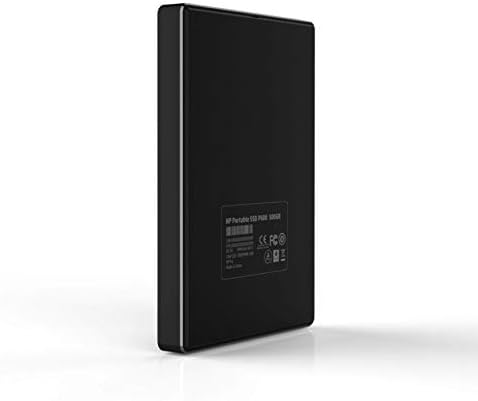
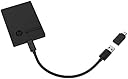
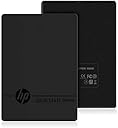

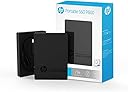
P600 500GB Portable USB 3.1 External SSD 3XJ07AA#ABC
Product ID: 84014838
⚡560 MB/s Read Speed
🌍60g Lightweight
📦490 MB/s Write Speed
Buy anything from 5,000+ international stores. One checkout price. No surprise fees. Join 2M+ shoppers on Desertcart.
Desertcart purchases this item on your behalf and handles shipping, customs, and support to Vietnam.
🚀 Store More, Stress Less!
The HP P600 500GB Portable USB 3.1 External SSD combines high-speed performance with a sleek, compact design, making it the perfect storage solution for professionals on the go. With read speeds of up to 560 MB/s and a lightweight build, this SSD is engineered for reliability and efficiency across multiple platforms.
A**N
Portable, rugged, but with some undesirable hidden attributes
A lightweight, solid-feeling, perfectly rectangular box about the size of a deck of cards, these drives are great for tossing in a briefcase and hauling back and forth every day. Files copy quickly without the delay you'd get on a thumb drive, even on USB 2 ports. The actual drive is actually only half the thickness of the package -- about 8 mm -- with the bottom half dedicated to a magnetically-attached case for holding the detachable cord and adapter plug.However, as others have said, the drive contains three independent controllers: two 125.0 GB drives, and a 49.4 MB read-only drive detected as a CD-ROM. These are not partitions -- they really are separate drives. However, this can be useful since you can dedicate each drive to a specific task (install programs on one, store data on the other) or format each with a different file system (handy if you switch between Windows and Linux systems often). The only obnoxious part is the read-only drive, containing a Windows disk encryption application. It clutters up drive listings and you're stuck with it whether you want it or not.
M**6
Affordable,high speed and good quality
Works perfectly. I use it as a backup for some pictures, videos I've posted or am editing and more. It is pretty high speed and very adorable. It works with PlayStations for external storage and also on PC or Android.
"**"
Mostly satisfied
Good product. Fast read and write speed. My only issue is that when plugged in, it shows up as two separate drives. Not two partitions, but two separate drives. You can fix this (sort of) with the included encryption software, but then your disk is fully encrypted and can’t be used for anything other than secure storage. I haven’t found any way to merge the two drives yet. Will update review if HP provides a solution.
J**O
Quick and priced nicely
Works great. Does exactly what I need it for!
M**1
It works.
As of now, it is large enough. Yea, yea, I know, you can never have too much storage space. This is providing an adequate amount, for now. It is small enough to slip in a pocket, or Velcro to the outside of a Chromebook and still fit it in laptop bag.
B**W
Works and works well.
First, it works really well. the two part parts are the drive itself (which works well) and a top that hold a small cable. the two parts hold together magnetically. The only downside is that the cable is short ... but it does fit the small size. Reasonable trade-off for my purposes.
N**O
Terrible Terrible Terrible Terrible
This is one of the only reviews I've ever written because I just wasted 4 hours of my life trying to get this thing to work.It comes as two drives. Not partitioned into two drives; two separate drives. Why....? I bought this to store something that is 150GB, but I can't do that with this drive since the manufacturer split it into two 120GB Chunks. Part of the problem might be that i'm running Linux, so the software that comes with it isn't supported.Okay, great, I have a windows system too thank goodness, so I boot up the pre-installed "BiwinDiskTool.exe" on it. And it lets me choose the size of the two drives (Finally!).Okay great, but now it makes me put a password protect the drive (fine? I didn't really WANT to password protect the drive, I just wanted a giant USB, but that's the only way to re split the drives I guess). In broken English it asks me to do reset the powercycle or something.Okay great, so I reboot my computer, load the tool back up again, and click on the drive (after entering my password). And then the icon turns a different color, and then nothing happens. Where do I access my files from? Why doesn't it show up as a drive? Well great, now I can't even wipe the drives and to try and salvage the HDD space since they won't even show up.This is actual garbage, no instructions, no documentation on how to actually USE it besides setting up the password.0/10
Z**N
Because you have to put it some where...!
Small, plug -N- play, and there when you need the storage.. But I think best of all is that it is an HP product and will work when you need it to..
R**S
If you have a Mac...
... you probably won't want this. This device by default has a CD partition for related software. There is NO WAY to reformat to remove it... it's built into the hardware interface rather than on the disk. This device also triggered kernel panics when left attached (I checked the logs, it was definitely this device). I ended up returning this — as the non-removable partition was frustrating and the crashes made it unreliable.
D***
What a Fab product
Small compact extremely well made. Brilliant capable and fast storage device . Love the storage cable case magnetically held to the drive below. Easy to detach. Just what "The Doc" wanted
Trustpilot
2 weeks ago
2 weeks ago