We remain fully operational. Our teams are working around the clock to ensure your deliveries continue safely.

DOWNLOAD THE APP


Copyright © 2025 Desertcart Holdings Limited
DOWNLOAD THE APP
Buy anything from 5,000+ international stores. One checkout price. No surprise fees. Join 2M+ shoppers on Desertcart.
Desertcart purchases this item on your behalf and handles shipping, customs, and support to Vietnam.
🖨️ Print smart, live smarter — your home office MVP!
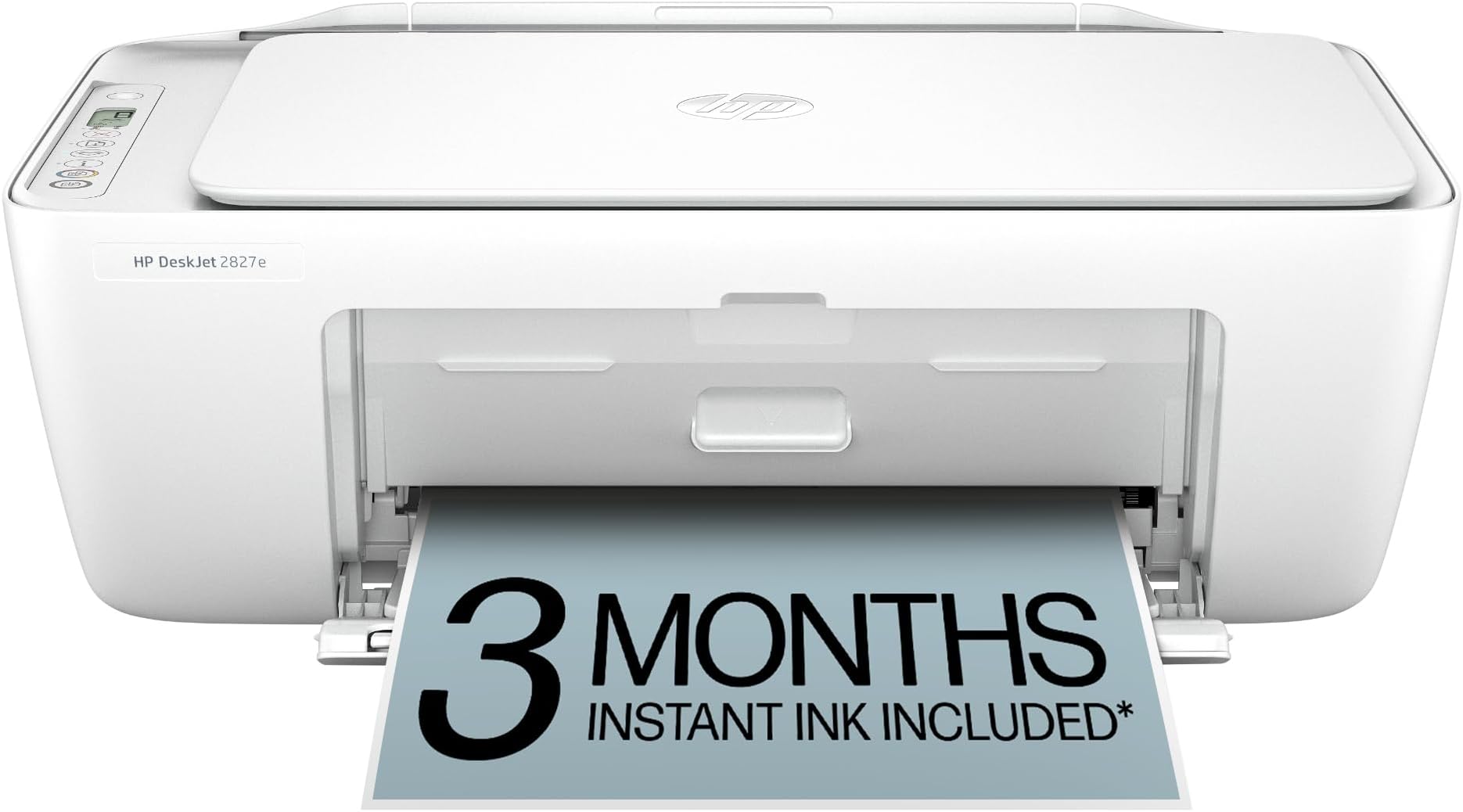
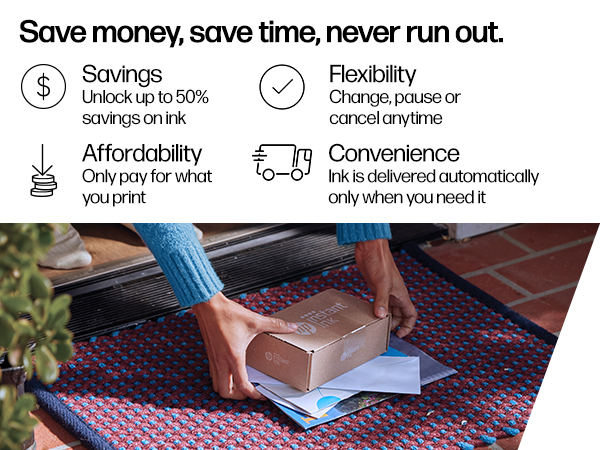
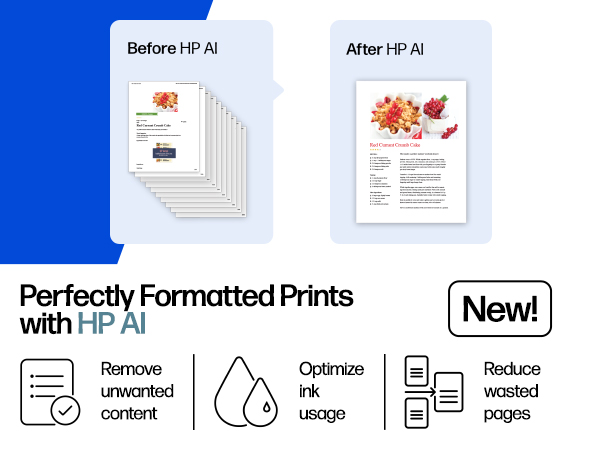
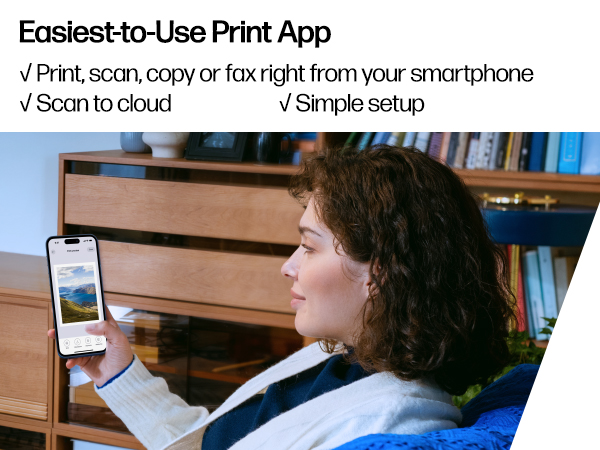
The HP DeskJet 2827e is a compact, AI-enabled all-in-one inkjet printer designed for home use. It delivers up to 7.5 ppm black-and-white and 5.5 ppm color printing speeds, supports wireless printing via the HP App, and includes a 60-sheet input tray. With eco-conscious construction using 60% recycled plastic and a 3-month Instant Ink trial, it combines convenience, sustainability, and smart technology to keep your workflow smooth and efficient.






| ASIN | B0F1NJ75D5 |
| Additional Printer Functions | All In One |
| B&W Pages per Minute | 7.5 ppm |
| Best Sellers Rank | #7,890 in Office Products ( See Top 100 in Office Products ) #38 in Inkjet Computer Printers |
| Brand | HP |
| Built-In Media | HP DeskJet 2827e All-in-One; HP 67 Setup Black Cartridge; HP 67 Setup Tri-color Cartridge; Regulatory flyer; Setup guide; Reference guide; Power cord [For ink volume and page yield information, visit http://hp.com/go/learnaboutsupplies ] |
| Color | White |
| Color Depth | 24 Bits |
| Color Pages per Minute | 5.5 ppm |
| Compatible Cartridge | HP 67 Black Original Ink Cartridge 3YM56A; HP 67XL Black High Yield Original Ink Cartridge 3YM57A; HP 67 Tri-Color Original Ink Cartridge 3YM55A; HP 67XL Tri-Color High-Yield Original Ink Cartridge 3YM58A |
| Compatible Devices | Laptops, PC, Smartphones |
| Connectivity Technology | Apple AirPrint; Google Cloud Print; USB; Wireless (Wi-Fi); Wireless direct printing |
| Control Method | App |
| Customer Reviews | 4.0 out of 5 stars 4,428 Reviews |
| Display Type | LED |
| Dual-sided printing | No |
| Duplex | Manual (driver support provided) |
| Hardware Interface | USB |
| Initial Page Print Time | 19 Seconds |
| Ink Color | Black; Cyan; Magenta; Yellow |
| Item Dimensions D x W x H | 11.97"D x 16.7"W x 6.06"H |
| Item Type Name | Inkjet printers |
| Item Weight | 3.42 Kilograms |
| Manufacturer | HP |
| Maximum Copies Per Run | Up to 9 copies |
| Maximum Copy Resolution Black and White | Up to 1200 x 1200 rendered dpi |
| Maximum Copy Resolution Color | Up to 300 x 300 dpi |
| Maximum Copy Speed Black and White | 6 ppm |
| Maximum Media Size | 3 x 5 to 8.5 x 14 in |
| Maximum Print Resolution Black and White | Up to 1200 x 1200 rendered dpi Dots Per Inch |
| Maximum Sheet Capacity | 60 |
| Maximum print Resolution Color | Up to 4800 x 1200 optimized dpi color (when printing from a computer on selected HP photo papers and 1200 input dpi) Dots Per Inch |
| Model Name | HP DeskJet 2827e All-in-One Printer |
| Model Number | 6W7F5A#B1H |
| Model Series | DeskJet |
| Number of Trays | 1 |
| Other Special Features of the Product | 60% post-consumer recycled plastic, Scan to PDF |
| Output sheet capacity | 25.0 |
| Paper Size | 8.5 x 11;8.27 x 11.7;8.5 x 14;7.16 x 10.12; Inches |
| Power Consumption | 2.8 Watts |
| Print media | Paper (plain) |
| Printer Connectivity Type | Apple AirPrint; Google Cloud Print; USB; Wireless (Wi-Fi); Wireless direct printing |
| Printer Output Type | Color |
| Printer Type | HP Thermal Inkjet |
| Printing Technology | HP Thermal Inkjet |
| Processor Count | 1 |
| Resolution | 4800 x 1200 |
| Scanner Type | Flatbed |
| Special Feature | 60% post-consumer recycled plastic, Scan to PDF |
| Specific Uses For Product | Home and home office |
| Total Usb Ports | 1 |
| UPC | 198990334097 |
| Warranty Description | One-year limited warranty. For more info please visit us at support.hp.com .For full terms and conditions visit: support.hp.com .Warranty and support options vary by product, country, and local legal requirements |
| Warranty Type | One-year limited warranty. For more info please visit us at support.hp.com .For full terms and conditions visit: support.hp.com .Warranty and support options vary by product, country, and local legal requirements |
| Wattage | 100 watts |
E**T
A great inexpensive little printer, scanner, copier all in one quiet compact unit
I purchased the HP Desktop Printer for home use, primarily for assistance when writing Amazon product reviews and it has proved invaluable for keeping my paperwork organized. After several weeks of use I’m satisfied with its performance. It works as expected and has greatly improved my daily routine. Setup took just minutes, the instructions were clear and everything connected immediately. No user manual was included but YouTube videos helped with any questions I had. It prints, scans and copies efficiently all in one quiet compact unit. Unlike other printers I’ve used in the past, I haven’t had a problem losing Wi-Fi connection and the print speed is extremely fast with the ability to print right from my computer, tablet or phone. I did read it only supports 2.4GHz WiFi networks so keep that in mind before you purchase. The ink supply that was included is holding up well even after extensive use and the cartridges were easy to install. Since I will primarily be printing in black and white I like the fact that I can print in single cartridge mode, which means I will only have to buy black ink cartridges. The print quality is not the best but acceptable for my purposes. The paper tray feels solid and doesn’t jam. I plan to download the HP Smart App soon. The product exceeded my expectations in terms of quality. It was well packaged, durable, the design both functional, space saving and attractive. At a price of just $38.89, this Amazon limited time deal offered exceptional value compared to similar products. It arrived in great condition and on time. Highly recommended.
J**Y
Perfect printer for at home use!
Perfect affordable printer for at home use! It was super easy to set up. HP support has a video on their YouTube channel of how to set it up, and it was really straight forward. After you take off the tape and plastic liners, it has you download the HP app and the app guides you through setting up the WiFi, paper, & ink. Overall from unboxing to printing my first sheet, it probably took about 15-20 minutes. Setting up my WiFi and connecting to my phone was a breeze. I don’t have a computer so I was worried about finding a printer that could easily print from my phone, but this was very simple and easy to do. I was able to print documents directly from my files, as well as photos from my photo app. It takes a little less than 30 seconds per sheet, which isn’t bad for an at home printer, but could be slightly irritating if you’re printing over 50 pages at a time. The ink is great, prints pretty true to color. The black is saturated, and the colored ink is slightly less vibrant but that’s not an issue for me personally. I added a photo of what it looks like printing via the HP app, as well as the printed page afterwards. As you can see, the black is nice and saturated, the red is slightly less saturated but nothing bad, and it prints very accurately. This is perfect for my homeschooling needs, & for less than $40 I’m very happy with it. Pros : - printer and copy machine in one - comes with ink both black and colored - black ink is nice and saturated - an additional 3 month free trial to their ink subscription - after the trial the ink subscription isn’t very expensive either which is great. - 1 year warranty included - affordable printer (bought on sale for $35) - set up took less than 20 minutes start to finish - prints fast enough for at home use - can print straight from my phone, either from files or photo library Cons : - colored ink is slightly dull, but not too bad as long as you’re not printing actual photos. - the print speed could be an issue for you if you’re printing over 50 pages at a time
V**R
A decent bare-bones printer that could use better instructions
I replaced a more expensive HP printer with this no frills, inexpensive HP 2827e printer. I loved the features and print quality of the expensive one, but it only lasted 22 months. I decided I don’t do enough printing to splurge a second time. As far as setup, I decided not to use a WiFi connection. I have it hooked up to my PC with a USB cable (a 6-foot 2.0 USB-A to USB-B). A USB cable is not included in the package, so I had to buy one separately. I have heard too many people complain about problems with wireless and I wanted to keep things as simple as possible. I did install the HP Smart App. I was pleased that during setup with the USB cable, I was never asked if I wanted to sign up for the Instant Ink subscription program, and I wasn’t pressured into establishing an account. There are no helpful instructions that come with this printer. No user manual. I had to search “how to” videos on the Internet just to figure out how to get adhesive tape (put on for packaging) off the printer and remove everything that needed to be removed from the interior, like a piece of cardboard. I admit I’m not tech savvy or intuitive or good at deciphering picture diagrams, so most people might not have any trouble at all, but I did. Even opening the plastic output tray door was a challenge. The door was tightly shut and required a hefty tug to open. I was sure I was going to crack it in two. The plastic feels flimsy. I also had to search the Internet for setup instructions. Most of the online how-tos assumed setup would be with WiFi, not a cable, so I ended up calling HP customer support and asking them to walk me through it. I was able to quickly get through to a human, which was a plus even though there was a slight language barrier. So, for me, setup was not a breeze, but it was manageable. As far as print quality, I would say it’s acceptable but not the best. Most of my printing is done in black only, and the black is not as sharp and crisp as I would like. As far as features, this printer is very basic. I think it will accomplish everything a more expensive printer will, but some things will have to be done manually. This means some jobs may take a bit longer and require a little more creativity. I do not do a whole lot of printing, so I can deal with that. I found the ink cartridges easy to install. And I was told in the question-and-answer box that I will be able to print in single cartridge mode, which means I will only have to buy black ink. Other pluses are that the printer is compact, lightweight (7.55 lbs.), is white (doesn’t show dust like black does), and is attractive. Bottom line, this printer is relatively inexpensive, functional and doesn’t take up a lot of space. It prints. It scans. It copies. If it conks out in a year or two, I won’t be devastated.
K**I
It’s cheap for a reason
When it works it’s nice, but 80% of the time there’s a problem with it. It just won’t print, the app won’t connect, when you cancel prints it’ll still print them and you waste paper ect. Some days it works perfectly, printing fine. Others it will say there’s a problem but won’t tell you what it is. It also isn’t great with printing small letters. It can make it look pixelated at times.
T**N
Great inexpensive printer
Great inexpensive printer. I subscribe to ho Instant Ink so never run out and is reasonably priced. Good color print. Works great scanning. Size is not too daunting. Clear instructions. Replaced hp 2700 printer which worked fine for all my computers. This one set up easily with Mac, iPads, and Raspberry Pi but still haven’t got it to work with ThinkPads. Recommended inexpensive printer.
H**S
Good for light print work
It took an entire MONTH to be delivered I didn't appreciate that at all. Ordered Feb 11th received March 4th. Product review came with all parts clear directions easy set up im so please for that part download the HP app on my tablet connected to Wi-Fi set select what you need printed through tte app boom you're printing away. Nice for the price hope it last i wouldn't recommend heavy printing this isn't for a business at home thing just for light print work.
D**E
My new desk jet printer
This is an easy to use, easy set up and its compatible with phone and or laptop via wifi. Its amazing and have made my life very much easier and stress free for this coming tax season. The printing is clean 👌.
A**R
You Get What You Pay For
This is a low cost, low quality bottom end printer. It's ok if you print on average less than 5 pages a month. It's in our winter home and only used a couple a times a month for half the year. Beneficial if you are overly patient, have lots of time with nothing better to do. Not best for a quick print job. S/W doesn't seem to shelf live stable. You cannot use this printer if you have a VPN on. not to print and definitely not to troubleshoot (download, remove, add). Be prepared to spend a lot of time troubleshooting this printer. I've downloaded and re-downloaded the drivers as many times as I've printed a page. don't bother with the chap bot, go straight to the talking AI assistant for support. Get familiar with windows start button and system settings, especially printers as you will be removing and adding this printer again. Not overly time consuming but it helps to have other reading material to pass the time.
Trustpilot
1 week ago
1 month ago