We remain fully operational. Our teams are working around the clock to ensure your deliveries continue safely.

DOWNLOAD THE APP


Copyright © 2025 Desertcart Holdings Limited
DOWNLOAD THE APP





Buy anything from 5,000+ international stores. One checkout price. No surprise fees. Join 2M+ shoppers on Desertcart.
Desertcart purchases this item on your behalf and handles shipping, customs, and support to Vietnam.
🎞️ Elevate your analog legacy with precision and speed—don’t let your memories fade!
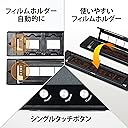
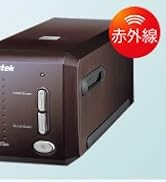
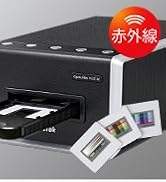
The Plustek OpticFilm 135i Ai is a cutting-edge 35mm film scanner featuring a third-generation 5-group lens system and 7200 dpi resolution. Bundled with SilverFast Ai Studio 9 software and an advanced IT8 calibration target, it delivers professional-grade scans with exceptional color accuracy and detail. Designed for high productivity, it supports batch scanning of multiple slides or film frames, including panoramic and half-frame formats, making it the ultimate tool for serious film photographers and archivists.








| ASIN | B0DQXW6TWT |
| Amazon Bestseller | #27,897 in Computers ( See Top 100 in Computers ) #9 in Slide & Negative Scanners |
| Brand | plustek |
| Connection Type | Ethernet |
| Country of Origin | China |
| Customer Reviews | 3.5 3.5 out of 5 stars (21) |
| Item Weight | 2.81 kg |
| Manufacturer | Plustek |
| Media Type | USB |
| Minimum System Requirements | Windows, macOS |
| Model Name | 135i Ai |
| Resolution | 7200 dpi |
| Scanner Type | Document |
| UPC | 783064369640 |
| Warranty Description | 1 Year |
8**I
ニコンのクールスキャンがついに動かなくなり、どうしたものかと思っていた矢先、CP+2025でこの製品の存在を知った。 ただ、約12万という値段がネックとなり、二の足を踏んでいた。クールスキャンですら8万程度だったのだから。 下位機種の8300Aiにしようかと悩んでいたところ、今回のセールで10万ちょっとで買えるとのこと。そんなこんなで清水の舞台から飛び降りた。 結果としては大正解。特に私が主に使うモノクロネガの画像が驚くほど美しく出て来る。お世辞抜きでクールスキャンを余裕で凌駕している。 値段は気になるが、外部にスキャニングを依頼するつもりなら、あっという間に元が取れることに気づいた。何しろ1000コマスキャンしたら、1コマあたり100円ですよ。 さすがに最新鋭の非球面レンズ搭載だけのこともあり、大満足です。悩んでいる暇があったら新製品のうちに買い、ですね。 これであと10年はモノクロフィルムで作品を作れる!
S**O
スキャンスピードは速い。 フィルムフォルダの設計がおかしい(小さい)ので、 フィルムが反ってしまうのが最大の欠点。 SilverFastは自分には合わなかった。 色のコントロールが難易度高め。 でもそこそこの画像は導き出せる。
S**S
Since delivery last month, I've scanned 700+ 35mm slides (positives), some of which are over 60 years old, with the Plustek OpticFilm 135i Ai. The scanner was easy to learn and set up, and it has functioned flawlessly. Where it really shines is in the basic "Quick Scan Plus" software where you'll find an image enhancement tool called "Sweet" (access via the "Edit" function after the initial scan has completed - choose "Edit", then "Portrait" and then "Sweet"). Dark images and skin tones immediately come to life, and excessive contrast, which is a common problem with old slides, is softened. If needed, images can be further "sweetened" in Photoshop, but often this isn't even necessary. Photos below show before and after results of the "Sweet" feature. There are several useful tools in the software for achieving other remedial effects, as well. The scratch and dust removal function works well with small blemishes, but often misses larger particles and hairs. So it's a good idea to blow gently on each side of a slide or film strip to remove such detritus before placing it in the scanner tray. Other great features of this scanner are too numerous to mention. It is important to ensure the scanner has a "safe zone" in which to operate since the film tray protrudes out the back, as well as the front as it travels through the device during scanning. I'm using a piece of scrap 1/4" plywood, cut to the footprint of the scanner with outcroppings front and rear to maintain space along the path of the slide tray, and also to support the tray against careless hand movements (see photo).
B**T
QuickScan Plus autocropping of images containing text or dark areas can't be disabled or manually controlled. SilverFast wouldn't activate. 'Too many login attempts' was the last straw.
J**S
I bought this scanner to scan thousands of old slides. I didn't really care for the generic software, so I tried Silverfast. It took a bit to figure it all out, and I thought it was working great, until I was doing some further editing in photoshop and noticed that in the really dark areas, there was no content at all. No matter how much I lightened it, just absolute nothingness. I did a lot of research, tried adjusting the gamma and the Auto Adaptive Contrast Optimization, but nothing helped. The only way I can get really great scans is if I scan in 48 bit RAW mode, then use PS to edit them afterwards. That is the only way I can get objects in the dark to show up. Another thing with Silverfast, it runs the tray all the way out and back in before every slide. If it just stayed on the slide it was scanning, or in RAW mode just scan all the way through without coming all the way back after every slide, it would be so much faster and I'm sure a lot less wear and tear on the machine. I attached a picture right off the scanner, then lightened it for the zoomed in pic. Look at the zoomed in picture of the legs of the table. So bad. The final pic was a RAW scan that I edited in Photoshop. Look at the detail compared to the others. This scanner has great potential, but needs some work on the software to make it faster and more efficient.
S**M
The basic scanner 135i comes with Quickscan Plus software which is more than adequate for the casual non professional ) user scanning old slides and old negatives( in my case over 55 years old negative for example. A little bit awkward to set up for Macs and a marginal user manual for Macs Did an excellent job removing minor dust and thumbprints. The Silverfast software part of the package is strictly for the pros and while it MIGHT be good for pros- it is nearly in comprehensible for this long retired Engineer and 45 year Apple user. A suggestion. When setting up, be very careful where you choose to save/file the scan results. I strongly suggest a multi gig USB stick/file. IF you allow it to file as part of your operating system, getting rid of the first scans is very difficult. The slide carrier and negative carrier work well but initial loading and extraction from scanner need to be carefully done and can be awkard.After gentle insertion, wait 5 to 10 seconds for unit to respond by pulling and setting carrier. Once scanned, suggest that check results and if need rescan do not remove carrier. Thus as a quick check scan at lowest resolution and i you wantg to keep or do better, then change DPI to maybe 3000 and do again. Did find that after saving, on my mac mini 4 or earlier with Sequoia the "Photo" application works well for adjustements. Note that if you scan to tiff, you can then use built in "Photos" for cropping and modifying, etc. I am almost completely lost re trying to understand or use or properly load the Silverfast software.
A**R
Absolutely Worth It – Fantastic Results with iSRD! I’ve been scanning thousands of my old 35mm slides, and the Plustek OpticFilm 135i Ai has truly blown me away. One of my biggest concerns going in was dealing with scratches and dust—some of these slides have been stored for decades and show their age. But the built-in infrared scratch and dust removal (iSRD) works incredibly well. Just look at the before-and-after image I posted—it's like magic. The software intelligently removes the damage without softening detail or affecting the beautiful color gradients. In particular, skies and sunsets—often tricky to clean—come out smooth and pristine. Setup was straightforward, and the bundled SilverFast Ai Studio gives you tons of control, though there's a learning curve. Once you get the hang of it, the results speak for themselves. I honestly couldn't be happier with this purchase. It’s not just a scanner—it’s a time machine that brings my images back to life. Highly recommended for anyone serious about film archiving.
Trustpilot
2 weeks ago
3 weeks ago