⌨️ Elevate your desk game with buttery smooth clicks and a screen that speaks your style!
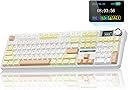
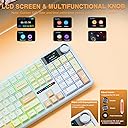
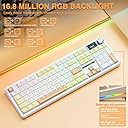
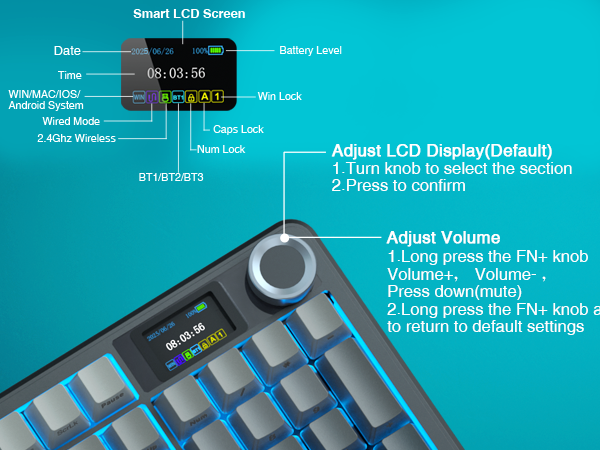
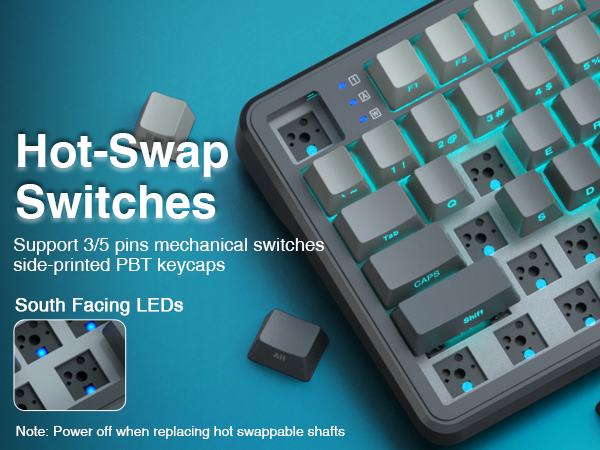
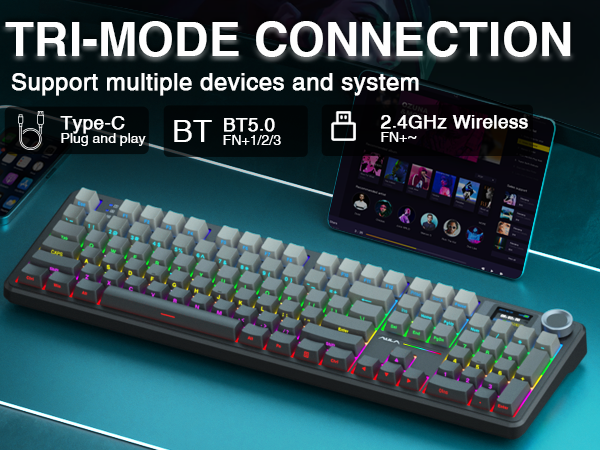
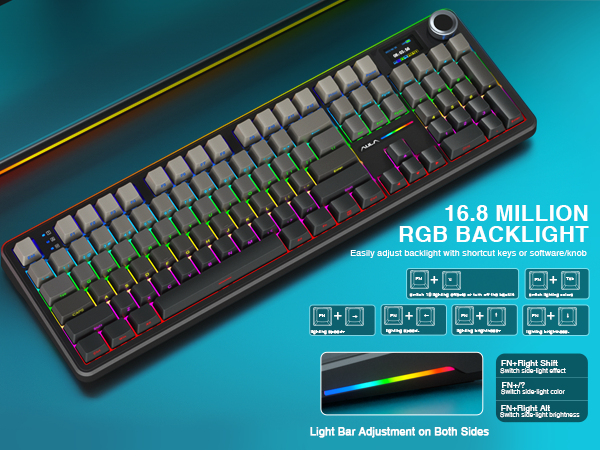
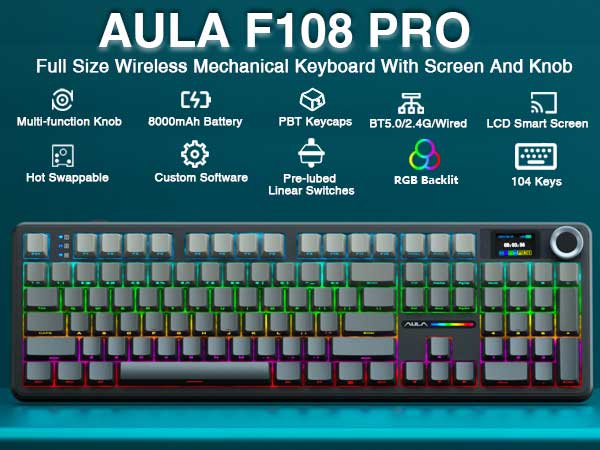
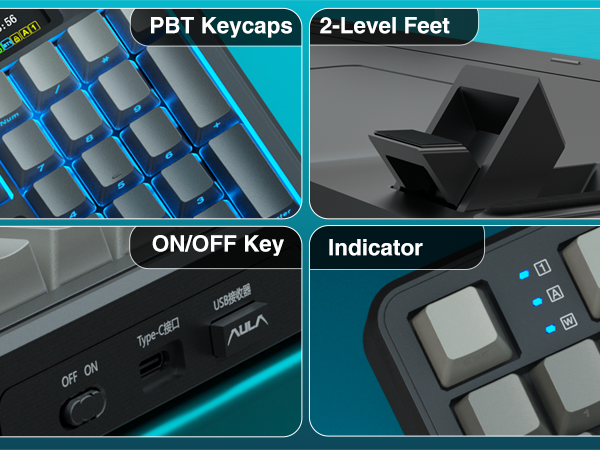
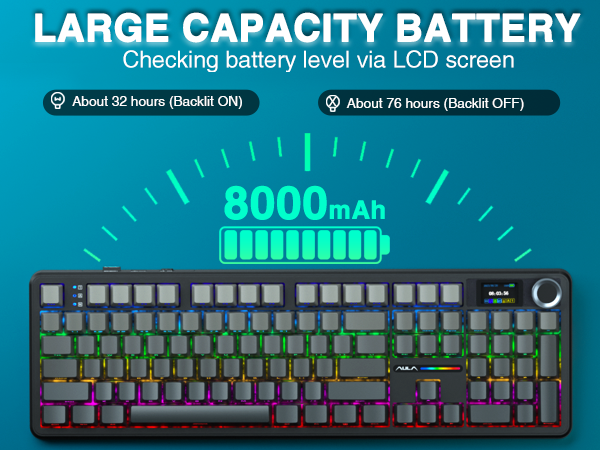
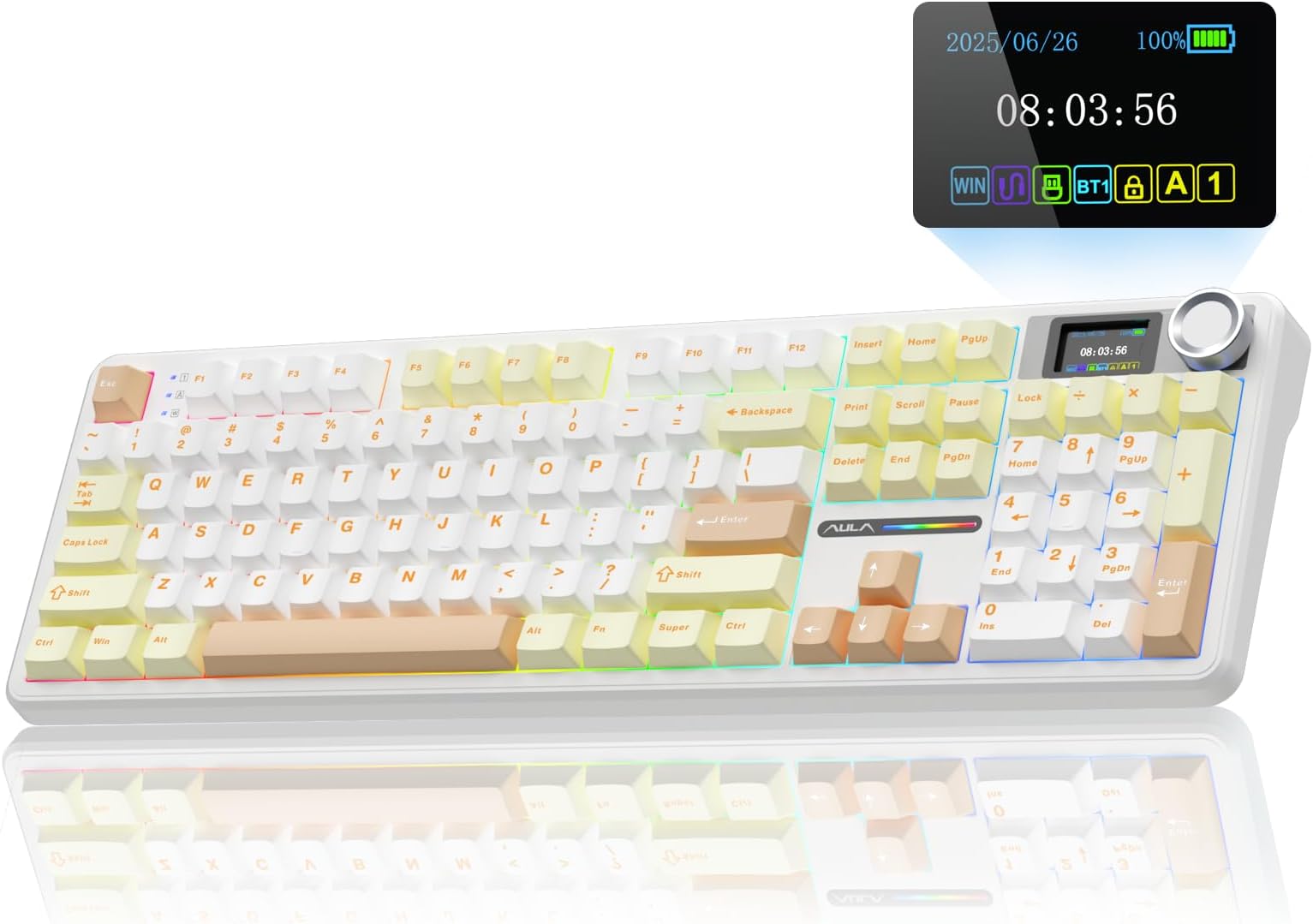
The AULA F108 PRO is a premium wireless mechanical keyboard featuring a vibrant TFT color display and multi-function knob for real-time customization. It supports tri-mode connectivity (Bluetooth 5.0, 2.4GHz wireless, USB-C wired) with memory for five devices, ensuring seamless switching across platforms. Hot-swappable pre-lubed switches deliver a creamy, quiet typing experience enhanced by an advanced five-layer noise dampening structure. The full-size 104-key layout includes durable PBT keycaps and an 8000mAh battery for extended use. Dynamic RGB backlighting and programmable macros make it perfect for professionals and gamers seeking both style and performance.


| ASIN | B0F48S9RZB |
| Antenna Location | Business, Education, Everyday Use, Gaming, Multimedia, Personal, Photo Editing, Programming, Student, Video Editing |
| Box Contents | Extra Switches x2, Keycap/Switches Puller x1, Mechanical Keyboard x1, USB Cable |
| Brand Name | AULA |
| Colour | Mocha Mousse |
| Compatible Devices | Gaming Console, Laptop, PC, Smartphone, Tablet |
| Compatible Operating System Family | Android, Windows |
| Connectivity Technology | 2.4GHz Wireless, BT5.0, USB-C |
| Customer Reviews | 4.4 4.4 out of 5 stars (88) |
| Enclosure Material | Plastic |
| Generation | 1st Generation |
| Hand Orientation | Ambidextrous |
| Keyboard Backlighting Color Support | RGB |
| Keyboard Description | Mechanical |
| Keyboard Layout | QWERTY |
| Manufacturer | AULA |
| Model Name | F108 Pro |
| Model Number | F108 Pro |
| Number of Keys | 104 |
| Power Source | Battery Powered |
| Product Features | Backlit, Hot-Swappable, Programmable Keys, Rechargeable |
| Style Name | Contemporary |
| Switch Type | Linear |
| Theme | Rainbow |
M**I
I have been waiting for a keyboard with this colorway for some time now. It works perfectly for my honeycore theme setup at work. The sounds for the switches in this keyboard are a lot more subtle than my previous one. The sound and the feel of these switches give me a lot more of a buttery feeling while still maintaining that mechanical keyboard sound. It creates a really enjoyable typing experience for me that is a little quieter than my previous Aula. They keyboard has a nice weight to it and it overall feels very high quality. It was super easy to set up and the software on their website was easy to find and install. Adding a gif to the LCD screen is also really easy. Since I keep it wired I am unsure of how the battery life is but it arrived with about a 75% charge and within a couple of hours was fully charged. Overall I'm extremely happy with this keyboard so far and I think its a huge value for the price. If I had tried to put a similar keyboard together myself it would have ended up costing at least twice as much.
P**S
High quality keyboard for a good price! Original switches sound super nice with a deep and kind of muted clicking sound. Key caps were a bit hard to change but maybe it’s supposed to be this hard to pull? Not sure. I really liked customizing my screen to my cat and it was very simple. I am not that tech savvy so customization is very beginner friendly I’d say. One thing I found odd but didn’t bother me a lot is that everything is in Chinese and a user manual was not provided. You can easily change the setting to English and manual can be found online so I’m not too annoyed by this.
M**A
First mechanical keyboard for me. Good quality and very cute! There are 10+ lighting effects. Clicks are very satisfying!
H**E
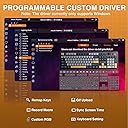
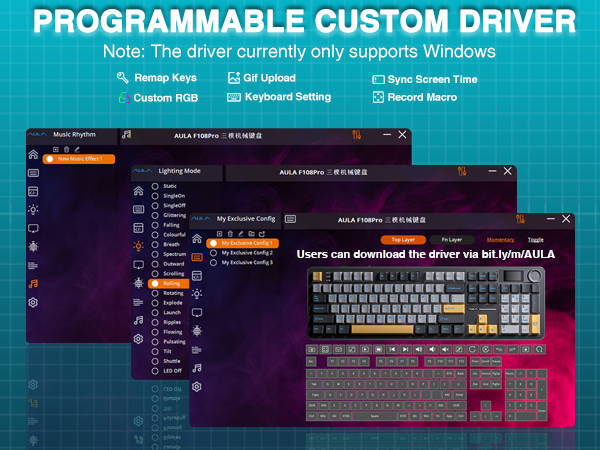
As a Mac user, I wasn’t sure this CIDOO V Series keyboard in Mocha Mousse would work for me since the software is Windows-only. But I took a chance because I really wanted a creamy-sounding keyboard, and I’m happy to say it works great on macOS. When I plugged it into my Mac, the Mac Keyboard Setup Assistant launched right away, which made it easy to detect the type of keyboard. I then went into the settings and keyboard shortcuts and remapped a few keys without using the CIDOO driver. The keyboard is fully functional without the software. However, if you want to customize the LCD screen, like uploading a GIF or syncing the clock, you’ll need to do that on a Windows computer. However, I took a chance because I had a theory that if I set it up on a Windows it may hold my settings on a Mac. I was able to set everything up on a Windows laptop (my husbands), and the settings stayed in place when I reconnected it to my Mac, which was a huge plus. If you don’t have a Windows device, that might be a hassle, but borrowing one from a friend just once could be enough to get things how you want them. Again it is fully functional, this would just impact your ability to change the gif animation and sync the time. One thing to note for Mac users, the keycaps are labeled for Windows (with Ctrl, Win, and Alt instead of Control, Option, and Command), but that’s pretty standard with most mechanical keyboards. It’s an easy fix if it bothers you, you can remap the functions in macOS and swap in Mac-specific keycaps if you want a more native look. I’m giving this keyboard four stars instead of five for two reasons. First, I really wish there were a native Mac driver, it would make customization much easier and more accessible. Second, I’d love to be able to switch the LCD clock from 24-hour to 12-hour format, which currently isn’t possible even through the driver. These are minor in the grand scheme, but worth mentioning if those features are important to you. The unboxing experience was pleasant and simple. The outer packaging included English and what I believe is Chinese, and the manual inside was mostly (if not entirely) in Chinese. I was still able to figure things out using the Apple Translate app. One small detail that didn’t quite match the overall design: the included USB-C cable is gray, which feels out of place next to the white keyboard. A color-matching cable would’ve made the whole setup feel more polished and aesthetic. PRO TIP: The sturdy plastic cover that comes in the box isn’t just for shipping protection, it fits the keyboard perfectly and works great as a dust cover when your setup is idle. I’ve been using it on my desk to keep the board clean between sessions. Build quality is where this keyboard really shines. It’s heavier than most, with an aluminum top and a polycarbonate bottom that gives it a solid, premium feel. The typing feel and sound? Chef’s kiss. Smooth, soft, and super satisfying. The sound is exactly what I was looking for: creamy and refined without being overly loud or hollow. I am literally more productive and look forward to being at my computer working. The LCD screen works as expected once set up, and while I don’t use the clock much (thanks to my Mac’s display), I really enjoy having a custom animated GIF on it. It’s a fun little feature that adds personality to my workspace. Overall, this is a high-quality mechanical keyboard that’s absolutely usable for Mac users, even without native software support. It looks great, feels great, and types even better. With a Mac driver and a few small tweaks, it would be an easy five stars.
L**I
I was hunting for a hotswappable keyboard, but the shells that are popular for builds aren't full 108 keyboards. My husband has the version without the screen and loves it, so I decided to pick up the one with a screen to fit my pusheen setup. It feels great comfort wise, and the switches that came with it are nice, but I easily swapped the stock ones with milky yellows, and it sounds great. It's pretty weighty, too, I don't knock it around as much as my last keyboard. Toggle the side lights with Fn + Right shift, toggle the top bar light with Fn + Left shift, you're welcome! VIDEO IS WITH MILKY YELLOW SWITCHES!!
Trustpilot
2 weeks ago
1 month ago