🔥 Power, Precision, and Prestige — Own the Game, Own the Room 🎯
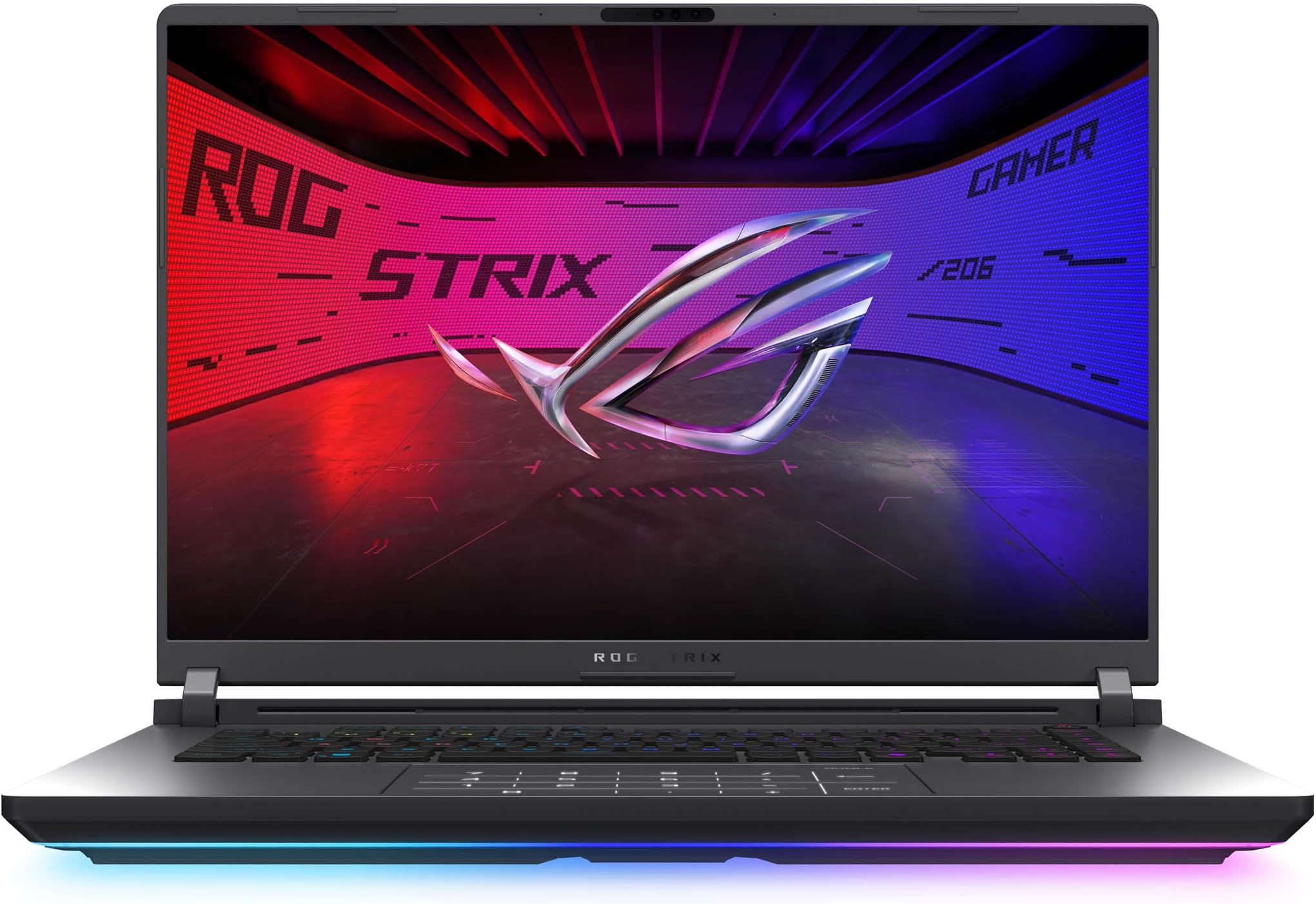
The ASUS ROG Strix G16 (2025) is a cutting-edge gaming laptop featuring a 16-inch 2.5K 240Hz display, powered by an Intel Core Ultra 9 275HX processor and NVIDIA GeForce RTX 5080 GPU. Equipped with 32GB DDR5 RAM and a 1TB PCIe Gen 4 SSD, it offers top-tier performance and storage. Advanced ROG Intelligent Cooling ensures sustained power, while Wi-Fi 7 connectivity and customizable RGB lighting complete this esports-ready machine designed for both intense gaming and professional multitasking.


| ASIN | B0DW1FVPK8 |
| Are Batteries Included | Yes |
| Batteries | 1 Lithium Ion batteries required. (included) |
| Best Sellers Rank | #117,764 in Computers ( See Top 100 in Computers ) #4,735 in Traditional Laptops |
| Brand | ASUS |
| Color | Eclipse Gray |
| Computer Memory Type | DDR5 RAM |
| Customer Reviews | 3.9 3.9 out of 5 stars (72) |
| Date First Available | 7 June 2025 |
| Form Factor | Clamshell |
| Graphics Card Description | Dedicated |
| Graphics Card Interface | PCI Express |
| Graphics Card Ram Size | 16 GB |
| Graphics Chipset Brand | NVIDIA |
| Graphics RAM Type | DDR5 SDRAM |
| Hard Disk Description | SSD |
| Hard Drive Size | 1 TB |
| Item Weight | 2.73 Kilograms |
| Item model number | 6cf3a541-d3ae-4645-b191-13068180d8c7 |
| Lithium Battery Energy Content | 90 Watt Hours |
| Lithium Battery Packaging | Batteries contained in equipment |
| Lithium Battery Weight | 0.3 Kilograms |
| Manufacturer | ASUS |
| Maximum Memory Supported | 32 GB |
| Memory Clock Speed | 5600 MHz |
| Memory Technology | DDR5 |
| Number Of Lithium Ion Cells | 4 |
| Number of USB 3.0 Ports | 3 |
| Operating System | Windows 11 Home |
| Processor Brand | Intel |
| Processor Count | 24 |
| Processor Speed | 5.4 GHz |
| Processor Type | Intel Core Ultra 9 |
| Product Dimensions | 35.41 x 2.29 x 26.8 cm; 2.73 kg |
| RAM Size | 32 GB |
| Resolution | 2560x1600 |
| Screen Resolution | 2560 x 1600 pixels |
| Series | ROG Strix G16 |
| Standing screen display size | 16 Inches |
| Wireless Type | 802.11ax |
J**L
Avoid this product. It's the most disappointing laptop I've ever had. Tl;dr: The laptop mostly functions as expected, but there is something seriously wrong with the networking that I believe is software related. This was fixed for me by reinstalling Windows. The installation it came with had some kind of networking issue that I couldn't resolve without wiping the pre-configured drive. The other major issue is the keyboard malfunctions by periodically cutting out for 30 seconds at a time every 30 minutes or so. This is kind of weird because I didn't have this issue initially. The keyboard issue may be related to firmware. It may only have issues at lower power states, but I'm not sure. All firmware and drivers are up to date though. Pros: It's powerful, has a good battery life, moderate weight, etc. Cons: Armory create is pretty terrible. I have heard people complaining about it for years and now I see why. It came installed with McAfee spyware. Why do that? I can't figure out what the problem is yet, but SMB file transfer speeds are impossibly slow. I can move files between PCs at 20MB/s at best (often 5-10MB/s). Usually I can only use about 150Mbps of bandwidth. I was hoping to get close to the 2.5Gbe speeds or the Wifi 7 speeds, but no... it's profoundly useless to move large files. Every other PC I have on the network is blazing fast, but this laptop operates at 20 year old speeds. Iperf3 shows fast speeds, which I admittedly find confusing, so maybe there is some kind of significant SMB configuration issue that I don't understand with the OEM windows installation/configuration. I'm going to try to reinstall windows and figure out how to at least get 10 year old network speeds. That'd be an improvement over how it is now. I would avoid this laptop as it's been a painful experience to have incredibly terrible networking on a laptop. I'm thinking about trying to RMA it if reinstalling Windows won't help, but I'm afraid with Asus' RMA reputation, it's worth just selling it at a loss if there are issues. Update: I was able to get the networking to work better by wiping the primary drive and reinstalling Windows without whatever bloat it came with. The Wi-fi is still trash, with super low speeds, but the ethernet port is working properly after wiping the Windows installation it came with. Unfortunately the other major issue I've run into is the keyboard stops working periodically, and this happens often (roughly every 30 mins). It'll cut off to where no key works for roughly 30 seconds then functions normally again. There are many people complaining about that for years, so I think it's a widespread issue. I don't have a solution to this problem yet, so I'm thinking about starting the RMA process to try that route.
M**R
Years ago I had a very expensive MacBook Pro that eventually baked itself to death due to grossly inadequate CPU cooling (no fans, just vents thru the keyboard). I vowed, “never again! Henceforth my laptop shall always feature powerful fans!” Careful what you wish for. While the ROG G750JZ I owned immediately after the MacBook was perfect, cooling-wise, with powerful but not deafening fans, my new Strix G16’s fans are way, way too loud. If you don’t live with other people or otherwise do your gaming (and other fan-triggering computations) in isolation, then put on good noise-isolating headphones and don’t worry about it. But, if you do game in mixed company as I generally do, be advised: this machine will irritate others when those fans kick in. That’s the bad news, bad enough to dock a star. The good news is, I love almost everything else about this machine. The display is simply gorgeous. Performance is crazy-good. It’s a compact and medium-weight machine (unlike my beloved G750 which was, admittedly, a boat-anchor). And, the Strix G16’s “tool-free upgrade” feature makes it super easy to swap out RAM and SSDs: just unlatch and slide off the bottom case cover and there they are. One caveat, though: the instruction manual recommends first disconnecting the battery, which requires you to essentially field-strip the machine using a screwdriver (!!) before adding or removing RAM or SSD’s — clearly there were competing visions between engineering teams at play at Asus. But, people, including me, seem to be ignoring this advice without mishap! The only other negative for me with the G16 besides noise is the touchpad, which supposedly doubles as a numeric keypad. Personally I detest touchpads, because I always, always, always accidentally bump or brush them with my wrists when typing, causing the cursor to jump around. So, on any laptop I use, this is always the first thing I disable. With the G16, that means losing the numeric keypad, because the physical keyboard lacks one. This is a baffling design choice for a gaming laptop — historically, the numeric keypad has been an important game control in some titles. And yet, this hasn’t been an issue for me so far when playing Disco Elysium, Baldur’s Gate 3, and other recent games — maybe game designers nowadays depend on these less —so for now at least this is just a quibble. If I ever do need a physical numeric keypad, USB & bluetooth keyboards are cheap enough. In summary, I find my 2025 Strix G16 to be a powerful, compact, and beautiful-graphics-delivering laptop. I just try not to use it around other people when I’m doing anything that turns those loud fans on.
R**R
I added this note as it can be important for many- If you notice a 'pause' lag loading a game that is due to it swapping from an intel video card to the nvidia card (ON THE 2080 SERIES) This can be eliminated by changing graphic mode from AI selection to using nvidia only. this will eliminate that annoying pause when starting a game. With that and an online lookup, you can reinstall windows - you have a couple ways to do it... the easiest is a bios change so windows can see the drive. I had originally removed 2 starts from these two issues, but since it can be corrected, i gave one star back. Product wise, it is a decent laptop however I had one MAJOR issue. An envelope said open me first, and I did. It was information on the testing. Ok that’s fine… went to set it up, chose English language, it sat and spun for 10 minutes and then came back with “core language” missing…. I could retry or gnome. Retry and it loops, so I go ignore… now I am in French or some other Middle East county. Now for a laptop that the paper stated “tested in the United States” … how did they actually test this with absolutely nothing keyboard or language that is English. Now I’m worried about having valid windows and I had to install everything for United States after setup using a French based system. At least they had a Canadian keyboard layout to at least make it usable. Also installing new windows 11 was not option as the installer couldn’t see the drive to install on.
W**T
Great laptop BUT ships with bad default settings that cause crashes. BEFORE you think your PC is broken: 1. Set TDR timeout to 60 seconds (Google how to change TdrDelay in registry) 2. Go to Nvidia Control Panel → Set default GPU to your dedicated, not auto-select Do this DAY ONE or every game will crash and you’ll think you need to RMA. Hardware is amazing once you fix ASUS’s lazy configuration. Do better ASUS.”
D**Z
Just as expected, super fast, high quality and great for gaming.
Trustpilot
2 months ago
2 months ago