Buy anything from 5,000+ international stores. One checkout price. No surprise fees. Join 2M+ shoppers on Desertcart.
Desertcart purchases this item on your behalf and handles shipping, customs, and support to Vietnam.
⌨️ Elevate your workspace, empower your wrists, and own your productivity.
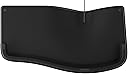
The IncaseErgonomic Keyboard by Microsoft features a refined split keyset designed to reduce wrist fatigue, a premium cushioned palm rest for enhanced comfort, built-in shortcut keys to accelerate productivity, and an integrated number pad for efficient data entry—all wrapped in a durable, sleek black design.


| ASIN | B0DXMJDNQ7 |
| Additional Features | Ergonomic, Layered Palm Rest for Wrist Support, Quick Use Keys, Shortcut Keys |
| Antenna Location | Business, Education, Everyday Use, Office, Personal |
| Best Sellers Rank | #50 in Computer Keyboards |
| Brand | Incase |
| Built-In Media | Keyboard |
| Color | Black |
| Compatible Devices | Desktop, Laptop, PC |
| Compatible Operating System Family | Windows |
| Connectivity Technology | USB-A , Wired |
| Customer Reviews | 4.4 out of 5 stars 132 Reviews |
| Enclosure Material | Plastic |
| Global Trade Identification Number | 00650450267333 |
| Hand Orientation | Ambidextrous |
| Item Dimensions L x W x H | 19.2"L x 10.3"W x 2.39"H |
| Keyboard Description | Membrane |
| Keyboard Layout | QWERTY |
| Manufacturer | Incase |
| Mfr Part Number | LXM-00001 |
| Minimum Required Operating System Version | Windows 10 |
| Model Name | Incase Ergonomic Keyboard |
| Model Number | LXM-00001 |
| Number of Keys | 104 |
| Power Source | Wired |
| Recommended Uses For Product | Business, Education, Everyday Use, Office, Personal |
| Special Feature | Ergonomic, Layered Palm Rest for Wrist Support, Quick Use Keys, Shortcut Keys |
| Switch Type | Membrane |
| UPC | 650450267333 |
| Warranty Description | 1 Year Warranty |
D**R
Does justice to the Microsoft Natural's legacy. It's the real deal!
I am a long-time user of the Microsoft Natural Keyboard, ever since I first experienced wrist pain when typing, decades ago. It cleared up the pain quickly and I never had a problem after that. I went through a few generations of the product, going all the way back to the original white ones. When the wrist-rest on my black Microsoft Natural finally developed a hole in it, I found myself in the market for another one, only to discover that Incase had taken over manufacture of the product. I was nervous about this at first until I learned that it's actually the same patent, so I decided to order. I happen to have a black Microsoft version at my office still so now I go back and forth between old and new. For anyone who is used to the Microsoft, I recommend this version without hesitation. It has the same ergonomics and it is excellent quality. I will say the placement of the Delete and Backspace keys is different, which did require an adjustment that lasted a couple weeks for me, where I occasionally was hitting them both, wreaking some mild havoc. However, after adjustment it hasn't been a problem. At this point, I actually prefer the Incase because they really nailed the "clickiness" of the keys. It's smooth and pleasant to type on this keyboard, in terms of the tactile experience. The Microsoft one I have at work now feels clunky in comparison. The material out of which the wrist rest is made is comfortable, but it is a little more prone to marks and staining then the Microsoft version, for whatever reason. Wiping it down keeps it looking it nice enough though, so it is not a significant problem. Overall, I'm very satisfied. And I may replace the Microsoft keyboard at the officed with this one eventually as well.
J**A
Newer model, more comfort! Almost a perfect keyboard.
Purchased this as a replacement for the Microsoft Natural Ergonomic Keyboard 4000 v1.0. This keyboard feels even more comfortable than the older Microsoft models. Everything feels softer and the buttons push seamlessly. I tested a new version of the Microsoft Keyboard vs. The Incase Keyboard and verified the difference. It is an upgrade. The only negative feature is the lack of stands. I purchased some 2pcs Keyboard Stands with 3M tape and that perfected this keyboard! Highly recommend with or without the stands. Glad to see there is a replacement for these keyboards.
K**P
Great keyboard, but isn't recognized as a valid keyboard in "Microsoft Mouse and Keyboard Center"
The keyboard looks and feels like the Microsoft version; however, it is a problem that even though it's the new replacement version for MS, it is not recognized by the Microsoft Mouse and Keyboard Center.
S**2
Worthy successor to Microsoft's peripherals.
I have been a longtime fan of Microsoft Ergonomic keyboards, and I even had this version of the Microsoft keyboard for my office, bought before Microsoft quit making their own peripherals. Unfortunately, my keyboard stayed with my old firm when i switched jobs. This incase by microsoft is a worthy substitute. Well made, comfortable, and with all the shortcut keys you want, and a few you didnt even know you needed. Its made my home office a pleasure to work in again.
R**D
Welcome back old friend
I never understood why Microsoft discontinued the original natural keyboard. I never knew anyone who had one who didn't like it. I managed to keep one running for years. But it failed this year and thank goodness I found this incase keyboard which is very close to the original. I like the padding on the wrist rest. No more PS2 connector. Yay! You get a few extra buttons the original didn't have. I find the keys work great. The last keyboard I tried was just horrible. No key travel. You could not tell by feel what you had typed. I had to type my password over and over to log in. With this keyboard, if I hit a wrong key, I know it. You just need more key travel than a lot of modern keyboards have. With this keyboard I almost always get my password correct on the first attempt. This keyboard is also pretty quiet. Thanks for bringing this back!
L**E
overrated
this was more expensive and higher rated yet i found one that is much quieter not as chunky and half the price. get the kensington pro fit ergo
S**A
This keyboard is a dream come true!
I am so thankful I found this keyboard on Amazon. I recently spilled water on my old Microsoft Ergonomic Keyboard 4000. I thought my life was over. I was a transcriptionist for years, and that keyboard saved my shoulders, wrists, etc. from pain. Imagine my horror to discover it was now over $400.00 and only a couple left. Since I'm now retired, that is way too much for a keyboard. I started searching for a replacement and saw how many people were recommending this keyboard - and best of all, it was under $100.00. I love it. I've had no problem getting used to it. There are some differences, but they're easy to adapt to. Although several people have complained about not being able to raise the back of it (as you could on the 4000), I've found that I don't really notice it that much. I worked on ergonomic keyboards from 2005 through 2019 as a transcriptionist; if I can adjust quickly, anyone can (I'm so set in my ways I still miss my IBM Selectric 3 from the 1980s). I also like the sleek look of this keyboard.
B**R
Problem: The Microsoft 4000 Ergo is discontinued. Solution: The InCase Ergo Keyboard!
I write code and touch type all keys, but only with the Microsoft Natural Ergonomic Wired Keyboard 4000. Back in 2015, I had one on my desk and four new ones in boxes. Unfortunately, the last of them has worn out -- destroyed hand rests and worn-out keys. It was time to buy five more, but sadly, I discovered they were discontinued. If you want one now, they cost around $450 or more on eBay for a new one... and I don't want a used one. I tried other close matches to the 4000, but I struggled with the slight differences in the layout, which caused inadvertent key presses that had me jumping all around the editor. Simple tasks were a stuggle. Then, by some miracle, I found the Incase Ergonomic Keyboard. I compared it to the old 4000, and it was a near-perfect match. I got it a few days ago, and it’s truly a miracle. This is the closest replacement for the old 4000, though not perfect because the back of the keyboard isn’t elevated. To make it perfect, you can buy some square rubber stick-on feet, about 3/4" high, and attach them to the back of the keyboard. Then you’ll have perfection. I am back to normal and have stocked up on these gems!
Trustpilot
2 weeks ago
3 days ago