

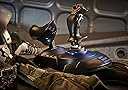

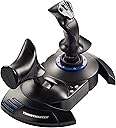


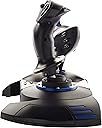


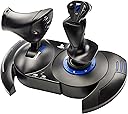

Thrustmaster T.Flight HOTAS 4 (Compatible with PS5, PS4 and PC)
Product ID: 70140052
🎮15 programmable buttons
🔄detachable throttle for VR
⚖️weighted base for stability
Buy anything from 5,000+ international stores. One checkout price. No surprise fees. Join 2M+ shoppers on Desertcart.
Desertcart purchases this item on your behalf and handles shipping, customs, and support to Vietnam.
🕹️ Elevate your cockpit game — fly like a pro, feel the thrill!
The Thrustmaster T.Flight HOTAS 4 is a versatile, ergonomic flight stick designed for PS5, PS4, and PC gamers seeking immersive flight simulation. Featuring a detachable throttle perfect for VR, adjustable joystick resistance, a weighted base for stability, and 15 programmable buttons, it delivers precision control and comfort for all flight types—from aerial combat to space exploration. Plug-and-play compatibility and official PlayStation buttons make setup effortless, while its robust design ensures long gaming sessions without fatigue.


| ASIN | B07DLKVKD5 |
| Additional Features | Ergonomic |
| Best Sellers Rank | #904 in Video Games ( See Top 100 in Video Games ) #4 in PC Game Flight Controls #91 in PlayStation 4 Controllers #124 in PlayStation 5 Controllers |
| Brand Name | Thrustmaster |
| Button Quantity | 15 |
| Color | Black |
| Compatible Devices | Playstation 4, Playstation 5, Windows |
| Compatible Video Game Console Models | Sony PlayStation 4, Sony PlayStation 5 |
| Connectivity Technology | USB |
| Controller Type | Flight Stick |
| Customer Reviews | 4.4 4.4 out of 5 stars (3,087) |
| External Testing Certification | Não Aplicavel |
| Hardware Platform | Desktop, Gaming Console, Laptop |
| Included Components | Instructions manual & flightstick |
| Item Dimensions | 10.43 x 10.39 x 9.53 inches |
| Item Type Name | Flight Stick |
| Item Weight | 4.45 Pounds |
| Manufacturer | Thrustmaster VG |
| Manufacturer Part Number | 4169085 |
| Model Name | Thrustmaster T.Flight HOTAS 4 |
| Model Number | 4169085 |
| Package Quantity | 1 |
| Power Source | Corded Electric |
| UPC | 663296420572 |
| Warranty Description | One year |
O**I
Compatibility with PS5
This item is great for a beginner virtual pilot experience. Highly recommended for PS5 users as it is the only compatible device.
C**H
The only option for PS5
Great for Aces of Thunder for PS5 and PSVR2. I use this on my simrig when I want to play flight sim, and it works great.
P**S
Great flight controller
This flight controller for PS5 is amazing! Super responsive and makes flying feel really realistic. The buttons are well placed and easy to use, even for beginners. Definitely worth it if you enjoy flight games
B**Y
Could use better encoding
Pretty good but could have encoded the joystick just like the DualShock controllers so that it works with more games on PlayStation.
G**O
Decent hotas for console, good value for money
Bought this for Star Wars Squadrons but will use it for other games too now that I know how good it is. Idk about the squeaking problem some reviews complain about but mine doesn’t squeak. And I’m pretty sure if it did that would be nothing a delicate application of some wd40 couldn’t remedy. There is a dial on the bottom to increase or decrease the resistance of the stick which is a really cool feature that I wasn’t aware of until the item got here. It is pleasantly big and weighty, although I could see this being a problem for children or anyone with really little hands. Although there is an option to separate the throttle from the stick, they are tethered by a very short cable and the separated configuration provides weaker stability if not mounted to a stand. I find that the joined configuration works fine for me with the help of a cheap lap desk I already had. Just sit in an office chair and bam, instant cockpit. For some people though the configuration might be too cramped, so consider that when purchasing. If I had one complaint it’s that the throttle lacks any real sense or resistance. It feels like it slides around easy. If this is a purchase you’re making for children make sure to warn them not to slam the throttle back and forth too hard because I feel like this could quickly break it. All in all, for the price, i would say this is one of the better peripherals I’ve owned (and I’ve owned quite a few, just for context). For fans of flight sims or those looking to better immerse themselves in the psvr experience this is a solid buy.
N**N
Solid joystick, not much compatibility tho.
First let me say that I am a BIG fan of using a joystick in flying games. For real why even make a flying game if you don't have this option (Star Wars Battlefront 2 *ahem*). So when I saw there was an official ps4 joystick I got really excited. It's a really solid joystick for the price, and I love the ease and functionality of it's layout for use with the ps4. However there is a major problem I have with paying this much for a joystick controller that only works well with a very small selection of games. In fact only FIVE are listed to be compatible on the Thrustmaster website. Ace Combat 7 and Elite Dangerous are fun as heck, but where's Star Wars and Battlefield's compatibility? This thing has been out for a really long time now in console years, and I really feel like several people have done dropped the ball here (ie. PlayStation, Thrustmaster, EA, ect...). Why even make the darn thing if nothing we want to play works with it? All that said I obviously still bought one, and I do enjoy the few things I can use it for, but because of a lack of compatibility I use it very seldomly if I'm being honest here. I also would have given it five stars if it wasn't for that reason. One last thing, I do like the option of separating the joystick from the thruster, though both cables are a little short really, and I had to buy a UBS extension cable for the main cord to sit farther back from my 65inch big screen. Summary: If you really want a joystick for the few games that are compatible, and you have the money to blow, it's a good controller. However, don't expect a lot of use from the thing because I don't foresee anyone putting out much content before the ps5 is released in the next couple years, and this thing most likely goes the way of the Dodo, as did the ps3 version. Thanks!
K**Y
Don't listen to the bad reviews!!!
Honestly it's a really REALLY good HOTAS for only $80, no it's not made to be top notch which is what most of negative reviewers were expecting, however it works great for games like elite dangerous, warthunder, ms flight sim, and Star wars squadrons. If you run into any issues with squeaking just put a couple drops of wd40 or oil on the hinge parts and it will be gone. I seen some people complaining about stick drift and honestly they were most likely yanking the stick around super hard when they first used it, it's not top notch!!!! It's not meant to be yanked on super hard. Another one was complaining about the throttle stiffness, honestly it's not going to super stiff on any HOTAS, I have a warthog HOTAS as well and the throttle isn't even stiff on that one,none of the throttles are going to be super stiff on any HOTAS so please don't expect that. All in all this HOTAS is absolutely amazing for the price and will last a very long time as long as you ACTUALLY take care of it properly.
R**B
Update! Great controller with one small flaw,
I bought this exclusively for Star Wars: squadrons in PS4VR and am very pleased with this controller. I separated the stick and throttle and used some 2x4s and electrical tape , probably temporarily, so I could get going. Every button and movement can be customized/mapped to your liking. I also bought thrustmaster pedals as well. I mapped the pedals for rolling the ship instead of using the stick. The buttons are in great positions and the controllers themselves are very comfortable. My one complaint is that the when the controller is separated, the cord is 24 inches long which is just not long enough. 6 more and it would work, I have to step over it to sit down which is obviously annoying. If I’m nit picking, it would be nice to be able to add some resistance to the throttle, which you can do to the stick, it would just add to the experience. Overall, it’s a great controller and allows a very immersive experience. Barrel rolling around a Star destroyer while chasing a tie fighter in an x-wing is worth every dollar! Update: I bought a couple Ethernet cables, chopped em up, used some wire connectors, and was able to extend the two ft cable so I can sit down properly. It was intimidating. I used two Ethernet cords per controller cord( there are 16), just made it easier to make sure the wires were snug in the connectors. I used coban to wrap everything together when done. Anyway, controller still works great and I highly recommend thrustmaster pedals as well.
A**ー
満足‼️
以前から欲しかったのを購入。 プレステ5でエースコンバット7 に使用。 個人的には操縦感覚が楽しめて満足。
B**G
Good to control
Easy to use.
J**.
Buena calidad
Los plásticos son resistentes y de buena calidad, el cable es bastante largo, puedes poner las piezas por separado o juntas, los botones se sienten bien, para ser mi primer stick la verdad valió la pena totalmente.
Y**É
Bon choix
Parfait pour ps5 comme entré de gamme
D**.
Robusto e Preciso
Perfeito. Me surpreendeu, muito mais robusto do que as imagens sugeriam. Fica muito fácil manter velocidade e controle do avião. Testado no PS5 com o MSFS2024.
Trustpilot
2 weeks ago
4 days ago