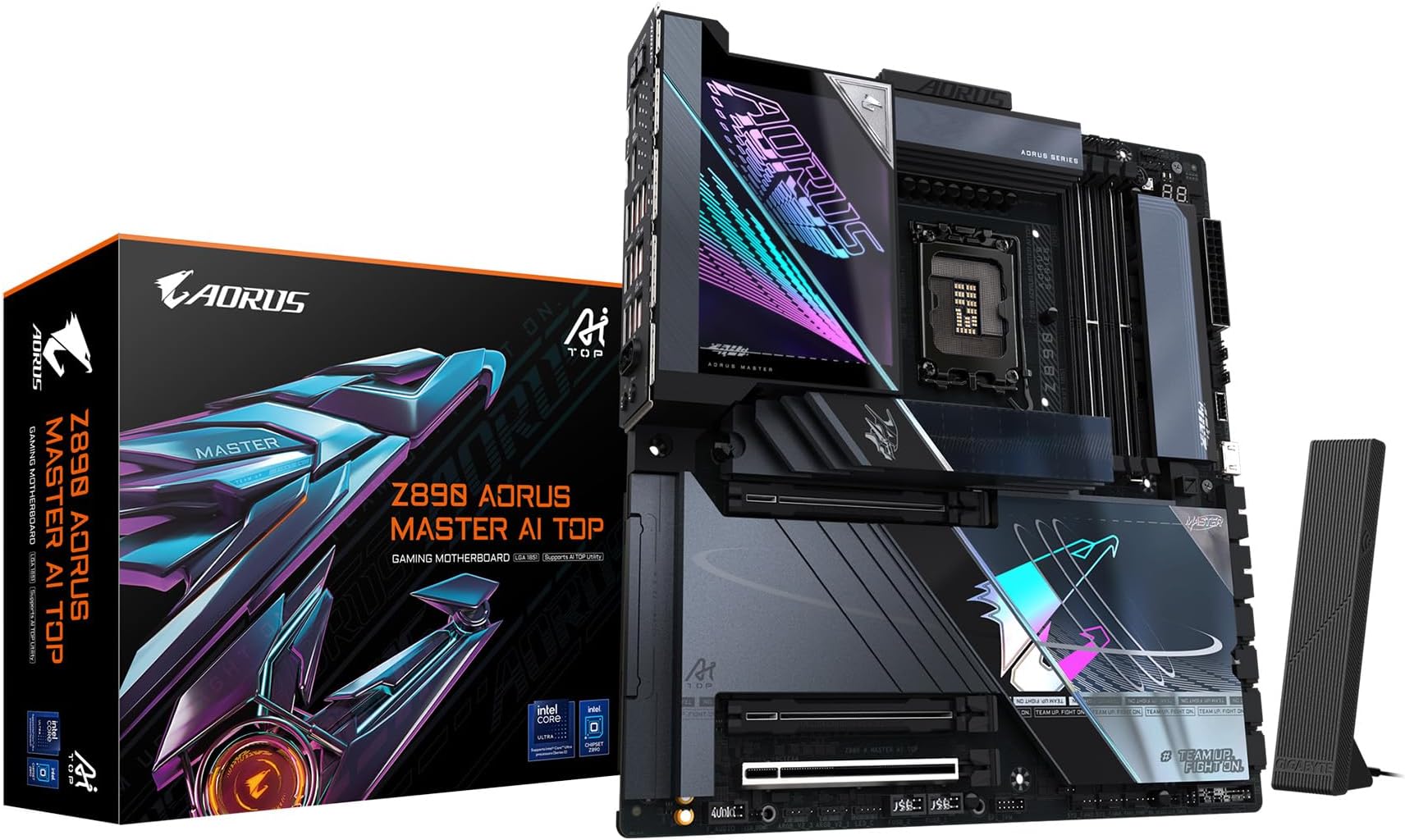
🔥 Power, Speed & Style — The Ultimate Intel Core Ultra Motherboard Experience 🚀
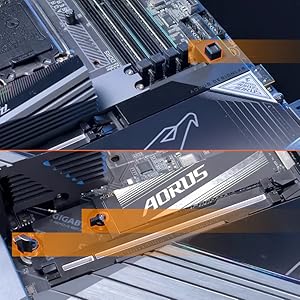
The GIGABYTE Z890 AORUS MASTER AI TOP is a premium E-ATX motherboard engineered for Intel Core Ultra Series 2 processors, featuring a robust 20+1+2 phase 110A power design, DDR5 memory support up to 5600 MHz, PCIe 5.0 with 4 M.2 slots, dual Thunderbolt 4 ports, WIFI7, and 10GbE LAN. Designed for professionals and enthusiasts, it combines cutting-edge connectivity, advanced thermal solutions, and user-friendly EZ-Latch features to deliver exceptional performance and reliability for gaming, 3D rendering, and AI workloads.


| ASIN | B0DQLKD2KK |
| Best Sellers Rank | #110 in Computer Motherboards |
| Brand | GIGABYTE |
| Color | Black |
| Customer Reviews | 4.2 4.2 out of 5 stars (149) |
| Date First Available | December 16, 2024 |
| Item Weight | 8.35 pounds |
| Item model number | Z890 AORUS MASTER AI TOP |
| Manufacturer | GIGABYTE |
| Memory Speed | 5600 MHz |
| Package Dimensions | 14.77 x 13.08 x 3.82 inches |
| RAM | DDR5 |
| Series | Z890 AORUS MASTER AI TOP |
C**C
Super performance, Super quality and looks great
This board is just Super all around. I am a gigabyte fan and it is the only brand Mobo I will buy and have bought for the past 20 years. I have never had any trouble with them once setup. At any given point, I have between 2-3 computers running - My primary and my backup/media server. I normally go with the Gaming Series because they typically offer better performance/price ratio, but needed some additional features and the Aorus Master was on sale at about the same price. And WOW, taking it out I immediately knew this was a well built motherboard, the heat sinks and re-enforced or UD slots for the GPU and nvmes is amazing. It is probably the most beautiful looking board I have ever seen. I typically dont care about that since I am into performance over anything, but It is a looker for sure and just super quality. Things that are standouts on this Master model are 5 Nvme slots with 2 being Gen 5. Two built in Thunderbolt 4 ports which can also be used as a network connection offering 20Gb network connection. 2 USB gen whatever headers on board (the blue ones), typically there is only one, more ARGB and fan connectors, included extra temp sensors and even a Ram cooling fan. Assembly is normal, its just always a pain swapping boards out of an existing case. It came with version 9 of the BIOS and I had to update twice, once with the control center and once manually. I also had to manually download the network driver because I was having weird dropouts initially. I think because of my OS and using the RT network drivers before and this is a new driver for aquiscent or (whatever itis) that can go up to 10Gb if you have the correct hub and network in place. Performance is great. Now about the shared PCI lanes. I have a 5070ti installed and a couple Gen 5 Nvme in the primary slot. You can see the 40k GPU benchmark under those conditions. The primary gen5 slot does not share lanes with the GPU, The PCI lanes are shared with the second Gen5 slot. Then the GPU runs at Gen5x8 instead of x 16, The 39k bench is with the second gen 5 nvme installed. You can see the slight performance decrease across the benchmarks. So its up to you if you use the second Gen5 slot, but if you dont you have full speed and pci lanes on the primary NVME and GPU. This board is a premium board, with great performance and so many features and possible upgrade/usage paths. Highly recommended for Gaming or actual graphics/3D/AI work. BTW, I also have mine running in Level 2 Ultra mode in BIOS which is super quick to get into and easy to tweak with full access to all timing/voltage settings. I use XMP, enabled low latency and forced Gear 2 for my Ram settings
A**R
An extraordinary motherboard!
This is a superb motherboard. There are lots of Pros, so I'll focus on the only Cons I came across. I tested this motherboard in Windows 11 Pro. The network Ethernet driver adapter Marvell AQtion is good but a bit dummy. If you change Wake on Lan settings it hangs as it's unable to negotiate with the motherboard the new changes and loses connection to the internet. The only way to bring it back to life is by turning the power off from the PSU and unplugging the cable from the wall as well, wait for 10 seconds and turn on and plug everything again. A software reset in Windows won't work, you have to do a hardware reset so the chip discharges energy. Unplugging the Ethernet wire from the modem/router and rear IO of the motherboard is recommended too if it doesn't work the former. Edit: One other thing I forgot to mention. Another chance of improvement relies on the Gigabyte Control Center (GCC) software. It is really buggy, at the point where you choose to install a bunch of drivers and only some of them are installed, or if you choose to install one, the next screen is completely empty, but anyway I managed to do it by clicking the button even though nothing is shown on screen. Moreover, this process you'll need to repeat it for each and single item in the list, otherwise, you'll think you've installed everything you needed but then you start to realize that things don't work as expected, and that's because the specific drivers were not installed at all as you may have thought. Keep this in mind as it was not a good experience during the setup in Windows, but anyway, nothing that cannot be solved via software update in the future. I won't downgrade my rating on this motherboard because of that, as this issue will be present on all Gigabyte's motherboards and it can be perfectly fixed as I mentioned. All in all, the hardware is solid as rock!
A**Y
Outstanding Performance and Build Quality
This motherboard worked great out of the box and had no hardware issues. A BIOS update was required for full compatibility with my CPU, but the built-in Q-Flash Plus feature made the process quick and easy. Assembly was straightforward. The layout made it easy to install the CPU, GPU, and NVMe drives, and the tool-less M.2 slots were a nice touch. Everything about the board feels premium and well thought out. VRMs and cooling are more than capable under load. If you're building a next-gen system, this board checks all the boxes. Gigabyte delivered a strong, feature-rich platform. Highly Recommended.
B**T
Terrible Support System
Caution: Their customer support is terrible. Their "chat" is always "unavailable at this time". I put in a support ticket because one of the memory slots went bad. You can't talk to anyone, only put in a ticket which may take up to a week for them to answer it, if they ever answer it. Not a good situation to be in when your pc is out and you have to wait for who knows how long to get a response. When the mother board was installed, it ran great for about 6 months, then started having problems with the memory slots, which isn't terrible for a pc, but trying to work with their supports is terrible. Last "Gigabyte" product I'll every buy. Caution!
M**M
منتج جبار والبائع انصح في التعامل معة قمة التواضع والرقي في الرد
A**R
Pins damaged or missing in 2 places
A**O
Muy recomendable !! aorus siempre me a cumplido con las expectativas con sus productos
C**O
Çok güzel anakart tavsiye ederim.
R**D
Very bad build quality. Poor performance. Crashing, blue screen error.
Trustpilot
2 weeks ago
2 days ago