We remain fully operational. Our teams are working around the clock to ensure your deliveries continue safely.

DOWNLOAD THE APP


Copyright © 2025 Desertcart Holdings Limited
DOWNLOAD THE APP


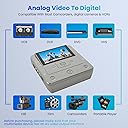
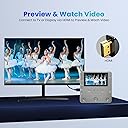
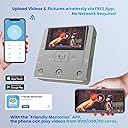
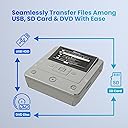

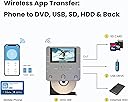

🎞️ Preserve your past, share your story—digitally and effortlessly!
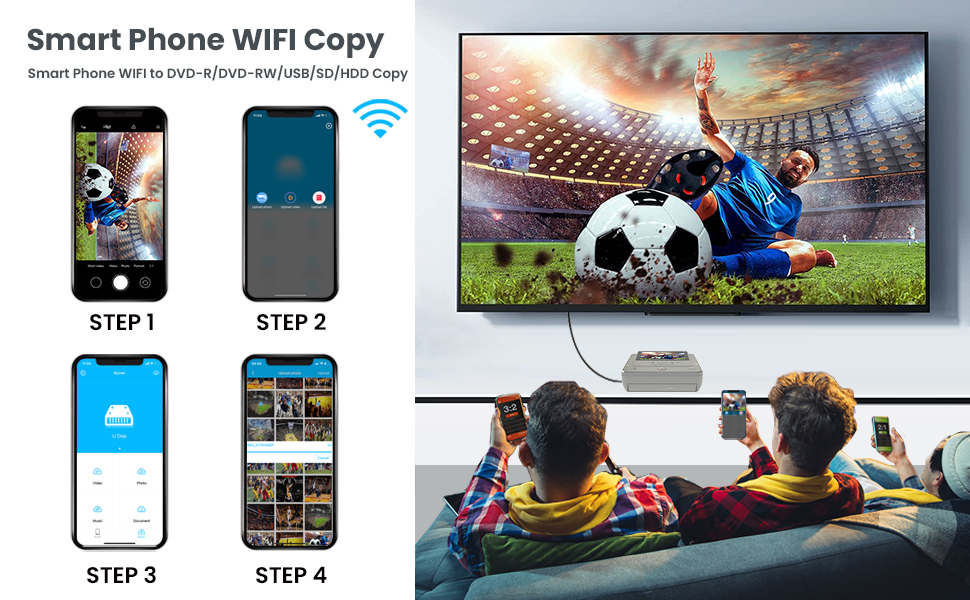
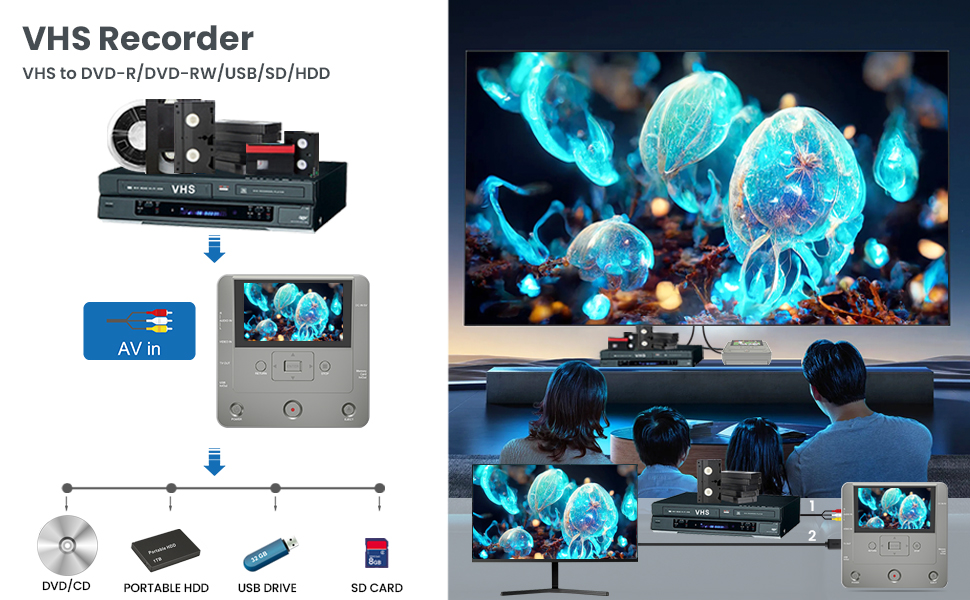
The Clariviews DVD Recorder is a versatile VHS-to-digital converter that supports multiple input sources including VCRs, camcorders, USB drives, SD cards, and smartphones via WiFi. It records directly to DVD, USB, or SD without a PC, offers 1080p HD output, and includes a 4.3-inch LCD preview screen. Bundled with 10 DVDs and AV cables, it’s designed for easy, portable use—ideal for preserving and sharing precious memories across generations.




| ASIN | B0DB18LKBL |
| Analog Video Format | PAL |
| Audio Output Mode | Stereo |
| Best Sellers Rank | #97,500 in Electronics ( See Top 100 in Electronics ) #359 in Video Converters |
| Brand | Koho |
| Built-In Media | 10 Pcs Blank DVD-R, AC Power Adapter, Av Cable, DVD Recorder, Quick Start Guide, User manual |
| Color | Light Grey |
| Compatible Devices | External Display Screen, Smartphone |
| Connectivity Technology | Wi-Fi, USB, RCA |
| Connector Type | RCA,USB,SD Card,HDMI |
| Controller Type | RCA,USB,SD Card,HDMI |
| Customer Reviews | 3.4 3.4 out of 5 stars (40) |
| File Format | MP3, AAC |
| Item Dimensions L x W x H | 15.5L x 15.5W x 4.9H centimeters |
| Item Weight | 1.3 Pounds |
| Manufacturer | Koho |
| Media Type | VHS to DVD Recorder |
| Model Name | KR043B |
| Other Special Features of the Product | VHS, DVD , TV , USB , HDD , Mobile Phone , SD Card , Recorder , CDR , Copy |
| Resolution | 1920x1080(HD Output) |
| Supported Audio Format | algunos formatos de audio comunes a DVDs |
| Surround Sound Channel Configuration | 5.1 |
| Total Number of HDMI Ports | 1 |
| UPC | 717021727877 |
| Video Encoding | MPEG-2 |
| Video Output Resolution | 1920x1080 Pixels |
C**7
This works really well transferring memories from different tapes. I highly recommend it.
M**G
Out of the box, fine. Recorded from VHS to DVD, I interfered with the burning process accidentally, unit lost its mind. Power off/on, no joy. Disconnected the power cord, let sit in hopes of draining any capacitance that retained bad set bits, no joy. New disk, no joy. Past the return date, I’m stuck. Too bad, some nice features. No website or number to contact support in the instructions.
A**A
FINAL UPDATE: Here we are over a year later. I would take breaks and the try again later. I have finally converted all our VHS and 8mm tapes to digital and burned DVDs. It wasn't easy - I found out our 8mm camera wouldn't play back the tapes and had to buy a used one from eBay. But I persisted and it worked. In the end I converted about 40-45 tapes of various kinds to digital. One drawback is that they are saved as digital files and each tape was divided into 4 segments which I then had to edit to get one playback. When my computer was finished, the were saved as mp4 files, but on our DVD player they are considered "digital files". Another is that while you can see what is being copied, you can't hear anything. So you are sort of praying that it will all work. I guess an audio system in this would take up too much room. I wish there were a way that would allow me to connect a cassette player and digitalize the "mix tapes" we mad years ago. >sigh< maybe I will find that later. It took a lot of work editing to get things saved properly. But in the end, this converter did what it said it would do. I just have to wonder if there is an easier way. ANOTHER UPDATE: I finally had time to try this. I happily made two DVDs from 2 8 mm tapes and was thrilled that I would be able to complete my project of making DVDs for my children of our 8 mm tapes. But when trying to do a third, the DVD didn’t burn. So I worked on this for hours. (I must interject here that it takes time to get it to work even on the two tapes I did sucessfulky transfer because the control buttons are not responsive. It takes a long time to turn the device on, then the record button doesn’t respond so you muss the first few seconds). I kept getting “Disk not ready”. But can’t find anything that would tell me what needs to be done to get the disc ready. All I’ve used so far are the disks that came with the recorder. I’m afraid that I must change my rating again back to one star - and it only gets that because the company tried to make things right and sent me a new recorder. Sadly, I can’t recommend anyone spend any money on a recorder that only works twice. It will cost you less money and heartache to bite the bullet and have it done professionally. UPDATE: While the product was less than satisfactory, the seller was GREAT. I got an email offering a full refund (which, of course, I expected, but still - to have the email was a nice personal touch.) Seller gets 5 Star. Too bad about the VHS converter. The seller offered me a new updated recorder which has arrived.I have not yet had time to try it but am hoping that it will do all it says it will do. In the meantime, the seller gets 5 stars for doing everything possible to make good. I bought this hoping to transfer home video VHS tapes to DVD for our grown children for Christmas. I saw this on Prime Day and thought this would be the answer. When it came, I was so excited to get started. I plugged everything in (I know how to do this - I've transferred lots of VHS to VHS so I know the proper connections) and did the set up as in the instructions. I was surprised at how lightweight the whole thing was but when I opened the tray to put in the first blank DVD I learned why. It is so cheaply made! The DVD has to be actually pushed down on a little disc which holds it in place. I was worried that I'd break the whole tray when I properly inserted the disc. But I told myself, "you get what you pay for." Okay, ready to go. But the screen never showed the VHS tape as the instruction book said would happen on page 8. I tried the set up again. carefully. On the menu I was careful to follow step 3 on page 7 (which seems a bit out of intuitive order). But the image of the "video source" was not doubling on the recorder's screen. I can't tell you how many times I repeated steps over and over again certain that I had done something wrong. Finally, I just hit record thinking that maybe something was wrong with the screen. The result was a DVD that had a blue screen recorded (exactly what was showing on the recorder's screen - so that was accurate at least - , not what we see when we play the VHS tape.) My initial thought of you get what you pay for is wrong in this case. I paid for something to record a VHS tape to a DVD. I didn't pay for something that would record a blue screen to a DVD so will return for a refund. I will look for a better product (even if lots more expensive) to accomplish the goal.
A**R
This unit does not include any sort of upscaler so your video will not look very good on a larger screen. It looks ok on small screen though the contrast for the videos that have converted is pretty low. It may be the tope and not the hardware. It's hard to tell with the limit sample I have tried
S**M
This is a wonderful converter from old VHS videos to digital memories. Highly recommended. My hubby loves it.
Trustpilot
2 weeks ago
3 days ago