We remain fully operational. Our teams are working around the clock to ensure your deliveries continue safely.

DOWNLOAD THE APP


Copyright © 2025 Desertcart Holdings Limited
DOWNLOAD THE APP
Buy anything from 5,000+ international stores. One checkout price. No surprise fees. Join 2M+ shoppers on Desertcart.
Desertcart purchases this item on your behalf and handles shipping, customs, and support to Vietnam.
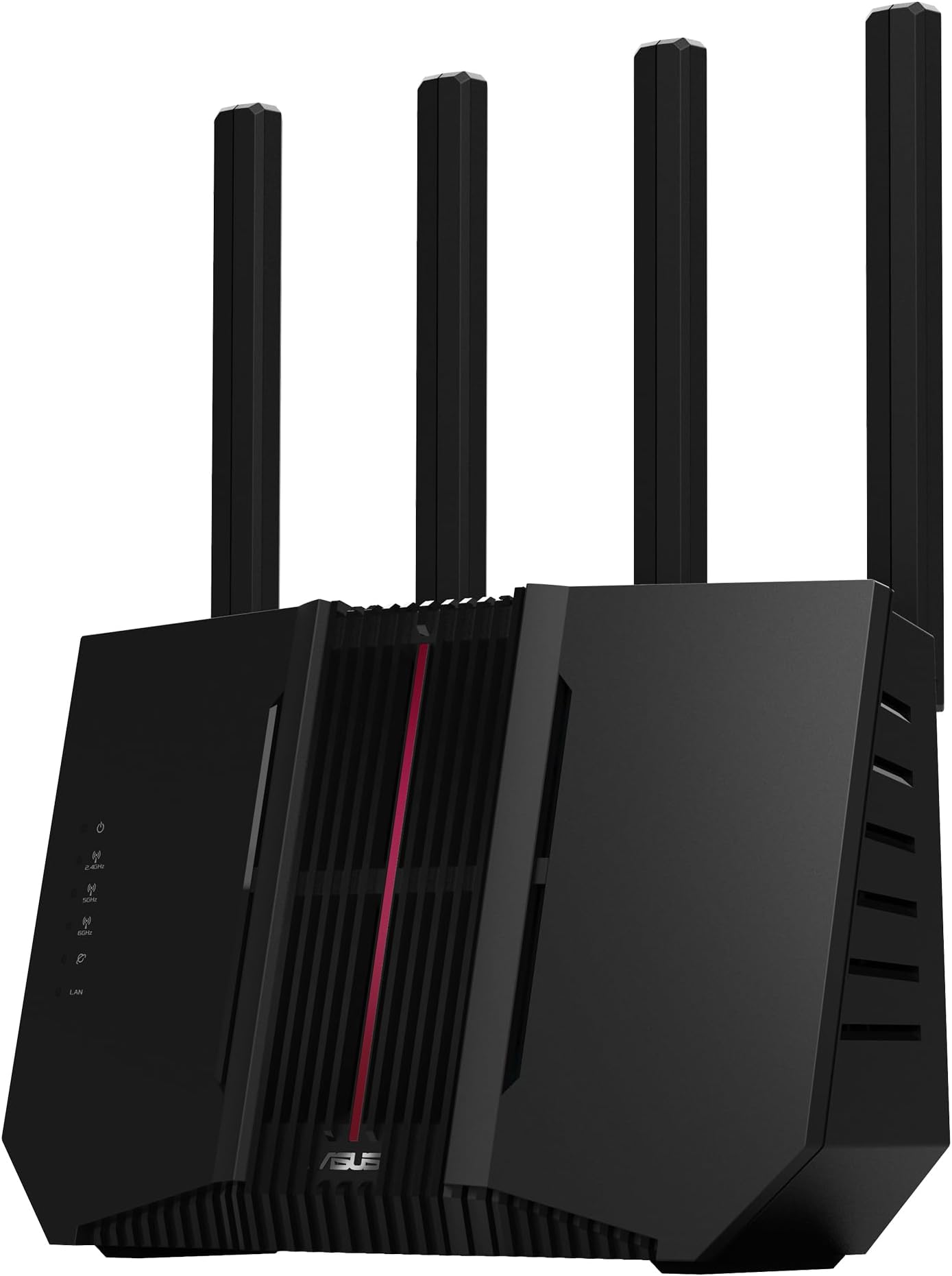
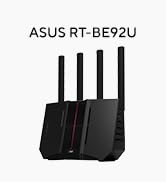
🚀 Elevate your network game with ASUS RT-BE92U — where speed meets smart security!
The ASUS RT-BE92U is a cutting-edge tri-band WiFi 7 router delivering up to 9700 Mbps speeds with 320MHz bandwidth and 4096-QAM. Designed for medium to large homes or offices, it features AI-powered WAN detection, subscription-free network security, VPN support, and AiMesh compatibility for seamless network expansion. Its multi-link operation ensures stable, high-speed connections across multiple devices, making it a future-proof choice for professionals demanding top-tier performance and security.








| ASIN | B0DD7JRH81 |
| Antenna Location | Gaming, Home Network |
| Best Sellers Rank | 2,019 in Computers & Accessories ( See Top 100 in Computers & Accessories ) 17 in Routers |
| Box Contents | RT-BE92U, plug, warranty card, set-up guide |
| Brand Name | ASUS |
| Compatible Devices | Laptop, Personal Computer, Smart Television, Tablet |
| Connectivity Protocol | WiFi, Ethernet |
| Connectivity Technology | Ethernet |
| Control Method | App |
| Country of Origin | China |
| Coverage | Medium to Large Home or Office |
| Customer Reviews | 3.6 3.6 out of 5 stars (118) |
| Data Transfer Rate | 9700 Megabits Per Second |
| Frequency | 6 GHz |
| Frequency Band Class | Tri-Band |
| Is Modem Compatible | Yes |
| LAN Port Bandwidth | 10 Gbps |
| Manufacturer | ASUS |
| Manufacturer Part Number | RT-BE92U |
| Maximum Upstream Data Transfer Rate | 2400 Megabits Per Second |
| Model Name | RT-BE92U |
| Model Number | RT-BE92U |
| Number of Ports | 1 |
| Operating System | RouterOS |
| Other Special Features of the Product | Parental Control, VPN |
| Security Protocol | WPA, WPA2, WPA3 |
| UPC | 197105580664 |
| Wi-Fi Generation | Wi-Fi 7 |
| Wireless Compability | 802.11.be |
D**D
Forget the issue of WiFi Stability
So probably like you, I was looking around the review being complete confused: -WiFi/internet stability issues -CPU spikes -1gb Ram not enough I took the plunge with it being price under £200. Setup quickly. Current running on a DMZ from my ISP router (double NAT). Running: All the extras (firewall, AI etc) -no mesh Adaptive QOS (streaming) Router mode on Main WiFi Guest with IoT WiF 3.0.06.102_38980 (believ Nov 2025 release) Total around 20 devices included a 2 sky stream device and a Ugreen DXP2800 NAS Been running now for a month and the performance is brilliant with no hint of the stability issues previously reported. Speed test and ping have been brilliant and consistent. VPN for work works fine even in the double NAT. Tried a stress test this weekend: Sky stream on UHD PC downloading at 2Mb/s 100gb file transfer from PC to NAS While trying smart home controlling with Alexa I had my ASUS web interface logged on started the transfer, and testing everying. CPU cores spiked around 20% RAM around 783Mb -this seams to be a stable amount regardless on what you do. Have got FTTP being installed in a few week with BT so will see how the setup and performance is then.
G**.
Lasted less than a week
Review for RT-BE92U Pros:- Easy to setup and connect to internet Good WiFi coverage and gives good speed throughout the house Lots of configuration options. Cons:- It doesn’t work for long. After less than a week of use the router lost all of its settings overnight and consequently connection to the internet. I’d read all of the bad reviews for this router but thought that various firmware updates would have fixed them. The first thing I did when I received the router was do a firmware update and factory reset. One thing we need nowadays is reliable internet connection. I’ve returned this router and put my trusty ASUS RT-AX86U back. I readily admit I was taken in by the thought of a bargain when the price dropped to £174. Don’t make the same mistake, save your time and avoid the RT-BE92U.
L**C
Great router & very pleased
First class router that should see me out - No problems with it at all - It being slim & vertical placed it easy to place & there is a wall mount if required - It is a replacement for a cheaper ASUS that developed a fault but this is fine, lots of options in set-up with & Trend AI protection etc. for me its worth the money, I may be getting a none BT/VM fibre connection so this is well up to the job of higher input speeds - Maybe a bit of overkill for me at the moment but very pleased, very stable router. Should you buy one & set-up or change a Wi-Fi / SSD there can be a fair amount of time while the router reboots, this is not an issue but I first I thought I had done something wrong, just be aware of this, as you get no lights on the router & its not connectible for what SEEMS like a while until its sorts thongs out. Nice router that should be long lasting!
A**A
Great wifi 7 router
The setup was straightforward, thanks to the intuitive ASUS Router app. I particularly appreciate the robust security features and parental controls, giving me peace of mind about my family's online safety. The coverage is also excellent, reaching all corners of my house without significant signal degradation.
T**M
A reliable powerful and modern router with a very good app
I already own an older Asus router so now the family's needs are expanding and it's time to upgrade, my good experiences with Asus and their (for me at least) great app led me to buy this newer version. Setup was very easy and although not much in the way of WiFi7 "stuff" is about yet, this should keep me future-proofed for a few years. So far I've had no drop-outs or disconnections and it seems stable in use. There are however a few minor niggles: the firmware is in its infancy so it's a little "buggy" in places, though Asus are very good at updates so I'm hopeful that this will mature into another really good Asus router. One such niggle is that once WiFi7 and "SmartConnect" is set, you can't adjust it from either the app and even in the main logon settings it's impossible to change without resetting the WiFi channels/passwords - a right faff. So if you've got older WiFi stuff, consider seperate channels/passwords & disabling Smart Connect as you do your initial setup. Otherwise though so far so good; it's a powerful router that gives a good and reliable wireless signal around the entire house. And that is exactly what I wanted, so I'm very happy.
L**1
Poor range. Poor compatibility
Fast at point blank range with MLO enabled. Maxed out my 1gbps internet Go one room away and and speed halves to 450-500. Go 15-20ft away in another room (hardly a big house) and speeds drop to 120mbps. Less than the wifi 5 default router that came with my provider. And whislt android phones connect fine, the iPhone users in the house had drop outs. Finally, windows enabled fully updated laptop connects and shows no internet (but is happy with mobile hotspot from my ohone or the old router)... And it doesnt matter if MLO is on or off, whether its set to 2.4, 5 or 6ghz, or wifi 7 on or off. Too much hassell for absolutely no gain. Waste of money
C**E
excellent so far
I**K
Terrible router. My Gigabit internet drops to 80Mbps with this thing. Swap back in the old router, back up to 1Gbps. Trash. Do not buy
Trustpilot
1 month ago
1 month ago