Buy anything from 5,000+ international stores. One checkout price. No surprise fees. Join 2M+ shoppers on Desertcart.
Desertcart purchases this item on your behalf and handles shipping, customs, and support to Vietnam.
✈️ Elevate your sim game — fly smarter, not harder!
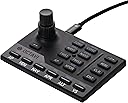
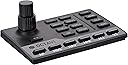
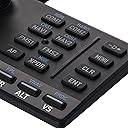
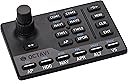
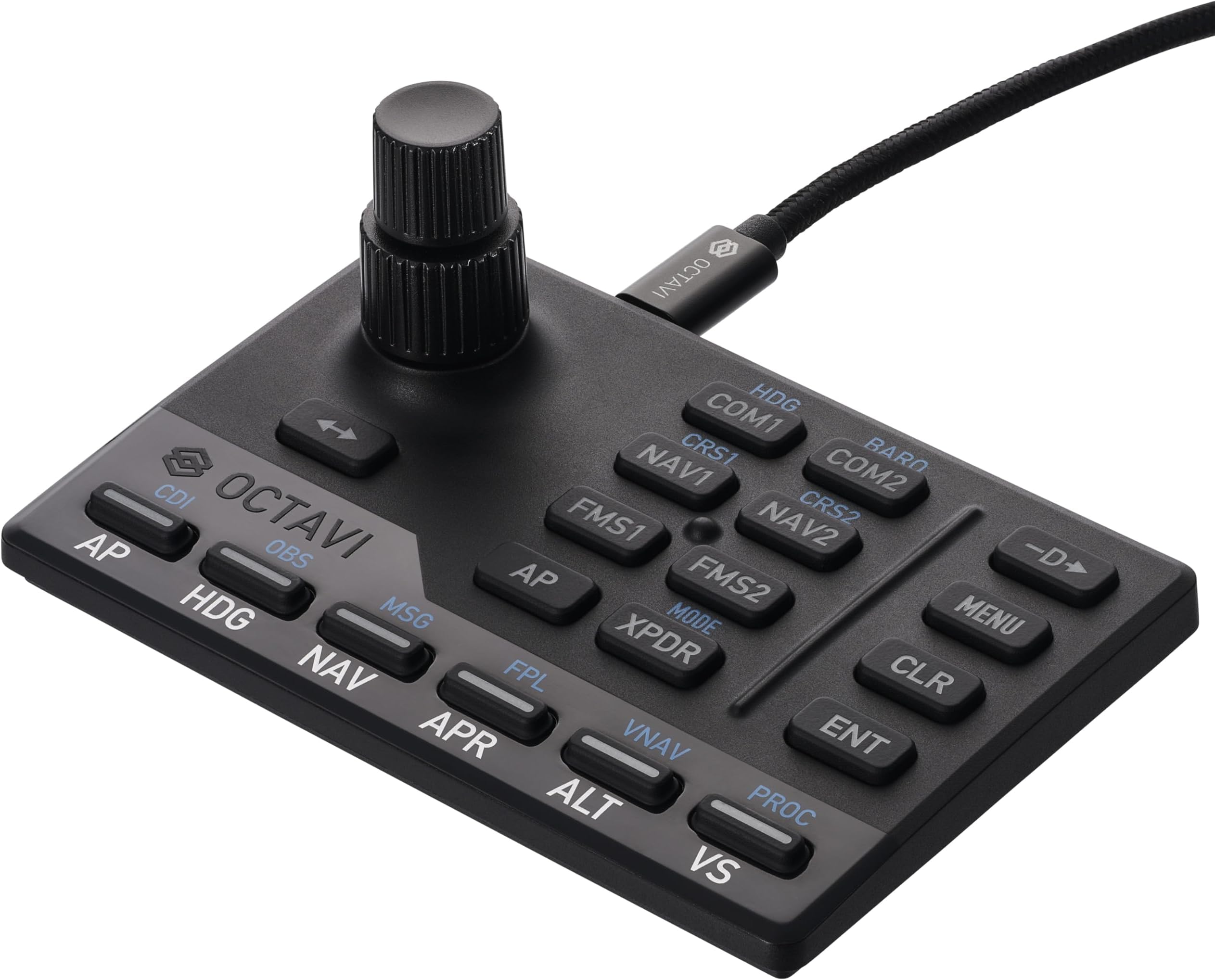
The Octavi IFR-1 is a compact, German-engineered all-in-one cockpit controller designed for flight simulation pros and enthusiasts. Featuring a high-precision dual-axis rotary encoder, LED-backlit tactile buttons, and seamless USB-C plug-and-play compatibility with Microsoft Flight Simulator 2020/2024 and X-Plane 11+, it delivers an immersive, realistic IFR experience in a space-saving design. Trusted for its durability and versatility, the IFR-1 transforms any desk into a professional-grade flight deck.
| ASIN | B0BZTBCHQD |
| Additional Features | Compact, Cost-Effective, Customizable, Ergonomic, Multi-Instrument |
| Best Sellers Rank | #10,195 in Video Games ( See Top 100 in Video Games ) #28 in PC Game Flight Controls |
| Brand | OCTAVI |
| Brand Name | OCTAVI |
| Button Quantity | 20 |
| Color | black |
| Compatible Devices | Windows, Mac |
| Connectivity Technology | USB |
| Controller Type | Gamepad, Keyboard |
| Customer Reviews | 4.6 out of 5 stars 90 Reviews |
| Hardware Platform | Laptop, PC |
| Item Dimensions | 4.4 x 2.9 x 1.8 inches |
| Item Dimensions D x W x H | 4.4"D x 2.9"W x 1.8"H |
| Item Weight | 0.6 Pounds |
| Manufacturer | OCTAVI |
| Model Name | Octavi IFR-1 |
| Model Number | IFR-1 |
| Package Quantity | 1 |
| Power Source | Corded Electric |
J**S
!
If you are even marginally into flight sim, get this after you buy or with your flight stick/throttle/rudder pedals. If you already have those, what are you waiting for? Get this handy little thing, you will not be sorry! Plug and play for FS2024 (don't know about others, sorry). I fly the 172 G1000 and the 208B G1000 in career mode and have no idea what I did before. Now this doesn't "look" like a panel for a specific aircraft because it isn't suppose to be. it works with all aircraft in MS2024 (not sure about marketplace addons though I don't know why it wouldn't). This is an interface so you can easily Change freq's like the real thing. The knob is a 2 part knob with base turning for big numbers and top for small numbers and a "click" push down just like the real thing. This is far better than dragging your mouse across the screen! And honestly, I got this because dragging the mouse across the screen is scream worthy. I almost quit ms2024 because I hated it so much. but this thing is a dream! Not only can you change comm and nav freq's as well as switch to active or not, you can change the altimeter setting by selecting Com2 and push down (click) on the knob, then rotate the bottom knob until desired setting is in, so easy! You can change pages on the left and right screen, change the transponder, select procedures, and of course full auto pilot control! Each button lights up when selected so you know if its active or not and which comm or nav you are on as well as your AP settings. Adjust Auto Pilot Alt setting by selecting "AP" then Alt and rotating knob until desired setting is in. Honestly this has more buttons and uses than I have described here. Now, I fly in VR so I don't look at this when using it. It's easy to memorize most buttons and function. Plus this has a raised "line" between the left buttons and the right ones. Also has a raised "bump" in the middle of the left buttons so you can easily feel where your fingers are in VR and without looking. Soft keys but firm. Construction of this thing is wonderful! Very durable and small size, easy to store or set aside when not in use, takes up virtually little room. As for value, The Octavi-IFR is well worth the money. Heck, id be happy to pay more for it for what joy and functionality this brings to my sim! What I am truly surprised by is the price, this is easily a lot cheaper than many "dedicated" or "specific aircraft" only panels cost. and this can be used on all the planes, not just the glass panel ones. or specific models like other panels. I truly love this thing. I hope that the company does well and produces other plug ins like this. Though honestly, I am not sure what I would add as what I don't have buttons on my flight stick and throttle programmed for, I just use the on screen mouse to "click" the switches like lights etc. But this manages my comms, nav, screens and AP! Thanks Octavi! P.s. I have been using the Octavi-Ifr now for 10 months and it still works like a charm!
E**C
Absolute game changer
This is a complete game changer. If you are serious about flight SIM, this is an absolute must have. This product is well build and well designed. If you are like me and sick and tired of endless scrolling and dragging your mouse to set altitude and heading for the autopilot and try to program a radio frequency, this unit completely eliminates the need for a mouse when doing that. The rotary encoder is amazing and registers every click. I tried to use the rotary encoder on the honeycomb bravo but it was a complete disaster and didn't register clicks well at all. This Octavi IVR registers every click and is very smooth. I wish it had a "FLC" (Flight Level Change) button, but I can just use vertical speed instead, so no big deal there. The heading hold and NAV hold buttons are a little hard to press, but other than that, i absolutely love this thing and wish I had bought it sooner. One thing to mention, you have to install the plug-in, Then launch MSFS 2024, then launch the plugin and it should say "connected to MSFS 2020" before it will work. *Edit, the HDG and NAV buttons are NOT hard to press, I just needed to set the button to "delayed response" in the simulator because it was registering too quickly. After that, it works flawlessly!
H**I
Works great and makes IFR tasks much more natural
Very well made product works as described.., Highly recommended if you are looking to practice approaches in your Xplane simulator (11) Works very smoothly and makes the tasks much more natural and easier to manage. A little bit of a learning curve but easy enough
C**L
Hitting well above its weight for Price to Utility for Flight Sims
Honestly, for the price, this is about as good as you're going to get. There are better options out there that integrate better with flight sims but expect to spend 5x or more to get that 'authentic' feel. It works well with MSFS releases, X-Plane, and you can even get it working under Linux (with 3rd party community add-ons for XP12). The things I knock it down for are the fact non-windows support requires the use of third parties, and some of the sometimes clunky use to enter or switch modes between the blue and gold options. You have to develop some muscle memory to internally memorize, as you may times accidentally trigger CDI or OBS. That being said, it grows quite well with your setup. I now use dedicated buttons on my STECS and joystick for AP, HDG, and some other things, but I do keep using the IFR-1 for quickly entering my procedures into the FMS, setting transponder, and my COM/NAVs.
A**L
Octavi IFR-1 - You'll wonder how you ever flew without it!!!
Why did you pick this product vs others?: Other flight sim products simply don't do what the Octavi IFR-1 does. It interacts flawlessly with the G1000 in the Cessna 172 G1000 that came with my X-Plane 12. But, it also works flawlessly with the Diamond D20 that I purchased for X-Plane 12. I've not used in with another aircraft because I'm enjoying it so much with these two. While I'm taxiing out to the runway, I'm dialing in my flight altitude of 4,500' and a vertical speed of 500 fpm, and turning my heading bug to the runway heading without EVER touching my mouse. After takeoff, I establish a climb of 500 fpm and press the button to activate the autopilot to climb to my selected altitude. Then I press the HDG button to follow my heading bug. Boom!! It's that simple and easy. Actually, it's more like purchasing airplane magic at an excellent price. The IFR-1 is so good, so complete in features that it is hard to believe Octavi is a "startup" company and this is their first production model. This is a talented team, and I can't wait to see what they do next!
A**R
Outstanding add to a C172 in Xplane12 !
Highly recommend this product. It takes simulation to the next level. Easily access/adjust radios, kollsman/baro, heading bug and many more features. I'm running the Cessna 172 sim on Xplane 12. Installation was simple and operation is seamless. No more fumbling to change frequencies with the clumsiness of the mouse. I did have some questions for tech support before I purchased and Felix was very responsive and most helpful. Very glad I purchased. Regarding the stand, Felix has them made by a 3rd party. They're not on the website however, if you wanted to order one you could contact Octavi to coordinate.
E**N
Just get it
It’s good. Really good. It does what it says it does, and the build quality is fantastic. Out of the box functionality w/the plugin is acceptable. I don’t really use the stock aircraft in MSFS, but I tested the controls on the 172 (non-G1000 version), and things behaved as expected. Autopilot behavior on all the different button presses and combos definitely has a learning curve to it. I use the WBSim 152 as my main GA aircraft, and there are definitely issues w/ functionality with the standard plugin. But, Octavi very clearly says to expect issues with third-party aircraft. To remedy this, I downloaded MobiFlight and Octavi’s provided C172 profile. After a few tweaks to the inputs, I am able to get MobiFlight to have the controls do exactly what I want them to do. All said and done, it was about 30 minutes of trial and error. I cannot recommend this thing highly enough. The combo of being able to set all your steam-guage instruments, radios, and NAV headings, is just so darn cool. This thing is barely bigger than a credit card, super sleek looking, and well-made.
A**R
Game changer
This little thing is a game changer for flight sim. It’s plug and play for fs2024. I wanted something for auto pilot to get away from the endless scrolling to select speed/alt/heading. You can even control the fms with it. Well constructed. Absolutely one of the best peripherals I’ve bought for flight simming.
C**.
The best little cockpit I've ever used!
This item is truly remarkable with lots of features crammed into one compact console, making all my flight simming easier. The Germans have always designed and made great products for centuries and this I would say is one such product!
A**R
Works well
Many functions in a very small panel is great. Works with the plug in supplied for X plane 12 on my Mac M3. No configuration required for a Cessna 172. Apparently Mobi Flight is needed to configure for airliners. A third party mounting plate is available separately.
S**L
Très utile avec MFS 2024
Fonctionne super bien
J**D
Bon produit mais livraison 1 semaine de retard.
Arrive 1 semaine en retard mais l’attente en vaut la peine.
A**M
Good, but overpriced considering what's out there.
It's good. Works well but is far too expensive for what it does. You have to do a lot of customization to make it work across different aircraft. There are better options.
Trustpilot
2 weeks ago
2 weeks ago