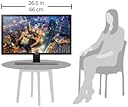
🚀 Elevate your workspace with ultra-crisp 4K clarity and gaming-grade speed!
The Samsung UE590 UHD-QHD Monitor features a 28-inch 4K UHD display with 3840x2160 resolution, delivering stunningly detailed visuals with 1 billion colors. Its 1ms GTG response time combined with AMD FreeSync technology ensures smooth, tear-free gaming and video playback. Designed for professionals and gamers alike, it includes Picture-in-Picture 2.0 for multitasking and Eye Saver Mode to reduce eye strain. Connectivity options include dual HDMI 2.0 and DisplayPort inputs, all housed in a sleek, modern design with a sturdy T-shaped stand.


| ASIN | B00YD3DBOC |
| Adaptive Sync | FreeSync |
| Aspect Ratio | 16:9 - 1.78:1 |
| Aspect ratio | 16:9 - 1.78:1 |
| Box Contents | Monitor |
| Brand | Samsung |
| Brand Name | Samsung |
| Colour | Black & Metallic Silver |
| Contrast Ratio | 2000:1 |
| Customer Reviews | 4.2 out of 5 stars 1,502 Reviews |
| Display Technology | LED |
| Display Type | LED |
| Global Trade Identification Number | 00887276079820 |
| Hardware Connectivity | HDMI |
| Has Color Screen | No |
| Image Brightness | 1 |
| Image contrast ratio | 2000:1 |
| Item Type Name | PC Monitor |
| Item Weight | 5.26 kg |
| Manufacturer | Samsung |
| Maximum Display Resolution | 3840 x 2160 |
| Model Name | LU28E590DS |
| Model Number | LU28E590DS |
| Mounting Type | VESA 75 x 75 |
| Native Resolution | 3840x2160 |
| Network Connectivity Technology | DisplayPort, HDMI |
| Picture Quality Enhancement Technology | Ultra HD and High Color Depth |
| Power Consumption Size | 200 Watts |
| Processor Count | 1 |
| Product Features | Flicker-Free |
| Product Warranty | 1 year |
| Refresh Rate | 240 Hz |
| Resolution | 4K UHD Ultra Wide 1600p |
| Response Time | 1 Milliseconds |
| Screen Finish Type | Matte |
| Screen Size | 28 Inches |
| Screen size | 28 Inches |
| Screen surface description | Matte |
| Shape | Rectangular |
| Specific Uses For Product | Business, Education, Gaming, Photo Editing, Programming, Video Editing |
| Total HDMI Port | 1 |
| Total Video Out Ports | 2 |
| UPC | 779177343684 887276079820 779177344551 796594402282 |
| Unit Count | 1.0 count |
| Viewing Angle | 170 Degrees |
| Voltage | 240 Volts |
U**A
This is the best monitor you can get for a low price
First of all I'd like to say that the picture quality is just beautiful. It is completely crisp, detailed and natural plus the colors are realistic and accurate. With the 1 billion colors the display has a 10-bit bpc meaning everything (especially movies and videos) are more detailed and clear, more natural looking, less noise, and better blacks. Everything is crystal clear and sharp. You can say the quality can be compared to an IPS, OLED or Retina display. Plus the 4K is a treat, once you experience 4K you can never go back. Overall, the picture quality is satisfying for your eyes and is what you would expect on more expensive monitors. Gaming is perfectly smooth. Of course, this monitor will do it's best on AMD cards because of FreeSync. With the 1ms response time and FreeSync enabled, gaming is so satisfying that it feels like you're playing it in double the fps. No tearing, no blurring of image, no delays, no frame drops, just perfectly smooth gaming. But, best of all, this monitor does not strain your eyes because of it being flicker free. Not only that, but it's built eye saver mode (which can me manually turned on in display settings) can be useful at night. Combine it with night light in your OS and it becomes even better. This monitor is the perfect choice for people who want good quality but also want to save their eyes. If you have glasses or contact lenses I highly recommend getting this monitor. It's build quality is premium and strong. Although it's not fully made of metal, it's material is still premium feeling and the monitor looks modern and appealing. The main disadvantages of this monitor is that it's stand is not adjustable. It also doesn't have HDCP 2.2, so you cannot watch 4K content if you connect a console like Xbox. This monitor is highly recommended if you are on a budget, it's worth every dollar it costs. Tips: If you want 4K@60 fps, use DisplayPort or the HDMI2 port, not the HDMI1 port. For the best experience, go to settings as set the display response time to fastest. Make sure to use it in RGB 4:4:4:4 and 10 bpc mode in 4K@60 fps for best quality and smoothness. To get the best out of 4K, use Rec.2020 color profile instead of sRGB, although any color profile will look great.
R**A
Excelente calidad a buen precio.
Fue mi opción más asequible.
L**A
You Should Probably Buy This
The Origin Story: I'm a mid-twenty-something with computing proclivities including (but not limited to) video editing, music production, PC gaming, Unity/Unreal game development, and media streaming. Despite my compulsion to work from home even when I'm off the clock, I seem to always lean on the 'broke' side. If you fit any of these descriptors, this monitor is absolutely FOR YOU. I purchased one Used-Like New via Amazon Warehouse for $235, and another New at Best Buy for $250 over Black Friday weekend. Now, every time I enter my nerd den at home, I feel as fancy as a posh poodle in pearls. The Pros: - Stellar. Graphics. - Superior. Connectivity. - Sleek. Design. - Simple. Usability. As most other 24-year-old white girls would say, "I can't even right now." It's so great. I play mainly RPG games like The Witcher, Mass Effect, Assassin's Creed, etc., and this monitor pulls you into those magnificent worlds. The color fidelity and the greyscale seem spectacular, whether on Steam or Netflix. I am not a serious online FPS gamer, so I can't tell you just how perfect this monitor is for attaining otherworldly kill streaks in a high-intensity CS:GO or Overwatch death match, but I can tell you this monitor's refresh rate is a dramatic upgrade from the 2011 Samsung monitor I had been using. The product's design and user-friendliness are very intuitive; I was ready to go after about 10 minutes assembly and set-up. There is a small 'knob' (joystick? fiddlestick? I'm not sure of the technical term) on the back right side that is maneuvered and pressed to go through the various menus. Maybe it's just easy because I took out thousands of dollars of loans to achieve a satisfactory college education. Maybe I'm just projecting. I'm sure it will be easy for you, too, with or without the student loans. The Cons: - Brightness, I guess. - Limited maneuverability, I suppose. It isn't very easy to adjust this monitor; you can't move it vertically up or down, the tilt angles cannot go too extreme. The colors seemed a bit washed out when I first turned it on, which I easily adjusted via the brightness and contrast menus. Honestly, my biggest complaint is that occasionally non-4K images and programs look a bit pixelated, but that is a problem I can live with given the trade-offs. Final Opinion: If you are multitasker who needs the screen space, buy this. If you are gamer anywhere between casual and advanced who wants a more immersive experience, buy this. If you want to impress friends with pictures of your "crazy-cool set-up," buy this. If you are a broke twenty-something who wants a monitor that screams "Does not regularly eat ramen to avoid buying groceries," buy this.
I**B
Sharp, Bright. Excellent monitor that rivals many more expensive ones.
I bought this as an Amazon returned item so it was a little bit cheaper than retail price, if you can live with a few inconspicuous scratches and a banged up box. The monitor picture quality is superbly crisp. Very bright (I have to turn down the brightness to about 50% to use it). Color can be easily calibrated through the extensive built in menu. The buttons take a bit of getting used to, but generally you calibrate your monitor once every several months, then set it and forget it, so that is not a real issue. Plenty of screen real estate for engineering design and photo editing. The sharpness of the image makes it a joy to use. I don't use it for video games so can't comment on latency, but for CAD and general web/productivity use it is a fantastic monitor. I have a 27" Dell P2719Q, and I can tell you that the colors and brightness on this Samsung are better. The Dell's stand, looks and ergonomics are better though. Cons: The stand is quite basic and not fully adjustable, so you may need to buy a separate VESA stand if adjustability is important to you. Overall, highly recommended.
F**A
Excelente producto y de gran calidad, gran juego
Excelente producto y de gran caliddad por el precio que se paga, cumple con las expectativas de lo que ofrece
Trustpilot
2 weeks ago
2 days ago