Buy anything from 5,000+ international stores. One checkout price. No surprise fees. Join 2M+ shoppers on Desertcart.
Desertcart purchases this item on your behalf and handles shipping, customs, and support to Vietnam.
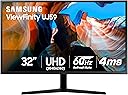
🚀 Elevate your workspace & play with Samsung’s stunning 32" 4K UHD powerhouse!
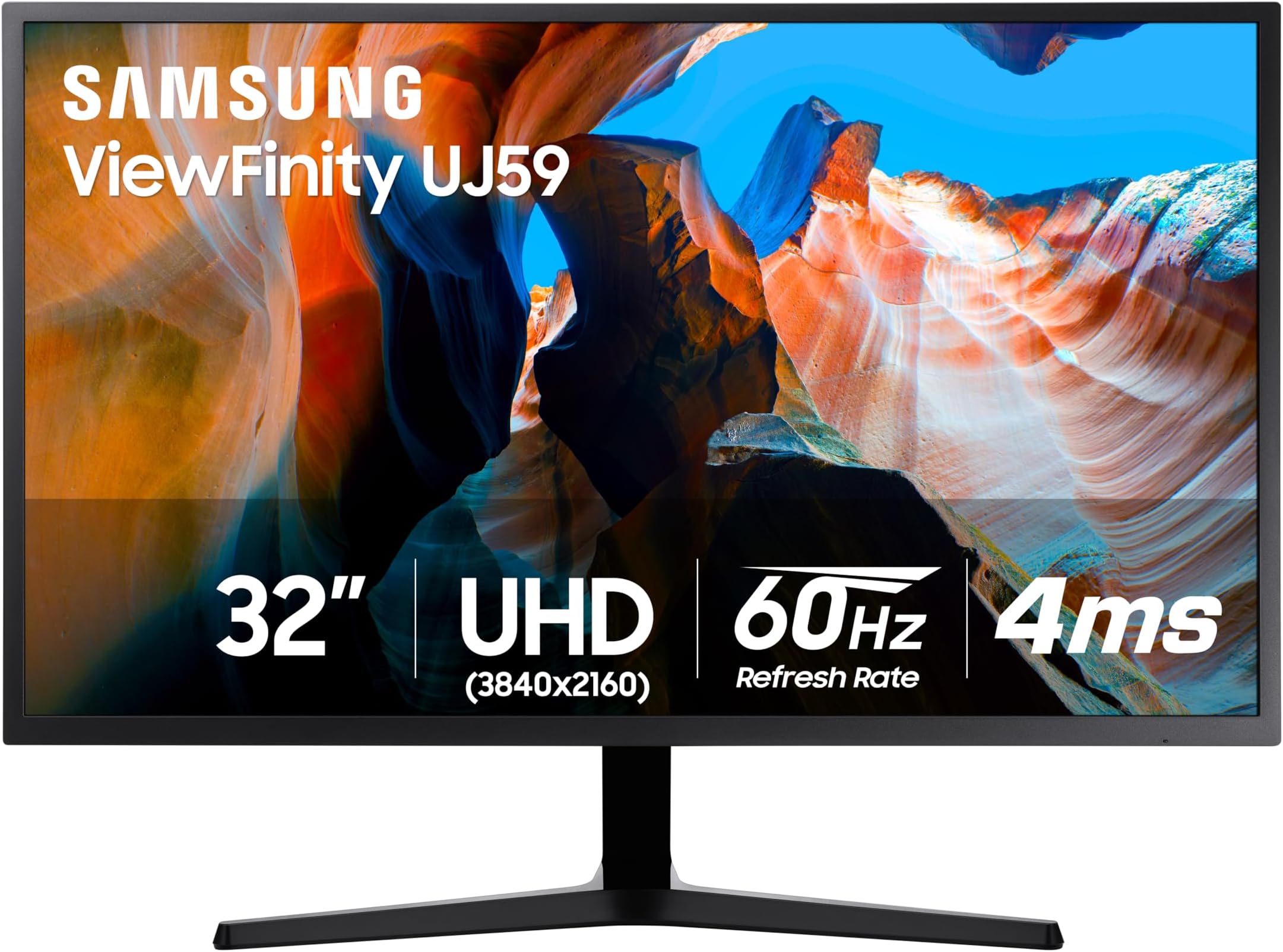
The Samsung 32" UJ59 Series 4K UHD monitor delivers ultra-high-definition visuals with 3840x2160 resolution on a VA panel, supporting over 1 billion colors for vivid, accurate images. Equipped with AMD FreeSync and a 4ms response time, it offers smooth gameplay and reduced screen tearing. Its multitasking-friendly Picture-by-Picture and Picture-in-Picture features allow connection of two devices simultaneously. Eye Saver and Flicker-Free modes ensure comfortable viewing during extended use. With slim bezels and a sleek matte black finish, it combines style and performance for professionals and casual gamers alike.


| ASIN | B07CS3JGPC |
| Adaptive Sync | FreeSync |
| Additional Features | Eco Saving Plus, Eye Care, Flicker-Free, Game Mode, Off Timer Plus, Picture by Picture, Picture-In-Picture, Samsung MagicBright |
| Aspect Ratio | 16:9 |
| Best Sellers Rank | #2,485 in Electronics ( See Top 100 in Electronics ) #101 in Computer Monitors |
| Brand | Samsung |
| Brightness | 270 Candela |
| Built-In Media | Monitor, HDMI Cable |
| Color | Black |
| Color Gamut | 138 |
| Compatible Devices | Laptop, Desktop, MAC, Xbox, Gaming Console, Speaker, Smartphone, Tablet, Camera |
| Connectivity Technology | wired |
| Contrast Ratio | `3000:1 |
| Customer Reviews | 4.2 out of 5 stars 3,465 Reviews |
| Display Resolution Maximum | 3840 x 2160 Pixels |
| Display Technology | LCD |
| Display Type | LED |
| Global Trade Identification Number | 00887276263533 |
| Hardware Connectivity | HDMI |
| Has Color Screen | Yes |
| Image Contrast Ratio | `3000:1 |
| Is Electric | No |
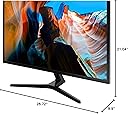
| Item Dimensions D x W x H | 9.9"D x 28.72"W x 21.04"H |
| Item Type Name | Monitor |
| Item Weight | 16.61 Pounds |
| Manufacturer | Samsung Electronics DAV |
| Model Name | LU32J590UQNXZA |
| Model Number | FBASAMLU32J590UQ |
| Mounting Type | Wall Mount |
| Native Resolution | 3840x2160 |
| Number of Component Outputs | 1 |
| Picture Quality Enhancement Technology | UHD upscaling, AMD FreeSync |
| Power Consumption | 37 Watts |
| Refresh Rate | 60 Hz |
| Resolution | 4K UHD 2160p |
| Response Time | 4 Milliseconds |
| Screen Finish | Flat |
| Screen Size | 31.5 Inches |
| Screen Surface Description | Flat |
| Shape | Rectangular |
| Specific Uses For Product | Gaming, Photo Video Editing, Business, Desktop |
| Total Number of HDMI Ports | 2 |
| Total Usb Ports | 2 |
| UPC | 887276263533 |
| Viewing Angle | 178 Degrees |
| Voltage | 110 Volts |
| Warranty Description | 1 year |
| Warranty Type | 1 Year Manufacturer Warranty |
J**S
Great for office work, etc. I would not say a great gaming monitor
I don't play too many games on the PC this is on. But it's not the fastest refresh, so I probably would not buy one for that. That being said, I'm not putting this down at all! It's an awesome monitor. I HAD a great gaming monitor with a curved screen this replaced. I don't need 240 Hz refresh rate or whatever. I play drums, and this is the monitor I use to play along to sheet music on the screen mostly. But my eyes weren't what they were. I run it at half the resolution it is capable of, because I want everything LARGE. I need to see the music notes clearly. I also need nice big clear text. The visual difference when I got this monitor after using the last one for 2+ years for this, was astonishing. Everything was clearer and sharper. Text is crisp. Video play back is awesome. This isn't the best of the best in monitors, but in this price range, this size, well I'm glad I picked this one. Sturdy as hell. You can see and feel the build quality. Colors are vibrant but not (to me) inaccurate. And I'm sure it works great for gaming! But not what I would pick for gaming, as I would want a faster screen refresh rate. For my use the refresh rate is way more than I need.
W**C
Excellent 4K quality, good value for the price.
These are great monitors--I have two of them mounted on my wall above the two 4K laptops I use for work. I have so much screen real estate to work with now.
S**K
A Good Home Monitor with Some Trade Offs
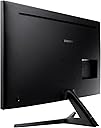
Overall this is a good monitor for home use. There are better ones out there, but the price point makes this one worth considering. I bought it because I wanted to display text files in larger sizes -- so far, it's doing an excellent job. Text is crisp, and the larger size allows me to both read more easily and multitask. Arguably a similar arrangement could be done through two smaller monitors, as is the case in my business office, but I don't like the screen being divided. My old monitor was 27 inches. It, too, worked well for many years, but as my eyes have changed, I was feeling more strain to read text. Because I write and edit a lot, among other things, I often have more than one full-sized page open at a time. The problem was larger monitors without higher resolution were not necessarily an improvement. Yes, they enlarged the images, but then the text wasn't as readable. This higher resolution, 4K monitor bridges that gap. The good: 1) Crisp images and text -- I can run a 4K movie in a window and still have plenty of real estate for other applications. 2) A decent refresh rate -- videogamers no doubt will have quibbles, but for ordinary business use and all but the most sophisticated graphics, it's fine. 3) No dead pixels or screen bleed -- I've been using the monitor a while now, but, of course, these flaws often don't show up right away. The bad: 1) Color reproduction seems a bit off compared to my old, non-Samsung monitor. The colors lean toward the blue portion of the spectrum. I may play around with the settings more to see if I can warm things up. 2) The display stand is not adjustable and does not swivel. This is a bigger issue than it sounds because it's actually in an computer cabinet with fixed shelving. Yes, I can raise the office chair, but this is the first monitor I've ever owned that can't simply be raised or lowered at the stand. 3) Physical buttons are awkward. There's a circular control in the back that's tough to reach (especially since the monitor also does not swivel). The HDMI and power plugs are on the opposite side . . . which is awkward since the feed for cables in my display cabinet as well as the wall socket are opposite of that. Because the power cable is short, I actually have to use an extension cord to plug it in. So, if you can live with these limitations -- some of which are specific to my furniture and den set up -- this is a good value for the price. Time will tell how long it lasts. For the past 10 years or so, I've sworn by Samsung televisions, but a more recent one developed significant display problems because of a long, purple "cloud" across the top of the screen. I'm guessing because the television is so razor thin, the screen buckled from it's own weight, warping that portion. It's too early to tell if this monitor, which is similar in proportion, will do the same. In more recent years, Samsung seems to be using cheaper parts and components, so I may need to update this review in a few months.
F**S
Awesome!
I'm so happy with it. First, the packaging was very well done. Nice and tight and very well protected. Then, I was surprised on how big the monitor is. I know I ordered the 32", but I was not used to it. The picture comes out crisp and clean. All the colors are vibrant. The black is so black, that it's metal. I definitely recommend.
E**K
Faulty product. Horrible customer service.
I bought this monitor based on Samsung's brand believing I was buying a quality monitor. Unfortunately, a couple weeks after setting it up, the HDMI2 port started to fail and the connection from my laptop would cut on and off randomly. This started once in a while and proceeded to quickly get worse to the point that I could no longer use the port. I called Samsung and they refused to exchange it and said I'd need to send it to a repair center. The repair center was on the other side of the US in New Jersey (I'm west coast) and took forever just to arrive. They then kept it there for 3 weeks while sending automated text and email messages stating all sorts of weird things like there was physical damage to the sides (there was not) and all sorts of other random things. I called and spoke to several representatives over this 3-week period that I did not have a monitor to do my job and every representative said different things including to not pay attention to the text and email messages because they were wrong and I should trust them and not their system. Really shoddy process. Anyway, I finally got a message that they had replaced a part in the monitor and were sending it back. Lo and behold, after a couple of weeks the HDMI2 port is doing the same thing. Switched to the HDMI1 port because I can't deal with not having a monitor for another 3 weeks to do my job. Well, the HDMI1 doesn't flicker, but it does display tiny little red pixels randomly on dark colors, and also shows horizontal lines at random times. Called customer service to request a replacement and have been given the runaround now by 5 representatives, told that a manager would call me back (they never did), told that the monitor doesn't qualify for a replacement because it needs to be sent for repairs twice before they will replace it. Absolutely horrible experience. Samsung is not the company it used to be. Do yourself a favor and look elsewhere. There are plenty of other choices for this price.
M**S
Works as I expect from Samsung
Using as computer monitor. Good quality and works as advertised. Quality I would expect from Samsung.
S**P
Amazing at this price
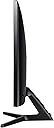
Been shopping for an upgrade for some time and looking at this specific model. It was well worth the wait and at this price a steal. Screen quality is amazing. Excellent responsiveness for video although I use it mostly for work. With the extra real estate I can have videos on in the background as I'm working. If you are running a Windows machine, and upgrading to 4K for the first time as I am, use the recommended DPI scaling, and make sure you restart before making any judgements/further adjustments. It may take some getting used to but well worth it once everything is scaled and configured. If any older apps are blurry, use the "Troubleshoot compatibility" wizard (find the program, right-click, follow prompts). There are two things I think could be improved on this monitor but at this price, can't really complain... 1. The stand is flimsy and the slightest desk movement causes the monitor to shake side-to-side. This is remedied with a monitor mount which can be had for cheap here. I think some of this is due to the stand connecting with the monitor at the bottom. A mount uses the VESA bolt holes in the middle and adds a lot of stability. 2. The monitor case (not the screen) is a little roughly assembled. There is glue on some edges. But it's black/dark gray and I really can't tell unless looking close. These are two things that don't really bother me at this price and the screen quality makes up for all of it.
D**Y
They work. NON-STANDARD power cord.
CONS: -Sometimes(rarely),,,It will flash every ~2min. Unsure what is causing this. This happens on both a laptop with an AMD-5600U hdmi(2.0), and a gtx3070 display port(1.4). It appears to be the content displayed on screen. But I can't pin down what is causing it. Just a brief flash (maybe black?) and then back to normal. Sometimes its just once a day, other times it keeps doing this flash for an hour. -I dislike the samsung knob for the menu (a joystick knob on the back of the monitor, 4 direction + click). its too high up the back of the monitor, sometimes hard to reach depending how your arm is positioned. It sometimes registers an up/down when you try to click it in. -Non-Standard power cord. It uses a barrel plug and power brick. At least the power brick wall plug can rotate 90 degree to fit into a power strip. -Eco-Off does not automatically wake back up when image changes (Eco-Off is a setting that turns the monitor off when image hasn't changed). Once it turns off from Eco-Off, you must manually click the power button on the monitor. Auto-wake-up works like normal, if you turn this setting off, and let the PC turn the monitor off. It would be cool if my monitors turned off individually when they are not in use, but Windows only turns off all monitors at once, so a setting on the monitor itself would be cool,,,but not if I have to manually press a button. -idk what "HDMI Black Level" does, but I wish it was always turned on, because it makes the image look good. But apparently its only selectable if the monitor decides it is needed? apparently only when HDMI degradation is detected? idk. PROS: -color is fine. not the best contrast/color, but its much better than some old TN panels I replaced. -viewing angle is great -big -vesa mount -4k @ 60hz works fine (HDMI port 2 & Display Port 1.2). just make sure you have the correct cables, then go into windows and set the Frame rate. Windows gave me the 60hz option as soon as I moved to hdmi port 2.
A**E
Good size and clarity
Love it! It is a monitor to be used in my office.
S**S
Llevo mas de dos meses y me encanta.
Llevo mas de dos meses con este monitor, lo compré para mejorar el 1080p que tenía de la misma marca Samsung, ya que el menú es el mismo y el joystick para navegarlo también, teniendo tan buena experiencia con ese me animé con este monitor 4k, es obvio que la mejora en la imagen se iba a notar, esta increíble jugar así, tengo una tarjeta gtx1060 y los juegos los pongo en 2k para ir a no menos de 45fbs con todo en alta, me encantan los colores y el brillo, las peliculas en 4k se ven muy bien y para multitasking en el trabajo no hay nada mejor, estuve mucho tiempo pensando entre comprar este o un ultrawide de 34" pero además de que esos son mas caros tienen menos pixeles que los 4k, cabe mencionar que 32" es la resolución perfecta para monitores 4k porque es la mejor forma de aprovechar el espacio de monitor sin notar los pixeles. Como dato extra debo resaltar que aunque el instructivo lo indica en una parte algo dificil de ver, la lógica me dicctó que conectara el hdmi, que viene incluido, en el puerto 1, estuve un par de días usandolo así y notaba que aunque el monitor me decia que iba a 60fps yo no veía tal fluidez y me di cuenta que era porque ese puerto iba maximo a 30hrz, debe de conectarse al puerto 2 para ir a 60hrz en 4k. Hubiera sido perfecto que incluyeran un cable displayport, voy a tener que comprarlo si quiero usar la función de AMD freesync con mi tarjeta nvidia. otra cosa es que el unico defecto que encontré es que el conector de alimentación queda muy flojo en el puerto del monitor, no he tenido problemas de que se desconecte como tal porque no toco los cables de atras pero si se atropella por alguna razón se safa muy facilmente.
R**O
Great Monitor, but use HDMI #2 for Freesync
Another excellent monitor from Samsung. At first when using HDMI 1, the mouse was choppy it didn't seem to perform that well but after reading an article on Reddit, we discovered that AMD Freesync only applies to HDMI #2. So we moved the cable to that input and the difference was night and day.
M**N
Broken screen
Screen is broken
G**N
Terrible Software and to be avoided
Absolutely worthless. Feel and construction cheap cheap cheap. Sound quality was horrible with my ASUS ROG. They could not get along at all. Expected much much more from Samsung. What a letdown. Will try to return
Trustpilot
1 week ago
2 months ago