We remain fully operational. Our teams are working around the clock to ensure your deliveries continue safely.

DOWNLOAD THE APP


Copyright © 2025 Desertcart Holdings Limited
DOWNLOAD THE APP
Buy anything from 5,000+ international stores. One checkout price. No surprise fees. Join 2M+ shoppers on Desertcart.
Desertcart purchases this item on your behalf and handles shipping, customs, and support to Vietnam.
❄️ Chill with the ICE Beast: Power, Speed & Style in One Elite Board!
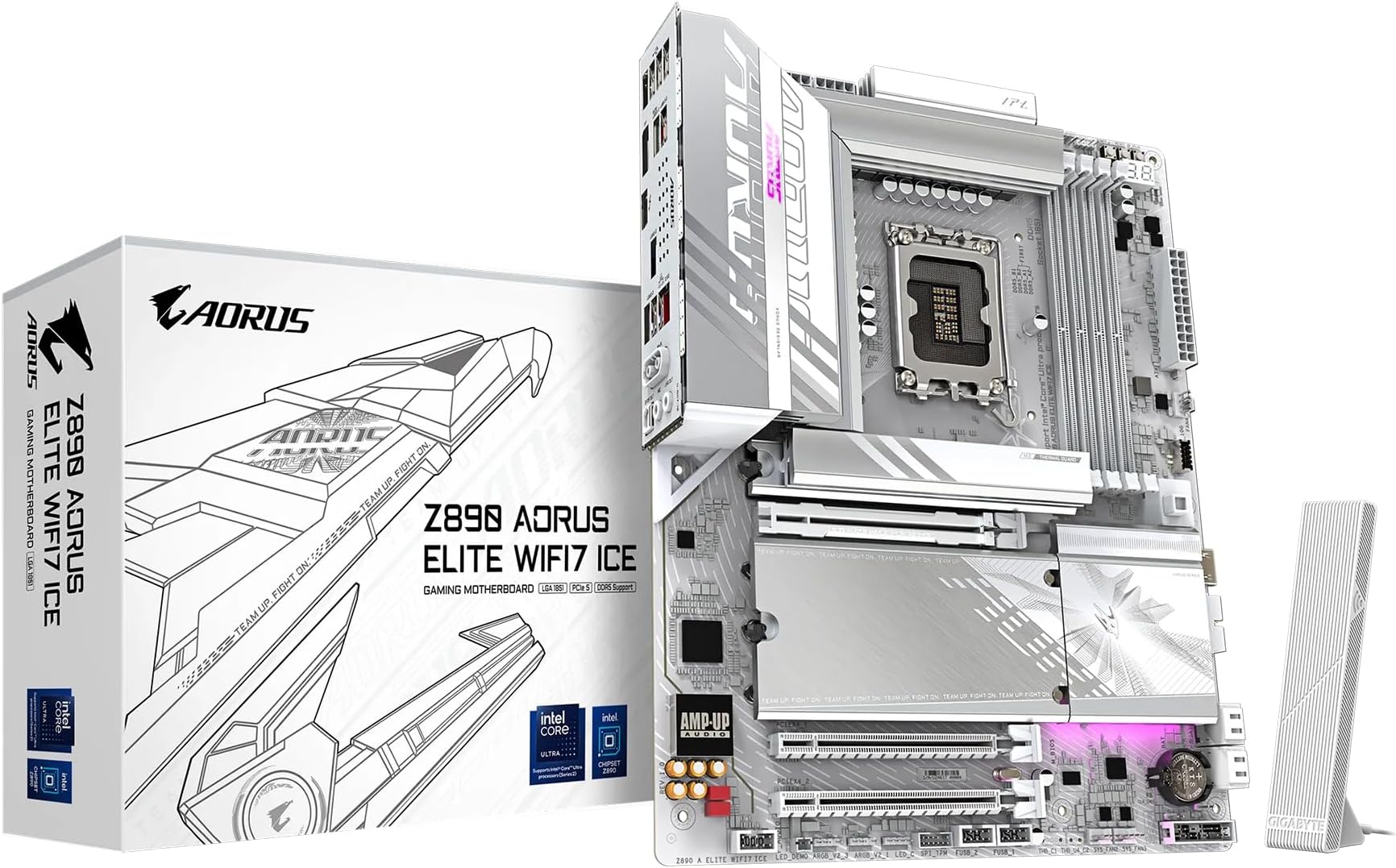
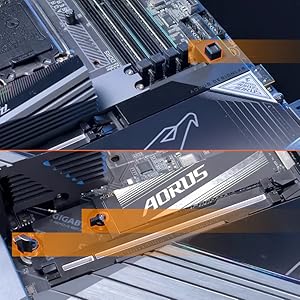
The GIGABYTE Z890 AORUS Elite WIFI7 ICE motherboard is a premium ATX board designed for Intel Core Ultra Series 2 processors, featuring a robust 16+1+2 power phase design, DDR5 memory support up to 256GB at 5600 MHz, and advanced cooling with VRM Thermal Armor. It offers extensive connectivity including WIFI7, 2.5GbE LAN, Thunderbolt 4, and 10 USB ports. The board’s user-friendly EZ-Latch system and reinforced slots provide durability and ease of installation, making it ideal for high-performance gaming and professional builds. Backed by a 5-year warranty, it combines cutting-edge tech with a sleek, icy aesthetic.






| ASIN | B0DJP7NRXX |
| Best Sellers Rank | #19 in Computer Motherboards |
| Brand | GIGABYTE |
| CPU Socket | LGA1851 |
| Chipset Type | Intel Z890 |
| Compatible Devices | Personal Computer |
| Compatible Processors | Intel Core Ultra 200 Processors |
| Customer Reviews | 4.3 out of 5 stars 1,980 Reviews |
| Graphics Card Interface | PCI Express 4.0 |
| Main Power Connector Type | 24-Pin |
| Manufacturer | GIGABYTE |
| Memory Clock Speed | 5600 MHz |
| Memory Slots Available | 4 |
| Memory Storage Capacity | 256 GB |
| Model Name | Z890 AORUS ELITE WIFI7 ICE |
| Model Number | Z890 AORUS ELITE WIFI7 ICE |
| Number of Ethernet Ports | 1 |
| Number of Ports | 12 |
| Platform | Windows, Windows 10, Windows 11 |
| Processor Socket | LGA1851 |
| RAM Memory Technology | DDR5 |
| Ram Memory Maximum Size | 256 GB |
| Total PCIe Ports | 3 |
| Total SATA Ports | 1 |
| Total Usb Ports | 10 |
| UPC | 889523045596 |
| Warranty Description | 5 Year Manufacturer |
P**A
Top End Quality - High End Look
Gigabyte Aorus PRO ICE - If you have not seen any of these ICE boards offered by Gigabyte then you are in for a real treat. These are high end boards from Gigabyte and it shows! The PCB is white, connectors are white, silver accents... this thing really feels at home in an "ICED OUT" build! The Z890 variant I have comes with an enormous amount of connectivity via 10 (!) USB Ports, 2 Thunderbolt 4 Type C with DP, WiFi 7, and 5G LAN! Huge VRM Heatsinks for stable OC, 4 DIMM Slots, 3 PCIe Slots, Internal HDMI for those internal LCD panels, RGB Headers, 8 PWM Fan Headers, Front USB 3 connectivity and 5 m.2 slots... the list goes on! This is a fully featured chipset motherboard. The really special items on here is the heavily reinforced PCIe GPU slot, this is surrounded by metal, cushioned with rubber AND anchored to the back with a plate that spans the entire slot! This is WAY more structure than you see on most "armored slots" on the market. This may sound silly, but with GPUs in the 50 Series weighing 2-4Kg... this is not a bad thing to have on your motherboard! They also extended this treatment to the two main DIMM Slots... while not as reinforced, they are nicely armored to prevent damage or bending. Z890 is for the new Intel Core Ultra 200 series, I paired mine with the 265K and this thing is a beast! Runs cool and rocks productivity! Once all the latest drivers and firmware was rolled out, this thing REALLY started pushing even more! Intel added more PCIe lanes so that you dont have to sacrifice as much as other brands or platforms when using a PCIe 5 NVME and GPU. Which is think is underrated. You really need to keep track of where your board and platform bifurcates its PCI Lanes from direct CPU and the chipset. So far this has been an extremely stable board for me, I can't say enough about the Stability, because all of the above is nothing if the board does not keep your system in check and trouble free. I have run FOUR DIMMS of 6400 DDR5 on this board with perfect stable timings. Gigabyte even offers you an "AI OC" option that will test and suggest the best overclock for a stable system, you can also do this with your CPU OC as well as GPU (if you own a Gigabyte GPU, which you should!). I have included a photo of the ICE BEAST as I like to call it. Along with plenty of great MoBo photos to get you excited.
J**B
Great board after tinkering with BIOS settings properly.
EDIT: After some testing with new parts and tinkering with settings, I've figured that the main issue stemmed from the RAM, not the motherboard. I've never used DDR5 before so maybe it's something to do with that, but I've found it impossible to use at full speed and have it be stable. Never ever use XMP. I've learned my lesson there. Also fixed my issue with boot up times/lighting not starting properly by messing with ErP and Fast Boot settings in the BIOS. Glad I get to use this board, it's got wonderful I/O and it's simple enough for what I need. ORIGINAL: Just built my new PC and this motherboard has given me the most issues out of any parts by far. To start off with the bad, it has some power issues, fan lights will often not turn on or off alongside the PC, it takes a while to start up most of the time, and I can not use my RAM to its fullest speed. Using the motherboard's built in XMP with 4x16GB DDR5-6400 MHz RAM causes only crashes when using the PC. (memtest shows 0 errors with the RAM itself.) Games will crash quickly and sometimes the entire system just blue-screens or freezes, and every time it's related to the XMP, and I know this because going to a lower XMP profile, it works fine. Still a few crashes but it's never anywhere near as bad as using it at full speed. This motherboard also just has some build quality issues. USB-3 plugin came off with the connector, making the pins exposed. Thankfully it still works, but that's definitely not reassuring when it comes off that easily. As for the good, this motherboard has a lot of I-O. 4 USB 2.0 ports on the back for your keyboard, mouse, etc. is always nice. Lots of USB 3.0 ports and also tons of slots on the motherboard itself. The NVME storage is very nice and has a good built-in heatsink for them. The motherboard itself also looks super clean, and is incredibly simple to install. This motherboard definitely has a lot of potential, it's possible I got a faulty board, and if I get more problems I'll definitely end up getting a new one from a different brand. But, if you wanna take a chance, then this one could definitely work. For now, I think there's a lot of issues that need ironing out and if you plan on getting high-end parts, you may want to look for something with more assured quality.
M**Z
Excellent Performance and Stunning Design
Great motherboard! The Gigabyte Z790 AORUS PRO X delivers excellent performance and stability. It supports DDR5 and PCIe 5.0, making it perfect for a high-end gaming PC. The cooling system works really well, and the white design looks amazing. Very satisfied with this purchase.
B**N
Sturdy, better than expected, works first try.
Putting together a computer can involve accidental abuse of components. You slide around the motherboard trying to get it lined up, you press a little too hard in some areas, you exert too much pressure trying to get the CPU cooler on. You screw things in too tight. Stuff happens. Installing this thing, I was a bit rough, but this thing didn't even care. It took the punishment and worked great first try. I wanted to do a q-flash plus on it before first boot because I'm running an i9-14900kf. So it was only barely half assembled when I pushed the q-flash button. I half expected it to not work at all, but it worked first try! Aaaand then after the flash it tried to boot, which was only bad because I hadn't installed the CPU cooler yet, but hey, the bigger take away is that technically it booted first try. So then I assembled everything else, again I was a bit rough in the process. Again it worked first try when it was all finished. Build quality is really good, this is clearly a premium board. It auto detected and set up all my fans and my pump, which was nice. I wasn't sure how the pump thing was going to work. I plugged my AIO pump into the system fan/pump connector, and it just worked first try, no setup required. That's what you get when you pay for a board like this, it actually works first try with no setup. Aesthetically it looks nice in person, but maybe not as nice as the back mount boards, but still nice. The connectors for fans and power and all that run along the bottom which is okay I guess, although it made cable management a little weird. In terms of value for money, this thing does cost a lot of money, so I wouldn't call it a value, but I will say you are getting what you paid for. You're paying for a $300 motherboard, and you're getting a $300 motherboard, it is exactly what you're paying for, it is quality, and you're paying for that quality. It is very nice, and I have no regrets.
L**Y
You’re paying for the color and added bling, but the bios and quality are lacking
I tore apart a perfectly working beautiful MSI Z890 Pro Wi-Fi ATX build because I wanted a smaller case. I thought this board was an upgrade. It is far from an upgrade. I fell for the hype, the weight, the look of this board, the fancy reinforcements, fancy heat sinks, white PCB. None of that crap matters if the board doesn’t work well. Navigating the BIOS was difficult. There is lag between mouse movement and the cursor. I had the system online for about 15 minutes when the Realtek Wi-Fi adapter left the chat. I mean it’s just gone. One minute it was there, the next minute it was not. I couldn't get my Lenovo webcam to work for Windows Hello. I did a complete reset and reinstallation of Windows 11, keeping nothing. Fresh install, I reinstalled all the correct drivers and still no webcam or hello, error messages in device messenger, just a frustrating mess. I was up until 4am trying to troubleshoot this thing before giving up, disgusted that I'd ruined a perfectly good PC. The BIOS was such a disappointment compared to other brands. This board does not come with Wi-Fi drivers. If you don't have access to a wired connection, good luck, the Wi-Fi doesn't work when installing Windows 11, if you can even get the WIFI to work at all. There are two versions of this board, each with different WIFI modules. I tried drivers for both, neither worked for me. Update, I replaced this board with a MSI Pro B860M-A WiFi ($61 less!). Wow what a difference! The new board started and EVERYTHING WORKED right out of the gate, requiring no driver downloads for Wi-Fi or Windows Hello even running on the previous Windows install from the Gigabyte board. I still did a complete system reset and finished setting up Windows 11 in no time flat. Zero errors, no issues, all drivers downloaded automatically with the MSI app. Installing MSI motherboards is like driving a Mercedes, while this Gigabyte was like driving a broken Yugo dressed up like a Lamborghini. Save your money and buy something that works.
A**S
Very nice board, though PCI slot gives a slight problem
Great board, the extension of the WIFI and Bluetooth work very well. The build quality is good and the installation with relatively easy, this is worth its price-tag. My only problem is the PCI slot, where: - A 50 series GPU on the main rugged PCI, it didn't lock into place like I expected with a click like other GPU's, which caused some concerns. - I connected an additional A2000 12GB on another slot, it worked, but it has a bit of angle natively which makes some problems fitting within the case.
C**C
Nice upgrade with a great board
Absolutely fantastic motherboard. Easy to quick tweak settings in BIOS or go all out with access to complete voltages and timings. I am all about performance and this board has it. Im using a Ultra 265k and one bench is using a 5070 card and the other 2 are using a 5070TI for reference. Great quality board and another great board from Gigabyte. To be fair, I am a Gigabyte only person anymore. Easy to set up and configure. I will say that I did not see any performance decrease when using the GPU in gen5x16 with a Gen5 NVME. The newer Ultra chips have more PCI lanes so you dont have to worry about any performance caps when using both. This is a solid board with great performance, lots of fan headers and ARGB connectors as well as a built in Thunderbolt 4 which can also provide a 20Gb network connection. Everything is solid and works great.
K**N
This is a very good board at a reasonable price for the serious computer users.
This is my second Aorus board that I have purchased. My first board was a Aorus Z390 Master which I probably would have kept but I could not get Windows 11 to load, because I wanted the security updates. These are great motherboards that are pretty easy to set up. I only wish that they would have included a manual like the previous version. There are things in the manual that are needed to set up the device. Even with the lack of a hard copy manual I would recommend this motherboard.. These boards are made very well and are very sturdy, well cooled and easy to upgrade with memory and drives.
Trustpilot
3 weeks ago
1 week ago