Buy anything from 5,000+ international stores. One checkout price. No surprise fees. Join 2M+ shoppers on Desertcart.
Desertcart purchases this item on your behalf and handles shipping, customs, and support to Vietnam.
❄️ Cool like a pro, shine like a star.
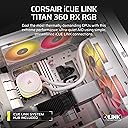
The CORSAIR iCUE Link Titan 360 RX RGB is a high-performance 360mm all-in-one liquid CPU cooler featuring a cutting-edge FlowDrive pump, ultra-quiet RX RGB fans with AirGuide technology, and seamless iCUE LINK connectivity. Designed for professional-grade builds, it offers superior thermal management, whisper-quiet operation, and fully customizable RGB lighting, compatible with the latest Intel and AMD sockets. Backed by a 6-year warranty, it’s the ultimate choice for millennial managers who demand both style and substance in their high-end PC setups.


| ASIN | B0D6BCSFNC |
| Air Flow Capacity | 73.5 Cubic Feet Per Minute |
| Best Sellers Rank | #4 in Water Cooling Systems |
| Brand | Corsair |
| Brand Name | Corsair |
| Compatible Devices | Desktop |
| Cooling Method | Water |
| Customer Reviews | 4.7 out of 5 stars 1,197 Reviews |
| Global Trade Identification Number | 00840006685463 |
| Included Components | Item |
| Item Dimensions L x W x H | 15.59"L x 4.92"H |
| Item Weight | 3.7 Pounds |
| Manufacturer | Corsair |
| Material Type | Aluminum, Copper |
| Maximum Rotational Speed | 2100 RPM |
| Model | CW-9061021-WW |
| Noise Level | 36 Decibels |
| Number of Items | 1 |
| Part Number | CW-9061021-WW |
| Power Connector Type | 4-Pin |
| Product Dimensions | 15.59"L x 4.92"H |
| UPC | 840006685463 |
| Unit Count | 1.0 Count |
| Voltage | 12 Volts (DC) |
| Warranty Description | 6 Year Manufacturer |
| Wattage | 12 watts |
N**Z
Excellent cooling, quiet performance, and stunning RGB. Perfect for high-end builds.
I installed the Corsair Titan 420 RX RGB in my build and the performance has been outstanding. The 420mm radiator combined with the three RX140 RGB fans keeps my CPU extremely cool, even under heavy gaming and high workloads. I noticed a clear drop in temperatures compared to my previous cooler. The FlowDrive cooling engine is very quiet. Even during intense gaming sessions, noise levels stay low, which is a huge plus for me. The RGB lighting looks premium and vibrant. The included System Hub makes cable management and control through iCUE much easier. Everything feels high-quality and well-designed. Installation was straightforward, but keep in mind this is a large 420mm AIO, so you need a compatible full tower or spacious case. ✅ Excellent thermal performance ✅ Very quiet operation ✅ Beautiful, customizable RGB ⚠️ Requires a large case Highly recommended for high-performance CPUs and premium builds.
M**E
Reliable, cool, and easy to set up. Read if your getting random aio/pump shutoff!
Amazing aio. Be careful to make sure to hook the wires up properly. If you don't you'll get random aio shutoff and won't know why. It took me awhile to troubleshoot and find out why my pump system kept shutting off randomly while everything else stayed on so don't make my mistake. 9800x3d and 5090. Keeps things in low 50s on idle and high 50s/low 60s under load. Amazing system and looks beautiful. I purchased the information screen separately and it works amazingly as well. I've had it about 8 months so it's been reliable so far. This is a very good purchase. The icue software works very well, too.
D**R
top notch AIO
came exactly as expected. it was super easy to put together and install. probably one of the smoothest AIO installs i’ve ever had to do. it also looks super nice in my pc. the temp control is also top notch. it’s super quiet unless you amp up the speed of the fans but that’s to be expected. also the price is great for this - on corsair it’s at least $200+. the cables can be a little short but that’s also just case dependent. overall 10/10 i would purchase again.
J**F
Great product: First attempt got a scam return. Fixed rapidly and correct new product sent next day.
NEW REVIEW: Great. Most silent AIO I have ever owned. Easiest to setup. I gave up on Corsair ICUE products years ago because of how hard to set them up properly was. The new fans and new ICUE system is dummy proof. So perfect for me. :-p My first order I got a scam product or major mistake from amazon. Below is my original review so people know it is an issue. But I changed my star rating to reflect the product I got that arrived brand new and perfect after contacting amazon support. _-------------- OLD REVIEW: Arrived as an obviously used item. Missing all required cables and the electronic hub and some screws and hardware. hardware that was present including screws all just loose in box, not in packaging in the interior. Missing original packaging in the interior. Dust and other debris on the device. Some dents, scratches, chips, filth, stains. Lacking original documentation. I will update this review score and with full review when the replacement arrives. But I will keep the condition of the original so people buying know that the stock for this item has been tampered with. I didn't bother reading reviews before I purchased. After I did. Apparently, my situation is not unique. A lot of people have been getting used when buying new of this item. Likely because the accessories and fans are worth significant value (More than Half cost of item) and people are stealing them. Amazon should never resale these as new if they are returns. It is totally unacceptable. I hope Amazon destroys this product when it is returned. It is in no condition to be sold because it won't work in the current condition without accessories/hardware and given the physical condition of the AIO itself I wouldn't trust it being installed into anything. Return was easy. I clicked through the return process and chose to have a replacement sent. It was given 1-day shipping I did the return at 6pm, so it arriving tomorrow is pretty fast to get a replacement especially since I ordered later in the day. They are sending replacement before I even ship back the defective item. So, in that regard, amazon is at least spending the money to not only make it right but sending the item as quickly as possible. For context the original item took 3 days to arrive, and normal shipping in my area is 2-3 days. 1-day is very rare in my area. ------------------------------
A**X
Whisper-Quiet and Excellent Temps – Setup Was Smooth
I picked up the Corsair iCUE Link Titan 360 RX to cool my new build, and I’ve been really impressed so far. This is Corsair’s latest 360mm AIO with their new iCUE Link ecosystem, and I wasn’t sure what to expect—but everything just worked. Usage: I installed it with no issues on an Intel [insert your CPU model] inside a mid-tower case. The iCUE Link system made cable management much cleaner than my last setup, and it booted right up without any firmware hassles or fan curve weirdness. Pros: Extremely quiet – even under load, the system stays silent Cool and stable – CPU temps have been consistently healthy so far Clean build – the iCUE Link cables cut down on clutter Looks great – RGB is tasteful and well diffused No setup issues – everything worked out of the box for me Cons: You’ll need an available USB 2.0 header for the hub iCUE software still isn’t perfect, but it’s stable enough for me Tips: Update iCUE before installation if you haven’t used it in a while Try mounting the pump head upright—the Corsair logo looks better aligned that way Don’t forget to enable custom fan curves in iCUE if you want to fine-tune your setup later Verdict: If you’re looking for a premium AIO that’s quiet, cools well, and makes your build look clean and modern, this cooler nails it. Setup was smoother than expected, and performance has been solid. Highly recommended if you’re building in the Corsair ecosystem or just want less cable clutter.
B**N
Only 4 stars...
The instructions are not so great, read this review and you'll likely save yourself 15 or 20 minutes... 1) The AIO block for the CPU has the intel bracket pre-installed, pull it out for AMD processors and slide in the AMD brack into the AIO CPU block. The AMD processors DO NOT require a new backplate... you use your stock one (so no pulling out the motherboard). Simply unscrew the existing motherboard bracket from the frontside, and the AIO will screw directly into the stock AMD backplate 2) Part "L" cable is optional / unneeded (it's super short). You only use it if you have a (sold separately) back-case fan by Corsair... the instructions tell you to go ahead and plug this into the radiator, but then later tell you it's options (how annoying). B/c I realized this after screwing in the radiator, there was no getting that cable out w/out unscrewing the radiator, so it's forever living in my back case now. 3) the default position of the AIO water tubes positions them directly in front of the back case fan (I'm not a fan), you have to flip the radiator around to get the tubes on the front case facing side. I was too lazy to flip it around by the time I recognized this. 4) unlike the older Corsair AIOs, the USB data cable does not directly plug into the AIO block for the CPU. The USB data cable now plugs into the provided hub. I was wondering why b/c the CPU block does have a USB-C port, but it's unused. And the new USB cable is shorter than older versions, so it wouldn't reach if you go behind your motherboard tray. But regardless, it plugs into the hub now. 5) the cables are not labeled in anyway, you have to spend a minute comparing them in the instruction manual to figure out which is which. I wish Corsair would have simply stuck a 1 cent sticker on them. Oh well. Other than the sub-par instructions (no paper instructions btw, you scan a QR code), the unit looks cool and CPU temperatures are nice and cold-ish.
W**N
Absolute Cooling Beast! ❄️🔥 Stunning & Silent!
I recently upgraded my CPU cooler to the CORSAIR iCUE Link Titan 360 RX RGB Liquid Cooler, and let me tell you… this thing is an absolute game-changer! 💨🚀 My temps have dropped significantly, and my setup now looks like a sci-fi masterpiece! 🌌✨ 🔥 Unmatched Cooling Performance: ✅ 360mm Radiator Power! – Keeps my CPU ice-cold even under heavy workloads. No more overheating worries! ❄️❄️❄️ ✅ Quiet as a Whisper – Even at high speeds, the fans barely make a sound. My PC used to sound like a jet engine—now it’s whisper quiet! 🤫💨 ✅ Overclocking Ready – Pushed my CPU to the next level, and it still stays cool. Zero throttling, just pure performance! 💪💻 🌈 RGB That Steals the Show! 😍 Gorgeous Lighting Effects – The ARGB pump & fans look incredible! The colors are bright, smooth, and fully customizable. 🌈✨ 🎮 iCUE Integration is Flawless – Syncs perfectly with my other Corsair components, creating a stunning light show inside my case. 💡🎶 🖥 Premium Aesthetic – The sleek, all-black design with glowing RGB accents makes my build look like a high-end masterpiece! 🏆🔥 🔧 Installation & Setup: ⚙️ Straightforward Installation – The instructions were clear, and it took about 20 minutes to install. Not hard, but make sure you have space in your case! 📏⚡ ⚙️ Pre-applied Thermal Paste – A small but nice touch! No need to worry about messy application. 🎯👌 🤔 A Few Things to Consider: ⚠️ It’s BIG! – Make sure your case can fit a 360mm radiator before buying! 📏💡 ⚠️ Premium Price – It’s not cheap, but you get what you pay for: top-tier cooling + insane aesthetics. 💰🔥 💯 Final Verdict: If you’re looking for elite cooling, whisper-quiet performance, and jaw-dropping RGB effects, THIS is the cooler to get! 🏆❄️ My PC has never run cooler or looked better. Worth every single penny! BUY IT NOW! 🚀💙
C**T
The extra cable is for an extra fan
This water cooler has been fantastic at keeping my computer cooler and helping my computer look cooler with the RGB lights. I have had zero issues with overheating since I installed. Installation was easy enough that even an idiot like me could do it. It words really well with the fans I already had and I had no compatibility issues when adding it to my system. Mounting could have been a little easier if I had known that one of the cables is an accessory for when you install an extra fan. It's not actually mentioned in the instruction manual for installation. I'll probably be getting that extra fan to help with the airflow for the computer.
Trustpilot
1 week ago
3 weeks ago