🎞️ Preserve the past, stream the future—your memories, upgraded!
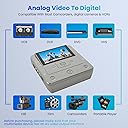
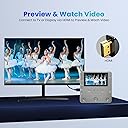
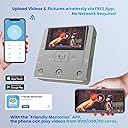
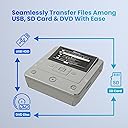
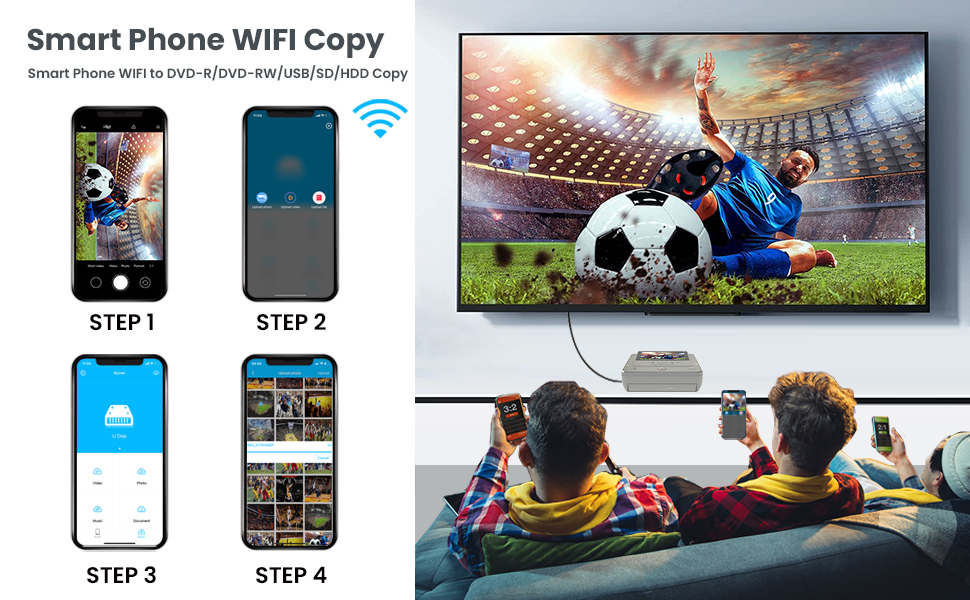
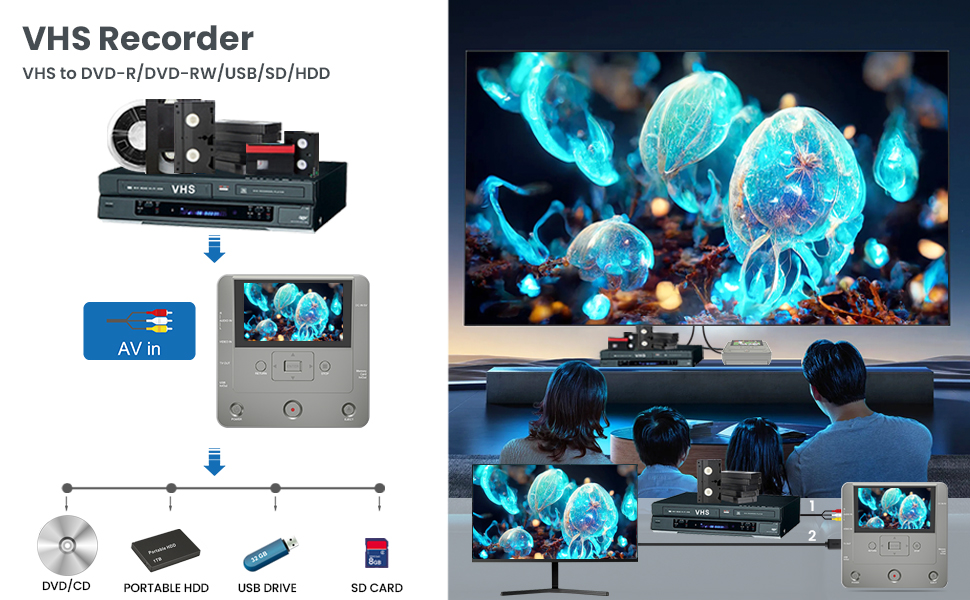
The KOHO VHS to DVD Converter is a versatile, lightweight DVD recorder that converts analog VHS, camcorder, and smartphone media into digital formats (DVD, USB, SD, HDD) with HD 1080p output. Featuring multi-format compatibility, a user-friendly 4.3-inch LCD preview, and a dedicated WiFi app for wireless transfers, it’s designed to effortlessly preserve and share your cherished memories without needing a PC.


| Analog Video Format | NTSC or PAL |
| Asin | B0DB18LKBL |
| Audio Output Mode | Stereo, Surround Sound |
| Best Sellers Rank | #189,823 in Electronics (See Top 100 in Electronics) #25 in DVD Recorders |
| Brand | KOHO |
| Built In Media | 10 Pcs Blank DVD-R, AC Power Adapter, Av Cable, DVD Recorder, Quick Start Guide, User manual |
| Color | Light Grey |
| Compatible Devices | External Display Screen, Smartphone |
| Connectivity Technology | Wi-Fi, USB, RCA |
| Connector Type | RCA,USB,SD Card,HDMI |
| Customer Reviews | 3.4 3.4 out of 5 stars (60) 3.4 out of 5 stars |
| File Format | MP3, AAC |
| Item Dimensions L X W X H | 6.1"L x 6.1"W x 1.91"H |
| Item Weight | 1.3 Pounds |
| Manufacturer | KOHO |
| Media Type | VHS to DVD Recorder |
| Mfr Part Number | KR043B |
| Model Name | KR043B |
| Model Number | KR043B |
| Other Special Features Of The Product | VHS, DVD , TV , USB , HDD , Mobile Phone , SD Card , Recorder , CDR , Copy |
| Resolution | 1920x1080(HD Output) |
| Supported Audio Format | MP3, WMA, OGG, PLAC, AAC |
| Surround Sound Channel Configuration | 5.1 |
| Upc | 717021727877 |
| Video Encoding | MPEG-2 |
| Video Output Resolution | 1920x1080 Pixels |
| Warranty Description | If you have any question,please feel free to contact us. |
User
MEMORIES
This works really well transferring memories from different tapes. I highly recommend it.
User
Just does not work.
Out of the box, fine. Recorded from VHS to DVD, I interfered with the burning process accidentally, unit lost its mind. Power off/on, no joy. Disconnected the power cord, let sit in hopes of draining any capacitance that retained bad set bits, no joy. New disk, no joy. Past the return date, I’m stuck. Too bad, some nice features. No website or number to contact support in the instructions.
User
recording is not the best
This unit does not include any sort of upscaler so your video will not look very good on a larger screen. It looks ok on small screen though the contrast for the videos that have converted is pretty low. It may be the tope and not the hardware. It's hard to tell with the limit sample I have tried
User
FINAL UPDATE - FROM 1 STAR TO 4
FINAL UPDATE:Here we are over a year later. I would take breaks and the try again later. I have finally converted all our VHS and 8mm tapes to digital and burned DVDs. It wasn't easy - I found out our 8mm camera wouldn't play back the tapes and had to buy a used one from eBay. But I persisted and it worked. In the end I converted about 40-45 tapes of various kinds to digital.One drawback is that they are saved as digital files and each tape was divided into 4 segments which I then had to edit to get one playback. When my computer was finished, the were saved as mp4 files, but on our DVD player they are considered "digital files". Another is that while you can see what is being copied, you can't hear anything. So you are sort of praying that it will all work. I guess an audio system in this would take up too much room.I wish there were a way that would allow me to connect a cassette player and digitalize the "mix tapes" we mad years ago. >sigh< maybe I will find that later.It took a lot of work editing to get things saved properly. But in the end, this converter did what it said it would do. I just have to wonder if there is an easier way.ANOTHER UPDATE:I finally had time to try this. I happily made two DVDs from 2 8 mm tapes and was thrilled that I would be able to complete my project of making DVDs for my children of our 8 mm tapes. But when trying to do a third, the DVD didn’t burn. So I worked on this for hours. (I must interject here that it takes time to get it to work even on the two tapes I did sucessfulky transfer because the control buttons are not responsive. It takes a long time to turn the device on, then the record button doesn’t respond so you muss the first few seconds). I kept getting “Disk not ready”. But can’t find anything that would tell me what needs to be done to get the disc ready. All I’ve used so far are the disks that came with the recorder.I’m afraid that I must change my rating again back to one star - and it only gets that because the company tried to make things right and sent me a new recorder. Sadly, I can’t recommend anyone spend any money on a recorder that only works twice. It will cost you less money and heartache to bite the bullet and have it done professionally.UPDATE:While the product was less than satisfactory, the seller was GREAT. I got an email offering a full refund (which, of course, I expected, but still - to have the email was a nice personal touch.)Seller gets 5 Star. Too bad about the VHS converter.The seller offered me a new updated recorder which has arrived.I have not yet had time to try it but am hoping that it will do all it says it will do.In the meantime, the seller gets 5 stars for doing everything possible to make good.I bought this hoping to transfer home video VHS tapes to DVD for our grown children for Christmas. I saw this on Prime Day and thought this would be the answer.When it came, I was so excited to get started. I plugged everything in (I know how to do this - I've transferred lots of VHS to VHS so I know the proper connections) and did the set up as in the instructions. I was surprised at how lightweight the whole thing was but when I opened the tray to put in the first blank DVD I learned why. It is so cheaply made! The DVD has to be actually pushed down on a little disc which holds it in place. I was worried that I'd break the whole tray when I properly inserted the disc. But I told myself, "you get what you pay for."Okay, ready to go. But the screen never showed the VHS tape as the instruction book said would happen on page 8. I tried the set up again. carefully. On the menu I was careful to follow step 3 on page 7 (which seems a bit out of intuitive order). But the image of the "video source" was not doubling on the recorder's screen. I can't tell you how many times I repeated steps over and over again certain that I had done something wrong. Finally, I just hit record thinking that maybe something was wrong with the screen. The result was a DVD that had a blue screen recorded (exactly what was showing on the recorder's screen - so that was accurate at least - , not what we see when we play the VHS tape.)My initial thought of you get what you pay for is wrong in this case. I paid for something to record a VHS tape to a DVD. I didn't pay for something that would record a blue screen to a DVD so will return for a refund. I will look for a better product (even if lots more expensive) to accomplish the goal.
User
Good converter
This is a wonderful converter from old VHS videos to digital memories. Highly recommended. My hubby loves it.
User
Práctico
Este producto sería bueno pero le pusieron un celular al lado y no sirve para transferir fotos a una usb yo lo hice y me decía que no era compatible su formato y lo tuve que devolver por lo demás se ve bueno
User
I loveit
value for the money
User
DO NOT BUY THIS!
This item is horrible! It won't record a video DVD under approximately 30 minutes. The eject button on the top occasionally works. The attached error message is nonsensical and not explained in the manual about how to rectify. If you select to record at SLP the unit won't record. WORTHLESS!
User
Great unit!
Thanks to the Amazon Vine program I was able to order this VHS to DVD video transfer unit.When the unit arrived and I opened the box to remove the contents and I found the transfer unit itself, 5v power supply (wall adapter), video transfer RCA cable, and 10 DVD-R disks, and instructions.Set up of the unit is easily done and has several different options for recording media. The one thing I wish it did have was the ability to record directly to a computer or laptop. If you want to put the video you are recording to a computer you need to transfer it to a flash drive, memory card or DVD then transfer it off and put it in your computer. This is one option the manufacturer should add to the kit.Video transfer is fairly quick but I found the burning process of a DVD slow compared to my computer. I do like the fact you can burn to a DVD-RW so you can easily erase the disk if you want. The included blank DVD's are simply recordable so if you plan on keeping your video this media type is perfect. I used a DVD-RW for my testing purposes so I could get familiar with the unit. The recording after transfer was the same quality as the media I transferred which is perfectly fine. After all this is a transfer unit and not a converter to a different resolution.Overall this unit works well and is well worth the investment. I highly recommend it to those that have lots of media they want to keep for a long time.
User
Perfect gift for that person we all have that saves ALL the pics/videos for everyone else!
So, got my uncle using this and he's in literal heaven right now!He's that person in every family who has pics from the last 3 generations, every video taken at every family event since you were two and a half, has a massive collection of VHS/VHSC/Camera cassettes, and more! And now they've gotten into digital, due to having a newer(ish) cellphone! We all know who I mean, and if you don't, it may be YOU!Moving on, All he's been doing for the last 1.5months is copying every last one of those cassettes and tapes onto DVD, so he has a backup that isn't going to demagnetize over time. He's also making collections for different family members, including newer stuff he has taken with his phone or such. He's recently retired, and this has him on his toes again, and working on projects, so that makes two of us happy! I've even asked to borrow it to convert some old videos of my own kids, as they video is starting to get a red tint due to age.Anyhow, this is perfect, does at it says, and works with so many formats. Love it!
Trustpilot
2 months ago
4 days ago