Buy anything from 5,000+ international stores. One checkout price. No surprise fees. Join 2M+ shoppers on Desertcart.
Desertcart purchases this item on your behalf and handles shipping, customs, and support to Vietnam.
🖨️ Upgrade your home office game with speed, security, and sustainability!
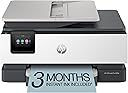
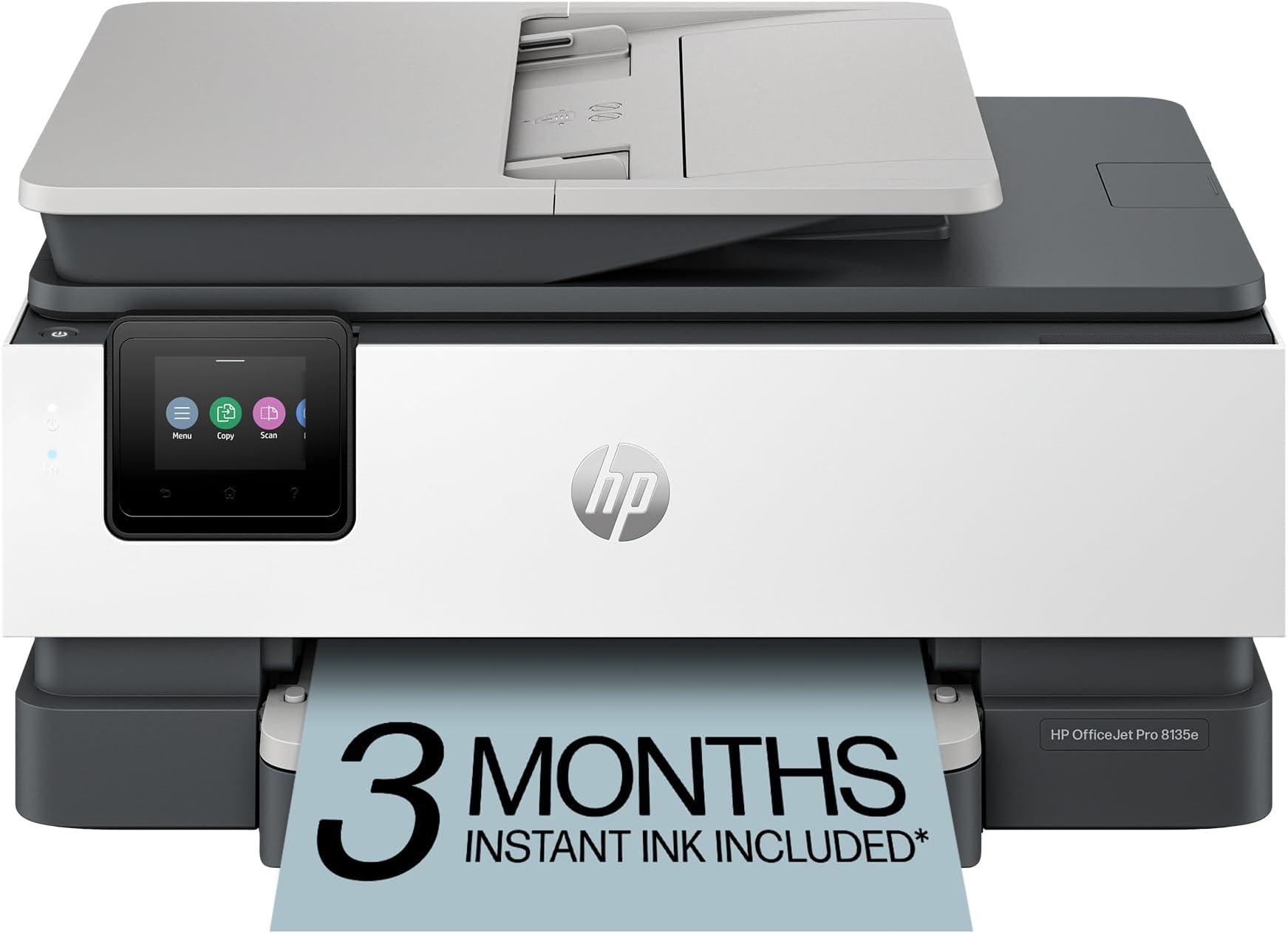
The HP OfficeJet Pro 8135e is a compact, wireless all-in-one inkjet printer designed for home offices. It delivers fast, professional-quality color and black-and-white prints up to 20 ppm, supports duplex printing and scanning, and features a 2.7-inch touchscreen for easy navigation. With dual-band Wi-Fi and the HP Smart App, it enables seamless mobile printing and scanning. Built with 45% recycled plastic and fortified with HP Wolf Essential Security, it offers a sustainable and secure printing solution. Includes 3 months of Instant Ink subscription for hassle-free ink delivery.


| ASIN | B0CFM7BTW8 |
| Are Batteries Included | No |
| Best Sellers Rank | #144,320 in Computers ( See Top 100 in Computers ) #259 in Ink Tank Printers |
| Color | Light Cement |
| Colour depth | 24 bits_per_pixel |
| Compatible devices | Smartphones |
| Controller type | Android |
| Customer Reviews | 3.8 3.8 out of 5 stars (3,334) |
| Date First Available | 30 July 2024 |
| Dual-sided printing | Yes |
| Included components | HP 923 Setup Black Ink Cartridge; HP 923 Setup Cyan Ink Cartridge; HP 923 Setup Magenta Ink Cartridge; HP 923 Setup Yellow Ink Cartridge; Power Cord; Regulatory Flyer; Ink Caution Flyer; Setup Poster; Reference Guide |
| Item Weight | 7.98 Kilograms |
| Item model number | 40Q35A#B1H |
| Manufacturer | HP |
| Max copy speed (black & white) | 12 ppm |
| Max input sheet capacity | 225 |
| Maximum Media Size | 8.5 x 11.7 in |
| Maximum black and white print resolution | 1200 x 1200 rendered dpi Dots Per Inch |
| Maximum color print resolution | 4800 x 1200 |
| Maximum copies per run | Up to 99 copies |
| Number of Ethernet Ports | 1 |
| Number of USB 2.0 Ports | 2 |
| Power consumption | 4.45 Watts |
| Print media | Paper (plain) |
| Processor Count | 1 |
| Product dimensions | 33.8D x 46W x 23.3H centimeters |
| Scanner type | Sheetfed |
| Sheet size | 8.5 x 11;8.27 x 11.7;8.5 x 14;7.16 x 10.12; Inches |
| Standing screen display size | 2.7 Inches |
| Wattage | 100 watts |
U**R
I recently replaced my old home office printer with this HP, and I couldn’t be happier with the upgrade. My previous printer had started slowing down, jamming more often, and just wasn’t keeping up with my daily printing needs. This HP has been a solid, reliable replacement. The size is perfect! I expected to have to go with a larger footprint with all the features this has, but was pleasantly surprised to find this smaller printer had everything I needed in a small, lighweight package. Setup was straightforward and quick. Within minutes, I had it connected to my Wi-Fi and printing from both my computer and phone without any issues. The print speed is noticeably faster than my old unit, and the print quality is sharp and professional whether it’s documents, spreadsheets, or the occasional color page. What I really appreciate is the HP quality. No random disconnects, no frustrating paper jams so far, just dependable performance. That’s one of the reasons I’ve always trusted the HP brand. They’ve built a reputation for durability and reliability, and this printer lives up to that. For a home office setup, this has been exactly what I needed: efficient, easy to use, and built by a brand I trust. Definitely a worthwhile upgrade, especially at the selling price.
N**L
I’m really impressed with this printer! It can print from anywhere in the house, which is super convenient. The installation process was quick and easy, and it fits well in compact spaces — it's small but not too small, which is perfect for my setup. The only downside is that the paper tray is a bit shallow. If you print often, you’ll need to refill the paper more frequently than I’d like. Other than that, it’s a fantastic printer that does everything I need. Highly recommend this printer — especially for those looking for space-saving options and seamless printing from anywhere in the house!
M**S
Does not work at all and the app they make you use doesn't work either. The final stew in trying to get it to work was when the printer was turned on saying there was an issue with my HP account and then my HP account was saying tyhe printer was turned off... I also enjoyed how my ink was somehow going down though i hadn't been bale to print anything. All in all, just a big waste of money. Save yourself some money and pain and get something different.
C**S
My wife had an older model which worked great but suddenly had 'Printer Failure' without any explanation what was wrong. I contacted HP support to see if it could be fixed. After about an hour on the phone with someone having a thick Indian accent and hearing his kids screaming in the background he told me HP no longer supported the printer and there was nothing left for me to do but consider it junk. I was done with HP and found another replacement from a different vendor. But my wife wanted a printer with scanning and fax. HP was the only printer at a reasonable price so reluctantly I ordered the latest Office Jet Pro which arrived today. Setup went relatively smooth and got the printer working on one of our MAC Book Pros. But to allow the another MacBook Pro access to the printer required installation of a suitable device driver. HP is horrible for setting up the printer on another laptop. They send you to a 3rd party site to download and PAY for the driver. I didn't want to spend my time in searching device driver hell to get it working on the other laptop. So I called HP support for help. Bad idea, I got another Indian with kids screaming in the background. He really didn't know what he was doing and wanted to take over my laptop to run maintenance because the download of the driver failed. He didn't have any options to solve the issue so the conversation was ended abruptly. You buy a HP printer and it doesn't come with a manual. They give you a site so you can PAY for a manual. I finally got printer working by installing the HP Smart application. It had the option to add a printer to the laptop. It was confusing at first until I figured out the setup has to Bluetooth directly to the printer and do the setup. Documentation to that end was non-existent. So I have the printer working on all my devices (except our iPhones, aggravation for another day). But it is sloooowwww printing. For the meantime I'll use this printer until it breaks and I have no intention in dealing with the putrid HP support. Shame on you HP for you ridiculous and terrible support. At least you can provide a manual.
C**N
It has some weight, I carried it home from the postal outlet, driving is smarter! Replacing a much older model that died. The setup is a little different, use the online helps. The format for scans is different. The image is better. A multi-page scan will produce a scan for each page and not one long multi-page the old machine produced. Generally good thinking, you might put a post-it note on the machine in plain view with your Wifi code so others can get their devices linked without chasing after you again and again.
Trustpilot
3 days ago
2 weeks ago