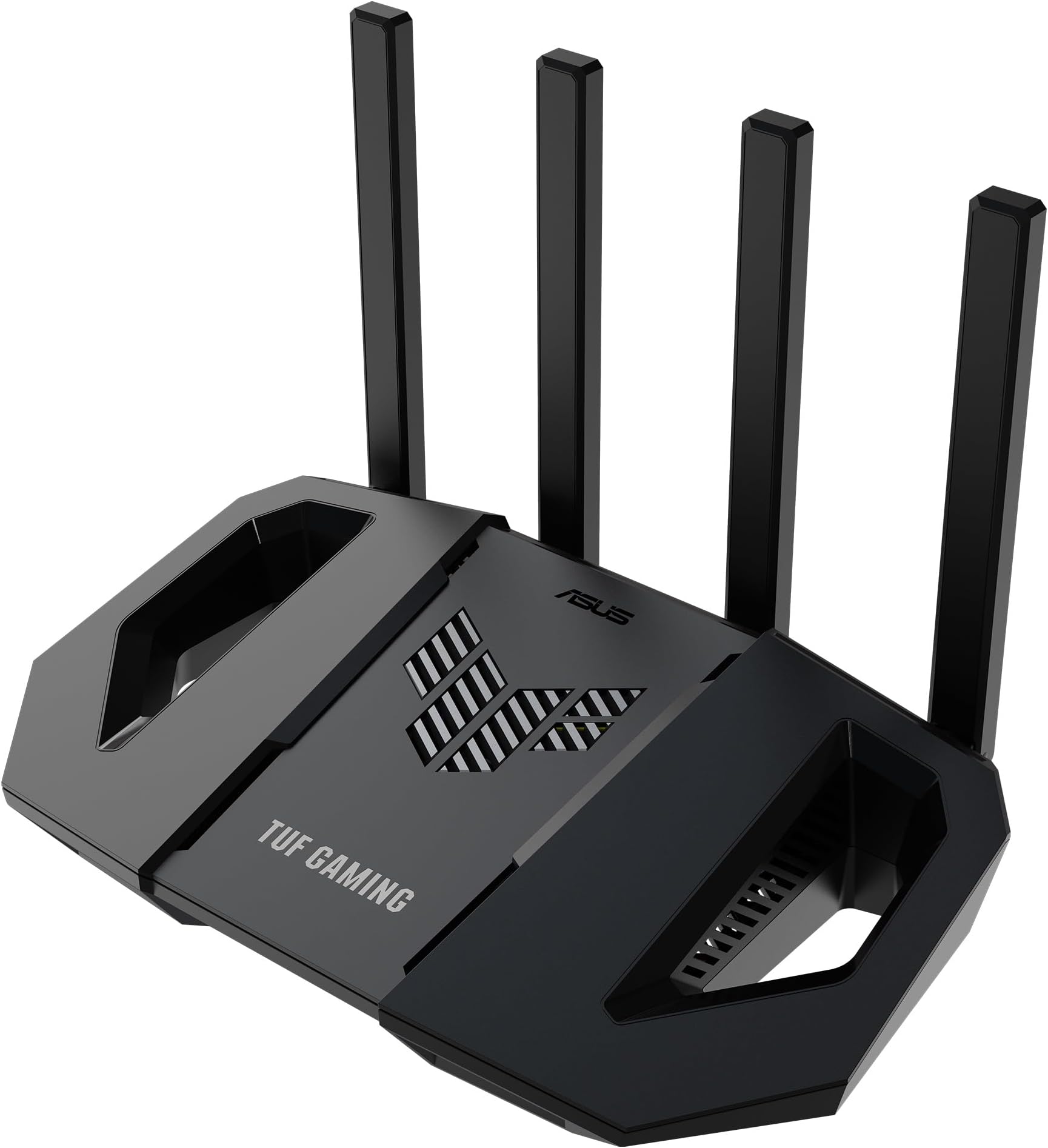
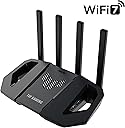
⚡ Level up your home network with ASUS TUF Gaming BE3600 — speed, power, and control in one sleek package!
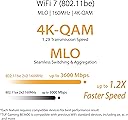
The ASUS TUF Gaming BE3600 is a cutting-edge WiFi 7 router delivering ultrafast 3600 Mbps wireless speeds, powered by a robust quad-core CPU. Featuring a 2.5Gbps wired port, mesh WiFi support, and gamer-centric tools like Mobile Game Mode and Gear Accelerator, it ensures low latency and seamless connectivity. With subscription-free security and adaptive QoS, it’s designed for professionals and gamers who demand top-tier performance and reliability.


| ASIN | B09T9GB494 |
| Are Batteries Included | No |
| Batteries | 1 AAAA batteries required. |
| Best Sellers Rank | 12,422 in Computers & Accessories ( See Top 100 in Computers & Accessories ) 84 in Routers |
| Brand | ASUS |
| Colour | Black |
| Computer Memory Type | DIMM |
| Connectivity Type | Wi-Fi |
| Customer Reviews | 4.1 4.1 out of 5 stars (1,174) |
| Date First Available | 3 July 2024 |
| Graphics Card Description | Dedicated |
| Guaranteed software updates until | unknown |
| Hardware Platform | Linux |
| Item Weight | 561 g |
| Item model number | 90IG0900-MO9C00 |
| Lithium Battery Energy Content | 2.6 Watt Hours |
| Lithium Battery Packaging | Batteries contained in equipment |
| Lithium Battery Weight | 5 Grams |
| Manufacturer | ASUS |
| Number Of Lithium Ion Cells | 4 |
| Number of Lithium Metal Cells | 1 |
| Operating System | RouterOS, Junos OS, Cisco IOS, or ZyNOS |
| Product Dimensions | 27.4 x 16.8 x 20.5 cm; 561.4 g |
| Series | 90IG0900 |
| Voltage | 12 Volts |
| Wireless Type | 802.11.be |
A**P
MADE MY VIRGIN MEDIA HUB 4 FAST
Where to begin...? This has changed everything for me. My hub 4.0 is running on a 1 gig package from Virgin Media. I was utterly shocked that it could not even transmit half of that via wireless signal. It reached 940 via ethernet however. I had 3 VM technicians out who all told me an average of 300 wirelessly was acceptable. I was gutted. I did plenty of research and now understand that the hub 4 uses WIFI 5 which limits its ability to transmit. I knew this had to be put in modem mode and a proper router (WIFI6) needed to be purchased to transmit such high speeds. That is what I did. I bought this router as it was not only reasonably priced, it offered great specs and was listed as a gaming router so I had an inclination that it would be required to preform well. After getting my router really quickly, the unboxing experience did not let me down one bit. I felt like a kid again. Gigantic box with cool militaryesque font. I wasted no time in ripping open the box faster than a 8-legged horse. The inside was fab. I loved that they gave such simple instructions on a small sheet with different options to get the router installed. They sent me a link to get a guarantee registered which I must do. The router itself is glorious. It looks like something that takes part in Robot Wars with its sleek profile and sharply styled leading edges. I spent so much time turning it over and around admiring and complementing it's design. Once I took the router out, my cat made use of the box. For some reason he loves boxes and this was certainly up his street (paws up Asus - from my cat). I set up the router after putting the dreadful hub into modem mode. When I initially launched the router, I found my speeds shockingly low. Why? Because I had not configured it properly. Here is how I configured my router to give me optimum speeds baring in mind I am using WIFI 5 devices so cannot truly unlock the potential. I knew that my laptop being WIFI5 could get around 800mbps on my network adapter so I figured that would be my benchmark for brilliance. My settings were adapted under the wireless section of the router's backend which is found at router.asus.com. I initialised two separate SSIDs for 2.4ghz and 5ghz (you will be asked at the start so don't worry). I did this because I wanted to keep the 5ghz (the faster connection) obvious and so I could manipulate just that. In the wireless tab on the left of router's backend portal I did the following: - Select 5ghz to modify the 5ghz band - Changed Wireless Mode: to N/AC/AX mixed (I did this because none of my devices will run on AX. If you have any non WIFI 6 devices, you must use my setting. Otherwise if you select AX it will disconnect devices that don't handle WIFI 6. If you do have WIFI6 devices then amazing. You can put AX only. You will literally unleash the maximum speed). - WIFI Agile Multiband: Disabled (multiband enabled will slow you down) - Target Wake Time: Disabled - Channel Bandwidth: Enable 160 MHZ then from the dropdown select 160 MHZ (this will give you the best of the best speed) - Control Channel: AUTO - Protected Management Frames: Disable (if you enable this, it will slow you down) The rest should be left as is. Please do experiment to find what is best for you. If you live in a large house, you may find my settings profile to limit the reach in which case you will likely depend on lower MHZ like 40, or just use 2.4ghz and configure as above on the 2.4 profile in the wireless tab. When you make changes and select 'Apply' it will disconnect you so do not worry about that. Just wait about 2-3 minutes for it to reconnect. If you get any trouble when you fiddle with settings, log back into the 2.4ghz and you can change whatever setting you fiddled with on the 5ghz back to how it was when working. If anyone is using mac and running bootcamp windows, please go to device manager and select your wireless card and 'roll back' the driver. The updated version you are running on makes the card slow. Anyway, enough of the technical. I feel amazing. This router has given me what I pay for: fast internet. I now average 776-810mbps on my laptop which is more or less the theoretical limit. I may not need the full speed that I get for my use, but since I am paying Virgin Media for it, I want to have that running through my house. I do not accept that their hub is acceptable when only outputting 300mbps. That is a shambles and a regular excuse they use for poor equipment. Last but not least, the design is beautiful. I love the colour changing symbol even though I don't see it! This can be modified in the router portal you open by looking for the 'aura' tab on the far right of the home screen. It's wonderful. Enjoy.
M**E
Excellent, did the job and replaced a powerline adaptor.
Picked this up during the prime sale as had been having issues with the powerline adaptor going from our house to our cabin at the bottom of the garden. Instead placed this in the kitchen (about halfway between the cabin and the main router) and bam, problem sorted. Was previously getting 2mbps up/down on the powerline, now getting 40, outstanding, the streaming from the cabin now works much quicker and has upscaled the quality to fit the faster connection. Setup was very easy with the app, seems the desktop web interface and the app have slightly different options to each other in different places which is a little confusing however with a little bit of poking about I was able to get those items in the cabin to only connect to the new node. The firmware on ASUS routers is all open-source, this means anyone can look at how it all works, ruling out any information gathering that might be going on behind your back with other solutions, working in IT myself this was of utmost importance to me. Don't be put off by the gamer-ness of the routers, they're solid, easy to use, and reliable, even if they do look like somebody has chopped off a bit of a transformer and stuck a router in it.
P**K
Replace your ISP's router with this!
I bought this router as I moved to a new house without openreach and either had to pay my new ISP for a router or get my own, I decided to get this one when it was on offer and it was one of my easiest installs! After plugging my ethernet cable from my Fiber box to this router and adding my PPPoE credentials, the router was connected immediately and I could browse the internet right away. It has some neat features built in, such as functioning as a file sharing server if USB's are plugged in, it can host its own VPN if you want to access it remotely or it can connect certain devices to a VPN if you want them separated, or in a different geographic region etc. The UI is response enough and the mobile application works great. I've had no issues with editing any settings or updating the router. The signal on it is great, even where my house has thick floors that usually block all signal.
M**D
هذا ثالث راوتر أشتريه، وموديلاتها تختلف، وكل مره آخذ واحد ألقى فيه مميزات وإمكانيات أفضل، والصراحة يستاهل سعره. هذا كلفني واصل للبيت 800 ريال
A**2
Read the all the agreements, before using any product imbedded with `Tread Micro` https://success.trendmicro.com/dcx/s/data-collection-disclosure In short, imbedded in this product (and others a-like) is `Tread Micro`, a micro-chip and software. Whom can download and read everything from your network for "user protection" including website history, personal/business emails, documents, photos, computers usage, and so much more. Without agreeing to their ludicrous bad 'Privacy Terms', you will NOT able to use the main features. They are also partented with Google, IBM, Dropbox, and 213+ more https://www.partnerbase.com/trend-micro Full list of products https://helpcenter.trendmicro.com/en-us/product-support/home-network-security/router-compatibility-list/ https://en.wikipedia.org/wiki/Trend_Micro
H**O
Just amazing product with highly coverage and recommend to buy for others.
G**B
Echt een Top router met zeer goed bereik t/m op terras. Regelmatige updates van Asus.
J**U
La configurazione è stata un gioco da ragazzi, grazie all'app ASUS Router che guida passo passo. Ho apprezzato particolarmente la funzione QoS che consente di prioritizzare il traffico per il gaming, assicurando che le partite online siano senza lag. Tra le tante funzioni, VPN Fusion è una delle caratteristiche più interessanti. Consente di utilizzare la VPN su alcuni dispositivi mentre altri possono navigare senza È un investimento che vale ogni centesimo, ideale per chi non vuole compromessi in termini di velocità e stabilità
Trustpilot
2 days ago
2 months ago