We remain fully operational. Our teams are working around the clock to ensure your deliveries continue safely.

DOWNLOAD THE APP


Copyright © 2025 Desertcart Holdings Limited
DOWNLOAD THE APP
Buy anything from 5,000+ international stores. One checkout price. No surprise fees. Join 2M+ shoppers on Desertcart.
Desertcart purchases this item on your behalf and handles shipping, customs, and support to Vietnam.
🎮 Level up your setup with speed, style, and stunning visuals!
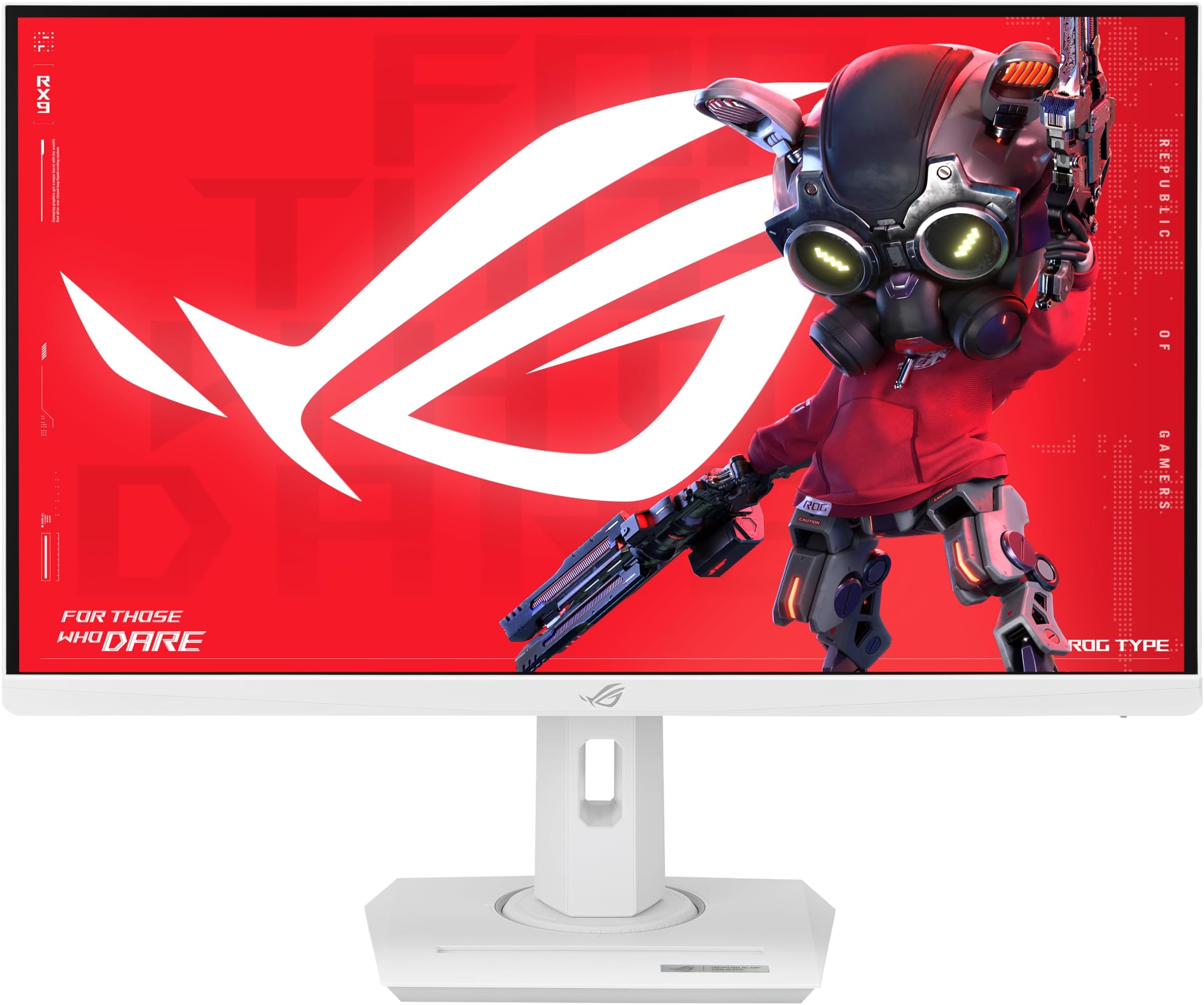
The ASUS ROG Strix XG27ACG-W is a 27-inch QHD gaming monitor featuring a blazing 180Hz refresh rate and 1ms Fast IPS response time for ultra-smooth, tear-free gameplay. It covers 95% of the DCI-P3 color gamut for vibrant, accurate colors and supports ELMB Sync combined with G-Sync compatibility to eliminate motion blur and screen tearing. Designed with a sleek white finish and equipped with USB-C connectivity, it blends high performance with modern aesthetics, backed by a 3-year warranty for peace of mind.



























| ASIN | B0CZWZKQP3 |
| Adaptive Sync | FreeSync, G-Sync Compatible |
| Additional Features | Blue Light Filter, Eye Care, Flicker-Free, QHD, 180Hz, 1ms response time |
| Aspect Ratio | 16:9 |
| Best Sellers Rank | #10,270 in Electronics ( See Top 100 in Electronics ) #293 in Computer Monitors |
| Brand | ASUS |
| Built-In Media | DisplayPort cable, Power cord, Quick start guide, ROG pouch, XG27ACG-W Gaming Monitor |
| Color | BLACK |
| Color Gamut | 125.0 |
| Compatible Devices | Desktop, Tablet |
| Connectivity Technology | DisplayPort, HDMI, USB Type C |
| Contrast Ratio | 400:1 |
| Customer Reviews | 4.3 4.3 out of 5 stars (56) |
| Display Resolution Maximum | 2560 x 1440 Pixels |
| Display Technology | LCD |
| Display Type | LED |
| Hardware Connectivity | HDMI |
| Has Color Screen | Yes |
| Item Dimensions D x W x H | 8.6"D x 24.2"W x 20.1"H |
| Item Weight | 14.6 Pounds |
| Manufacturer | ASUS |
| Model Name | MONITOR |
| Model Number | XG27ACG-W |
| Native Resolution | 2560x1440 |
| Number of Component Outputs | 3 |
| Picture Quality Enhancement Technology | ASUS Fast IPS Technology, ASUS Extreme Low Motion Blur Sync (ELMB SYNC), 95% DCI-P3 color gamut |
| Refresh Rate | 180 Hz |
| Resolution | QHD Wide 1440p |
| Response Time | 1 Milliseconds |
| Screen Finish | Matte |
| Screen Size | 27 Inches |
| Shape | Flat |
| Specific Uses For Product | Desktop, Gaming, Photo Video Editing |
| Total Number of HDMI Ports | 2 |
| Total Usb Ports | 1 |
| UPC | 197105571723 |
| Viewing Angle | 178 Degrees |
| Warranty Description | 3 year |
| Warranty Type | 3 Years Manufacturer Warranty |
A**Y
My First Monitor and It’s Perfect
My first monitor!!! and I’m genuinely obsessed. It is SO hard to find a white monitor that actually looks clean and high-end, but the ASUS ROG Strix XG27ACG-W absolutely nailed it. The design is stunning even the back is beautiful, which almost never happens with gaming monitors. It fits perfectly into my aesthetic setup without sacrificing the performance. The 27" QHD display is the sweet spot. Everything looks incredibly sharp and detailed, and the Fast IPS panel makes the colors pop (the 95% DCI-P3 coverage is very noticeable). The 180Hz refresh rate with the 1ms response time makes gameplay feel insanely smooth, and ELMB Sync + G-Sync compatibility means no tearing or motion blur just clean, fluid visuals. HDR adds extra depth, and the brightness and contrast are great for both gaming and everyday use. USB-C is a huge bonus for a minimal, and single-cable setup. Performance aside, the all white finish is what makes this monitor special. It’s sleek, modern, and surprisingly rare in this category for some reason 🤨. ASUS also including a 3-year warranty gives extra peace of mind especially because i bought it used 😬. For a first monitor, this feels like I skipped straight to endgame. Beautiful, fast, color accurate, and aesthetic. I couldn’t be happier. Thank you!!!
E**N
Great for the price!
Love this monitor! Colors are solid, obviously blacks aren't amazing since it's an IPS panel, but if you can't afford mini led or OLED, this is great. Actual monitor itself also looks great, can't complain about the aesthetics. One issue I had during installation was trying to figure out how to remove the stock stand, turns out one thing the manual doesn't mention is that one of the half-rings in the back has a hole that you need to find by rotating the monitor into the right orientation, it'll line up with the little notch. Once you find that hole it's way easier to trying prying the rings off.
T**A
100% recommend
It worked so well I bought a second one. The lights are so cute in the back. Worth every penny!!!
P**A
Satisfying Monitor (6+ months review)
Had it for nearly half a year now. My last monitor was nearly a decade old so I have no frame of reference for quality etc, but I really like how it looks. I kinda wish the led on the back would detect when the computer was off and adjust accordingly, but it feels like too minor an issue to subtract a star. My phone is a samsung galaxy s23+ with a thick defender case and it fits snugly in the space provided in the base, and the usb-c connection can kinda charge it up. I haven't had any issues thus far, and it performs as advertised. It arrived very well packaged, and was pretty easy to assemble. I did get this monitor on sale, but I was strongly debating a purchase even at full price, and it feels worth it.
D**3
Excellent Monitor
It's really an excellent monitor if you don't want to spend a lot. The display is great, really easy to setup and feels great adjusting it. It comes with a lot of personalization options both for gaming and regular/work usage that makes is really adaptable to your use. Also has configurable led backlights that give it a nice touch.
A**T
Solid IPS Monitor
Decent ips monitor, the visual clarity was very good, Brightness and setup was easy. The only downside for me for the true blacks you receive in an oled. If your looking for a dependable good looking ips monitor thats budget friendly this monitor delivers.
A**T
How to fix locked controls
If you accidentally lock the keys on this monitor, locate the 5 way joystick button and hold it down for 5 seconds. Like push it to towards the bottom of the screen, don’t just push it in. You could push it up, to the side, or to the other side, or push it downwards. Push it downward to unlock the controls. Monitor seems to work well. I just thought I would let you know how to fix that if you had an issue like I did, it was user error, not the monitors fault at all.
C**S
Dead pixel
Just received my monitor and it has a dead pixel right in the middle of the screen. Very disappointing.
I**Z
Muy buena calidad de materiales y de imagen, se nota el cambio de 1080p a 1440p y el color blanco combina con mi set up.
J**H
White color is very beautiful! Quality very good
D**E
Tardo mucho en llegar pero fue más de lo que esperaba, contento con el QHD
P**O
Excelente, llego en perfecto estado, hice las pruebas y ni tiene ningun pixel muerto o fuga de luz
R**N
Me encanto este monitor, cuenta con una frecuencia de 180 Hz con HDR. funciona bien en mis juegos y estéticamente es muy elegante. Sin embargo tuve que devolverlo ya que por mala suerte me vino defectuoso, no se cumplían las 2 semanas de su uso y note 2 pixeles atascados en el panel, trate de arreglarlo pero no se pudo, si bien no afecta su funcionamiento del monitor el hecho de saber de que están ahí no me dejaba tranquilo y con el temor de que le salieran mas pixeles dañados al panel. Ojo tuve que comprarle un cable adicional display Port 2.1 porque el que trajo el monitor no soportaba la frecuencia máxima con el HDR activado, la pantalla comenzaba a parpadear por momentos esto debido a las limitaciones de la interfaz del cable.
Trustpilot
3 weeks ago
3 weeks ago