Buy anything from 5,000+ international stores. One checkout price. No surprise fees. Join 2M+ shoppers on Desertcart.
Desertcart purchases this item on your behalf and handles shipping, customs, and support to Vietnam.
🔥 Elevate your game and workspace with the ultimate 4K OLED powerhouse!
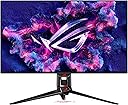
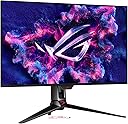
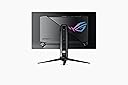
The ASUS ROG Swift PG32UCDM is a 32-inch 4K UHD QD-OLED gaming monitor featuring a blazing 240Hz refresh rate and 0.03ms response time for ultra-smooth visuals. It incorporates advanced cooling with a custom heatsink and graphene film to reduce burn-in risk, supports G-SYNC and FreeSync Premium Pro for flawless adaptive sync, and offers professional-grade color accuracy with 99% DCI-P3 and true 10-bit color. Designed for gamers and creators alike, it includes versatile connectivity options including 90W USB-C power delivery and comes bundled with a 3-month Adobe Creative Cloud subscription.


| ASIN | B0CV26XVMD |
| Adaptive Sync | G-Sync Compatible |
| Additional Features | 1/4" Tripod Socket : Yes, DYNAMIC SHADOW BOOST, Flicker-Free, GAMEVISUAL, Hight adjustable: 0-80mm, QD-OLED, 240Hz, 0.03ms, Spill resistant, Swivel : Yes (+15° ~ -15°), Tilt : Yes (+20° ~ -5°), VESA Wall Mounting : 100x100mm |
| Aspect Ratio | 16:9 |
| Best Sellers Rank | #4,851 in Electronics ( See Top 100 in Electronics ) #184 in Computer Monitors |
| Brand | ASUS |
| Brightness | 1000 Candela per Square Meter |
| Built-In Media | DisplayPort cable, HDMI Ultra High Speed Cable, PG32UCDM, Power adapter, Power cord, Quick start guide, ROG pouch, ROG sticker, USB 3.2 cable, USB-C cable, VESA mount kit, Warranty Card |
| Color | BLACK |
| Color Gamut | 100.0 |
| Compatible Devices | Desktop |
| Connectivity Technology | HDMI, 3x USB 3.2 Gen 1 Type-A, USB-Type C, display port |
| Contrast Ratio | 1500000:1 |
| Customer Reviews | 4.6 out of 5 stars 512 Reviews |
| Display Resolution Maximum | 3840 x 2160 Pixels |
| Display Technology | QD-OLED |
| Display Type | OLED |
| Hardware Connectivity | HDMI |
| Has Color Screen | Yes |
| Image Contrast Ratio | 1500000:1 |
| Item Dimensions D x W x H | 21"D x 38"W x 49"H |
| Item Weight | 19.4 Pounds |
| Manufacturer | ASUS |
| Model Name | PG32UCDM |
| Model Number | PG32UCDM |
| Mounting Type | Wall Mount |
| Native Resolution | 3840x2160 |
| Number of Component Outputs | 2 |
| Number of Height Positions | 3 |
| Picture Quality Enhancement Technology | TÜV Flicker-free TÜV Low Blue Light (Hardware Solution) G-SYNC Compatible |
| Pixel Pitch | 0.18 |
| Processor Count | 1 |
| Refresh Rate | 240 Hz |
| Resolution | 4K UHD 2160p |
| Response Time | 0.03 Milliseconds |
| Screen Finish | Matte |
| Screen Size | 32 Inches |
| Screen Surface Description | Matte |
| Shape | rectangular prism |
| Specific Uses For Product | Business, Gaming, Photo Video Editing |
| Total Number of HDMI Ports | 2 |
| Total Usb Ports | 3 |
| UPC | 197105413726 |
| Unit Count | 1.0 Count |
| Viewing Angle | 178 Degrees |
| Voltage | 20 Volts (DC) |
| Warranty Description | 3 years |
| Warranty Type | 3 Year Warranty with ARR |
C**I
Outstanding monitor, with some things to know
This review is for the ASUS PG32UCDM, which is a QD-OLED monitor sporting a 240hz refresh rate and 4K resolution to clarify when Amazon lists all the reviews together in the way they do. Gaming performance: At 240hz, provided your graphics card can push pixels that quickly, this monitor is at the top of the game when considering the speed of competitive 4K monitors. There does not currently (2/24/25) exist a 4K panel that can do more than 4K 240hz, if you require more for competitive gaming then you should look elsewhere to a 1440p monitor or the like. I played Halo Infinite at 240hz and the experience was divine. Coming from a 144hz 4K 27" IPS panel, there is no comparison: the picture was unimaginably clear, vivid, crisp, and with dark blacks. Age of Empires IV with HDR mode enabled looks like a different game entirely. I will have to replay every older game I own with this monitor. The colors quite literally give life to old games and show you things in titles you've already played that you may have missed on your older monitor. Other media consumption: I do not own a TV, thus I consume all of my media through my computer and a monitor that could natively display all current types of media formats (HDR, Dolby Vision, etc) was important to me and this monitor excels in media consumption much like an OLED TV does. This monitor supports Dolby Vision which is quite uncommon among computer monitors, competitor's products that I've checked during my research prior to buying (Gigabyte F032U2P as well as the MSI equivalent) fall short in this area, not supporting DV. Switching HDR modes is easily accessible in the monitor settings. HDR support is excellent just the same as DV and is the default mode. Just like with games, true blacks show with OLED panels such as this one because the pixel completely turns off, unlike other panels where local dimming and other technologies try to reproduce black shades but they often come out gray as some light from the backlight shines through. Not the case with this monitor. The dark, eerie, emptiness of space in 1979's Alien really comes through and the vivid colors of Avatar shine bright as if you were really on Pandora. I cannot express enough how important a good monitor is when putting together a gaming or media setup. It is the primary way you interact with your computer. Things to know: OLED is susceptible to burn in, and as in the old days with CRTs (which were also prone to burn in), care must be taken to mitigate the effects. It's the return of the screen saver. The monitor comes with a standard 8 hour pixel refresh cycle which prompts you with the on screen display to run a pixel refresh. It takes about 5 minutes to complete, and you can postpone it if you so wish. It is also recommended to use a dark windows theme, no background, auto-hide taskbar, among other mitigation measures. Text fringing: I thought this would be a problem for me, since I am both easily nauseated by blurry text and use my computer for a lot of text-based work as well (coding and writing these reviews...). Truthfully it is only noticeable if you get very, very close to the screen, much closer than is usable. There are also mitigation measures you can take for this such as using different fontpacks and so on. Overall, this monitor is excellent and I forsee using it for 5+ years. I will edit this review if burn in appears in any significant or severe way or earlier than expected.
R**A
Glossy vs Matte, what I learned
Using a glossy screen makes computing enjoyable again. The vibrant colors and sharp details of the user interface truly pop, making everything from daily tasks to gaming feel more immersive. Gaming on this monitor is an exceptional experience—it's as if you're stepping inside the game world. The level of clarity and vividness it offers is truly a game-changer. In my attached video review, I discuss how matte screens diffuse light across the surface, which I believe causes more eye fatigue compared to the crisp clarity of a glossy screen. While matte screens create a hazy effect, glossy screens may reflect light sources, but the reflections are only noticeable when directly aligned with the light. Most of the time, the reflections fade into the background when you're focused on the screen. The glossy finish provides such exceptional clarity that it easily outweighs any minor inconvenience from reflections. Of course, this is just my personal experience—I'm not an eye doctor or expert—but I think the benefits are undeniable. This monitor is an excellent choice, though it’s worth noting that exciting new technologies are on the horizon. Innovations like Nvidia Pulsar and tandem OLED displays (as seen on the iPad Pro) are expected in the next few years. Alternatively, Mini-LED monitors with a glossy finish will be arriving sooner, offering similar clarity with less risk of burn-in compared to OLED. Correction from my video: I mentioned that it's best to cap your frame rate to a factor of the monitor's refresh rate (e.g., 60, 80, or 120). However, this isn't necessary with FreeSync Premium Pro, which this monitor supports! Unlike regular V-Sync, which can cause input lag and stuttering when frame rates drop below the monitor's refresh rate, FreeSync Premium Pro is an advanced type of adaptive sync that dynamically adjusts the monitor's refresh rate to match the GPU's frame rate in real time, with added support for HDR content. In other words, just let your GPU run without a cap, and the monitor handles the smooth playback automatically. Lastly, in my video review, I mentioned that the little ROG logo on the lower bezel couldn't be turned off. I later discovered that this can be disabled via the 'POWER INDICATOR' setting—problem solved! Overall, the 32UCDM is a fantastic monitor that’s hard to beat for both work and play. I know the price tag is high but believe me, it will not matter when you experience this monitor. The money spent won't matter to you. Highly recommended! Good luck, and enjoy the immersive experience. ___ Update____ This monitor continues to impress me—it’s the best I’ve ever owned! Since my initial review, I’ve discovered even more reasons to love it. Thanks to its higher pixel density (140 PPI), I’ve realized that I don’t need to game at 4K native resolution. Playing games at 1440p on this QD 4K panel offers a comparable experience to gaming on a non-QD 4K display, freeing up significant GPU power. This extra performance headroom allows me to crank up in-game settings and focus on enhancing the overall visual quality without needing to push for a higher resolution. With my 7900 GRE, I am now able to game at 1440p with 60 FPS on the most graphically demanding titles with Ray Tracing various settings Enabled! Additionally, playing at 1440p instead of 4k also lets me use higher texture settings, as the reduced resolution demand saves processing power. This results in stunning visual fidelity without requiring the brute force of running games at native 4K resolution. This monitor is saving me from the expense of buying a top-tier GPU. Instead, I’m planning to invest in a GPU optimized for the best 1440p settings and Ray Tracing capable hardware rather than overpaying for one that pushes 4K at near-maximum settings. I’m absolutely in love with this monitor, and it has reshaped the way I think about gaming and display technology. Highly recommended!
H**E
Premium Quality, Worth Every Penny
I’ve been using the ASUS ROG Swift PG32UCDM for a bit now, and honestly, you really do get what you pay for. This monitor feels premium in every way, from the build quality to the insane feature set. The 4K QD-OLED panel with 240Hz is absolutely stunning, with rich, vibrant colors and super smooth performance. Everything just looks amazing. One thing I really appreciate is the confidence ASUS shows by including a 3-year warranty along with the OLED Care features to help protect and extend the life of the panel. That alone gave me a lot of peace of mind when buying an OLED monitor, and it feels like a solid move by ASUS. Setup was easy, all the accessories were included, and the overall quality is top-notch. Colors are rich, contrast is incredible, and gaming feels on another level. I’m super happy with this purchase and honestly couldn’t have chosen a better monitor. Highly recommended if you want a no-compromise, high-end display.
V**K
Absolutely outstanding OLED gaming monitor, purchased from Amazon
For quite some time, I was looking for a reasonably sized 4K (3840x2160) OLED monitor to be used for both gaming and productivity. When ASUS announced the 32” ROG PG32UCDM Gaming Monitor, I immediately signed up to be notified when it became available in stock. Unfortunately, as soon as I got an e-mail notification and went to their site, it was already out of stock again. I decided to visit my favorite online retailer, Amazon.com, to see if they were available. They were, but with a caveat. Initially, and for the longest time, the monitors were only available from third parties. I've had lots of good luck with third-party purchases through Amazon, but apparently the first reviewers of the PG32UCDM did not fare as well. Virtually all low-star reviews were due to DOAs or other quality issues, perhaps caused by early or returned inventory. I decided to hold tight and wait for a monitor sold and shipped by Amazon. That day arrived last week and I'm now typing this review using the brand new, gorgeous OLED monitor. I can confidently state without hyperbole that this is the best monitor I've ever used in my lifetime. The blacks are zero-nit infinite blacks, the highlights are brilliant and crisp, the connectivity and feature set are absolutely top notch, and the heft and build quality are really second to none. Used for both FPS and MMORPG, as well as business applications (e-mail, web-based work, MS Office apps, etc.), I've never used a monitor with text and graphics that were easier to read with zero eyestrain. I was a bit concerned about the gloss finish of the monitor, having a window right behind me, but even with a black screen I can barely see any reflections from light behind me. It's witchcraft, I swear! I could gush on for a while, but I'll wrap up with a pleasant HDR Windows 11 surprise. Anyone who has enabled HDR on a Windows 10/11 PC has immediately noticed all contrast and colors become muted and dull. Firing up an UHD HDR video on YouTube in full screen looked fantastic, but "regular" Windows was bleached out and mostly unusable. Well, ASUS has a solution for that called "DisplayHDR 400 True Black". When enabled for HDR, almost all the contrast lost by enabling HDR in Windows is restored. Plus, you still get that jaw-dropping stunning "infinite depth" from 4k HDR videos. It's truly the best of both worlds. The ASUS PG32UCDM 32” 4K OLED Gaming Monitor gets my highest recommendations! Buy one now!
C**N
Truly great monitor, though it has flaws.
The monitor, like all the QD-OLED monitors, has a truly awe-inspiring picture, from inky blacks to extremely bright whites, and truly rich colors - so rich I had to turn the saturation down. Unlike its main competitor, Alienware (Dell), it has a built-in KVM switch and the usual passel of gamer-centric features. (Though most of those are only really useful for first person shooter and Battle Royale games). It provides a full set of cables in their own pouch: A Displayport cable, an HDMI cable, and two USB cables. It has built in safety measures to prevent the evergreen OLED problem, burn-in. It also comes with software that can replicate most of its hardware menu items, but easier and quicker. It even has Picture-in-Picture, so those using this behemoth for work can monitor work and home computers simultaneously. It's a gorgeous piece of hardware and unlike some previous reviewers mine came and worked perfectly, so maybe ASUS got their stuff together. But there are downsides. Some are big ones: -- The KVM switch is awkward to use to say the least. You have to press a button, select using the tiny monitor joystick, and then it switches. And it used to be worse - you had to switch keyboard, mouse, and video source *separately.* That's been fixed with firmware, thank goodness. -- HDR (High Dynamic Range) can be very problematic with the monitor, as using it as an HDR monitor removes almost all ability to control the picture. There are far better HDR monitors out there. -- Some overly adolescent features (such as a bottom-facing projector; they even provide a set of lenses for it, including blanks and of course the ROG logo). -- Only one Displayport input. The others are two HDMI ports, a USB-B port, three USB-A ports and a Thunderbolt/USB-C port, either for using the monitor as a hub or for KVM. -- Documentation, including the official manual, is *abysmal.* That's not just an ASUS problem, that's an industry problem. But expect zero help in, for example, setting up the downward projector - it isn't mentioned in the manual at all. Nor are explanations for a lot of the built in menu options. I had to use Reddit to get most of my info. -- Giant power brick. It's 600W and almost as big as my computer's power supply! -- Availability is also abysmal. This is an *extremely* popular monitor and expect the price to keep going up (July 2024), because it is in such hot demand. Shades of the Great Graphics Card Shortage of 2020-2023. In summary: A great monitor that falls short of being the ultimate.
S**N
better than being there!
This greatly exceeded my expectations in spite of seeing many video reviews: I've had it two days and used it for the desktop and video apps. The monitor is the display for an Nvidia RTX 4080 super GPU, a Taichi x670E MB, and an AMD Ryzen 9 7950X CPU with 64GB of ram. I don't know how much of this processing power is needed for the monitor to be performing as well as it does, but obviously the hardware has to be able to drive it effectively. 1. The zero black level makes a huge difference. I loved my IPS 1440p monitor that took 10 bit color. It was so much brighter, with more and deeper colors and dynamic range than my LED monitors. I have a dual display setup and can compare the images between the monitors. The IPS (PA272W) looks entirely pale and washed out in comparison, quite low contrast. Even the IPS monitor was itself a big improvement over my older LED display. 2. Keeping the monitor in HDR mode is not good for SDR videos. I got a convenient windows app "HDRTray-v0.5.90" to easily check and change modes. SDR videos look washed out in HDR mode. Even in SDR mode, though, the video's colors look much wider gamut and more intense and realistic on the PG32UCDM. 3. HDR10 4k films look astounding. Better than in movie theaters, even very good ones like the upgraded Grumman's Chinese theater (now Kodak) with 3-laser 4k projection, and much better than your standard 2k digital projection theater. While the resolution is much less than a 35mm film projection (at least 20 million pixels), the wider gamut and dynamic ratio of this monitor are much more important to the experience for me (at least for color video), and obviously for all the theaters moving to digital projection. 4. The 4k HDR10 films look astoundingly realistic. I feel that I am actually watching directly, not via a recording. In fact it looks better than in person, perhaps because of being more close up than when usually watching a scene, Night scenes look better too, perhaps because of light scatter reducing black levels in real urban situations, or perhaps due to a bit increase in color saturation by the film studios. It's really more clear, detailed, and with more subtle color variation, than when taking to someone face to face. At least it gives that strong feeling. 5. I still find it helpful when using VLC player to have the player upscale from 1080p with video sharpening adjusted to a low level, making the image sharper on the 4k display. The GPU is supposed to do something about this too, but not enough. 6. The main drawback to OLED monitors is burn-in. The 3 year warranty shows that Asus has confidence in their new technology and protection mechanisms. There are myths about the pixel clean and pixel refresh options of QD-OLED monitors. What my own research into the details of that show (given the proprietary and secret nature of the Asus processes), is this. Each color of a pixel is a piece of polymer film filled with very tine (0.5 - 2 nm) semiconduction particles called quantum dots. Quantum confinement means the electrons in the free shells or levels in the quantum dots have energy levels dependent of the dot volume. When stimulated by blue LED back lights (3 for each subpixel), the electrons absorb the photons, go to a higher level, then fall back emitting a corresponding color (red or green). The blue subpixel of a pixel has no quantum dots on it. Pixel refresh gets rid of persistent images. It simply cycles each subpixel a number of times that discharges residual energy that causes the persistence. Pixel cleaning happens less often. The organic chemicals in the dots decay with time and use, getting dimmer. The monitor keeps track of how much time the monitor has been used, and how much of that was static images. It estimates the degradation of the subpixels, and increases the set voltage on the transistor gates accordingly. The monitor is manufactured with enough headroom on the blue LEDs to maintain color intensity for some total hours of monitor use- presumably much longer than the 3 year warranty on this monitor. So these processes are entirely desirable and do not negatively affect the monitor performance in any way, as they run by default. (The monitor automatically runs them.) The monitor uses other strategies to prevent burn-in or loss of intensity, such as pixel shifting and dimming the display when nothing is happening. as soon as you do anything, it gets bright again. I did a few more things to prevent burn-in from static images. I installed a convenient app called "AutoHideDesktopIcons.exer" for windows, although windows 11 has a system tray toggle for that. When I left click the desktop, the desktop icons appear. When I middle click the mouse on the desktop, the disappear. The static desktop icons seem a very likely source of burn-in. Another app, "AutoHideMouseCursor", can be set to hide the mouse cursor if it doesn't move after some set time period. If you leave the computer for a long time, the cursor says in the same position and seems like a source of burn in. This avoids that. Both of these free programs leave a small window open on the desktop asking for donations. I made a new desktop (Win+Tab) and moved them to that to hide them. Of course I have the taskbar set to autohide to avoid burn-in from that. 7. I did a lot of checking for dead or stuck pixels. I couldn't find one. This is amazing given there are 24 million subpixels on the screen. It says a lot for Asus manufacturing process and quality control. 8. Using the OSD (On Screen Display) was a bit tricky for a few minutes. Press in on the tiny joystick to open the OSD. What i took time to figure it out is there are two more pressure buttons under the joystick to either side. The left one exits the OSD and right one is the power switch. The onscreen legend is clear about this but it was not intuitive for me to read it at first. The very brief start guide also did not help. 9. Assembly was surprisingly easy. It almost seems to lightweight and fragile a way to support the monitor, and too easy too assemble. But it seems pretty solid, although the monitor has a bit of play in the pivot or roll direction. Maybe I did not secure it to the stand fully. It has no swivel adjustment except for moving the stand. It has no height adjustment and limited tilt adjustment. I am fine with that in exchange for the light, elegant and simple stand. there are other solutions if those adjustments are needed. The monitor is thin yet sturdy, and very light. I like the design, where the screen itself is thin (I estimate 1/8") but a slightly smaller rectangular housing behind it, roughly 1.3" thick, contains the electronics. It looks futuristic. The RGB lighting is minimal and, I think, can be turned off. 10. For my eyes, the slightest trace of pixelation disappears at 16". for an 8k 32" display, that would be 8". It would not add to the actual seen resolution of an image. It would need to be 64" to make sense for use as a desktop monitor, which is way too big for most people. It seems to me 4k resolution is pretty future proof for a desktop monitor as opposed to large screen tv where people might be sitting 6' away. Even for a typical large screen tv for the living room, 8k resolution seems to be overkill. In other words, this 4k monitor seems future proof in terms of resolution. What would be a big improvement in the technology would be brightness. This monitor has an HDR rating of only 400, which is minimal. A major improvement in OLED technology would be needed to reach an HDR 1000 rating. That being said, I decided the OLED image quality was more important than the best HDR dynamic ratios, as for example from mini-LED or micro-LED monitors which have their disadvantages. For me the brightness levels of this monitor are great, as I keep my office fairly dark.
B**O
Luxury Monitor
PROS: Stunning Colors and Contrast, Color Calibration, HDR, 240hz, G-Sync/Free Sync, OSD options, QD-OLED CONS: Price, DP 1.4, Clunky OSD, *potential VRR Flickering* Monitor setup was incredibly ez, 2 basic steps and its attached to the stand ready to go. First impressions after turning it on, the screen looks AMAZING! It has great colors, both "sRBG" and "Wide Gamut" image modes seem well calibrated. It has an array of settings you can mess with on the monitor to tune it to your liking. HDR works and looks good, though I haven't used HDR much yet. I have played both a single player game and an FPS on it and their isn't another monitor that even comes CLOSE! The glossy panel finish is definitely worth it if you can control the brightness in your room. All in all, this is definitely a luxury item for those that want to get the most out of a high end gaming PC and experience exceptional display quality! I've used the monitor on both HDMI 2.1 and DP 1.4 and haven't had issues with either. Some people report VRR Flickering in darker scenes but I haven't had any problems as of yet. Navigating the settings on the monitor is a little clunky, I find that I sometimes accidently turn things on, but its not a deal breaker. The price point may be a point of contention for some but this monitor offers virtually all the bells and whistles (Except for DP 2.1) and at a price that matches that. There are cheaper options on the market that still give you amazing quality but at cheaper price and without some of the "premium" features that you may not use anyway. It does have RGB that shines down from the stand that is completely unnecessary and annoying but that can be turned off in the monitor settings. *NOTE: The one I ordered was SOLD and SHIPPED by Amazon not a 3rd Party*
C**T
Amazing Monitor with Fantasic Image Quality and Motion
Had this monitor for almost a couple of years now. I have had 0 issues. I have been keeping the firmware up to date and every feature I have used works great. Compatible with my monitor arm and the viewing angles are perfect from any side. I have used both HDMI and Display port and both work great. There is the light magenta hue, but I only see that when the monitor is off. I have had no problems with text or any fringing even with the text sized increased. Overall this is the best monitor I have ever owned and I plan on using it for many more years.
G**G
Best gaming monitor i have used
I have spent a small fortune over the years looking a great looking, performing monitor. This one coninvinced me and now i have 2 side bi side
V**S
No te arrepentirás.
Edito: con el nuevo Dlss 4.5 todos mis juegos ahora llegan sin problemas a 240fps en 4k es el momento perfecto para comprar este monitor. Es hermoso, la mayoría de juegos los puedo jugar en 120FPS en 4k, juegos competitivos los juego en 4k a 240hz y la calidad de la imagen es simplemente maravillosa. tengo una RTX 5080 astral
R**O
El mejor
El mejor monitor llegó perfecto
S**S
Great monitor
Great monitor colours beautiful Would definitely recommend it
A**M
Worth every penny
I have used the top 5 OLED gaming monitors on the market including the 27” 4K 240hz OLED model. If you want 32” at 4K 240hz this is the monitor for you especially if you can get it on sale. Remember to update its firmware for the latest features and you will be delighted. My PC and PS5 Pro both look gorgeous on this and this is very much an end game monitor.
Trustpilot
2 weeks ago
2 months ago