Buy anything from 5,000+ international stores. One checkout price. No surprise fees. Join 2M+ shoppers on Desertcart.
Desertcart purchases this item on your behalf and handles shipping, customs, and support to Vietnam.
🎮 Dominate with speed, style, and stunning visuals — the OLED G6 is your ultimate gaming weapon.
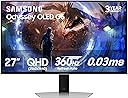
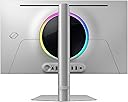
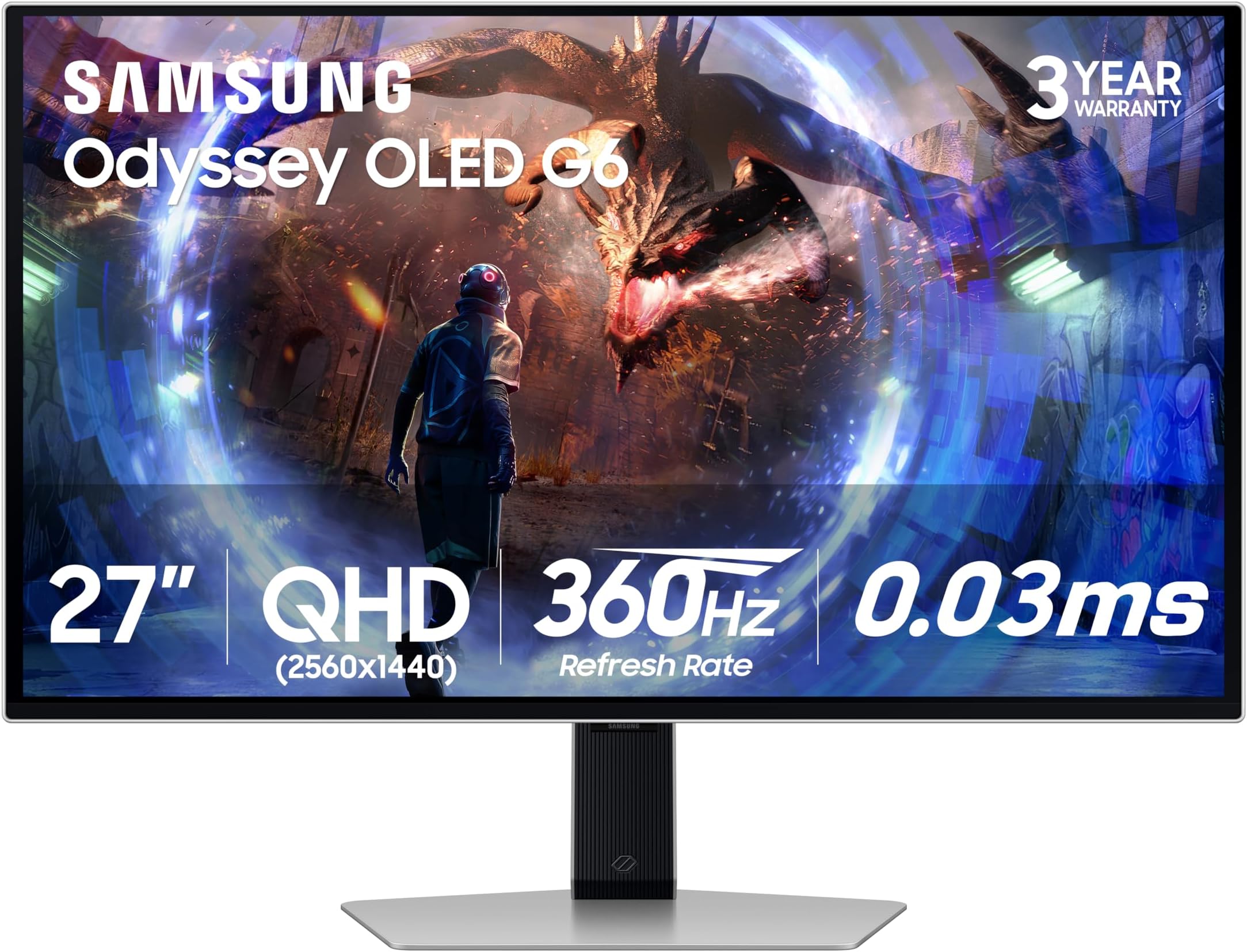
The Samsung 27” Odyssey OLED G6 (G60SD) is a cutting-edge gaming monitor featuring QD-OLED technology with QHD resolution, a blistering 360Hz refresh rate, and an ultra-fast 0.03ms response time. It integrates AMD FreeSync Premium Pro for tear-free gameplay and a pioneering Dynamic Cooling System to prevent burn-in, ensuring long-term durability. Its anti-glare matte screen and sleek, ultra-thin design make it a premium choice for serious gamers seeking both performance and style, backed by a 3-year warranty.


| ASIN | B0D1DPFZLZ |
| Adaptive Sync | FreeSync Premium Pro |
| Additional Features | AMD FreeSync™ Premium Pro, Auto Source Switch+, Black Equalizer, Ergonomic Stand, Eye Care, Flicker-Free, Samsung OLED Safeguard+, Super Arena Gaming UX, Super Ultrawide GameView, Virtual AIM Point |
| Aspect Ratio | 16:9 |
| Best Sellers Rank | #9,052 in Electronics ( See Top 100 in Electronics ) #300 in Computer Monitors |
| Brand | Samsung |
| Brightness | 250 Candela |
| Built-In Media | Mini DisplayPort Cable, Power Cable, Remote Controller |
| Color | Silver |
| Color Gamut | 0.99 |
| Compatible Devices | Desktop, MAC |
| Connectivity Technology | HDMI |
| Contrast Ratio | 1,000,000:1 |
| Customer Reviews | 4.3 out of 5 stars 364 Reviews |
| Display Resolution Maximum | 2560 x 1440 Pixels |
| Display Technology | OLED |
| Display Type | OLED |
| Hardware Connectivity | DisplayPort, HDMI |
| Has Color Screen | Yes |
| Image Contrast Ratio | 1,000,000:1 |
| Item Dimensions D x W x H | 10.4"D x 24.1"W x 21.8"H |
| Item Weight | 15.2 Pounds |
| Manufacturer | Samsung |
| Model Name | SAMLS27DG602S |
| Model Number | LS27DG602SNXZA |
| Mounting Type | Wall Mount |
| Native Resolution | 2560x1440 |
| Number of Component Outputs | 3 |
| Picture Quality Enhancement Technology | OLED Safeguard+, OLED Glare Free |
| Power Consumption | 55 Watts |
| Refresh Rate | 360 Hz |
| Resolution | QHD Wide 1440p |
| Response Time | 0.03 Milliseconds |
| Screen Finish | Matte |
| Screen Size | 27 Inches |
| Screen Surface Description | Matte |
| Shape | Flat |
| Specific Uses For Product | Gaming |
| Total Number of HDMI Ports | 2 |
| Total USB 3.0 Ports | 2 |
| Total Usb Ports | 2 |
| UPC | 887276832579 |
| Viewing Angle | 178 Degrees |
| Voltage | 240 Volts |
| Warranty Description | 3 Year Manufacturer |
| Warranty Type | 3 Years Manufacturer Warranty |
J**D
Best gaming monitor I’ve ever owned!
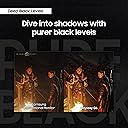
The Samsung 27” Odyssey OLED G6 (G60SD) is an outstanding gaming monitor. The screen quality is absolutely amazing. The QD-OLED panel delivers vibrant, accurate colors with deep blacks and incredible contrast. Everything looks sharp and smooth in QHD, and the 360Hz refresh rate with the 0.03ms response time makes gameplay feel incredibly fluid and responsive. One of the biggest surprises for me is how comfortable it is for long gaming sessions. I can play for hours and my eyes don’t feel strained or fatigued. The anti-glare coating really helps, and the overall brightness and color balance are easy on the eyes while still looking vivid and immersive. The color scheme and overall design are sleek and modern. It looks great on the desk and feels premium. The built-in cooling system is a nice bonus for long-term performance, and the 3 year warranty adds peace of mind. For everything this monitor offers OLED quality, 360Hz performance, FreeSync Premium Pro support, and solid build quality, this is a great price. If you’re serious about gaming and want top-tier visuals and performance, this monitor is perfect!
C**.
360HZ OLED BEAST!
I waited over a year to write this review and honestly it's going to be a short one because this monitor has been flawless! I mostly play competitive FPS games, COD, counter strike, Apex, etc. Let me say this monitor improved my gameplay more than upgrading my whole computer to the current generation of top tier gaming hardware. I also own a similar LG monitor and LG 65" OLED TV but this stays as my main display. Build quality is excellent, colors, clarity are insane. Every game I played looked incredible and the movements felt so much better!
P**K
BEST GAMING MONITOR EVER!
Very easy to put together right out the box and easy to set up! The games I play on my pc play at a much higher frame rate than they did before this monitor (and this is on max settings). Highly recommend! 5/5 stars.
H**.
Overall 10/10
Amazing picture quality , Inky blacks and amazing response times. Only con i’ve found so far is the occasional oled care feature that basically turns the screen off and back on. I haven’t learned how to de activate or put so that it can only be manually activated. One thing to have in mind is that the stand that it comes with is screwless so if you have a monitor arm and no extra M4 screws to attach the plate i didn’t see any in my box , maybe it’s a QC issue and i didn’t get mine but im not able to say. HDR experience is really good only quirk i found is that my speakers that are connected to the monitor don’t work while HDR is on. I use it with decent natural lighting shining on it and I haven’t had any issues with reflections or the magenta tint many people talk about in reviews. Still 10/10 if you want the best of the best OLED and high refresh rate , this has the same panel as the Alienware AW2725DF and the MSI QRX27Q1PXQD but is a little cheaper couldn’t recommend more 👍 (Also lighting looks really good bouncing off any white wall)
K**N
Power button broke and doesn't work.
Not worth the $700+ I paid. The power button on the back of the monitor broke from minimal use. Very disappointed in this purchase and Samsung. I really liked the monitor and thought it was a great upgrade but if the power button is at risk of breaking so easily it's not worth it. I wouldn't recommend any of these Samsung monitors that have this defective flimsy/cheaply made joystick power button. The only time I would recommend it is if you have the remote controller to bypass using the flimsy/cheaply made joystick power button. My monitor did not come with a remote controller. To make matters worse if you search this issue online you'll see it's a common issue and the saddest part is people online clearly state that Samsung will refuse to fix it and claim that their warranty doesn't cover it. What a joke. And even if they fix it it's still going to be replaced with another flimsy/cheaply made joy stick power button that is only bound to break again in the future. I don't like getting burned. This will be the last Samsung monitor I ever buy in my lifetime from them nor will I never recommend it to anyone I know. It's a crappy feeling when I've been a loyal customer for most of my life and spent thousands of dollars on their products (tvs, Galaxy buds, ssds, nvme ssds, etc) but this isn't a product worth purchasing. Stay far away from these monitors that have this cheaply made joystick power button or be prepared to be let down when it breaks. As for the monitor itself it is beautiful and oled is a great experience. The refresh rate is superb as well as the image quality. But if it can't even last several months without the power button breaking then what's the point of even owning it?
Z**C
G6 360hz, Great OLED, but hdmi 2.0
The monitor is almost as perfect as I imagined. The OLED screen performs better than my S24 with the highlights, HDR content looks amazing. It requires some tweaking out of the box to get to the ideal settings tho. The 360hz refresh rate is actually noticeable from my ips 240hz monitor. In games, looking around is wayyy less smuggy and there is less ghosting. Test ufo proves this aswell, huge bonus. However, I am saddened that although the samsung advertising on their own website states that this monitor has an hdmi 2.1 port. This is a LIE!! I attached pictures proving this. This only matters because running non HDR 1440p 240hz on my monitor did not require display compression-dsc. However, my new 360hz monitor REQUIRES dsc, which means anytime I tab out of something the screen goes black for about 1-2 sec. That issue never happened on my 240hz. Also, I tried lowering to 8 bit color, that didn't work, and neither did disabling HDR, and neither did using display port, and neither did samsung support. So with only hdmi 2.0 or DP1.4 at 360hz i have to deal with black screens every time i alt tab. The alt tab black screen is very annoying, but this is still the best monitor I've ever had.
I**A
Samsung Odyssey OLED G6 (360Hz) – Honest Review After 5 Months of Daily Use
Review: Samsung Odyssey OLED G6 (360Hz) – 5 Months of Daily Use I bought this monitor on April 26, 2025, and after 5 months of heavy use, I can confidently share my experience. Before this, I always played at 60Hz, then briefly tried a 240Hz Alienware (which came defective). That pushed me to try OLED, and after a lot of research, I chose Samsung — a brand I trust. Image Quality The image quality is simply stunning. Once you try OLED, there’s no going back to IPS • Vivid colors and perfect blacks create unmatched immersion. • Infinite contrast makes dark scenes look incredible. • For anime, movies, and TV shows, the experience is on another level. The design is also premium: thin, solid build quality, and a sleek metallic gray finish. Gaming Performance The response time is blazing fast. I play Monster Hunter Wilds, Destiny 2, Zenless Zone Zero, Resident Evil, Dead by Daylight, and Rocket League. The monitor performs flawlessly in all of them. Important note: my RTX 4070 usually delivers 60–240Hz in most games, and I only reach the full 360Hz in Rocket League. Still, the monitor does an amazing job, and the smoothness is noticeable even when I don’t hit 360Hz. For office tasks (Docs, Word, Excel, Google Slides, labs), I often have static images for 3–4 hours. No burn-in issues at all. Burn-in Concerns This was my biggest fear, but after 5 months I’ve had zero problems. • I use energy-saving mode to lower brightness. • I keep HDR off (I don’t see a big difference, and brightness is already strong enough). • I avoid abusing max brightness 24/7. Samsung also helps with pixel cleaning when you turn the monitor off and small pixel shifts. In my opinion, burn-in is only a real issue if you push the monitor beyond its limits. Compatibility • Works perfectly with my RTX 4070 PC (DisplayPort 1.4). • Great match for my PS5 (HDMI 2.1). If you want a monitor for both PC and console, this is an excellent choice. Downsides The only weak spot is the rear control button. It works fine, but feels a bit delicate. I saw a review where someone broke it, though mine is still perfect. My advice: set up your preferences once and don’t overuse it. Final Verdict The Samsung Odyssey OLED G6 (360Hz, QHD) is a top-tier monitor. • For competitive gaming, it offers unmatched fluidity and response. • For movies and anime, colors and details are breathtaking. • For daily use, it works great as long as you use it wisely. Pros: • Amazing OLED colors and true blacks. • 360Hz refresh rate with instant response. • Built-in burn-in protection. • Premium design and materials. • Works great with PC + PS5. Cons: • Lower brightness than Mini-LED. • Rear button feels fragile. Overall: I highly recommend it if you’re looking for a 2K OLED gaming monitor at 240Hz or 360Hz. Just take care of it, and it will last for years.
W**.
Great Monitor, Samsung always does it best
I’ve been using this Samsung monitor for roughly 8 months now and it has been an amazing change from my old 1080P 144 Hz monitor it’s definitely a premium monitor that I’ve had no issues with. It looks amazing very sharp image plays very well for story games and competitive games and you cannot beat that 360 Hz refresh rate. The response time is unreal. It is a very sturdy and heavy monitor with a nice metal base I would recommend it to anyone looking for a very premium OLED monitor for gaming.
ع**ي
ممتاز مافيه شي واشتغل الضمان
ممتاز
N**N
Amazing Monitor for a decent price
The QD-OLED panel provides "infinite" contrast and vibrant colors that make cinematic games like Horizon Forbidden West look incredibly immersive, while the 0.03ms response time ensures everything feels instantaneous. Whether I'm navigating the deep space of Stellaris or playing a fast-paced match in Battlefield, the motion clarity is flawless with zero ghosting. Combined with a premium metal build and an effective anti-glare finish, it’s easily the best 1440p monitor experience I’ve had
K**N
Everything is great except...
The fact that it is an OLED is a double-edged sword. First of all, OLEDs are known to have shorter lifespan than LCDs and all the other alternatives. This monitor is pretty much like all other OLEDs in a sense that TRUE BLACK will essentially be the main feature. The white light is significantly dimmer than my LCD monitors, even my LCD tablets shine brighter. This monitor does an amazing job rendering 360 hz refresh rate as an OLED at 1440p. Everything is nice and clear, it performs as they advertised. But the coil of the monitor can sometimes be tediously annoying when the room/place is very quiet. I would recommend that you turn on a fan, aircon, run a speaker or wear a noise-cancelling headphones to keep the coil sound from irritating you literally until you turn off the monitor itself. Do I like it, yes and no. But I would rather keep it than return it. Why? Because it is significantly better than my old BenQ 240 hz 1080p gaming monitor. I seriously cannot go back to that res and overall specs. This 360 hz 1440p OLED has been an amazing gaming monitor that I can confidently rely on for the next maybe 3-5 years, hopefully maybe longer. Btw, the monitor will be a good buddy with display ports but for some reason it hates HDMI. I got a Steam Deck and I used the Display port with my Steam Deck Dock and it works just fine but only at 120 hz max. While with my BenQ 240 hz 1080p, it can run up to the full 240 hz. So yeah kinda weird that my 1080p monitor can utilize its full capability with the Steam Deck while this supposedly superior tech released in 2024 cannot run Steam Deck at full 360 hz capability (limited to max of 120 hz only). So if you have a Steam Deck and you intend to use the Steam Dock, you might wanna explore better other options. Back to the HDMI issue, when I used the HDMI, IT DOES NOT WORK for the Steam Deck. (HDMI cable is perfectly normal/active because I used it to the BenQ monitor and it does work. TLDR; This monitor does as advertised/as described as a gaming OLED monitor. As an OLED monitor, the brightness will be terrible like all other OLED monitors, but you get a true black. The coil sound/noise within the monitor can be a pain in the ass sometimes when the room/place is very quiet. Basically, for this monitor, the display port will work perfectly just fine; however, with the HDMI cable, you may run into some issues.
W**H
G6 oled
Amazing quality . Outstanding performance easy to set it up
C**Y
Great Picture and Performance, But Frustrating UI for Multi-Input Users
The picture quality on this OLED monitor is fantastic, and the high framerates perform smoothly for both work and gaming. However, the user interface is a mess, especially if you're using multiple inputs like I am. I have two computers plugged in and regularly switch between them depending on whether I’m working or gaming. Unfortunately, switching between inputs is janky and frustrating. I enabled the auto-switch feature, but it always seems to choose the wrong input. When the wrong input is selected and I put that computer to sleep, the monitor turns off instead of switching back to the other input, which is super inconvenient. The control buttons don't help either. The joystick-style button you press to select options is finicky and not very responsive. When the monitor turns off, you have to press the button, wait a few seconds, and then try again just to access the input menu. The worst part is that the menu sometimes updates right as you're selecting an option, reordering them, forcing you to restart the whole process. It’s incredibly frustrating. If you’re using this monitor with only one input, you won’t run into these issues, and I’d highly recommend it for its visual performance. But if you plan on switching between multiple inputs often, be prepared for some annoying UI problems.
Trustpilot
3 weeks ago
2 weeks ago