We remain fully operational. Our teams are working around the clock to ensure your deliveries continue safely.

DOWNLOAD THE APP


Customer Services
Copyright © 2025 Desertcart Holdings Limited
DOWNLOAD THE APP




Buy anything from 5,000+ international stores. One checkout price. No surprise fees. Join 2M+ shoppers on Desertcart.
Desertcart purchases this item on your behalf and handles shipping, customs, and support to Vietnam.
🖥️ Elevate your workspace, elevate your game.
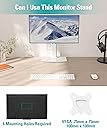
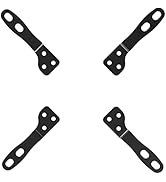
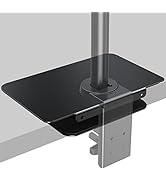
The MOUNT PRO Single Monitor Stand is a sleek, free-standing desk mount designed for monitors up to 32 inches. Featuring 6.89 inches of height adjustment, 360° rotation, and tilt/swivel capabilities, it offers ergonomic flexibility to reduce strain and boost productivity. Its tempered glass base supports up to 17.6 lbs, ensuring stability without damaging your desk. With built-in cable management and easy assembly, it’s the perfect upgrade for a clean, professional workspace.

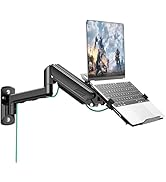


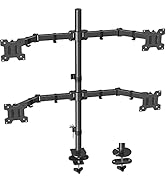


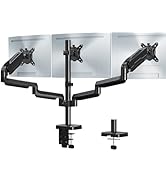





| ASIN | B0CQ287RKQ |
| Best Sellers Rank | #87 in Computer Monitor Arms |
| Brand | MOUNT PRO |
| Color | White |
| Compatible Devices | Monitor |
| Customer Reviews | 4.6 4.6 out of 5 stars (572) |
| Enclosure Material | Alloy Steel, Tempered Glass |
| Manufacturer | MOUNT PRO |
| Maximum Tilt Angle | 30 Degrees |
| Maximum-Supported Screen Size | 32 Inches |
| Minimum-Supported Screen Size | 13 Inches |
| Mounting Type | Tabletop Mount |
| Movement Type | Rotate, Swivel |
| Warranty Description | 2 year |
S**.
A very sturdy stand for a very decent price
It's pretty darn stable. It was easy to assemble, even if the directions were a bit weird at times. I mean, they included drawings to show what to do and when to do it, but there were a few parts left over at the end that left me scratching my head. I have a five-year-old 22 inch monitor on it - which is slim but not sleek and lightweight like monitors being released now. Once I put the monitor on the stand, I waited for it to topple forward. It did not. It has not even hinting at being unable to handle the monitor. I also LOVE how easy it is to turn the monitor itself. The stand mount itself has a turning feature so you can turn the monitor without having to turn the stand. That's super nice and reassuring. It also has a tilt feature but that one requires you to read the instructions to figure out. Basically, you have to loosen a screw on the tilt feaure just a bit to adjust it, then tight the screw back up to hold it. The adjustable height is old school - but you can adjust it. You could probably do it while leaving the monitor on, if you have someone to hold the monitor for you while you do the screw removal and such. The base is thick and you have an option to have a glossy "mirror" side or flat matte finish (which I chose). It works and looks fine either way. Instructions, while clunky just in a few places, are pretty good. Overall, it's a great stand for a really good price.
J**S
Simple and solid
This is really nice and sturdy for the price. The base is heavy, the back is solid, swivel and tilt are adjustable and lockable if you finish reading the directions. I did not at first so read the pamphlet. Thinking about getting a second one for my much shorter extra monitor so I can even things out. I might need to unscrew some things when I need to adjust, but it's still way simpler than a lot of the fancier stands that do the same things.
C**X
Secure, solid stand, comfortable height, easy assembly and adjusting.
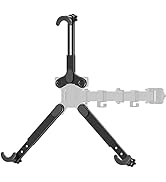
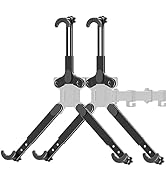
Quickly, this is the stand to get. Easy peasy - setup. Holds my new 27 inch OLED monitor perfectly. Excellent size footprint fitting on my 11 inch desktop riser with room to spare. Easy adjustments - set it, tighten 2 screws and done. 3 Minutes - Strong, sturdy, no chance of tipping over. Beautiful black, heavy tempered glass base. Really compliments my gorgeous OLED monitor. LG27GS95 Works for me. This is the one to get. Nice minimal, Tips, tilts, rotates and easily. My monitor came with the needed screws to for the VESA mount already. Check the back of your monitor to see if your screws are there. The bracket into the rear of the monitor fit perfectly, 4 screws - done. The bracket has 4 hooks - 2 up and 2 down to drop into 4 slots in the vertical stand, tighten the large hand twist bolt. Included. 2 Allen keys. 8 bags of screws you won't need. You need a medium Phillips driver for your screws. 5/5. Get it.
M**.
Fit my LG 32" monitor perfectly!
I have an LG 32" monitor and it came with a stand that is not adjustable, but I needed my monitor to just go down about 2 inches. This fit the bill and works really well. My only complaint is that I could not use the bottom 2 adjustable holes because LG decided to put the power button there which is dumb, but that is not the fault of this monitor stand. Thankfully the next set of holes up are exactly where I needed it to be anyway and I am no longer experiencing neck strain while trying to look at my screen. As others have said, you do end up with a lot of leftover screws and such but this is actually a good thing because they appear to be ready to accomodate just about any monitor attachment situation possible. In my own case, my monitor already had screws that I was able to use for the VESA adapter and everything lined up perfectly. The glass base looks extremely nice too - especially compared to the grey plastic that my LG monitor came with. Being a flat base, it allows for me to place items on it easily as well so I actually gained some desktop space because the old LG stand had legs that stuck up and wasted that space before - so this was a great solution in my case.
A**R
Assembly more than expected, adjustments require minor bolt adjustment, but a tank
I was a bit surprised when I opened the box to see all the hardware involved, but most are optional sized bolts you wont use. The second thing I noticed is that the base was a lovely black glossy finish and very heavy - nice. And third - assembling the post to the base was a bit difficult to get the bolts lined up correctly as you need to do it upside down and the base is so heavy - longer bolts would have helped. However, a little patience and/or a friend will get you there - the rest is easy. Just screw the vesa plate into the back of the monitor with 4 screws and insert it into the height level you want on the post. Then adjust tilt and rotation and tighten bolts. So, yes, you need to loosen or tighten bolts for adjustment and height is a limited series of notches rather than a spring loaded toolless variable adjustment, but it takes only seconds (the annoying part is needing the correct allen wrench around for tilt - height has a convenient knob screw). However, once you have it set the way you want it this stand is solid as a rock. I would, however, preferred a tripod style stand, as the front of my previous tripod stand monitor was on a deskpad, which didnt reach to the back. A tripod also would have provided stability with out the weight - the base is now heavier than my monitor. This was to replace the absolutely atrocious stand that came with my AOC monitor - it was low, not height adjustment, and tilted down.
S**.
Great upgrade
Sturdy, easy to assemble and looks good. Simply all you need.
R**T
Looks great! Buying a second one.
I don't usually write reviews, but I was seriously impressed by the build quality. I had not realized that the base was glass; Really ellevates the product overall. Assembly took about 15 minutes, and the instructions were easy to follow. The only complaint I'd have is the plastic cable management clips that are included to be installed on the back, they are a very cheap plastic that takes away from the overall design of the monitor stand. And as far as their function, they aren't very great. Id be tempted to do without them altogether. But other than that I was still very pleased, and will be buying a second one for my other monitor.
M**E
My monitor is within the weight range (28lbs), but the base isn't heavy enough to counterweight it. The monitor, when attached, sits too far in front of the base, causing it to tip at the slightest push. I had to weigh the base down with barbell weights to prevent it from tumbling over.
D**E
It works as advertised. Sturdy stand for my 32” monitor. Height adjustment is difficult once the monitor is on the stand , so best get it right before mounting the monitor. Swivels quite easily.
D**S
This stand isn't adjustable without unbolting stuff. You can't just adjust the tilt or height by manipulating the display like an oem stand. Other than that, it's an OK stand.
Trustpilot
5 days ago
1 month ago