Buy anything from 5,000+ international stores. One checkout price. No surprise fees. Join 2M+ shoppers on Desertcart.
Desertcart purchases this item on your behalf and handles shipping, customs, and support to Vietnam.
đź Elevate your game with sound and comfort that keep you winning â donât just play, dominate.
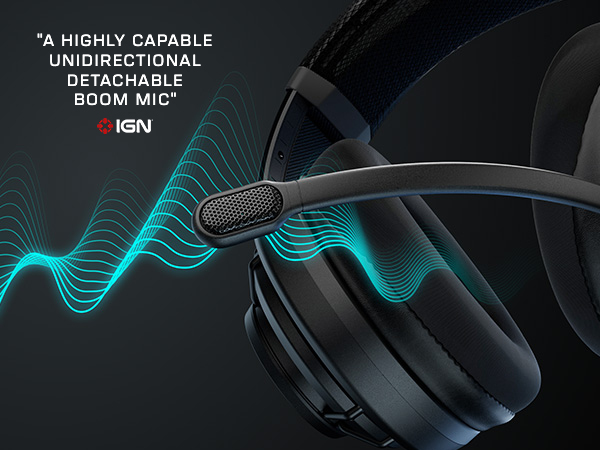
The Turtle Beach Atlas Air is a cutting-edge wireless open-back gaming headset designed for PC, PlayStation, and mobile. Featuring 40mm high-precision drivers with exclusive 24-bit audio on PC, a revolutionary floating earcup design for unmatched comfort, a detachable broadcast-grade microphone, and up to 50 hours of battery life, it delivers immersive, natural sound and crystal-clear communication. With low-latency wireless, Bluetooth 5.2, and customizable audio profiles via Swarm II software, itâs engineered for pro gamers and streamers who demand premium performance and style.


| ASIN | B0D13VX3S6 |
| Additional Features | Fast Charging, Lightweight, Microphone Included, Rechargeable Battery, Wireless, open back, Bluetooth, multiplatform |
| Age Range Description | Adult,Kid |
| Antenna Location | Gaming |
| Audio Driver Size | 40 Millimeters |
| Audio Driver Type | Dynamic Driver |
| Audio Latency | 50 Milliseconds |
| Battery Average Life | 50 Hours |
| Battery Charge Time | 50 Hours |
| Best Sellers Rank | #663 in Video Games ( See Top 100 in Video Games ) #36 in PC Game Headsets #449 in Over-Ear Headphones |
| Bluetooth Range | 60 Feet |
| Bluetooth Version | 5.2 |
| Brand Name | Turtle Beach |
| Built-In Media | Cable, Ear Cushions, User Manual |
| Cable Features | Without Cable |
| Carrying Case Material | Fabric/Nylon/Leather |
| Color | Black |
| Compatible Devices | Cellphones, Desktops, Gaming Consoles, Laptops |
| Connectivity Technology | Bluetooth, Wireless |
| Control Method | Touch |
| Control Type | Volume control: Rotary; Control type: Buttons,Rotary |
| Customer Package Type | Standard Packaging |
| Customer Reviews | 3.8 3.8 out of 5 stars (585) |
| Earpiece Shape | Over Ear |
| Enclosure Material | Plastic |
| Frequency Range | 20Hz - 40kHz |
| Frequency Response | 40 KHz |
| Headphone Folding Features | Over Ear |
| Headphone Jack | 3.5 mm Jack |
| Headphones Ear Placement | Over Ear |
| Impedance | 32 Ohms |
| Is Autographed | No |
| Item Weight | 297 Grams |
| Manufacturer | Turtle Beach |
| Model Name | Atlas Air PC Black |
| Model Number | TBS-5101-05 |
| Noise Control | None |
| Number of Items | 1 |
| Specific Uses For Product | Entertainment, Gaming |
| Style Name | Gaming-oriented |
| Theme | Video Game |
| Total USB 2.0 Ports | 1 |
| UPC | 731855051069 |
| Unit Count | 1.0 Count |
| Warranty Description | 1 year Limited Warranty |
| Water Resistance Level | Not Water Resistant |
| Wireless Technology | Bluetooth, Wi-Fi |
A**S
An incredible headset
I was looking for an open-back wireless headset, and this was the only option. At first, when I saw some of the reviews, I was hesitant, but then I decided to give it a shot, and I am very glad I did! The sound quality is amazing. Very natural sound, and the bass is dry and just right. If you max the volume, the sound gets distorted, but I canât really complain because I donât listen to anything at that volume. The volume knob is too aggressive, but okay. Mic quality is not bad if you use the wireless mode. When it comes to comfort, this is one of the most comfortable headsets I have ever tried. Itâs light and secure on the head without crushing it! I love the open back too, although I wish more sound could go through. The only complaint I have is how flimsy the mic connection is, and it rattles when I shake my head. In general, I love it, and I think itâs worth the price compared to other headsets in the range.
B**H
Absolutely love the clarity of the immersive sound and the comfort of this headset
I was comparing this headset for Black Friday sales against a few other headsets. Eventually, I narrowed it down to two. This and the Logitech G Pro X2. Both are great headsets, but ultimately, I went with the Atlas Air and it wasn't even close. This was my first time trying an open back headset. Because it is open back, the sound is just so crisp and pure. It's hard to put into words. It just sounds very natural with no distortion. The wideness of the sound (soundstage) is very impressive. For the types of games I play (Baldur's Gate 3, Cyberpunk 2077, Horizon Forbidden West, Witcher 3, Elden Ring, etc., it is perfectly made for those games. There were two things I was worried about. One was whether being that it was open back, the sounds of my surroundings would bother me. For me at least, the answer is a big no. When you are playing a game, the sound itself blocks out most everything around you. I don't hear my gaming laptop fans, I can hear to some degree things around me, like if someone was blasting the TV in another room, but nothing so far has distracting me from the game I'm in. The other thing that I was worried about was the Swarm II software. I had read for weeks about how firmware updates broke the volume and even doing a firmware update could be challenging. I'm happy to say that they must have fixed things because this thing gets quite loud, I only have the volume around 50-60 and to me it is more than loud enough. In addition, I really don't use the software for sound. I use the Dolby Atmos software instead. That is what you want to focus on and turn most things off in the Swarm Software. Keep the sound on "Signature", get a Dolby license for about $10 of whatever it costs, and use its presets or equalizer to tailor the sound to your preference. If you bump up the left two equalizer settings, the bass is more than good enough. Don't use Bass Boost in the Swarm settings. Again, focus on the Dolby Atmos app. Comfort was in my top 2 priorities, and this is by far the most comfortable gaming headset I've ever warn. I have zero connection issues, no perceivable latency, and I feel like this was a steal for the price I paid. It is such an immersive sound and the rating should be much higher than what some here are stating.
G**H
Great headset ruined by a terrible headband design.
The outer headband is designed for the outlier most enormous human skull size, and has this "adjustable" mesh that's supposed to tighten inwards to allow the inner band to fit smaller skulls by pulling straps on either side and fastening them in place with velcro. EXCEPT: THE VELCRO ON THE HEADSET IS HELD ON WITH EXTREMELY WEAK GLUE. The available adjustment range is already MINISCULE, and if you take it to the max setting, the tiny elastic force will pop that adhesive right off. If it did work, the other downside to this is that it makes the inner band completely horizontal instead of concave so it just rests upon the tippy top of your head instead of spread out. It doesn't really help the incredibly weak clamp pressure either. As such, this will always be the loosest headset you will ever use. It will wobble any time you turn your head and if you stand up too fast it's likely to fall off. The mute position of the microphone also doesn't lock in place so the microphone will fall back down if you tilt your head. The mic monitoring is also really weak, and there's a strong noise filter built in that cant be turned off, so it will drop any softly spoken words and you'll never be able to get singing to come across if you wanted to. There's an additional noise filter you can apply if you really want it to cut out every time you whisper. Also I've never held a cheaper-feeling non-premium headset. I feel like they disguise the cheapness as tech, like this mesh headband is probably way cheaper to make than an adjustable one, and the free-floating earcups when you take everything else into consideration are not high tech at all, they are just securing them to the headset with rubber bands which is probably way cheaper to manufacture than real joints. And why would you want earcups that want to forever resist a set position against your ear instead of ones that hold the position you put them in? If you think that maybe these are sound-isolated by being suspended, well somehow they aren't. if you even lightly touch the top of the headband it will sound loud in your ears, so it all travels through the bands anyway. Also, the wheel on the side adjusts the volume in four steps only. Four steps is a huge difference. This means that you cant get very precise with volume. There is no way to adjust the game/chat balance on headset like other turtle beach headsets. You have to do it in an app- Another cheap decision. On the plus side, they are open-back and you can pretty much hear your environment normally, which is great if headsets normally give you a headache from the isolation. For that reason alone it will be a tough decision to return these, but I mean if it's not even picking up my voice when I mutter, how do I know when my party is hearing me?
C**I
KupiĆem, przetestowaĆem i odesĆaĆem. Dlaczego? MoĆŒe zacznijmy od poczÄ tku, czyli od dĆșwiÄku, ktĂłry jest naprawdÄ wysokiej jakoĆci. Jest czysty, bass jest wystarczajÄ cy (moĆŒna podkrÄciÄ w aplikacji), a jego rozpiÄtoĆÄ robi wraĆŒenie. Sam headset jest bardzo wygodny i mimo ĆŒe po wyjÄciu z pudeĆka wydaje siÄ doĆÄ spory, to na gĆowie praktycznie go nie czuÄ, a same nauszniki nie uciskajÄ okularnikĂłw i Ćadnie ukĆadajÄ siÄ na uszach. Minus jedna gwiazdka za budowÄ, i tak plastikowe sĆuchawki majÄ swoje zalety, ale tutaj miaĆem wraĆŒenie, ĆŒe za jakiĆ czas, w ktĂłrymĆ miejscu sprzÄt po prostu pÄknie, a jednak wolaĆbym nie kupowaÄ za jakiĆ czas innego egzemplarza. Dodatkowo sÄ to sĆuchawki otwarte, wiÄc nie sÄ dla kaĆŒdego i podczas buszowania po menu konsoli czy komputera, moĆŒna usĆyszeÄ szum wiatrakĂłw, a nawet sĆyszaĆem jak w drugim pokoju ĆŒona stukaĆa w klawiaturÄ co byĆo... dziwne. Czy kupiĆbym ponownie? Pewnie tak, ale na jakiejĆ mocarnej promocji.
C**M
Bought this to cash in on the hype... was not disappointed. Many many positives with some minor drawbacks. Open-back wireless headset rocks. Sound is incredible, a huge upgrade from my Astro A10 headset... options to use it in wired, Bluetooth or dongle mode, dongle mode works with PS5 which is very convenient. Microphone quality is pretty average for a headset. Ability to fold it up or even detach it completely is very handy. Contents of the box are great too, braided charging cable I use constantly. Comes with a headphone cable with volume control that even has a Velcro cable tie attached to it for easy storage... volume wheel is easily accessible, and controls very smoothly. Downsides are small, but important to note... headset is quite wide on the head. I find when I'm walking places, it catches on doorframes pretty easily, but I could just be clumsy. Headset is also quite slippery... clamping force is comfortable, but the materials allow it to slip around on the head, especially for someone like me with long hair. My biggest issue is probably that using it via Bluetooth on mobile for music means you need the Swarm II app to access full volume range. Reconnecting the headset to PS5 whenever I switch it on automatically sets volume to max. Another issue is that volume adjustment via the wheel on the headset makes the volume adjust in very large increments with little fine tuning... combining these issues means you can quickly turn down the volume when the headset connects, but it's a little frustrating to do. Less of an issue and more of a gripe is that there is very little third party upgrades around for this headset. Turtle Beach themselves sell coloured cushions and headbands, but there's no alternative material choices as of last I checked.
O**N
Geniales Set, wenn es lĂ€uft â klare Empfehlung mit kleinen TĂŒcken bei Updates Bewertung: 4,5 von 5 Sternen Seit 2024 tĂ€glich mehrere Stunden im Einsatz und insgesamt sehr zufrieden. Tastatur, Maus und das TB Atlas Air liefern zusammen ein starkes Gesamtpaket: tolles TippgefĂŒhl, prĂ€zise Maussteuerung und ein Headset mit gutem Klang. Wenn alles lĂ€uft, ist das Set einfach genial. Hinweis: Bei Firmware-Updates am besten jedes GerĂ€t einzeln aktualisieren und den Rechner jeweils neu starten. Mit der Swarm Software hatte ich gelegentlich Probleme, etwa kurze FunkabbrĂŒche oder dass das Headset nicht erkannt wird. Die Tastatur lief dagegen immer reibungslos. Mit der Update-Routine und etwas Geduld ist das Setup aber stabil und absolut empfehlenswert. Fazit: Top Hardware, die im Alltag ĂŒberzeugt. Mit einem sauberen Update-Prozess und gelegentlichem Neustart steht dem Genuss nichts im Weg. Bravo! Langfassung Titel: Starkes Trio fĂŒr den Alltag â groĂartige Hardware, Software mit Luft nach oben Ich nutze Tastatur, Maus und das TB Atlas Air seit 2024 praktisch jeden Tag fĂŒr mehrere Stunden. Mein Gesamtfazit fĂ€llt sehr positiv aus: Die Hardware ist hervorragend und macht im tĂ€glichen Einsatz richtig SpaĂ. Was mir gefĂ€llt Tastatur: ZuverlĂ€ssig und prĂ€zise, bisher ohne Aussetzer. Angenehmes TippgefĂŒhl, wertige Verarbeitung. Maus: Sehr prĂ€zise und ergonomisch, ideal fĂŒr lange Sessions. TB Atlas Air: KrĂ€ftiger, klarer Klang und gute SprachverstĂ€ndlichkeit. In Kombination mit dem Rest ein echtes Highlight. Gesamtpaket: Wenn alles lĂ€uft, ist das Set einfach genial und erhöht die ProduktivitĂ€t spĂŒrbar. Was man wissen sollte Firmware- und Software-Updates: Ich empfehle, jedes GerĂ€t einzeln zu updaten und nach jedem Update den PC neu zu starten. So vermeidet man die meisten Stolpersteine. Swarm Software: Hier kam es bei mir wiederholt zu kleinen Problemen, z. B. FunkabbrĂŒche, Headset wird nicht erkannt oder Mausverhalten ist kurzzeitig auffĂ€llig. Mit der oben genannten Update-Routine und einem gelegentlichen Neustart hatte ich danach aber Ruhe. StabilitĂ€t: Die Tastatur war bei mir durchgĂ€ngig unauffĂ€llig und stabil. Die meisten Themen betrafen Headset oder Maus in Verbindung mit Swarm. Praxis-Tipp Update-Routine: GerĂ€t 1 updaten, PC neu starten, GerĂ€t 2 updaten, neu starten, GerĂ€t 3 updaten, neu starten. Danach lĂ€uft es bei mir zuverlĂ€ssig. Wenn es kritisch ist: Keine Updates unmittelbar vor wichtigen Terminen einspielen, solange alles stabil lĂ€uft. Fazit Hervorragende Hardware mit einem sehr guten Nutzwert im Alltag. Die wenigen Software-TĂŒcken sind mit einer sauberen Update-Routine gut beherrschbar. Unterm Strich eine klare Empfehlung. Bravo an die Entwickler fĂŒr das starke Set! Ein Tip: Empfehlungen vor und wĂ€hrend Updates Nur ein GerĂ€t zur Zeit: Headset, Maus, Tastatur nacheinander. Nach jeder Aktualisierung einmal vollstĂ€ndig neu starten. Direkt am Mainboard anschlieĂen: Dongles und USB-Kabel ohne Hub/Monitor-Hub, ideal an USB-Ports hinten am PC. Andere Funkquellen kurz deaktivieren: WLAN auf 5 GHz belassen, 2.4 GHz möglichst vermeiden; Bluetooth-GerĂ€te in der NĂ€he kurz ausschalten, um Interferenzen beim Pairing zu vermeiden. Shutdown statt Neustart: Vor dem nĂ€chsten GerĂ€t einmal richtig herunterfahren und kalt starten (kein âSchnellstartâ). Swarm-Version prĂŒfen: Vor Update die neueste Version installieren; bei Problemen erst Swarm sauber entfernen und frisch installieren. StabilitĂ€ts-Checkliste nach dem Update Windows-Energieeinstellungen: USB-Selektives Energiesparen ausschalten: Systemsteuerung > Energieoptionen > Erweiterte Einstellungen. In GerĂ€te-Manager unter âUSB-Controllerâ und âMĂ€use/Tastaturenâ bei den Energiesparoptionen HĂ€kchen âComputer kann GerĂ€t ausschaltenâ entfernen. Dongle-Management: Headset-Dongle allein einstecken und koppeln; danach Maus-Dongle; zuletzt Tastatur. Wenn möglich, mit Abstand zwischen den Ports. Wenn das Headset gelegentlich ânicht erkanntâ wird: Dongle kurz abziehen/anstecken, dann nur die Headset-Software öffnen und warten bis die Verbindung stabil ist. 2.4 GHz-Störungen reduzieren: Router auf 5 GHz bevorzugen oder 2.4 GHz-Kanal wechseln (z. B. auf Kanal 1, 6 oder 11). Metallische Objekte/Monitore direkt neben den Dongles vermeiden; Dongle möglichst âfreiâ platzieren. Treiberbereinigung: GerĂ€te-Manager: Ansicht > Ausgeblendete GerĂ€te anzeigen; alte Instanzen der Headset/Maus/Tastatur entfernen, anschlieĂend neu verbinden. Chipsatz- und USB-Treiber aktualisieren: Aktuelle Mainboard-Chipsatztreiber von Intel/AMD sowie USB-Controller-Treiber installieren. Firmware-Rollback als Test: Wenn ein bestimmtes Headset-Firmware-Update die Aussetzer verursacht, prĂŒfen, ob der Hersteller eine Vorversion anbietet und testweise zurĂŒckgehen. Spezifisch zum TB Atlas Air (Headset) Pairing-Reset: Headset und Dongle gemÀà Herstelleranleitung neu koppeln (hĂ€ufig: Dongle in Pairing-Modus, Headset-Tasten-Kombination zum Pairing). Modus fix wĂ€hlen: Wenn verfĂŒgbar, bevorzugt den 2.4 GHz-Dongle-Modus statt Bluetooth fĂŒr geringere Latenz und stabilere Verbindung. USB-Port wechseln: Insbesondere fĂŒr den Headset-Dongle einen anderen Port testen (USB 2.0 vs. 3.0 kann Unterschied machen).
J**X
De lo mejor que puedes tener en auriculares ABIERTOS inalĂĄmbricos. Para los que buscan un sonido mĂĄs amplio y sin sentirse aislados del mundo, totalmente recomendables. Tienen muy buena baterĂa, la calidad de los materiales estĂĄ a la altura y tienen una funda muy prĂĄctica. No son recomendables si hay mucho ruido donde los uses.
A**I
Premesso che non ci sono alternative per chi cerca cuffie open back wireless, fortunatamente sono anche di ottima qualitĂ . L'audio Ăš pulito e avvolgente e le cuffie sono forse le piĂč leggere mai provate tra audio technica, epos e sennheiser. Veramente confortevoli, si possono connettere sia via bluetooth che via wireless, hanno il flip to mute del microfono. Insomma tutto quello che si possa desiderare. Avevo letto che l'audio era molto basso ma chiaramente hanno fixato il problema con un firmware, perchĂ© hanno un audio sufficientemente potente e cristallino.
Trustpilot
1 month ago
4 days ago