We remain fully operational. Our teams are working around the clock to ensure your deliveries continue safely.

DOWNLOAD THE APP


Copyright © 2025 Desertcart Holdings Limited
DOWNLOAD THE APP
Buy anything from 5,000+ international stores. One checkout price. No surprise fees. Join 2M+ shoppers on Desertcart.
Desertcart purchases this item on your behalf and handles shipping, customs, and support to Vietnam.
💾 Upgrade your retro gear with modern USB ease — don’t get left behind!
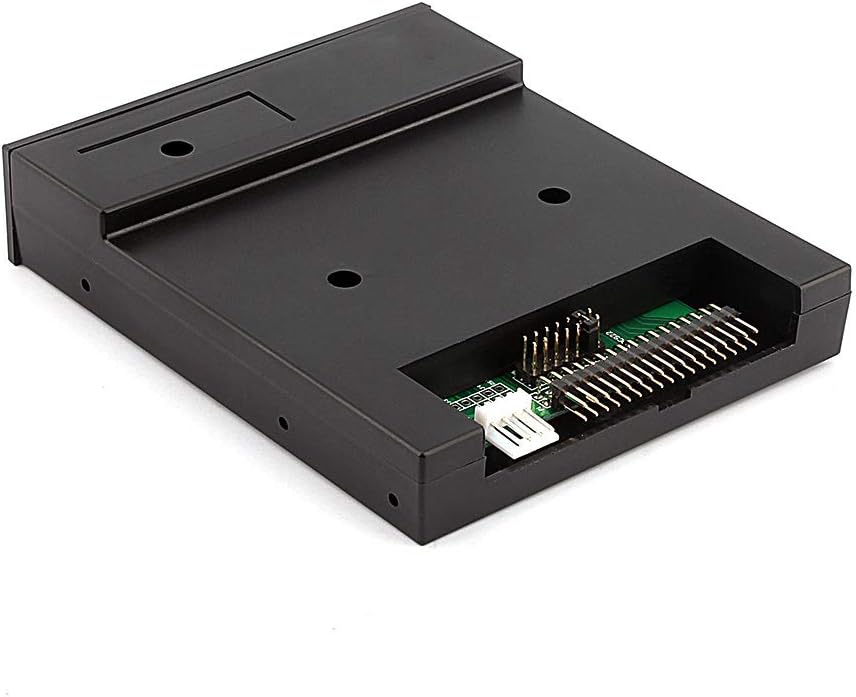
The GOTOTOP Sfr1m44-u100k USB Floppy Drive Emulator replaces traditional 3.5" floppy drives by emulating 1.44MB floppy disks using any USB flash drive. It features a 34-pin interface, requires no additional drivers, and supports multiple partitions for flexible data management. Lightweight and easy to install, it’s the perfect solution for professionals maintaining legacy hardware or vintage synthesizers.




| ASIN | B07BS85CN9 |
| Additional Features | Lightweight |
| Best Sellers Rank | #36 in Floppy & Tape Drives |
| Brand | GOTOTOP |
| Color | Black |
| Compatible Devices | Computers, laptops, and devices with USB adapters that support 3.5-inch floppy drives |
| Connectivity Technology | USB |
| Customer Reviews | 4.0 out of 5 stars 139 Reviews |
| Flash Memory Type | USB |
| Hardware Interface | USB |
| Manufacturer | GOTOTOP |
| Memory Storage Capacity | 1.44 MB |
| Model Name | Sfr1m44-u100k |
| Model Number | 8541581142 |
| Special Feature | Lightweight |
| UPC | 654936636330 |
| Write Speed | 500 kbps |
E**E
Replace 3.5" floppy in Roland XP-80 synth
This drive (like the title says) replaced a working floppy drive in the XP-80. It was an easy replacement. Just line up the red stripe on the floppy cable with pin 1 on the drive (not pin 34). Make sure to screw in all the mounting screws. On the front panel there are 2 buttons and three LCD numbers. Press one button to increment the first LCD, press the second to increment the second LCD, and press both simultaneously to increment the third LCD. You must format each LCD-numbered section (or partition) before using that partition. If you format all 1000 partitions ("000" counts as a partition), you will still only get 1.44 GB out of a thumb drive, but that's alright. Just get the smallest thrum drive possible (32GB at this writing)...cost $7.00. When you have multiple segments, you may only be able to read the 000 volume on a regular computer. Anyway, this worked great for this particular application. I can't really say how it would work with another hardware platform.
V**S
Good floppy replacement for older PC
This floppy replacement works fine on older PCs. The documentation is rough, and it's not easy to set up and use. I'm using it with USB Floppy Manager version 1.40i and haven't noticed any problems yet. I do wish it supported 2.88MB, as that is supported by the chipset on my PC.
M**.
Worked for my Amiga A500 build
Bought this to play games from on my Amiga A500, also bought an OLED display, rotary encoder and speaker so I could go all out on the project. I absolutely hated the button system thats built in, so thankfully theres plenty of walkthroughs on how to build one of these GOTEK's with the better display and the rotary. flashed it with the better software (thats a chore if you don't already have a USB flasher, but those can be bought for just a few bucks from anywhere....do your research, its a fun little project) Anyway, I had someone 3-d print a case for the OLED and the rotary and I made my own USB slot on the 3d printed case so I could stash the GOTEK in the internal slot and mount the controls and USB on the top of the Amiga for really easy use. it turned out great and works perfectly as planned. This is a great product for a project like that. not sure about all the other applications.
M**L
Gotek Floppy/USB Convertor - Not Compatible for Korg Triton Studio Keyboards
Though I cant comment on the quality of the device, I just wanted everyone to know that this model number is not compatible with the Korg Triton Studio models due to the floppy being a slim drive version and not standard that comes with legacy Triton keyboards. I will be returning this product to search for the correct model.
R**.
Works with Roland Atelier 90S Organ
This comes with a bag of four screws and nothing else--no instructions, no CD, no anything. I used it to replace an aging floppy disk drive in a Roland 90S organ. The unit has a standard 34-pin data connector and 5vdc power connector, just like the floppy drive it replaced. The form factor is identical to the floppy and when installed looks like it was designed for the organ. I did nothing to the drive by way of configuration prior to installation--no fooling with the jumpers or partitioning options. It worked perfectly out of the box. Should work OK with other Roland organs like the 80 Series. For those of you who want to play with the device, a pretty dismal instruction set is available online for the GoTek, and plenty of videos on YouTube.
R**D
It's a Gotek drive but don't know model # for sure because tag was missing
I bought it to use in an embroidery machine. I know Gotek drives will work but I needed to know the true model number for the right emulator. The emulator for the model this is supposed to be won't work. I have a inquiry into Gotek to see if they can help.
J**D
Drop-in Replacement for Floppy Drive
I installed this on a Yamaha DGX-500. By far, this drive was the simplest part of the process. Much more challenging was the nearly complete disassembly of the synth (approximately 60 screws), removal of several critical components, etc. Once I had access to the drive bay, replacement was simple, though the plastic screw threads are easily stripped if you are not careful. Testing required nearly complete reassembly, so I was at loath to have to open it all again if things weren't right. Fortunately, this device comes from the seller jumpered properly for the Yamaha (not sure if it's jumpered for the IBM or Shugart pinout, but since a USB key does not require any motor lines to work anyway, this may not matter). Manual could be a little clearer, but for the most part, things are self-explanatory and easy enough to figure out. This drive allows a few different modes: Disk image mode, where each "disk number" on the display accesses a disk image, and a file mode, where the files are just placed inside of a directory on the USB. My Yamaha was able to read and write to the USB key exactly as if it were using a floppy disk (I love floppy disks, but they're getting harder and harder to work with, find, and find drives for).
M**S
Good for the price
Works great . Although you definitely will have to have a understanding of computers to use it . It comes with no instructions or software. Holding down both buttons when it’s first powered on will format your thumb drive into hundreds of floppy images. You can either copy a floppy disk file directly to the emulators selected image. or use software you will have to google for( seams to work best )
Trustpilot
1 month ago
1 month ago