Buy anything from 5,000+ international stores. One checkout price. No surprise fees. Join 2M+ shoppers on Desertcart.
Desertcart purchases this item on your behalf and handles shipping, customs, and support to Vietnam.
🎥 Capture Every Moment, Stream Like a Pro!
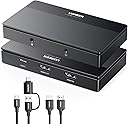
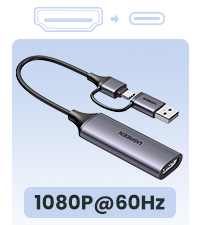
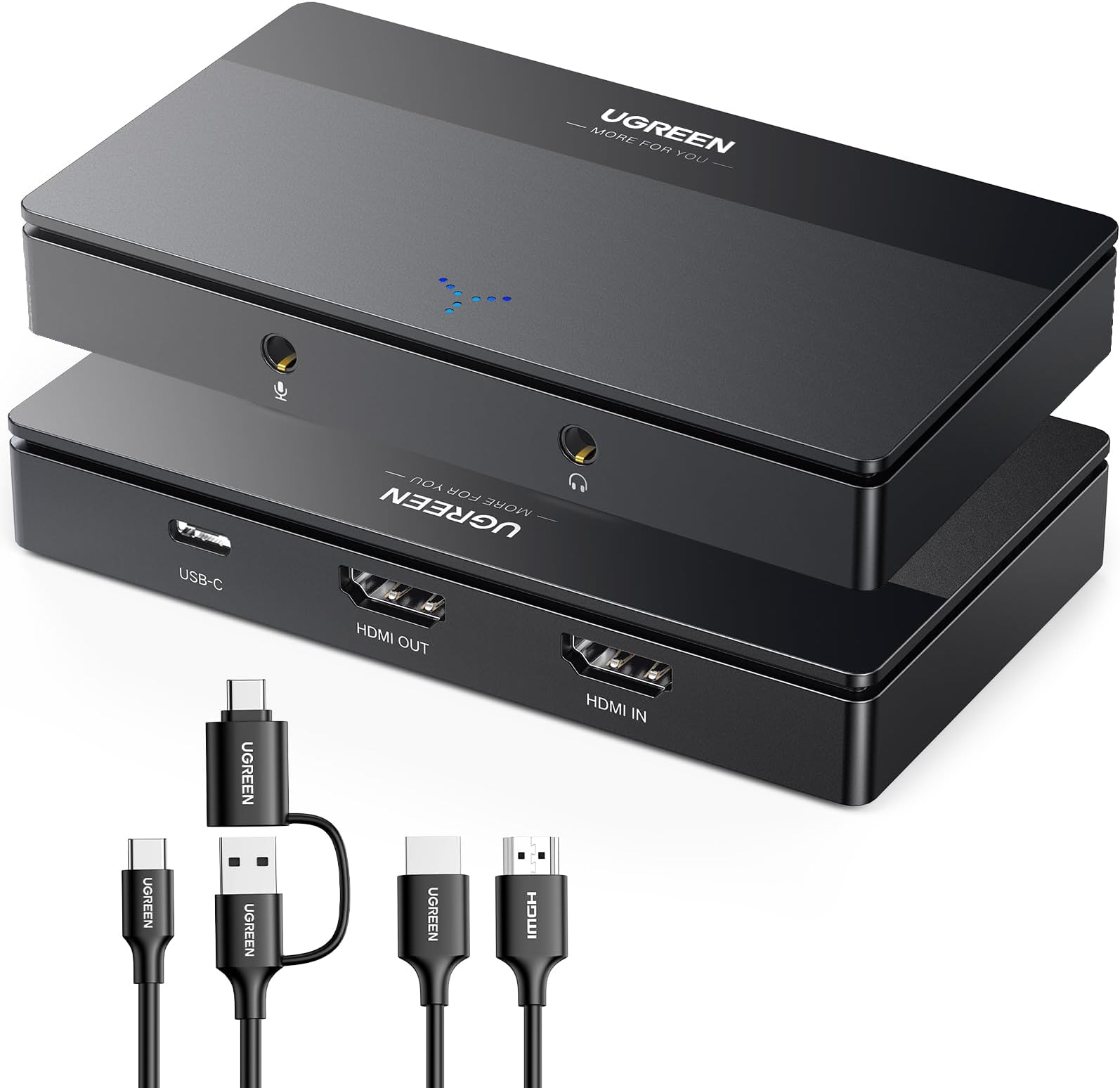
The UGREEN 4K Video Capture Card delivers ultra-low latency Full HD 1080P 60FPS recording with 4K passthrough support, compatible with major gaming consoles and operating systems. Featuring USB-C 3.0 connectivity, plug-and-play ease, and a built-in mic input, it’s designed for seamless streaming, gaming, and conferencing with professional-grade performance and durability.


| ASIN | B0CM9C91MK |
| Best Sellers Rank | #60 in Internal TV Tuner & Video Capture Cards |
| Brand | UGREEN |
| Built-In Media | Capture Card, Installation Guide |
| Color | black |
| Compatible Devices | PS4/PS5 Xbox Series X Meta Quest 3/2 iPad laptop, Smartphones laptops tablets DSLR cameras Windows 11/10/8.1/7 MacOS Linux Switch |
| Connector Type | USB-C, HDMI |
| Customer Reviews | 4.1 4.1 out of 5 stars (1,017) |
| Finish | Metallic |
| Item Dimensions | 3.94 x 2.17 x 0.79 inches |
| Item Weight | 0.32 Kilograms |
| Manufacturer | UGREEN GROUP LIMITED |
| Model Number | 15390A |
| Number of Items | 1 |
| Number of Ports | 2 |
| Package Quantity | 1 |
| Power Plug Type | No Plug |
| Specific Uses For Product | Streaming, Recording, Gaming |
| Unit Count | 1.0 Count |
| Warranty Description | 24 Months |
C**N
Dope
Works as intended.. Easy To Use.. Works with Nintendo Switch 2 also
J**1
Easy to use and setup
For those that use this with OBS make sure to follow their guide which is included. You can only record at 1080P 60FPS, but it does has like advertise the 4K 60FPS pass through but no HDR. Another thing to add the device UVC compliance, you can use this on your PC with Linux and also your iPad Pro or any iPad with USB C and the latest iOS version. I tested a stream from my iPad as well as from my PC with a Linux partition.
F**R
Works well with switch 2
Works well with Nintendo switch 2 Not sure if it’s a computer issue or one in general but when playing for extended periods of time (2+ hrs) with obs viewer open my Mac with an M1 chip ran out of space to run the application along with discord
A**O
Muy no bueno , calidad y precio
D**Z
Worst capture card ever
First one worked but would not record any sound, ordered a replacement and waited ANOTHER WEEK and this one won't do anything. No audio no video. I know it's 'cheap' for a capture card but so not worth it. If I could leave zero stars for this experience I would.
W**E
One of the best values for the price and options you can do with OBS.
This capture card is amazing at producing video quality with OBS and if you know what you're doing to sync it with various upscaling device settings as well. I have not had any issue with using this device as it is perfect for someone who has a very adept knowledge of OBS, and video signals, and color profiles. If you know what you're doing you can be very creative with a device like this. Hands down one of the best I've ever used even with Elgato, and EVGA. Also a great value for the money, functionality, and speed.
G**3
Works as intended!
Back in Christmas of 2023: I ordered a capture Dongle from Temu for $20.00; but the kicker about the dongle was not just the build quality, but in how it performs. There was so much screen tearing—combined with audio delay, and the plug for the dongle broke off from a weak solder connection. Ended up throwing it away after the disastrous aftermath in both performance, and build quality. We were without a capture card for Nintendo Switch for the longest time—thankfully, she had emulation through BigBox, so that was a miracle we can continue streaming via OBS! Fast-forward to present day: I ordered this for my girlfriend’s birthday, and it worked right out of the box! No screen tearing was present, and unlike the dongle—it allows for output as to not interfere with OBS, relying on the software’s preview window along with any potential input lag. You can actually play it on the TV as you would with any other game console! Just make certain you have a USB-C to USB 3.0 cord (blue plug), otherwise the computer itself will not recognize it! I tested it with regular USB and while it did power on, the computer wouldn’t recognize it. Keep this in mind whenever you are trying to connect this to your PC or Mac (as with USB 3.0 products in general—thankfully the company has the kindness and courtesy to give you a spare power cord that also accepts either USB-C or USB 3.0, and HDMI cable)! Overall, if you have a Nintendo Switch, and are wanting to stream games off of it via HDMI, I would not hesitate to recommend this product!
C**D
Great for reliable HDMI video capture to a laptop/tablet/PC on a shoestring budget.
Needed capture the video from one of my HDMI robotic cameras and pump it into ProPresenter at 1080P while passing the same video through to our ATEM Mini Pro for Sunday morning service streaming. I tried several more expensive solutions but this was the first one that worked perfectly out of the box. The only downside is must be powered in order for any video to passthrough and it's power comes from the USB port on our MacBook Pro. When not using the MacBook for capture I just plug the USB C into a USB charger brick and it works fine. Other than that it does 1080P at 60FPS with just a tiny about 1ms of delay on the capture and I have to adjust the saturation a little on ProPresenter.
M**J
في البداية بوضح نقاط اساسية عشان تكون تجربتي مفيدة لك الهدف منها اني اوصلها مابين ١-اكسبوكس ون اس ٢-لاب توب ماك ٣-شاشة جيمنق //اكيد اذا انت قاعد تقرأ عنها يعني عندك مشروع ستريم او تسجيل// تجربتي مع القطعة:التركيب كان سهل جداً مدخل واحد In put و مخرجين out put اول ماشغلتها و سويت نفس الخطوات في ورقة التعليمات القطعة اللاب توب اكتشف القطعة بس بدون صورة(يعني تلقط شاشة فاضية) اخذت اكثر من يوم وانا احاول احل المشكلة ،زبدة الكلام اللاب توب مصنف القطعة على انها كاميرا (اذا واجهنك نفس المشكلة حاول انك تركز على اللاب توب و تشغل الكاميرا في اللاب توب و اذا قدرت انك تشغل الكاميرا في اللاب توب حول من الكاميرا على القطعة وبتشتغل معاك معاك) بعد ماقدرت اني اشغلها اقدر اقول اذا كنت شخص جداً محترف فالمجال ممكن تشوف خيارات ثانية اقوى بس اذا كنت حاب انك تسوي شغلك كلو بجودة ممتازة(١٩٨٠/٦٠ فريم( وبدون تقطيع و تعليق او اي مشاكل انصحك فيها خذها و انت مطمن لانها افضل شي بتاخذه اذا ماكنت تدور على الاحترافيه الكاملة افضل ميزة:عندك خيارين لتشغيلها ١-USB ٢-USB-C اتمنى اني افتدك
A**H
Good working i trust ugreen
H**G
close to 4 months of consistent use (15-20 hrs daily). No issues no far :)
S**Z
He empezado a hacer streams en Twitch y decidí comprar esto para iniciar. Llegó super rápido y viene con la capturadora, un cable USB, y un HDMI. Es muy sencillo de usar y de configurar en OBS, y la imagen se mira perfecta, y graba el sonido de la consola y todo. Es recomendable si seguir las instrucciones que lleva el manual para que tenga la mayor ventaja cuando quieran grabar. Para su precio y la simplicidad que tiene, es una excelente compra para los que desean comenzar a hacer stream como yo. Vale mucho la pena.
M**J
Brak problemów z podłączeniem, przechwytuję obraz i dźwięk z magnetowidu za pomocą programu Potplayer i na nim nagrywam kasety VHS.
Trustpilot
3 weeks ago
2 months ago