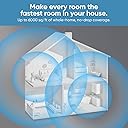
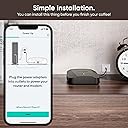
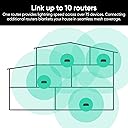
I used three of these to replace an older “home brew” multi-router system with three different WiFi access points connected via Ethernet and set to different channels. The Wyze routers work well and are definitely faster than my older AC1200 & N600 routers, although the coverage distance is the same or perhaps maybe even slightly less than my older system with external antennas. I suspect these routers would also perform better with external vertical antennas, but unfortunately that is not an option for most mesh systems. And these are only designed to lie flat on a surface, so you can’t orient them vertically. The initial setup can only be performed through the app, and it is not very helpful if something goes wrong. For example, I had gotten a new Internet modem from Spectrum / Time Warner since I no longer needed their WiFi router modem combination. They neglected to tell me this needed to be activated, even when I went online and checked the modem status. Because of this the first Wyze router I tried to setup could not connect to the Internet. Unfortunately, this caused the setup to fail every time without any very helpful error message. Of course the modem not being activated was not a Wyze problem, but the setup should have made it more clear what the problem was. Also, the initial setup takes several minutes each time before it got to the point of failure , so I wasted a lot of time trying different things such as different cables and all three of the modems I had purchased. I finally connected a desktop computer using a wired connection directly to the modem and saw it was displaying a message that it needed to be activated. Once I activated the modem, I was finally able to setup the first Wyze router. After that, I was able to setup the other ones fairly easily, although you have to make sure they are close enough together to make a good solid connection. I might even recommend setting them up close together and then moving them to the final location. Although of course they still have to be able to connect to each other wirelessly unless you are using a wired connection between them. The rest of the setup through the app is fairly straightforward, although I had to do Google searches to find out how to set certain things. Once the initial setup is complete you can also setup some things through a web interface, but the app is used for most settings. I do like that they can use the 6GHz band for the backhaul wireless connection, leaving the 2.4GHz and 5Ghz bands for device connections. My biggest issue is that my previous system transmitted through a room, out a window, and out to my back yard where I have various devices such as a Firestick for streaming movies and an Echo dot for playing music. The wireless signal to the back yard is not quite as strong as with my previous system, probably due to the antenna problem mentioned above. Because of this the streaming to the back yard drops out more frequently than previously. I’ll probably have to purchase a fourth router to place even more directly in the line-of-sight to the back yard and right by a window. A couple of other minor downsides are they get fairly hot in the bottom as others have said, and the LED on the bottom is very bright. However, they do provide a setting to turn off the bottom LED. Overall these are good fast routers at a reasonable price, but with perhaps a little bit quirky setup. If they had just slightly better range I’d easily give them 5 stars.