🎥 Digitize your legacy with precision and ease — don’t let your memories fade away!
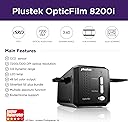
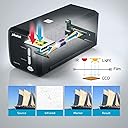
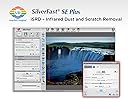
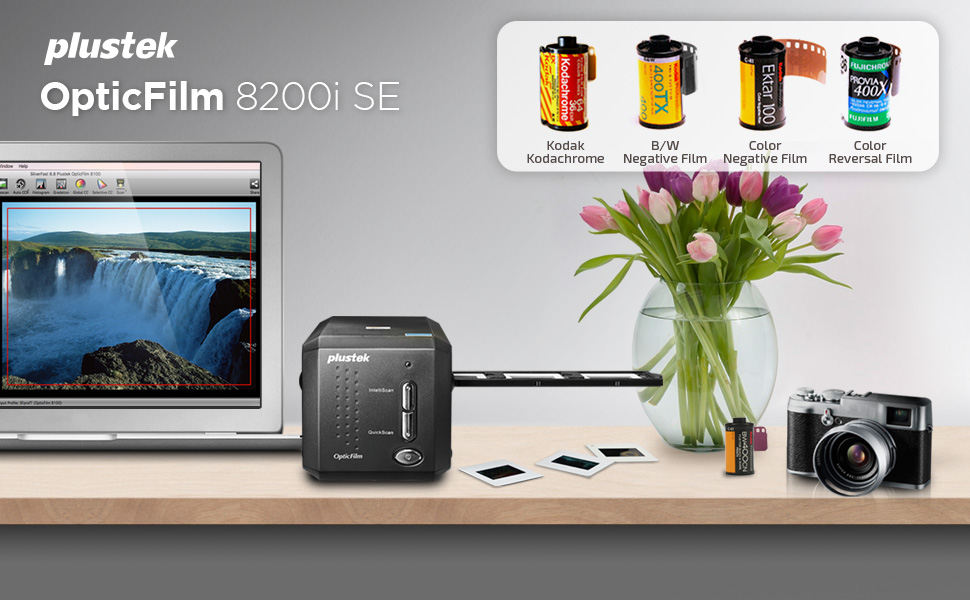
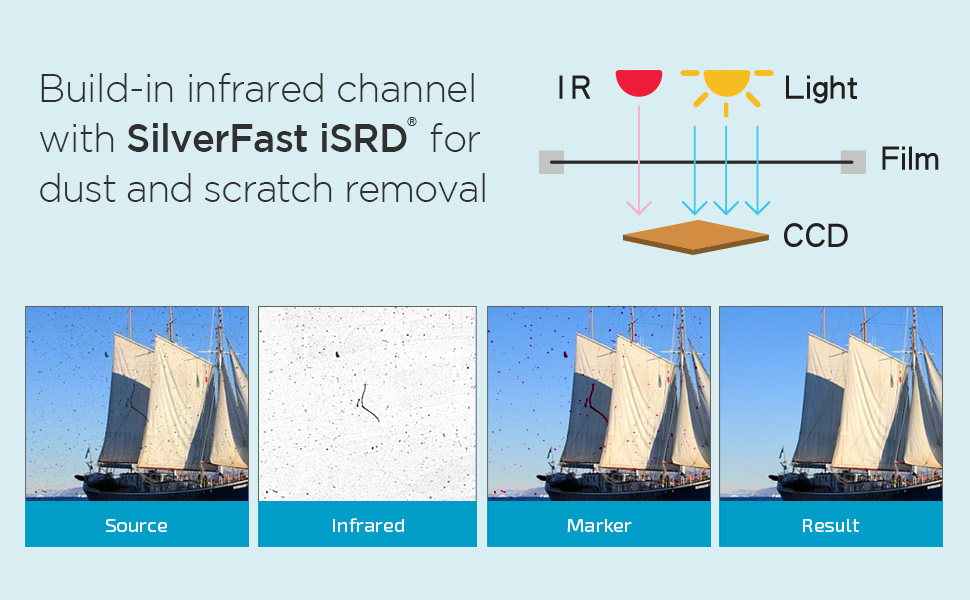
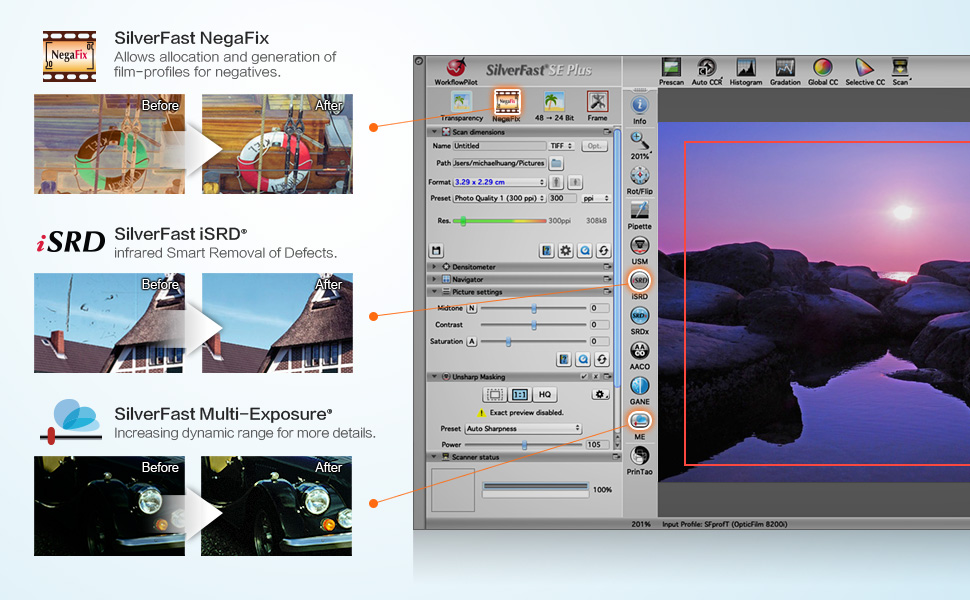
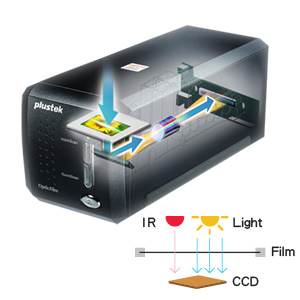
The Plustek OpticFilm 8200i SE is a high-resolution 35mm film scanner delivering up to 7200 dpi (69MP) scans with 48-bit color depth. Featuring an infrared channel for automatic dust and scratch detection, it streamlines image restoration without manual retouching. Compatible with Windows and Mac OS, it includes SilverFast SE Plus 9 software for professional-grade scanning and color correction. Ideal for archiving and preserving fading negatives and slides with exceptional detail and color fidelity.


| Asin | B008ASJ2Z8 |
| Best Sellers Rank | 53,755 in Computers & Accessories (See Top 100 in Computers & Accessories) 47 in Film Scanners |
| Box Contents | Televiseur |
| Brand Name | Plustek |
| Color Depth | 48 |
| Customer Reviews | 3.8 3.8 out of 5 stars (854) 3.8 out of 5 stars |
| Eu Spare Part Availability Duration | 1 Years |
| Global Trade Identification Number | 00808035087603 |
| Item Dimensions D X W X H | 12D x 27.2W x 11.9H centimetres |
| Item Type Name | Blender |
| Item Weight | 1.6 Kilograms |
| Light Source Type | LED |
| Manufacturer | Plustek |
| Media Type | Negatives, Slide |
| Minimum System Requirements | Operating System: Windows 7 or higher and Mac OS 10.7.x or higher |
| Model Name | OpticFilm 8200i SE |
| Network Connectivity Technology | USB |
| Optical Sensor Technology | CCD |
| Product Warranty | 2 Year Limited Warranty |
| Resolution | 7200 dpi |
| Scanner Type | Film |
| Unit Count | 28.3495 gram |
| Upc | 808035087603 736913891366 |
L**R
Potentially extremely competent hardware and software
Owners of large archives of colour slides or negatives may be aware that they will eventually fade. Digitising them is practical means of preservation even if deterioration may have started but not drastic. Black and white films are effected more slowly. The "Plustek 8200I SE OpticFilm 8200iSE Film Scanner - Black" is a digitiser for 35mm colour and B&W films. SilverFast 8 SE for Windows is included although v9 is available. Carriers for 35mm strips (up to 6 frames) and four 2 x 2 mounted slides are included; those for formats such as half-frame 35mm, 126 and 110 are no longer available as optional extras. The scanner is about the size of two 1Kg bags of sugar placed end to end and quite lightweight. Space will be needed for the carriers' travel. It initially appeared that its power supply was missing. A report was made to the seller, Fuzion, who immediately responded and offered to replace it until they discovered the hiding place which they had twice missed! Excellent service from a UK company. Although the software is provided on CD for Mac and Windows, it can be downloaded or, when possible, copied to a flash drive via any computer with an optical drive. Silverfast should be installed first followed by the driver package. It is then possible to enter user details and the serial number from the CD case. Its many demo movies may be viewed pre-registration. Once fully installed, updates and upgrades are offered. Depending on the choices made, updates start at €49. Once registration is confirmed, there is an option within two months of purchase for a free like-for-like update (8 SE to 9 SE in this instance). Controls are limited to a power button and two mode selectors on the front panel. Power input (UK and Euro adapters are provided) is at the rear as is its USB output. Other than the mode buttons, all other functions are controlled in software. Series 8200i includes infra-red capabilities to identify and locate dust on the surface of the film or slide; with their locations noted, they can be later collectively removed. The alternative is to digitally retouch spot-by-spot, or use a 'healing brush' or equivalent within a photo-editing package although potentially time-consuming. Scanning a colour slide or negative is complex as there are numerous variables. There is a considerable learning curve needed to become familiar with the various settings and their effects for the best results. Although some scans may need minimal correction, others may need several changes to most settings; that takes time! Silverfast can take-on much of the work but scans can be saved as TIFF files (equivalent to RAW format) to maximise the saved data and detail for later correction in graphics software if desired; if initially saved as a JPG file, some of the detail will be lost and only recoverable if re-scanned. Post-correction, the images can then be saved to relatively small JPG files and the TIFF deleted when no longer needed. TIFF files can be 70 Gb each if scanned at 7200 dpi although 2400 dpi is ideal for high quality A4s printed at 300 dpi and the TIFF files then smaller. A faded slide can have a strong cast, often pink, blue or green. Changes to individual channels, curves, contrast and brightness with possible changes to black and white points may recover much of what was lost although it can take time as continuous reassessment and adjustment is likely. Experience may allow some settings to be roughly pre-set with expected approximation to ideals. While Silverfast offers a considerable variety of adjustability, most graphics software can do more with many supporting plug-ins for additional effects. Silverfast supports numerous scanners, flatbeds included, but those supported each need a dedicated version of Silverfast that will need to be purchased and that can prove expensive when several are used. There is an alternative software that claims to offer several advantages, not least internal drivers for all supported models, a Linux version and its low price for a Pro version which alone supports any combination of slide and flatbed scanners for those who cannot install or use Silverfast. A comparison chart for the versions of SilverFast 9 is available and lists all the new and improved functions where applicable. SE Plus may be a worthwhile and relatively inexpensive upgrade for many users while Ai offers considerably more but with the highest fee (up to €249!). Advanced users may gain considerable benefits if able to justify the greater outlay. The software/hardware combination is very competent and capable if the owner or user is prepared to put in the effort. Familiarisation with the software controls and awareness of the changes to settings and their effects will pay dividends. The package is not cheap but can pay for itself by preserving slides and negatives that may otherwise be eventually and permanently lost. Irreplaceable family photos (snaps, school photos etc) will need a suitable photo scanner to preserve them; some include a version of Silverfast.
C**E
Good scanner, non-intuitive software
The scanner arrived in excellent condition before the scheduled delivery date: I was kept informed of the actual date. The first device I received had a minor fault because the dust 'door' on the left hand side stuck open. I contacted Amazon who arranged for me to return this relatively large package via the local post office free of charge. A replacement arrived extremely quickly. So, in terms of service, I have to congratulate Amazon - this is the first item I have returned. This scanner has the ability to produce extremely high resolution scans, up to 7200dpi. Obviously these are very large, and most probably beyond the resolution required by most people most of the time. It can scan at set increments of this value (1800 and 3600dpi), and you can also select intermediate values. The time taken to scan slides is dependent on the resolution, but I do not think I could scan more than 8 slides an hour at the lowest resolution by the time I have used the software to adjust the resulting image file: higher resolutions will not take proportionally longer times because the processing time is significant. The results are between good and excellent on the 50+ slides I have processed. The provided software, Silverfast 8, has the potential to be very powerful, and this is probably its weakness. My comments will reinforce those of most reviewers. One is left with a multitude of options in Silverfast, all of which have an effect on the final image: there is little guidance on how to use these. The option that is most used (and useful) is the dust and scratch removal tool, which integrates the normal scan with an IR one. It can really improve quite dusty images when you have worked out how to use it - that takes quite some time and experimentation. Another option that can have a tremendous effect on the acceptability of the image is that affecting the colour cast of the image - again little advice is given on how to use this. However, if you persevere good images can be obtained. You can see that I have been a little frustrated by Silverfast 8, and I never seemed to have these problems with an old Nikon Coolscan plus associated software I had in the past. Other reviewers have suggested using other software but, being mean, I have resisted this approach: I might resort to it in the future. So, to summarise, this scanner has great possibilities and a high resolution; it is not quick (but probably all others are a similar speed, although the expensive flat-bed ones will do multiple slides in one scan); and Silverfast can both annoy and impress. If you have a lot of slides you wish to archive this scanner will definitely do the job - with practice, and in time.
T**R
Plustek OpticFilm8200iSE Film Scanner - not impressed with Silverfast software support.
12/8/12 - After much research on the web, I recently I bought a Plustek OpticFilm 8200i SE Film Scanner from Amazon to convert my old 35mm slides and some negative film to digital format. The item was delivered promptly and upon opening the box was just what I required, a scanner with a small footprint. All good so far. Following the instructions I installed the printer drivers and associated software, SilverFast 8 SE Plus processing package. Silverfast 8 SE Plus was one of the main reasons I bought this item as it comes highly praised. The scanner worked fine with the supplied drivers and Plustek scanning software, but when I attempted to use Silverfast 8 SE Plus the problems began. Basically the program won't run. Thinking that I had perhaps made an error in the installation procedure I uninstalled and reinstalled the complete package. The result was the same, scanner works fine with Plustek software but the Silverfast wouldn't run. The SilverFast "Launcher" appears but the program refuses to progress beyond that stage. It won't accept serial no details and closed down when asked to continue. After double checking I hadn't done anything wrong and extensively searching the Silverfast and Plustek FAQ's I knew I couldn't sort the problem so requested help from Silverfast support. To give them their due they replied very promptly, with a general "Do this" email and then a more specific email with links to the latest updates on the SilverFast package and the Plustek website requesting that I download and re-install using the new updates. Having done this sadly the software still won't work. The scanner again is fine with its Plustek drivers but the Silverfast still refuses to function. It now responds a little differently in that it produces an error message to say that the scanner cannot be found but it still won't accept the serial number or allow any function to operate. I am now waiting on the next email from Silverfast support but must admit that after wasting MANY hours trying to get the scanner to work with the supplied software I'm on the point of returning the package to Amazon and looking for another scanner that will work with the supplied software. So far if someone asked me if I could recommend this scanner and software, my answer would be a resounding NO due to all the messing around attempting to get the software to work. If I have success with Silverfast I'll post an updated review, but until then, its 1 star for the Plustek OpticFilm 8200i SE Film Scanner with LaserSoft Imaging Silverfast 8 SE Plus scanning software. So far "Not recommended". 14/08/12 - Downloaded a trial of VueScan scanning software, this installed no problem and found the Plustek 8200i and works a treat. So why can't Silverfast find the scanner? 16/08/12 - Received a follow up email from Silverfast support reiterating that I need to check that there are no other imaging devices connected. I've already done this and told them previously! I've now sent them a screen grab of Device Manager so perhaps they believe me! Still no follow up from Plustek. 16/8/12 - Let's play "Pass The Buck". Just had an email from Plustek's support, this is exactly what it said, no salutation or greeting, complete with capitalisation and spelling errors! "silverfast is made by German company & they have thier own technical support for thier software. please contact [...] for help" Plustek package their scanner with software, which costs of course, yet take no responsibility for it when the scanner won't work with it. Looks like I'm definitely returning the Plustek 8200i SE with SilverFast software for a refund. 17/8/12 - Received another scanner from Amazon today, a different model with different software, thought I'd try the EPSON Perfection V600 flatbed photo scanner. Installed the drivers and software including Adobe Photoshop Elements 9. No problems with installation, everything works perfectly with no problems. Scans are brilliant, software does everything it says it will, well done Epson for a great package that works. Epson Perfection V600 High Resolution 6400 x 9600 dpi Scanner 18/8/12 - Still no follow up from Silverfast. Arranged a return of the Plustek OpticFilm 8200i SE Film Scanner to Amazon for a refund.
T**Y
Plustek film scanner 8200i SE
I previously used a Primefilm PF3600 and changed to the Plustek 8200i SE simply to upgrade the technology. The objective was to digitise monochrome film and Kodak slides from 40 years ago, many of which had dust marks and scratch damage. The SilverFast software was a major decision maker. The new scanner came with good packaging and included a nice case to keep the scanner free of air borne contamination when not in use. The film holders for slides and film were satisfactory and simple to use. The software disc loaded straight away and contained excellent explanatory videos for each of the scanner's attributes. A wonderfully precise German voice accompanied each short video. The operation is logical and the scanner is very simple to use. The scanning mechanism is much quieter than the one in the PF3600 which sounds like an MRI scanner. Scanning speed at 3600 dpi is much the same as the Primefilm machine, at about four minutes per frame. If 1800 dpi is selected then the scan is shorter. Clearly the greater the definition required, the slower the scan and the bigger the TIFF files. At 7200 dpi files can be 150 MB, but a Kodak colour slide might amount to 50 MB. The SilverFast software offers Scratch and Dust Removal (SDR) and a clever iSDR option using an infra red scan. I have found both these options need careful use. The SDR defaults to a figure of 100 on its sensitivity control and at this level it can give strange results, detecting for example, the whites of eyes as faults. It is wise to try lower settings with both SRD and iSRD until satisfactory results are obtained. Overall the scanner does a professional job but needs a bit of common sense in the settings. Its not difficult, and greatly reduces the work required in Aperture or Photoshop. I am pleased with the product and Amazon delivered it to me within a couple of days.
C**R
Mixed feelings... hence only three stars.
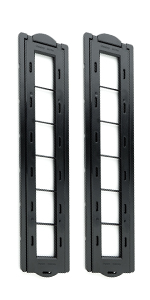
I have only had this Plustek 8200i a short while but here are some initial thoughts. Hardware: The scanning unit is fine, solid, well built and smallish footprint. It's easy to load with film and slides using the two adaptors and USB connectivity wasn't an issue, it was recognised immediately. Software: The supplied software on the other hand is abysmal. I am using the Mac version of Silverfast SE Plus and it is THE most un-Mac like software I have ever used. the interface is a mess of badly designed, over busy, unintuitive meaningless icons. I have a recent MacPro and a MacBook Pro both running High Sierra and the app is slow, buggy and inconsistent to use. It has a tendency to quit without warning and settings kept resetting to their defaults for no apparent reason. Applying even minor changes to the controls was very slow... this and the other issues destroys your workflow. I already have their top of the range Silverfast 8 Ai Studio software that I sometimes use with an Epson Perfection V750 Pro scanner but there is no crossgrade path to upgrade this bundled software. I am expected to fork out another £220 - for the exact same software! Scans: If scanning at high resolution (600dpi) the finished scans on the other hand are impressively detailed and very sharp. It's not the fastest scanner I've used, actually it is very, very slow if you use the optional IR Scratch & Dust removal, but the results can be worth the wait. So... maybe there is some other scanning software that is compatible with this unit? I'll definitely be looking into that.
P**H
A serious piece of kit.
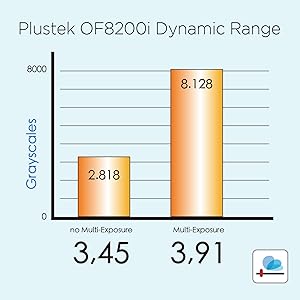
I’ve been scanning 35mm slides and negs, on and off, for nearly 20 years now, using a Minolta ScanElite II which cost a relative fortune “back in the day”. Sadly, this has been slowly failing for the last few years and is now effectively unusable, at least “on demand”. It is my only point of comparison with the Plustek, both good and bad. Good - very high Dmax (shadow detail), good auto batch scanning, used infrared Digital ICE dust removal to produce clean scans. Bad - poor resolution (2700 dpi), noisy, used USB 1.0 or FireWire (IEEE 1394), OEM software unusable since Windows XP. So, a replacement scanner was much needed and the Plustek was one of very few “mid range” scanners out there. The 8200 Ai seemed like overkill, as I do not need formal end-to-end colour profiling these days (been there, done that) and I have been using VueScan for ages to run my old Minolta and my previous and current flatbed scanners (the latter is quite new, but does not really need the fancy CanoScan software for simple scan/tweak/print). The 8200i arrived very promptly and when unboxed was similar in size and weight to the Minolta. The main difference is that the film moves side to side rather than front to back. This may well be to allow manual movement between frames, otherwise the holder would become “buried” inside the machine! I thought the manual feed would be a pain, but since I tend to stick around during scanning, I find that I actually rather like it. Hopefully, the film holders will not wear too much with repeated use. They are reasonably sturdy, but not quite up to Minolta 2000s standards. The new setup worked out of the box with VueScan, but SilverFast required a scanner driver update (from Plustek) and seemed better after an update of the scanning software itself. I found that if it became unstable the best option was to go into the opening menu, reset all the settings to default and start again. After a few hours, I decided the SilverFast software was worth the trouble, especially with black & white film. I have some b&w slides somewhere, but have not tried those yet. Colour slides look excellent straight off the machine (Fuji etc.) but I haven’t reached my Kodachrome yet. Colour negatives also look good, but I do not use them much, TBH. The high resolution is really useful - 3600 dpi routinely or 7200 dpi for special slides or heavy cropping. That means slow scans and big files - but the results are worth it. Haven’t used grain reduction much, but I routinely use multi scan (to increase Dmax) and Plustek’s version of digital ICE. This is not a good idea with most b&w films, but you will soon know if it is not working - the scans look like modern art from all the artefacts! At just over the RRP (COVID-19), I think this is still decent value, but note that the price has gone crazy since I ordered mine. Keep an eye on fluctuations as there seems to be a supply and demand problem currently. This apart, I would certainly recommend this machine, but if you are a newbie, please remember that scanning, like most things, is a skill which requires practice to gain experience.
M**X
good quality, dust and scratch mode is bad.
Well, in the end seems to be scanning ok. the quality is fine, it can go up to 7200. But be ready for a futile registration process. It comes with a CD to install, but I mean who has a cd reader??? So then you go to the website and register, then they send you back to the initial message to download it from the website, after inserting the longest code in (2-3 times), because of weird errors, and eventually, it says it cannon be completed because you are already registered. -.- so then you uninstall the software and try again. this time they send you an email with another extremely long code to put in. I mean???? is not a very nice process. When you do manage to install it, i am sorry to say but it stops for no reason, with some error like 'warming up IR'. sooooo I mean sometimes is okay, can't tell what I am doing differently. The workflow mode is only for small quality scans, not very good for me. PLEASE NOTE: the function of removal of dust and scratches is really bad. It makes it look worse. Like a smudge across the whole area where the scratch is. I only got this version because of this function, but is useless. Is only more expensive. It makes is worse that just doing it on ps. A part from the hard start, some days it can scan for 2-3 hours with no errors. Is quick to scan one picture, 2-3min max, without the workflow mode, on the maximum quality. So have fun.
J**.
So far so great!
Fantastic scanner, originally wanted a Nikon Coolscan, but they're discontinued & now outmoded; this seems to be the next best (affordable) scanner for those wanting to archive/digitise their old 35mm. Some say the results are equal to the Coolscan, definitely high enough quality for the average user & at a very reasonable price. Opted for this rather than the Ai as this is the same scanner but with less software features, £120 cheaper. I didn't feel I needed the few extras on Ai version. Studying all the software comments made me (unnecessarily) wary but I havn't found any problem with the software - OK it can be slow, but that's often the computer & apparently other programs, VueScan, also lag & crash; much a muchness. Did have 1 quirk on set up; getting the message "There was a problem starting your scanner Please make sure the drivers are installed" After un & re-installing, & getting vexed, I read on their forum that Windows 7 security sometimes blocks software, easily fixed by restarting the fdPHost service ~ there's a Microsoft page that guides you thru' & it worked! ( http://support.microsoft.com/en-us/kb/973560 ) I havn't found the Silverfast interface difficult at all, seems very straight forward to me & If you hover over the buttons it explains what they are. The 2 guide books with the scanner are brief, but if you feel you need more info there's an online guide, plus a wealth of other scanner's experiences - after reading some I came to the conclusion linear scans might be best, SE doesn't let you use the dust removal with linear (Ai does) but they've just sent out a free update, 'HDRi RAW' which might be the fix, not sure yet. It comes with 2 carriers, 35mm only - slides & negs - I also need a 110mm, Plustek don't make these but I found a seller online who does, saves me having to try cobble 1 together. I'll up-date this review when I've done many more scans, but so far so good; I wish I hadn't paid so much heed to negative reviews!
M**E
A sophisticated scanner which produces incredibly fine results.
Positives: 1. Scanner is rugged, well-made, sophisticated, and neat. 2. The SilverFast software is easy to learn with every step of the process has accompanying PDF and Movie files for help. The PILOT option automatically steps the user through each image processing step with the option of manually changing settings as you go. The infrared dust scan and intelligent dust removal features are outstanding. Dusty and dirty slides from 1987 produced beautiful scans. The software is easy to learn with help at every step. Negatives (sorry for the pun): 1. The 8200i came with only European plug options on the power pack. Why would an adapter for Australia not be included for an Australian customer? No matter, I found I had an adapter to convert the German plug to Aussie. 2. The final save window for choosing filename and file format is far too small and quite difficult for a 67 year old like me to see. Why do software developers seem unaware of this issue? 3. I was however most unhappy (in fact really angry) with the perfunctory manner in which the scanner was "repacked" and only partially resealed by the Australian Border Force after their Customs inspection. Fortunately, as yet, no damage appears to have resulted, but what a disgraceful way to treat someone's property! Overall, I am very happy with the 8200i and recommend it without reservation (and this comment is unsolicited and unpaid). Garry R Stone B.App.Sci.,Dip.Ed.,M.A. Melbourne
S**F
highly recommended if you look for a professional setup at reasonable cost
I waited a while to test it and write the comments. so in the beginning, I read reviews for many scanners and spent weeks on my decision. about this one, there were comments on the complexity of the software and some users claimed to have sent it back just because of that. It was my impression the first time I curiously started to use it. the software was indeed complicated and I couldn't get a good scan no matter how much I tried with different settings. I was about to send it back but then I decided to do a smarter thing and once read the software manual. Everything changed right after that. The software has an autopilot feature which helps you to decide on the settings step by step and the quality can be seen in the attached photos (negatives Ilford iso 125 and 400). Obviously, if you need to scan with higher dpi and resolution, it takes longer. but I feel satisfied with 1/4 of the max resolution and I can scan 1 roll of films (36 shots) in about 4 h while doing other stuff. the only hassle is that you need to change the negatives into the holder, adjust its frames and feed it intermittently (the holder has slots for a 6-piece cut of the negative). but if you want to have a high quality scan without spending so much money to outsource it (as I had done before ranging from 9-19 euros per roll), it is certainly worth it. I am very happy about this product and even started already to scan many old negatives that I had in order to have a better quality back up.
B**R
başarılı bir ürün değil
Kurulumu çok zor ve sıkıntılı. Beraberinde verilen yazılım Internet bağlantısı olmayan mekanlarda çalışmıyor. Optik performansı da fiyatına kıyasla düşük.
T**I
Best slide scanner if you have a LOT of slides
When my Mother-in-law died, I inherited more than 10,000 slides that she and her husband shot over their 60 years of life together. They had them in 100 slide carousels, with a catalogue. The PlusTek film and slide scanner was MUCH cheaper for me to be able to scan this slide collection. The software allows you to pre-set a boilerplate naming convention; For Carousel #59 for example, it was no problem for me to set the filename to be '059-19740919-' and then for each slide, hit the [end]key and put in a comment on the end, like 059-19740919-Chicago-Don-Wendy-Railroad,' so that the final slide set can be searched by carousel, date (in this case 19 Sep 1974) and family members in the slide. The picture optimization functions are VERY good-- A number of slides that were underexposed or overexposed became visible for the first time--ever! The software is capable of taking scanner input from other scanners, like flatbed scanners, although it requires an extra fee to do so. After I scan the remaining 8000 slides, I may look into it...
E**R
Magnífico escaner para 35mm
Buen escaner, la calidad de imagen obtenida es muy buena. Los tiempos de escaneo son aceptables para mi. Sin embargo siento que la tecnología es un poco obsoleta: el cable es USB tipo B a USB tipo A y SiverFast 8 viene… en un Disco Compacto en pleno 2023!! He tenido que comprar un Chablé adicional USB tipo B a USB C y descargar el software desde el sitio web de SilverFast, lo cual no es muy intuitivo que digamos y complica las cosas al usuario final. No obstante, estoy satisfecho con la compra y debo decir que he obtenido mejores escaneos que usando mi cámara de 25mpx y una lente macro para escanear. Este escaner ha logrado que la fotografía analógica me vuelva a motivar!
Trustpilot
2 weeks ago
2 weeks ago