🚀 Upgrade your workflow and game library with speed that leaves others behind!
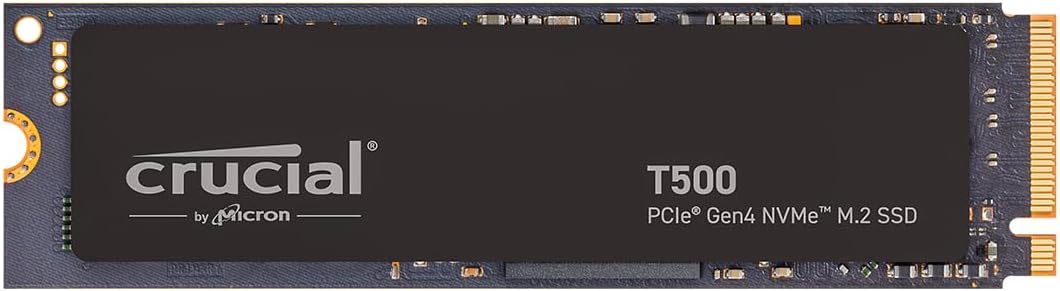
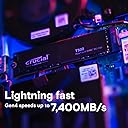
The Crucial T500 1TB PCIe Gen4 NVMe SSD delivers ultra-fast read/write speeds up to 7,300/6,800MB/s, optimized for gamers and content creators. Its 1TB capacity fits large files and apps, while broad compatibility ensures easy installation in laptops and desktops. Included software bundles like Adobe Creative Cloud and Acronis cloning enhance productivity and data management, making it a premium choice for professionals seeking speed, reliability, and creative freedom.


| ASIN | B0CK39YR9V |
| Batteries | 1 AAAA batteries required. |
| Best Sellers Rank | #26 in Internal Solid State Drives #118 in Computer Internal Components |
| Brand | Crucial |
| Color | Black |
| Computer Memory Type | DIMM |
| Customer Reviews | 4.8 4.8 out of 5 stars (5,097) |
| Date First Available | October 31, 2023 |
| Flash Memory Size | 1 TB |
| Hard Drive | 1 TB Solid State Drive |
| Hard Drive Interface | NVMe |
| Is Discontinued By Manufacturer | No |
| Item Dimensions LxWxH | 3.15 x 0.86 x 0.09 inches |
| Item Weight | 0.353 ounces |
| Item model number | CT1000T500SSD8 |
| Language | English |
| Manufacturer | Crucial |
| Product Dimensions | 3.15 x 0.86 x 0.09 inches |
| Series | T500 Internal SSD |
| Standing screen display size | 16 Inches |
| Voltage | 28 Volts |
C**S
Blazing Fast & Tons of Storage!
The Crucial T500 4TB Gen4 NVMe SSD is an absolute beast. Installation was super easy, and the speed difference was noticeable right away — games load in seconds and large files transfer lightning fast. The massive 4TB capacity means I never worry about running out of space, and it’s been running cool and stable in my gaming rig. If you’re looking for a high-performance SSD with plenty of room for games, videos, and projects, this is a fantastic upgrade. Highly recommended!
P**O
Great product
It improves my laptop’s performance, reducing boot time. The installation was pretty easy. I highly recommend this product; it’s a lifesaver.
S**N
You pay for quality, this drive will give you quality.
To start with, as we all know you get what you pay for. For the most part most NVME PCI-E GEN 4 drives are usually going to be good, but to get quality and a good TLC drive with an actual DRAM buffer costs extra. I got this during Prime Day. As of this review it's still on sale, but being an Amazon Prime member during Prime Day I got an extra bonus cash back on my Amazon Prime credit card so it took the price down a little more. The problem is 4tb NVME drives aren't cheap and the good ones with a DRAM buffer cost extra because they last longer and generally give better results for extended write periods. This drive like any other NVME GEN 4 drive is fast and it's great for video editing. It's also great for gaming, but IMO I feel this drive is too expensive for that purpose alone. The only drawback is this drive isn't the best for read/writes with smaller files. Since I'm using this as a video edit drive I feel it's a good investment. So far it seems very snappy and has plenty of room. Once I get my RAM upgrade I should be set. My current setup, Ryzen 7 9800X3D. MSI MAG B850 TOMAHAWK MAX WIFI motherboard. PNY RTX 5090 EPIC-X RGB OC GPU. WD Black SN850X as a boot drive. 2 other 2tb NVME GEN 4 drives for applications and games. 1 Seagate Barracuda 8tb for archive storage. 1 WD Blue HDD 4tb for general purpose storage. 1 Crucial BX500 2tb SSD and 1 Crucial MX500 2tb SSD for fast storage and games. A Western Digital Blue 2tb HDD I use in an external bay for backup programs, pictures and financial files. A firmware unlocked LG 16x Bluray Burner put in an external enclosure for backing up my bought and paid for Bluray movies so I don't scratch them up. Currently 64gb(2x32gb kit) of Klevv DDR5 6000 cl30. I do a lot of video editing with my movies to upscale them and repair image quality on some of my older DVDs and BLU-RAY movies. I use automatic programs like UniFAB and VideoProc CONVERTER AI which a good quality NVME drive is a must to get the most our of these programs.
D**G
A legend in speed in quality.
Crucial is discontinuing these, ashame, it's the fastest and most reliable nvme I've ever had
R**6
High speed, high quality made by a top-shelf US company (Micron Technologies). Recommended!
High quality NVMe SSD! Crucial is made by Micron Technologies right here in the US of A and has an excellent reputation. I can't say exactly how fast this unit is but it's certainly maxing out the transfer rate my system can put into it through a USB 3.2 connection in a quality housing and high quality USB 3.2 jumper. I could have gotten a cheaper NVMe than this one but for the extra quality, and 'made in USA', I didn't mind at all paying a few dollars more. To me it's a great value.
P**L
Crucial T500 works on Dell XPS 8950
Dell XPS 8950 desktop (Costco 2022 build) i7 Intel-12700, 32GB DDR5 RAM, AMD RX 6700 XT, PCIe M.2 Gen 4. Replaced the C: Drive with a larger and faster 1TB Crucial T500 PCIe Gen 4 NVMe M.2 by cloning with a Sabrent Model EC:SNVE USB TYPE C Tool Free Enclosure with no issues. Macrium Reflect Home X, the trail version, was used following an article from XDA-Developers.com “How to set up an SSD as boot drive for your new or existing computer”. I also referred to a older You Tube video by Access Random – “UPDATE: Using Macrium Reflect Free to Clone Windows to a Bootable M.2 SSD” to create a USB Rescue Media . The clone time was about 30 minutes using the Type C port (20 Gbps) on the rear of the computer. Removed the old drive and replaced it with the new T500. I did nothing to the BIOS and left the original settings as Boot [UEFI] and Boot Option one as [Windows Boot Manager] and SATA/NVMe Operation as [RAID ON]. The XPS booted up and ran fine with the exception of Norton having to have the KEY reentered to work. The T500 was recognized by the CrystalDiskMarkInfo program and the old Kioxia NVMe was not listed. With all the problem comments on RAID and UEFI settings in the BIOS, I was at my knowledge limits. Using the winsat disk command in the Terminal Admin mode the Sequential Read was 5980 and Write was 4993. The Crucial Spec Sheet lists their 1TB at 7300/6800. I did not turn on the Momentum Cache in the Crucial Storage Executive software. The current Firmware Version is P8CR003 and would not update to P8CR004 using the Crucial Storage Executive – there was a warning of “no drives were found in the system. This may be because your drives are allocated in a RAID configuration. You may proceed with a manual firmware update”. I will try Crucial Support for the answer. Overall, I am happy the way it turned out – thanks to the XDA-Developers and Access Random articles/video for Macrium Reflect. Update 12/31/2024 Called Crucial Support and the agent confirmed that in order to update/add the P8CR004 latest Firmware with Crucial Storage Executive I could not do this with a RAID configuration on the Dell XPS as it would affect other drives (HHD and SATA SSD) as well. This was why I was receiving the Warning or error. The agent also cautioned using Momentum Cache for the same reason – RAID being on in the BIOS. With my limited computer skills and knowledge, I chose to leave the T500 as is – after all it is twice as fast as the original Kioxia NVMe. Crucial has two FAQ’s to better explain the subject – The first, Storage Executive Fails to Update the Firmware on My SSD states, “Ensure that you are not using RAID mode in the system BIOS settings. RAID will often prevent many of the features in Storage Executive from working with your drive, AHCI is the preferred mode. Refer to your system manufacture for any help with this setting.” The second, Basics of RAID – “In terms of day-to-day use, RAID works similarly to a single disk, but diagnostic tools read data from a RAID configuration differently than they do a single SSD or hard drive. For example, Crucial Storage Executive is not fully compatible with some RAID controllers and configurations, and specific functions such as SMART reporting or firmware updates may not work at all in these unsupported environments, requiring the RAID to be temporarily disassembled for updates or troubleshooting of individual drives. Also, while modern operating systems and RAID drivers allow trim commands to run on SSDs in RAID, legacy operating systems and drivers may not properly support them, meaning functions such as Garbage Collection become more important for maintaining the highest performance from connected SSDs.”
S**D
Works as expected reaching theoretical maximum for the PCIe-4, 7.0 GB/s for read/writes due to controller and protocol overhead. What else can you ask. P.S. Sadly, Crucial has closed its consumer NAND storage division. So these are the last remaining stock that consumers can still buy. I have a 4TB SSD.
K**N
Used this for my Windows install. It’s snappy, boots in seconds, and handles file transfers instantly. Crucial drives are reliable and this one isn't the exception.
S**N
Isınma nedir bilmeyen bir ürün. Kesinlikle tavsiye edilir.
M**N
Great product really fast speeds and came in great condition
D**L
Muy buena velocidad y parece que de buena calidadz lastima que la marca va a desaparecer.
Trustpilot
5 days ago
1 day ago