Buy anything from 5,000+ international stores. One checkout price. No surprise fees. Join 2M+ shoppers on Desertcart.
Desertcart purchases this item on your behalf and handles shipping, customs, and support to Vietnam.
๐ Upgrade Your WiFi Game โ Because Buffering Is So Last Decade
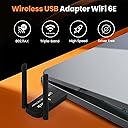
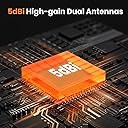
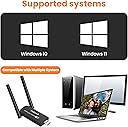
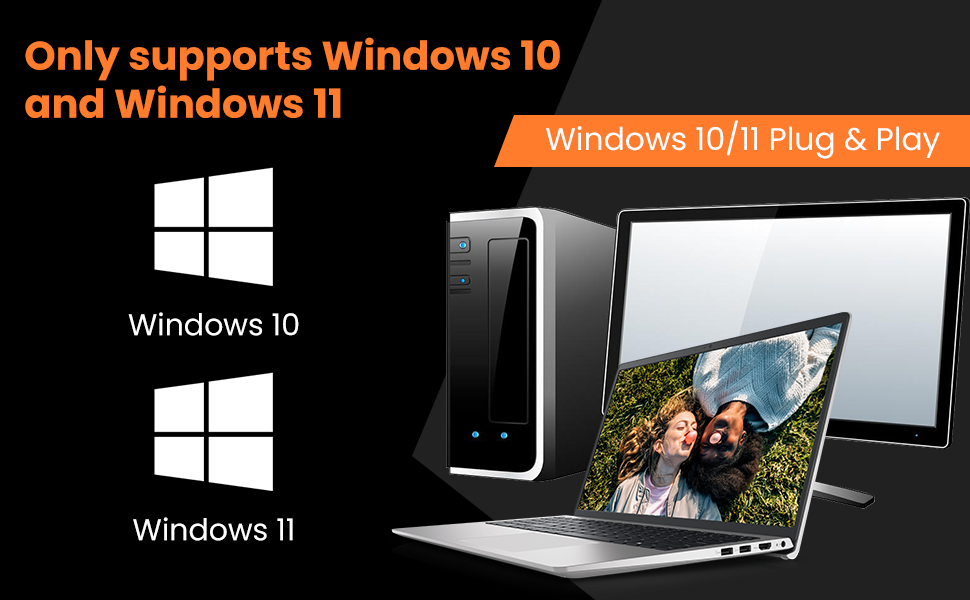
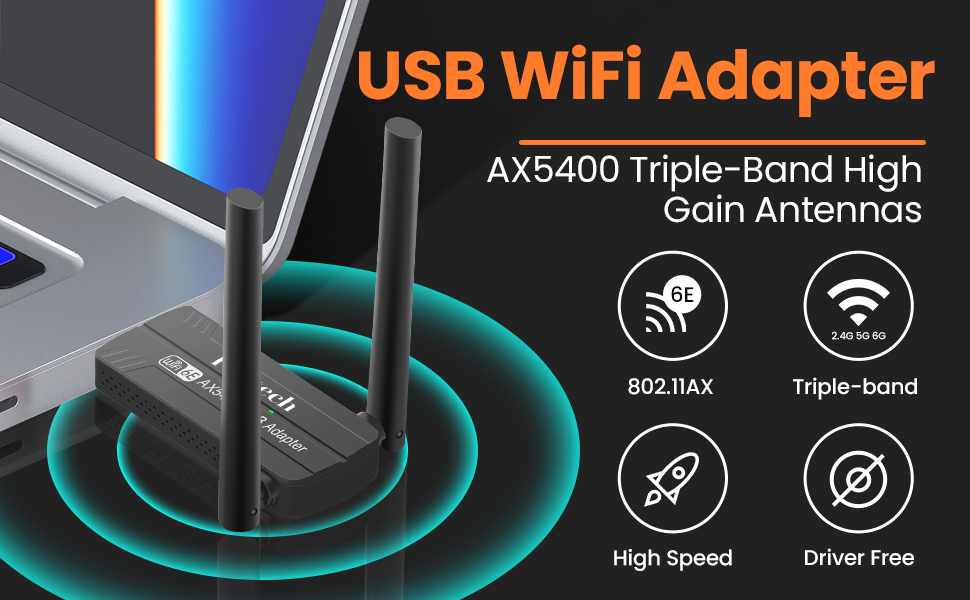
The Foktech WiFi 6E USB 3.0 Adapter delivers cutting-edge AX5400 Mbps speeds across tri-band frequencies (6GHz/5GHz/2.4GHz) with dual 5dBi antennas for superior range and stability. Designed exclusively for Windows 10/11 desktops and laptops, it features a USB 3.0 interface for ultra-fast data transfer and easy plug-and-play setup. Backed by a 3-year warranty and pre-loaded drivers, itโs the ultimate upgrade for professionals craving seamless, high-speed wireless connectivity.


| ASIN | B0CJ8PJR94 |
| Best Sellers Rank | 140,249 in Computers & Accessories ( See Top 100 in Computers & Accessories ) 1,020 in USB Computer Network Adapters |
| Box Contents | 1* Wifi 6E Usb Adapter, 1*Package Box |
| Brand Name | Foktech |
| Color | Black |
| Compatible Devices | Desktop, Laptop, Computer, PC |
| Compatible Operating System Family | Windows |
| Country of Origin | China |
| Customer Reviews | 2.8 2.8 out of 5 stars (108) |
| Data Link Protocol | IEEE 802.11a |
| Data Transfer Rate | 2402 Gigabits Per Second |
| Hardware Interface | USB 2.0, USB 3.0 |
| Item Weight | 0.87 Ounces |
| Manufacturer | Foktech |
| Product Warranty | 3 years manufacturer replacement warranty and 90 days no questions asked return policy |
B**S
A real easy device to install, and works a dream
I have my PC connected via cable to my BT Router, but I disconnected it to test this out. I simply plugged it in to a spare USB3 socket, and was immediately presented with a popup telling me a drive was being mounted. I clicked install, and it indicated the driver was being installed, then all was done. I brought up the new WIFI settings on my windows 10, and it showed the new various options I had. I have a BT router running at 5ghz, it was found with max bars, gave it my password, and it was as if I was on cable. If it continues like this, I will in fact remove the cable as it is a long one and stay on this. Very impressive, I wished all device installed this well. Very pleased indeed, next step is getting 6gz router ! I play a lot of fast games, and of course watch films, and it appears to be lag free, or so fast I cannot see a loss of lip synch, and behaves as good as the cable, and I can fully recommend it. No problems 5*
A**R
not good
Connection frequently drops out when trying to play games. Sometimes doesnt work correctly and PC has to be restarted in order to get full download speed. (when booting PC would only get 30mps download, other times would get 200mbps)
M**C
Works very well
This Wi-Fi 6E USB 3.0 Wi-Fi Adapter works really well, and setup is a breeze. Upon plugging it in, it mounts a virtual CD-ROM, which contains an installer for the drivers, which you can simply run and the device is set up in a matter of seconds. The adapter contains the Realtek 8832CU wireless chipset, and supports 6Ghz, 5Ghz and 2.4Ghz Wireless network bands. When tested with an Wi-Fi 6 AX3000 router, I was able to connect without any problems, and in Hotspot mode, I was able to connect a Meta Quest 3 to it and play using Air Link or Virtual Desktop with around 60ms latency. 6Hz isn't currently supported for hotspots so it only connects at 5Ghz AC1200, but this is still plenty enough bandwidth to max out the settings in Virtual Desktop.
T**S
Fast tri band Wi-Fi dongle for my home network
I got this Foktech tri-band dual antenna dongle to replace a single antenna dongle, that was plugged into the rear of my PC. Performance has been good even though the Wi-Fi adaptor is a few rooms away from my hub, Iโm getting near a maximum strength signal, Iโm using an old USB cradle sitting on my desktop. I ran a few speed tests across my network and record consistent download speed of around 465Mbps. Speed tests on the internet with my BT connection resulted in speeds of 200-400Mbps using the 5GHz band, this is very good for this 5GHz/2402Mbps and 2.4GHz/573.5Mbps adaptor considering I donโt have Wi-Fi 6 yet, and also the speed depends somewhat on the remote test server. Iโm sure once I have Wi-Fi 6 and tri-band which includes the 6GHz band I will be getting higher speeds. Set-up was easy, connected this to my Windows 10 home PC via the rear USB 3.0 and it was recognized and added with no extra driver or reboot. I then went to the network settings followed by the change adaptor options, removed my old adaptor and added this adaptor and network password as the default. Overall, this Foktech dual band tri-band dongle has produced a fast reliable connection each time the PC is booted up. I hope you find my review helpful
A**R
Wifi Boost
There was a change but not as much as I would have liked. Increased by 7- 10Mb
N**I
Quick and easy to use
Wifi adapter This is a nifty little adapter, making it easy to access better WiFi signal in other rooms, or you can use it as an alternative to plugging in an ethernet cable. A nice design, not overly sized, there are two little aerials on either side that can be folded away when not using. It seems durable enough for what's needed. This is easy to use, a simple plug in and connect. Perfect for when we need to do a hotspot sometimes. I would recommend it. Works well and is quick and easy to use.
A**E
Unimpressive WiFi strength. Overpriced at ยฃ40.
I ordered this thinking it would perform even better than one Iโd recently obtained at ยฃ8.99 that works really well. Thought I might use it rather than my Devolo Homeplug to connect desktop PC to router, having found the cheap WiFi adapter to be minimally faster than the Homeplug. This is larger than most equivalent devices and for the price I was expecting something with more of an air of quality about it, but that is lacking. The packaging states "Driver Free" and the instructions, such as they are, start "WiFi Adapter (without Driver) Easy Setup: Plug & Play automatically" but they mean no physical CD and it is NOT โplug & playโ. I read the instructions and on the first laptop (Windows 10 Home, USB2 only) that I tried it on I looked for the driver but the virtual CD could not be found. On reconnecting it, I clicked on the โwhat do you want to do with CDsโ (or whatever it says) popup that appears for a few seconds and there it was, but still not findable otherwise. Was the same on a second laptop and a desktop, both Windows 10 Pro with USB3 ports. Neither of the laptops nor the desktop could see any 5GHz signals with this WiFi adapter in operation, though there were 3 available, one from my router and 2 from the house next door (semi-detached). I presumed it was defective (and maybe it is) but then turned on a WiFi extender, setting its output to 5GHz only, placed really close and it was detected. Then plugged it in directly upstairs and it still worked though with just 2 bars of signal strength consistently. Then tried the cheap adapter and linked to the 5GHz signal with 3 bars of signal strength consistently and it (unlike the newer one) could also see the other 5GHz signals. In addition, the cheap one could detect 13 WiFi signals altogether (2.4GHz + 5GHz) but the newer one could only detect 6, occasionally 7, nearly all 1 bar of signal strength lower, so not so great with 2.4GHz either. Also tried another larger WiFi adapter thatโs generally kept at another address and it worked almost identically to the little cheap one. I do not have a WiFi 6 router (though will probably receive a compatible one when my Virgin Media router next dies) so it may be that this WiFi adapter is designed to be particularly good with such a signal, to the detriment of its performance with standard 2.4GHz and 5GHz, but that would seem very unlikely, indeed almost as inconceivable as its ยฃ40 price tag! I note a Canadian review commenting that the $40CAD price is โdecentโ. If this were ยฃ23.50 (the equivalent at 1.7 Canadian dollars to the pound) then I might agree. If I didnโt have anything to compare this with and especially if I currently wanted the WiFi 6 facility, then Iโd probably think it was fine, even if a bit expensive but from my point of view it is underperforming and overpriced with abysmal instructions. Would be tempting to alter one of the vowels in the company name!
R**Y
I can get max signal and take full advantage of my gigabit internet. My IPS plan is 1000/mbps and i average around 940/mbps with this adapter from 40ft away in between 2, 8 inch concrete walls. Works well with Wifi 6E if you have the router in the same room as your adapter but Wi-Fi 6E is new and has bad signal strength so go to the adapter settings in device manager and turn off the 6ghz band if you're far away from your router and the 5ghz band will get you the 1gb+ at a much further range. Best Wi-Fi adapter and best signal strength.
R**H
great signal boost, highly recommend
J**M
I was hoping this would be the BEST wifi adapter for Kali on my T430 laptop. However - the laptop became so slow afer plugging in this device, it was unusable. I checked all the message boards I could find for this issue but, no luck. I am currently running latest BIOS for the laptop, and also tried the other USB ports, but no luck. I ended up sending it back.
T**.
I wished I knew, returned and bought another one stating clearly which Linux kernel version supported it for my project.
I**D
As a cheap wireless adapter, this will do OKAY on bare metal installations. In other words, if you are running Windows directly on your Desktop or Laptop. It's well packaged for a non-technical user. The device which resembles a USB thumb drive with antenna's is 'two in one'. There is a small 'drive' which is mounted to ones system when it's plugged in. This contains an executable for installing the driver for the adapter. It works well on a Windows desktop or Windows laptop. However, if you intend to use this like I had intended, you may have more problems. My intention for this device was to pass through to a Windows virtual machine hosted behind Parallel's on an Apple silicon Macbook. This to allow me to test .1x and other potential configurations. All I've had is problems getting this to work. The 'disk' which contains the driver will not pass through to my VM which is in turn preventing the wireless adapter itself from passing through. I've found for my purposes this 'slick' 'drive' which contains the driver is the crux that is preventing me from using the thing. I'd much prefer documentation with a url for obtaining the needed driver. In all honesty, it's a decent idea to include the driver for quick installation. You can be up and running within a few minutes if your use case is straight forward. If you just need a cheap adapter for testing scenarios on different platforms you are better off looking elsewhere. You could argue that I'm not using it as intended or as most people would and in large part you'd be right. However,
Trustpilot
3 weeks ago
1 week ago