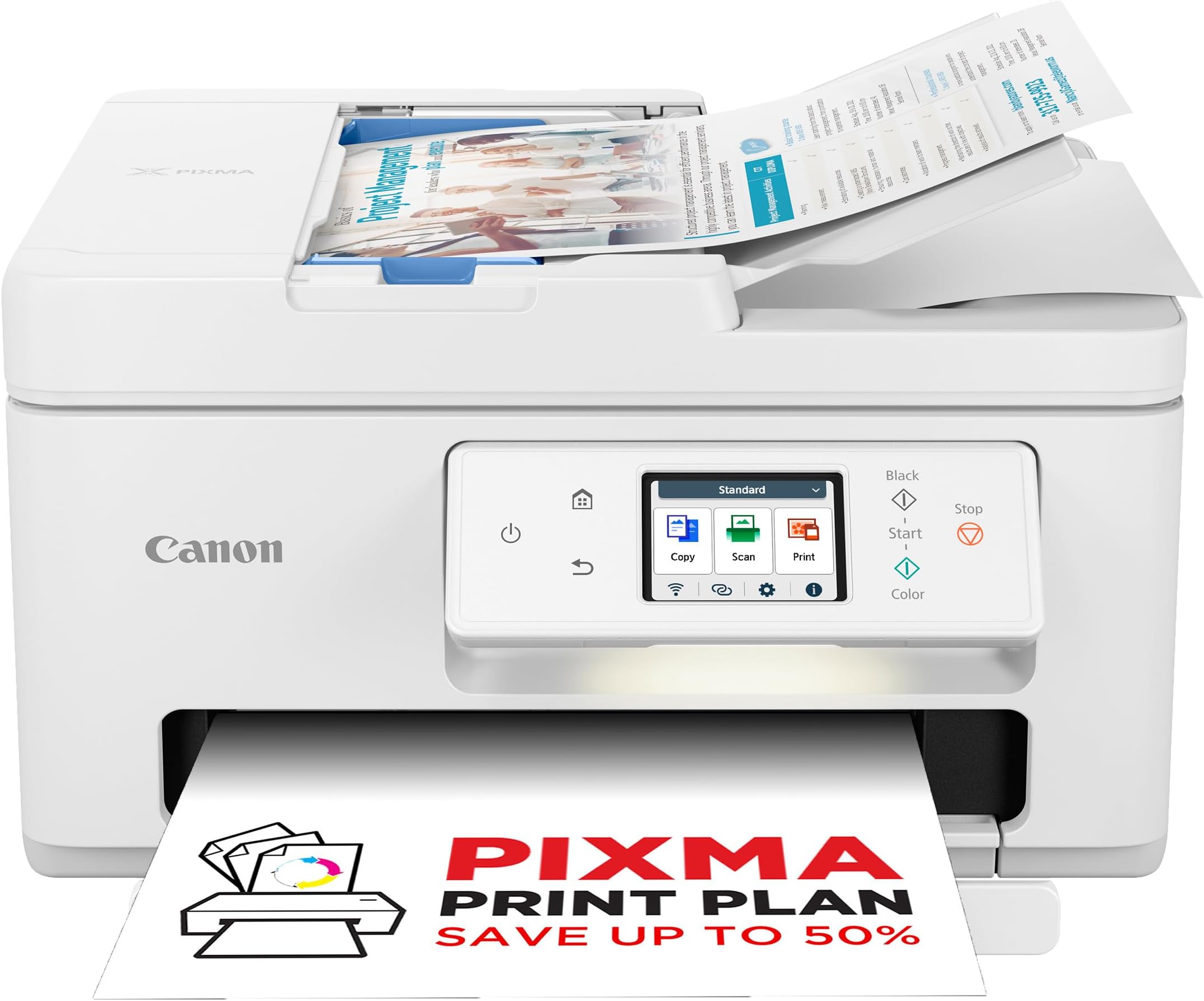
🖨️ Elevate your home office with Canon PIXMA TS7750i — where wireless meets vibrant printing!
The Canon PIXMA TS7750i is a sleek all-in-one wireless printer, copier, and scanner designed for home use. It delivers high-resolution color prints up to 1200x1200 dpi, supports auto 2-sided printing, and integrates seamlessly with smartphones via the Canon PRINT app, AirPrint, and Mopria. Featuring Canon’s FINE ink cartridges and ChromaLife100 technology, it produces vivid, long-lasting photos. The PIXMA Print Plan offers convenient automatic ink replenishment, making it an ideal choice for busy professionals seeking reliable, high-quality printing with minimal hassle.


| ASIN | B0CHFRJ6T2 |
| Are Batteries Included | No |
| Best Sellers Rank | 3,671 in Computers & Accessories ( See Top 100 in Computers & Accessories ) 29 in All-In-One Printers |
| Colour depth | 24 bpp |
| Compatible devices | Laptops, PC, Smartphones, Tablets |
| Connectivity Type | Wi-Fi |
| Controller type | Apple Airprint |
| Customer Reviews | 4.2 4.2 out of 5 stars (200) |
| Date First Available | 6 Sept. 2023 |
| Dual-sided printing | Yes |
| Form Factor | All-in-One |
| Guaranteed software updates until | unknown |
| Included components | PIXMA TS7750i Wireless Colour 3-in-1 Inkjet Photo Printer, 2 FINE cartridges (PG-585 x1, CL-586 x1), Power cord, Manuals and other documents |
| Item Weight | 7.3 kg |
| Item model number | PIXMA TS7750i |
| Manufacturer | Canon |
| Max input sheet capacity | 200 |
| Maximum Supported Paper Size | A4 |
| Maximum black and white print resolution | 600 x 600 |
| Maximum colour print resolution | 1200x1200 dpi |
| Maximum copies per run | 99 |
| Operating System | Mac OS 10 15 Catalina, Mac OS 11 Big Sur, Mac OS 12 Monterey, Windows 11, Windows 8.1 |
| Power consumption | 22 Watts |
| Print media | Envelopes, Fabric, Glossy photo paper, Labels, Paper (plain) |
| Product dimensions | 35D x 37.4W x 20.8H centimetres |
| Scanner type | Flatbed |
| Sheet size | 10 centimeters |
| Warranty type | Limited |
E**I
Excellent Canon TS7750i printer, scanner and copier
Canon TS7750i Printer, Copier and Scanner. Easy to set up, Print Speed and quality very good. Quiet and easy to use. Good value. Bought as an everyday printer as I have other Canon Printers for Photos, but I will try out printing photos on this printer.
J**S
General First Impression of the Canon PIXMA TS7650i
QUALITY Print quality for photos is good, used lots of ink maybe I would get ten prints of full A4. Borderless working. INSTALL ISSUE - RESOLVED Printer cannot work over TP power extender on Windows 11. I had to run it connected directly to the main hub when in wifi mode. I have not tried direct mode. INK Will need more ink soon after printing some photos for testing the quality. Prints much quicker than my old HP ENVY printer (that no longer works with Win11). I'm still on the original supplied ink which are normally lower capacity. CONSTRUCTION I think the draw for finished print and paper feeder tray at the top back of the printer look a little weak not sure how well this printer will stand the test of time. POWER The print does 'got to sleep' and needs waking again manually on the printer. SCANNER Scanner seems to work well but there is a big delay on clicking scan on the PC dialog box where it looks like it is not doing anything but actually is.
L**R
Just works well!
After 25 years buying HP printers, I changed tack and bought this, and I'm glad I did, it just works with Mac, it doesn't get upset by the wi-fi, or have the paper tray jam solid. It just prints well, scans well, and it;s smaller and cheaper than the HP 3 in 1 I swapped out. So far so good.
W**Y
Great piece of kit
Very pleased with the quality and ease of use, setting up was relatively easy and being able to print from my mobile and laptop is great
E**M
A great printer and copies are first class.
Beautiful printer but it does not connect with my phone so unable to print using my android mobile. It works on iPhone and the prints are really nice. Thank you.
T**S
Excellent, but invasive, printer.
4/5 stars because of Canon policy, not the vendor. Delivered on time- delivery shaky as the deliver agent banged on the door, left the expensive unwrapped purchase on the doorstep, and quickly left...good job I was in to rescue it! The printer is FAST and produces excellent quality prints, HOWEVER, the Canon user policy is overly invasive re: your personal data, browsing, cloud storage etc. It goes beyond product monitoring- after a discussion with ChatGPT it can be seen that to access "the suite of services" they need your data...more than what I think is reasonable. It's tanatamount to customer support hostage to data sharing. I.e., “If you don’t agree to us using your data, you can’t use the service”- is that reasonable? Reasonable? Not really. Standard in 2025? Sadly, yes. Whilst this isn't an 'unfair contract term', it could be seen as borderline. For me, as an older user, I do not enjoy this level of data intrusion just to merely print a document.
N**Y
Very hard to set up
Got this as I have a Canon camera, thought thy would gell together, didn't get a chance to find out. Out of the box and tried to set the printer up with WiFi. Got a connected message but could not get a signal. Went through all the check list and recommendations still no signal. Check my WiFi, all good with phones, TV, tablet and set top box. Turned them all off and still no signal to printer even though it was recognised. Tried using phone with QR code, still could not get a signal to printer even though all WiFi info was displayed on touch screen. Tried using tablet but again no success. Called friends, who are computer whizzes, still no luck getting a signal. So disappointed I got the box to pack it up, on looking at the box it says, " developed for i phone and I Pad. Made me think that even though it gets a signal there is no apple equipment trying to connect to it, everything i have is Android. So it does not recognise anything I'm trying to connect it to. Who knows. All I know is that it's impossible to set up. So have returned.
A**R
Gets through a lot of ink
As somebody else commented, this is fine as a very occasional use printer - quite easy to use if a little fussy about sending you endless, unhelpful information about what it's up to. The real problem is ink consumption - even Canon say a typical cartridge is only good for about 180 pages, and in my experience it's a lot less than that. Rather than spending £40 a month on cartridges I'm investing in a laser printer.
Trustpilot
4 days ago
1 week ago