We remain fully operational. Our teams are working around the clock to ensure your deliveries continue safely.

DOWNLOAD THE APP


Copyright © 2025 Desertcart Holdings Limited
DOWNLOAD THE APP




Buy anything from 5,000+ international stores. One checkout price. No surprise fees. Join 2M+ shoppers on Desertcart.
Desertcart purchases this item on your behalf and handles shipping, customs, and support to Vietnam.
⚡ Elevate your creative edge with silent power and 8K clarity
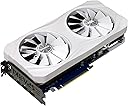
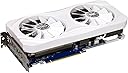
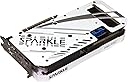
The Sparkle Intel Arc A750 ROC Luna OC Edition is a robust, future-ready graphics card featuring 8GB of high-speed GDDR6 memory, dual 100mm double-ball bearing fans for whisper-quiet cooling, and support for up to 8K resolution via three DisplayPort 2.0 outputs. Designed with a sleek Luna White metal backplate and powered by Intel's Xe HPG architecture, it delivers real-time ray tracing and advanced upscaling technologies, making it an ideal choice for professional creators and discerning users seeking powerful, stable performance without flashy RGB distractions.


| ASIN | B0D3W6N459 |
| Best Sellers Rank | #558 in Computer Graphics Cards |
| Brand | Sparkle Computer |
| Built-In Media | Graphics card |
| Compatible Devices | Desktop |
| Customer Reviews | 4.4 out of 5 stars 645 Reviews |
| Display Resolution Maximum | 8K |
| Global Trade Identification Number | 04711342290603 |
| Graphics Card Interface | PCI-Express x16 |
| Graphics Card Ram | 8 GB |
| Graphics Coprocessor | Intel Arc A750 |
| Graphics Description | Dedicated |
| Graphics Processor Manufacturer | Intel |
| Graphics RAM Type | GDDR6 |
| Graphics Ram Size | 8 GB |
| Graphics Ram Type | GDDR6 |
| Item Dimensions L x W | 11.06"L x 5.15"W |
| Manufacturer | Sparkle |
| Memory Clock Speed | 16 GHz |
| Model Name | Luna OC Edition |
| Number of Fans | 2 |
| Video Output Interface | DisplayPort , HDMI |
| Video Processor | Intel |
| Warranty Description | 3 year limited |
R**O
A very sturdy and tough graphics card
A very sturdy and tough graphics card Pros: I didn't expect less from a electronics builder as Sparkle, despite its absence in the graphics cards niche. in fact, this is a company who build nice things. A G.c. well built, with a nice size, not oversized or too compact, with enough heatsink to keep the beast cool under 40.c in a room over 32.c with no fan noise. In rendering or gaming, with all the power that she wants to engulf, don't come over 70 c. maybe I have to work or gaming harder with this. A very silent G.c. . the fans on the card, don't exceed the 1300 rpm. this is just logic, related to kind of usage and room temperature, (25c. when is cold, 34.c when is hot) this at normal video playing and working, photo editing and, graphics design, average office work. etc... is just imperceptible and very stable. the industrial design of the graphics card are flawless. straight lines, nice "intel blue" color, not overloaded with unnecessary "rgb" like an "spielberg ufo", a nice trio of well built fans, and a useful light that indicates the temperature in real time, besides being aesthetic. I think that this G.c. is one of a kind, and Intel is right now, despite the critics or weaning and moaning from of millennials users, making a very nice job, as usual with Intel products, a nice engineering, and is noted that intel and its software team are working hard to support this line of product and make it grow, powerful and stable. the cost-benefit ratio is unbeatable. In my whole pc career, using Pcs daily, is very nice to see a third fighter in this arena, offering a very wide variety of products and prices, according to the most of peoples budgets and needs, not only bloating with merchandising and overdosing Rgb lights, selling to you things that you don't need at all at ridiculous prices cons: none at this very moment. If you want to buy one of this G.c. you have to know, this is not a product for an average puberty boy or teenager who wants just "lights and numbers". ..."look mine is better because I get 10k fps". "more Rgb for more fps" kind of user. despite this, you will get nice numbers if that's only worrying you about. you only need to know, some games are optimized for some G. cards than others, and this is the world we living right now. in any case, "choose wisely which game to play in your card, or just buy a G.c. for play your game". also, if you' re more a creator or I.t. worker than a gamer, like me, this Arc G.C. line up is for you. I hope that this will be useful to you. Grettings
N**S
I really really wanted to like and keep this gpu.
My older computer's graphics card broke and I needed it replaced. I wanted the most bang for my money and specs wise, this is it. Pros: This gpu has plenty of power and potential to unlock with better drivers. It has plenty of vram which makes it somewhat future proof. The gpu is not that loud when the fans are on full speed. It rarely does. The performance of the gpu is a mixed bag. When the gpu plays a game with a well optimized drivers, it runs it flawlessly. Super smooth and unbelievable to the eyes. One such title is Ratchet and Clank. I couldn't believe that it performed that well. I turned on ray tracing and all I can say is wow. I cannot praise Intel enough for their effort into their gpus and their drivers. Bravo is all I can say. Cons: The biggest con I experienced is that it wouldn't work on my computer. I have a 9th generation Intel and I couldn't get it to work. Now before you all come down on me, I know that a 10th gen is highly recommended by Intel. I researched and there have been people who were able to get the gpu to work on a 9th and even 8th gen cpu so long as resizable bar was enabled. RB was enabled on my motherboard. I could not get it to work. Maybe it just didn't like my cpu and motherboard combination. I did install the gpu on my 12th gen gaming machine and it worked great. My biggest gripe with the gpu is the micro stuttering I experience while playing many games. It isn't smooth at all especially if you experienced a high end Nvidia gpu with g-sync. Conclusion: I really wanted to keep this gpu. I really do. If it worked with my 9th gen computer, I would be willing to hang with Intel and wait as they smooth things out on their end. But I don't have a choice because my older pc needs a gpu and this just wouldn't work. That's just too bad. We so need to have a 3rd competitor in the gpu world to help control prices. But since it just wouldn't work on my device I couldn't keep it. I'm not willing to buy a new cpu, motherboard just so I can use this. If your cpu and motherboard works with this gpu, go for it. Intel is really putting their heart and soul into ARC and any support they can get from consumers will just allow them to continue that. I really really hate to do this but this is going back since it doesn't work for my needs.
D**L
Very Underrated! Except for the fan noise…
Really glad I went with this graphics card over AMD or NVIDIA. This was for an all Intel micro build. I work in graphic arts, Blender and some gaming, so the Arc card fit my needs. I’ve always been an Intel girl as it’s always been reliable in my line of work. I was a tad skeptical at first due to reviews on issues with drivers. However, I have not personally encountered any issues thus far with the programs/games I run. I love how the LED strip on the side gives you a rough idea on how warm the card is running. Another plus would be the little support piece/crutch the card comes with. Sure, it makes the build look a little less “clean”, but I’d rather have a stable card than a wobbly one. The biggest downside I have encountered is the fan noise. Out of the box, the fans sit at a default of 30% fan speed. Because of this, they continually ramp up and down, starting and stopping. This can be very annoying. From what I understand, this is an issue with Intel Sparkle cards in general, not a user error and it does not matter how up-to-date your drivers are (as of writing this review). However, I personally found using the Intel ArcControl app, going under Performance, and turning the Fan Speed Control to "Fixed Fan Speed" has made a big difference. I set my fan speeds to roughly 35% and this helps in keeping them consistently spinning, while still being fairly quiet. Having sound on while gaming, waring headphones, or having the computer in a different location will also cut the fan noise in sure. I like to monitor my hardware visually and audibly, thus my PC is oriented on my desk in such a way where I can’t ignore the noise completely. If you are looking for a completely silent graphics card, this is definitely not the one for you. In some games, there was a noticeable coil whine when turning the graphics settings up to Ultra. Of course this can be remedied by lowing frame rate and graphics settings in general, but I have also noted this sound has decrease over the past few months after some use. Definitely worth the buy in my opinion!
R**S
Its all about the drivers and right game settings (Update 2/26/2024)
I've been using this GPU for about a week now so this is more of a first impressions review. If my experience with it gets better (or worse) over time I will come back and update it. So far since upgrading to the A770 from a GTX 1650 Super I have crashed twice in Fortnite. I never had a crash in this game with my other GPU so I can only assume this is a driver problem. I've also had 1 blue screen PC crash since installing this GPU and I'm hoping that doesn't happen again. Finding the proper graphic settings seems like a job because after trying different settings in game I can't seem to find that sweet spot that gives me good FPS without my game looking like its running on a potato. I just settle with Medium graphic settings with a couple custom changes such as 3D resolution and view distance and I am able to get around 100-120 FPS. Even still, I get random stutters here and there so I don't know if its entirely on the GPU or if its my PC overall contributing to this. My PC is: AMD Ryzen 7 3700X 8-Core Processor 3.60 GHz Windows 10 Home 32GB XPG DDR4 Memory Gigabyte B450M DS3H Mobo 1TB Samsung NVMe drive (most of my games are installed on this) 500GB Samsung Evo SSD Yes my mobo BIOS is updated and REBAR is enabled. I have the latest drivers for this GPU as well. I know my system is a budget build, but I expected the overall performance and experience using this GPU to be a bit better than this. I do plan on using this GPU in an Intel based build in the future so hopefully by that time I will have a better experience with it. This GPU also seems to run more on the hotter side almost all the time. The color changes on the GPU lighting to indicate the current temperature range. If its blue then its cool but if it changes to orange then its getting hotter. This GPU has been in the orange color for me most of the time when I'm just doing something simple such as playing Fortnite. I'll try adding more cooling to my system to see if that helps but I didn't expect a game like Fortnite to make it run hot especially when not on the highest settings. I will say when I do set the graphics settings to high the game looks incredible, but the FPS goes way down. Again, maybe that is in part due to my budget build so if this improves in my next build I will update my review. The graphics card itself looks amazing. It'll give your PC that high end look when you install it. On a side note, don't try to put this thing in a small PC case unless you're sure it can fit. I had to "modify" my PC case to get this thing to fit so make sure you have enough room for it. The only reason I chose this card over an NVIDIA is because it was the cheapest 16GB vram GPU I could find. I figured the extra vram would help keep it "future proof" for awhile so I wouldn't have to worry about upgrading the GPU anytime soon. I almost wish I would've just went with a 4060 RTX 8GB but I will hold out for now and see how things go. I'm hoping they continue to improve the drivers and do everything they can to ensure people who use this GPU are getting the best possible experience. Other games I have played since installing this GPU: World of Warcraft New World Overwatch Forwarned Fall Guys My main game is Fortnite but in the few hours I've put into the games above with this A770 I would say overall its been a good experience with just having some stuttering here and there in Overwatch. I'll update this review in a few months, or when I try this GPU on a higher budget Intel based system. Update: In the time between I made this review and until now (1/3/2024 just 3 days...) Fortnite has crashed about 5 more times at random. Again, I'm pretty sure this is a problem with the GPU because I did not have this problem before with a different GPU. I have also started seeing rapid flickering of textures and objects in game which now happens everyday. I don't feel like I am using a 16GB vram gpu with the amount of problems I have experienced in the very short amount of time I've had it. I don't think this particular gpu runs well on older (not old) hardware despite my mobo having REBAR support and everything as up to date as I can have it. I'm starting to already regret choosing this gpu over an 8GB nvidia one I could've gotten for around the same price. I can only hope it runs better on a newer system in the future, or a driver release somehow makes it perform better on my current system. Update 2: More of my games are now crashing using this GPU, which defeats the whole purpose of "upgrading" a gpu. I did not have these crashes on my previous gpu so my guess is its a driver issue. Update 3: I tried new settings in Fortnite from a guide I found online and after testing them for a few matches my FPS has gotten way better (staying at around 165 fps most of the time with it going between 110-165 depending on whats going on during the match) and the overall experience being much better than the past week I have used this card. The flickering seems to have stopped (for now) and I haven't experienced any random stutters or sudden fps drops like before. I'll continue to test the gpu with these new settings over the next few days and see if it maintains the performance I experienced tonight. I'll bring the Star rating back up to 3 and will consider moving it to 4 or perhaps even 5 if I can go a week straight with the same performance increase I had tonight with these new graphic settings. I'm also hoping the crashes have stopped (also note Fortnite is not the only game I have experienced a crash in, so I don't know if that is due to drivers or any specific graphic setting). Anyone who knows even a little about gpus and PC gaming in general knows that crashes can be hard to diagnose and fix. I know for me they only happened once I switched GPUs. Update 4 (1/18/2024) I decided to upgrade my previous 3 star rating to now 5 stars. All of the previous problems mentioned in my review so far have went away. I have not crashed in Fortnite since having the new in game settings and the game looks and performs really well. It makes me excited for how well I can make my games look and perform when I upgrade the rest of my computer. I'm able to maintain a steady 125-165 FPS in Fortnite all the time now. All of my other games are doing great too on this GPU. Overwatch gives me a random stutter frame drop but I think that may be because I haven't yet found the right in game settings for what my computer can handle with the game. I will next be trying Resident Evil 2 Remake with ray tracing enabled to see how well the game looks and performs on this GPU and my current PC. I was able to make it look and play pretty good with my previous GTX 1650 Super so I think I can go a lot further with this new GPU especially since it has way more VRAM than my previous GPU (16GB compared to 4GB on my other gpu). Overall I think the A770 is a pretty solid GPU and worth the upgrade especially in budget builds looking to get that extra performance without spending a ton of money. Just make sure your computer is compatible with it and that you have a REBAR ready mobo. I think Intel will be a worthy competitor to AMD and Nvidia so long as they stay on top of driver updates and competitive pricing. I'll be interested to see when and if they make something comparable to a high end 4090. Update 5 (1/28/2024) I'm dropping my rating for this GPU back down to a 3 from a 5. Updating to the latest drivers for this GPU started making Dead by Daylight crash. I couldn't even complete a single match before the game would crash every time. Anyone who plays this game knows that crashing in that game is not good as you get a leaver penalty that stacks which prevents you from playing the game. Nothing makes me want to stop using a GPU and lose faith in the brand of it faster than game crashes. As of now, I will definitely be going back to Nvidia when I can afford one of their higher VRAM RTX models. I never had crashing problems in my games using even an older GTX 1650 Super. The A770 gives much better FPS, but what is the point of better FPS if your games crash? I also noticed certain places in Fortnite were flickering with the latest driver. Thankfully the game didn't start crashing again and the FPS is still good. I'll try reverting back to a previous driver and see if that helps. Game crashes are simply unacceptable especially for a GPU of this level. Update 6 (2/26/2024) I reverted the driver back to 31.0.101.5085 and tested it with my games for a few weeks. My game crashes have stopped (the most important thing) and overall the performance is pretty good for my budget PC. I have noticed some FPS stutters in random places in Dead by Daylight but other than that it has been a good experience. The right drivers mean everything. Updating to the latest driver isn't always the best thing to do, at least in my experience. I think for now I will wait awhile between driver updates and see how it goes but the driver I am using now seems to be what works best for my PC. This will probably be my last update to this review until I try the GPU out in a better PC and I'm not sure when that will be. For now I will bring the star rating back up to 4. I think the right settings in your games and the right driver is the key. I know for me the issues I had in Fortnite seemed to be fixed mostly by finding the right settings in game. However the game crashes didn't stop until I used the right driver. The difference was night and day in Fortnite when I found the right settings for my PC.
L**Z
Beautiful design and excellent build quality
The A770 TITAN OC Edition boasts a beautiful design and excellent build quality. Its triple-fan cooling system ensures efficient thermal performance, making it an attractive addition to any gaming rig. Performance: For 1080p gaming, the A770 holds its ground. It's a decent performer across a broad range of titles, both older and newer. Where the A770 truly shines is at 1440p. If you're pushing higher resolutions or playing VRAM-intensive titles with high to ultra settings, this GPU delivers great results. Whether you're gaming with or without ray-tracing, the A770 TITAN OC Edition holds its own. Pros: - Beautiful Design: The A770 features an eye-catching design. - Premium Build Quality: Sturdy construction with excellent thermal management. - Generous VRAM: 16GB of VRAM for future-proofing. - Solid 1080p and 1440p Performance: Ideal for most gamers. - 256 bit memory bus - 3x DisplayPort 2.0 - 1x HDMI 2.0b Cons: - Performance and Driver Issues: While Intel's drivers have dramatically improved (I cannot stress this enough DRAMATICALLY since launch), there's still room for stability enhancements. - Competition from Other GPUs: The GeForce RTX 4060 and Radeon RX 7600 provide stiff if lackluster competition. Final Thoughts The SPARKLE Intel Arc A770 TITAN OC Edition is a compelling choice for gamers seeking a mainstream GPU with ample VRAM. I bought this expecting for it to struggle with the games I play, but surprisingly that has not been my experience. I'm glad to report that I've had ZERO issues. I do have it paired with an Intel i7 12700k CPU which takes advantage of Intels' Deep Link technology which boosts the performance of this GPU. In summary, the A770 TITAN OC Edition offers great value, especially for those aiming at 1440p gaming. This is a sturdy and robust piece of hardware. Its performance is truly remarkable. I recommend grabbing one while they’re still available! I am very happy with this purchase! Happy gaming!
E**G
A Spectacular Intel Blue Card
I bought this Card used like New and there was no Hardware Material Damage on the Card itself. It definitely looked New on everything on the Hardware Metal. I was very certain that this Card would have no Problem running Hogwarts Legacy and it exceeded my Expectations. The Performance FPS was running around 70 to 80+ FPS with XeSS Upscaling Quality Mode and Ray Tracing on High Settings was just incredibly smooth. The Fan Control on this Card is on point for Cooling at the right level. Noise level was indeed quiet for me so no unexpected Fan Speeds to sound like a PS4 Fan whirling like crazy. The last thing I wanna mention is that 8GBs of VRam from this Sparkle Orc Card is enough to play 1440p at High Settings including High Ray Tracing except Ultra or, Extreme Settings from Black Ops 6 Multiplayer. Ultra or Extreme Settings is where the Card can't perform smoothly. If you guys think that 8GBs of VRam ain't enough for Gaming Triple A Titles, I'm having no issues on FPS Consistency with this 8GB VRam Card. Overall, this is an incredible Card from Intel and 100% Satisfied with this.
H**S
Good Try---but still hit or miss
There's a lot to like about the A770, most of all the price/performance. While there is no doubt intel has come a long way from the first release, there are still growing pains. My issue was the fans would spin full throttle every 30 secs including when idle. Changing fan curve did no good, it just kept doing it. As my machine was relatively close to me, the constant hummm----hummm-----hummm, was too much. Leaving me to believe my unit was defective, perhaps the firmware was out of whack, so I had to return it. Other than that. it worked well, and I am hopeful that intel and their partners will reduce the quality-of-life issues that still plague their GPUs. That being said, there are many people who have had positive experiences, so as noted, this may be a matter of growing pains, or just my bad luck.
S**9
Great Card
I decided to try Intel graphics after watching some videos on the Arc cards. Prior to that, my experiences with Intel graphics weren't good, from the old chipsets built into Intel motherboards to the newer UHD graphics built into Intel processors. But, I still decided to give Arc a try and I'm glad I did. I bought this card specifically for the overclocking. The sale page says it goes up to 2200 MHz, but according to the Intel Arc control panel, it mostly runs at 2400 MHz. This likely offers a boost over the Intel branded card, and they're the same price. Plus, I got mine for $30 off, making it an even better deal. The performance in games ranges from good to excellent, depending on the game. Some games like Cyberpunk 2077, RoboCop: Rogue City and Gotham Knights really love Intel Arc graphics and have settings specifically for these cards. A lot of other games just run great, but a few older games require some tweaks to make them run. I have to use dxvk-async for Arkham Knight and I have to set my Steam launch options with my VRAM amount for GTAIV, but those are minor things. Once I fixed those minor issues, both games run just fine. So, experiences can vary based on the game, but that's true of any graphics card. I find this to mostly just be a great card for gaming in general. Plus, Intel seems to release new drivers around the end of each month, which is a great schedule and the drivers keep making the cards better. The only minor issue I have with this card is that the fans do spin up kind of loud when it's under full load, but the card doesn't overheat. The most I've been able to push it to is about 80c, and that was with Cyberpunk and Starfield running at high settings. But, 80c isn't bad at all. Sure, the fans were pretty loud at that point, but they were doing their job. So, all said and done, I'm really pleased with this card and I recommend this to anyone looking for a good budget option, provided you don't mind doing some tweaking for some games.
Trustpilot
2 months ago
1 day ago