

🚀 Elevate your home network to warp speed—because your digital life deserves the best!
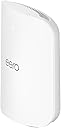
The Amazon eero Max 7 is a cutting-edge Wi-Fi 7 mesh router designed for ultra-fast internet plans up to 10 Gbps. It covers up to 2,500 sq. ft. and supports over 250 devices simultaneously, featuring dual 10 Gigabit Ethernet ports, tri-band radios, and advanced TrueMesh technology for optimal performance. Built as a smart home hub, it integrates Thread, Matter, and Zigbee protocols, while offering easy setup via the eero app and optional enhanced security with eero Plus. Backed by a 3-year warranty, it’s engineered for professionals demanding speed, reliability, and seamless connectivity.
| Wifi standards | Wi-Fi 7 (IEEE802.11a/b/g/n/ac/ax/be) |
| Number of radios | 3; tri-band |
| Supported channels | 2.4 GHz: 1-13; 5 GHz: 36-64, 100-144, 149-165; 6 GHz: 1-233 |
| MIMO | 2x2/4x4/4x4 MU/SU-MIMO |
| Spatial streams | 10 |
| Channel width | 20, 40, 80, 160, 240, 320 MHz |
| Network security and services | WPA2-PSK, WPA3-Personal transition mode |
| Other Wi-Fi features | WMM, Tx Beamforming, OFDMA |
| BE rating | BE20800 |
| Channel selection | Automatic Channel Selection |
| Band steering | Yes |
| Warranty and support | 3-year limited warranty. |
| Device/profile pause | Yes |
| Easy password sharing for guest and home network | Yes |
| Smart home hub | Yes |
| Thread | Yes |
| Bluetooth | Bluetooth Low Energy 5.0 |
| Zigbee | Yes (as a controller only) |
| Works with Alexa | Yes: With eero Max 7 and an Alexa device (not included), you can easily manage wifi access for family profiles to take focus away from screens and back to what’s important. |
| Matter | Yes (controller only) |
| Antenna | 2.4 GHz: 2x2, 5 GHz: 4x4, 6 GHz: 4x4 |
| Frequency bands | ISM (2.4-2.484 GHz), UNII 1: 5.15 - 5.25 GHz, UNII 2A: 5.25 - 5.35 GHz, UNII 2C: 5.47 - 5.725 GHz, UNII 3: 5.725 - 5.850 GHz, UNII 5: 5.925 - 6.425 GHz, UNII 6: 6.425 - 6.525 GHz, UNII 7: 6.525 - 6.875 GHz, UNII 8: 6.875 - 7.125 GHz |
| Types of modulation | OFDM |
| Ethernet | Two auto-sensing 10 GbE ports and two auto-sensing 2.5 GbE ports for WAN and/or LAN connectivity |
| Processor | Quad-core A73 processor |
| Memory | 2GB RAM |
| Storage | 4GB flash storage |
| Size | 7.24 x 8.73 x 3.54 in. (183.90 x 221.89 x 89.90 mm) Actual size and weight may vary by manufacturing process. |
| Operating temperature | 32°F–104°F (0˚C–40˚C) |
| Electrical requirement | 100-240V AC, 50/60 Hz |
| AC supply | 45W external USB-PD |
| OS support for eero app | iOS/Android app |
| Subscription | New customers are eligible to access eero Plus free for 30 days. Learn more about this here. |
| Required for setup | Supported iOS or Android device and internet service (with cable, DSL, or fiber ONT modem, if required). See requirements. |
| Warranty and service | 3-year limited warranty. For warranty info, privacy policy, terms of service, trial and subscription terms, and more, visit eero.com/legal. |
| Included in the box | 1-pack: One eero Max 7 router, one 45W USB-C power adapter, and one CAT6a Ethernet cable. 2-pack: Two eero Max 7 routers, two 45W USB-C power adapters, and one CAT6a Ethernet cables. 3-pack: Three eero Max 7 routers, three 45W USB-C power adapters, and one CAT6a Ethernet cables. |
| Software security updates | Learn more about these software security updates here. |
| Legal disclaimer | eero Max 7 is subject to the disclaimers at eero.com/legal/disclaimers. |
J**M
Amazing speed, setup and stabilty!
Since release I have had the 3 node Eero 6 Mesh system, so for about 4 years. During that time I have only had one incident and Eero support was fantastic. Since the mid 90s I have designed and built out multiple nationwide networks. From small ISPs, to Wireless providers getting into the Internet business to deploying mesh wireless system in corporate offices. I love it, it's great to tinker working to make things better and better. Because of that though I don't want to do that same thing at night or on the weekends unless it's work related. When I have some free time to do what I want, tweaking a network is one of the last things I want do. Yet I must have something that is fast, stable and secure. For years the Eero 6 functioned well however during that time we have added devices, increased our bandwidth and have more people working from home and/or gaming. It was time for an upgrade. Frankly reading the reviews I was concerned about purchasing this system. Yes, we all know that people who are unhappy are more likely to write a review than someone who is but this was definitely not ranked as high as my old system. Regardless I knew if needed I could troubleshoot with the support stand so I gave it a shot with the hope it wouldn't be an ongoing ordeal. I'm very happy to say the setup was one of the easiest if not the easiest ever. I unplugged my old system, plugged in the new primary devices and launched the app. It asked if I wanted to replace the old system, yes. It configured the new device using my same settings (network name, SSID etc...) and I was up and running in less than 10 min with a firmware/OS update. Adding the second device, they are both the same and both have the Ethernet ports, it set it up as the secondary in a couple of minutes. Then I removed the 2 old extension from the app and I was done. I did not have to do anything to all the devices on my previous network as everything stayed the same. That also saved me hours of extra work. While I only have a 1 gig connection we plan to upgrade to 2 in a couple of months and this will more than handle it. I went from getting about 40Mbps in our studio room over wireless to a full gig. The farthest room in the house had the second extension in that room previously just to get it covered. With only the two device system that room is now running 800 Mbps. As the extension is in our den I was able to plug our Apple TV directly in Ethernet and any occasional stutters watching in 4K simply vanished. We are on a cable modem system from our local provider. While I did help set it up in the 90s I haven't helped them in 20 years or so and thus there is nothing special about our connection, it's the same as everyone else in town. I am not using the paid version of the app, the free download has worked just fine for 4 years, worked great on our setup and I see no reason, again not looking to tweak anything, to pay for the extra services. I think most people will be just find using the standard app. At the beginning I noted I had the older 3 node system but got the 2 node Max 7. My house is a single story about 2600 sqft. The gateway is located in the office at the front far side of the house, I placed the extension in an are approximately the middle and I'm getting complete coverage throughout including a good usable signal out front or out back. While it notes 5000 sqft, I would suggest 3000 is probably more accurate from my experience. I definitely would not have needed three and if you can place the your device near the center of your house I believe a single unit would easily cover close to 2000 sqft with ease. Yes these aren't cheap but for us it was well worth the upgrade from a speed a quality of life standpoint and they are powerful enough I hope to get more than 4 years of service from them. Very pleased and highly recommend to anyone who needs more speed, especially if they have a lot of devices around the house. <Edit> I just wanted to add that after 3 months the system is still performing flawlessly, updates have been quick and stable.
T**O
Absolutely Amazing Performance and Coverage!
We recently upgraded to the Amazon eero Max 7 mesh WiFi router, and it has completely transformed our home network experience. This latest generation 2-pack system is worth every penny of its price. Unmatched Speed and Reliability: The speed of the eero Max 7 is phenomenal. With two 10 Gigabit Ethernet ports, we’re getting wired speeds up to 9.4 Gbps and wireless speeds up to 4.3 Gbps. The TrueMesh network intelligence ensures that our connection is always stable and fast, no matter where we are in our home. Perfect for Gaming and Smart Homes: My sons are avid gamers, so low latency and high throughput are crucial, and the eero Max 7 delivers beyond expectations. The AR and VR experiences are seamless, and cloud gaming is now a breeze for them. Additionally, it serves as a smart home hub, easily connecting Thread, Matter, and Zigbee devices, making our smart home setup more efficient than ever. Incredible Coverage: With coverage up to 5,000 sq. ft., our entire home, including the patio and backyard, is now a WiFi haven. It supports over 200 devices without any hiccups, which is perfect for our household. Easy Setup and Management: The eero app made setup a breeze, guiding me through each step in minutes. Managing the network remotely is incredibly convenient, allowing me to handle any network issues from anywhere. Advanced Security and Sustainability: The optional eero Plus subscription provides peace of mind with advanced digital security, protecting all our data and devices from online threats. Plus, I appreciate the eco-friendly design, made from 61% recycled materials. Works Seamlessly with Alexa: Integrating with Alexa adds another layer of convenience, allowing me to control my network with simple voice commands. Overall, the Amazon eero Max 7 mesh WiFi router is a game-changer. It combines speed, coverage, reliability, and security, making it the ultimate choice for anyone looking to upgrade their home network. Highly recommended!
B**N
Cut the Tether, Unleash Your Speed
Eero Max 7 was a great upgrade, and even though it was pricey, I am very happy that I did it. I had Eero 6e Pro, and I was very happy with it. However with Max 7 everything got better. My speed on my network is 5+ Gbps hardwired and 2+Gbps wireless. Max 7 can handle up to 10 Gbps, and I am only limited due to my provider; their fastest is 5Gbps. Installation was a breeze. I had all three units installed, updated and operational in under 15 minutes. The Max 7 units are big, very big, but after everything got connected and I saw my speed, the size wasn't an issue. Max 7 is great and I recommend it for anyone who needs speed, and has a lot of connected devices. I have just over 120 connected devices, and my speed has not wavered.
L**E
Good overall, but issues with video chats for work
Overall, I really wanted to like my Eeros. I got them on a great deal last black friday, and they really are easy to set up. The app is good, and it was pretty simple to replace my netgear router by plugging the eero into my verizon modem. In general, they worked well for most devices. Things like downloads, speed tests, etc are fast. I set up a wired ethernet backbone for each of the three endpoints in my home. I have a 2 story house, so 1 access point is in my office, 1 access point is in the basement directly above my wife's office, and the 3rd access point is on the other side of the basement in the crawl space. Unfortunately, I have experienced persistent issues with video chats on both teams and zoom. At first, we had some wifi issues on the far side of the house, which I was surprised by, since it was only ~15-20 feet from an access point in the crawl space below the room. Additionally, my wife is constantly complaining to me that she can't take video calls anymore, even in her office, where I see 5 bars of wifi strength. Even with my desktop plugged into ethernet upstairs, I seem to have some networking issues with lag and de-sync in online games. Overall, I am not sure what I am doing wrong. Our house is a SFH and at least 50-100 feet from our neighbors, so it doesn't appear to be caused by wifi interference. The eero app tells me I have 30 devices online, so it's not me pushing it to the limits as far as I know. I would say overall, if you are a casual user, and just want a good app with the ability to quickly block devices etc., then Eero is for you. But if you have high expectations for performance or have a job with a lot of video chats and screen sharing, I personally have been disappointed by my Eero units, especially given the price. Unfortunately, for my use case, bad video calls just won't work.
H**C
Eero is the best available Mesh System for large homes
The Eero 7 has the same eero simplicity and reliability of prior models, yet now provides multi-gig LAN networking capability. Recommendations: - Consider buying at least one eero 7 to enable a multi gig lan infrastructure as no other eero can do so. - Consider using eero pro 6Es as access points rather than buying multiple eero 7’s. (At least for now til WiFi 7 laptops, PCs and phones are readily available) - Use Ethernet cabling to connect your Eeros. You won’t be disappointed. This is the single best thing you can do to improve speeds and coverage. - Don’t be too quick to replace old Ethernet cat 5e or above as it CAN DEFINITELY support multi gig speeds over 5 to 25 foot runs Here’s my network objective, lan architecture and results Objective: For now I don’t need 10 gbps but I’d like to have bilateral 2.5 gbps lan with option to upgrade in the future to 10 gbps should the need arise. ISP status: My current ISP only provides 1.4 gbps service but fiber is being strung in my neighborhood by two different ISPs simultaneously with both promising up to 10 gbps bilateral service - soon. Challenges of home environment: I have a large three story 170 year old granite exterior walled stone home with interior plaster walls and a detached carriage barn. There are numerous smallish rooms with many WiFi blocking walls. The house has prior cat5e cabling throughout which can carry multigig speed at short distances of 5-20 feet even though cat5e is only rated at 1 gbps beyond a 30 ft run. All of my cable runs are less than 20 feet. Design architecture: I’m using the eero 7 as my primary router. Using one of its 10 gbps port to attach to the ISP modem and the second 10 gbps port to connect to two 2.5 gbps switches in the basement for an Ethernet backhaul across all my cat 5e cabling. I’ve connected 5 prior-owned eero pro 6e access points to the switches via the Ethernet cat5e cabling, placing them at 5 strategic locations in my home and barn. I have a variety of additional spare ethernet lan ports around the home. Rationale and tradeoffs. The eero 7 was key to powering up the multi gig lan as the chipset in the eero pro 6e limits one of its two ethernet ports to 1 GBPs. (That means you can input multi gig speeds to an eero 6e as a primary router but the eero 6E can’t output multi gig speeds to your Ethernet lan and downstream eero pro 6e access points). I chose not to replace the 5 eero pro 6es with eero 7’s due to cost of 5 additional eero 7’s for now and instead am using the eero 6Es as Ethernet backhaul connected 2.5gbps access points. I also chose the 2.5 gbps switches instead of 10 gbps switches as a cost tradeoff savings of about $400. So my total cash outlay of $1,000 was for the two switches and one eero 7. Results: For my 5ghz wireless clients I’m pulling 650 mbps flawlessly in every room of my home without any distance based degradation. Clients seamlessly handoff between access points as I walk from room to room. For my wifi6e clients on a 1.4 gbps ISP feed I’m pulling 1.3 gbps within 10-15 feet of every access point. All of My wired Ethernet ports pull steady 1.34 gbps off the internet. I have not clocked the intranet lan speed internal to the home but the switch indicator lights on each of the switches’ ports acknowledge a 2.5 gbps connection to each eero pro 6e access point via the green indicator lights. All of my 4k tvs connect wirelessly with outstanding performance. My wireless SONOS system of 14 devices throughout the home are all connected to the wireless lan and plays flawlessly without any drops. (I wouldn’t recommend connecting any SONOS device via Ethernet, as then Sonos will automatically set up its own private parallel wireless network to communicate to the other Sonos products which will not be as widespread and strong as your Ethernet based backhaul LAN with the eeros). My security panels and cameras are all connected via 5ghz with no more warnings of connection issues. I’ve supported 5 simultaneous networked teleconference sessions with several broadcasting 4k video. No glitches. Future plans: I’ll upgrade my isp connection to either 2 or 5 gbps bilateral connections once the fiber infrastructure in my neighborhood is complete and will retest speeds and republish. Should I ever decide to get into gaming, ill upgrade the isp to 10 gbps but the eero 7 is in my home office where I’d game so I’d need only insert one 10gbps switch on the outbound port of the eero 7 and then Ethernet connect the gaming console to it along with the downstream switches in the basement. I just don’t currently see the need to upgrade the rest of the eero pro 6e access points until phones and computers readily support WiFi 7 and applications exist beyond gaming that require 3-10 GBPs communications.
M**N
Easy to Setup and Great Performance, VPN issue.
Would be 5 stars except for the VPN issue. History: I cut the cord and got the Frontier 500 plan. They wanted to give me a basic EERO that only had 1 extra port. I needed 2 extra ports for a NAS and desktop PC. I wanted to avoid an ethernet switch. I don't have the ideal location for a router. It is in one corner of the house on the 2nd floor and the bedrooms and other equipment are on opposite sides. I also want good outdoor coverage. I currently have an old style Frontier and 2 old Netgear extenders. The most I could get was around 20-30 Mbps in most areas. I decided to replace all this with 3 EERO MAX 7s. Setup: It was incredibly easy to setup. Unplug power from Frontier ONT device. Plug ethernet cable from ONT into port 1, NAS into port 2 and PC into port 3. Power up ONT and wait about 10 minutes then plug in EERO. Then go to EERO app to finish setup. There is a simple way to reserve an address for NAS. It was easy to add the other 2 routers. The only issue is you have to assign a location and I didn't know which was which so I later had to switch location assignment in the app. Performance: I was astounded by the performance. I get 450+ Mbps download/upload all over the house using my phone and tablet. I'm really not sure how this is possible. I tested it on my PC that is on the other side of the house and I get 484Mbps down and 506Mbps up. I use the Speedtest app in the Windows store. You can't use the web app in a browser (SpeedTest.net). It caps out at 100Mbps since it runs in a web browser. I tested my Samsung Smart TVs using the builtin web browser and I get between 80-140Mbps down depending on the TV. If I use Netflix's Check Your Network I get between 80-200Mbps. Other: It looks great. My wife really likes the look. Issues: The only issue I had was with VPN. I have to use a VPN from time to time on my PC. It would not connect to the VPN. I found a post on Reddit about the issue and it says to use a guest network to get it to work. This is not an acceptable solution. There was a suggestion to use Bridge mode under DHCP and NAT settings. This completely crashed the router. I looked for a reset button on the router and there is none. I finally figured it out. You have to delete the network in the app to set it up again. I finally got Mozilla VPN to work. It somehow bypasses whatever issue EERO has with Windows and VPN. There are 100s of posts about this. Amazon needs to get this sorted.
R**H
Amazing performance and ultra fast internet speed - No more internet issues
I recently received the eero MAX 7 as a gift for my birthday, and it has been a game-changer. Earlier this year, I had purchased the eero pro 6e (2 units), which I was already quite happy with. However, I noticed that my mother needed one, so I gave her my eero pro 6e and got the eero MAX 7 for my apartment. Ever since I started using it, I have been blown away by its incredible performance. The download speed has increased from 981 MB to 1.3 Gig, and I no longer have to worry about my work video calls dropping like they did before. I used to think that the network service in my area was the problem, but it turned out that the many routers in the building and the interference from all the devices using the 2.4 GHz band were causing the issue. Now, I can work from home with great internet bandwidth without any interruption, and I couldn't be more satisfied. Although the eero MAX 7 is expensive, it's worth every penny in my opinion. You’ll see on the pics posted my download speed increased from 983 MB with eero pro 6e to 1.31 G with Euro MAX 7!!! Update: Dec 5, 2023 I recently purchased the new eero Max 7 mesh router, and I must say, it has exceeded my expectations. Not only am I experiencing faster speeds compared to my previous router, but the coverage it provides is simply outstanding. In fact, I was so impressed that I decided to get a second unit last week to ensure exceptional coverage throughout my entire living space. One of the standout features of the eero Max 7 is its ability to consistently deliver a reliable internet connection. Even in a building where numerous routers and devices cause interference, I haven't experienced any lags or connectivity issues. This is a game-changer for me, as I heavily rely on a stable internet connection for both work and leisure activities. Setting up the second eero Max 7 was a breeze, thanks to its intuitive and user-friendly interface and application. The mesh network seamlessly blankets my home, eliminating any dead spots and ensuring a consistent signal strength across all corners. I can now enjoy fast and uninterrupted internet access no matter where I am in the house. The eero Max 7 has truly transformed my internet experience. It's a high-performing mesh router that delivers on its promises of faster speeds and excellent coverage. If you're looking for a reliable and hassle-free solution to your connectivity needs, I highly recommend giving the eero Max 7 a try. You won't be disappointed.
O**R
Powerful, stable Wi-Fi upgrade with excellent coverage and easy setup
I installed three Eero Max 7 units in a large house as an upgrade from the Eero 6e system. Setup through the app was fast and intuitive — the network configured itself automatically, and each unit connected smoothly. The build quality is solid, though the units are noticeably larger than earlier models and more visible in a room. During the first couple of days, the signal seemed weaker and some devices struggled to connect, but performance improved significantly once the system optimized itself. Coverage is now stable across all floors, with fast speeds and seamless handoffs between rooms. The app makes it easy to monitor devices, adjust settings, and manage guest access. It’s a pricey system, but the improvement in speed, reliability, and range is clear. Once it stabilizes, it delivers consistently strong performance — an excellent upgrade for large homes or high-demand networks.
Trustpilot
5 days ago
2 weeks ago