


Buy anything from 5,000+ international stores. One checkout price. No surprise fees. Join 2M+ shoppers on Desertcart.
Desertcart purchases this item on your behalf and handles shipping, customs, and support to Vietnam.
๐ฎ Elevate your setup with the MUSETEX Y6 โ where performance meets pure style!
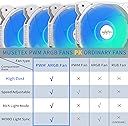
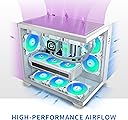
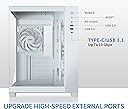
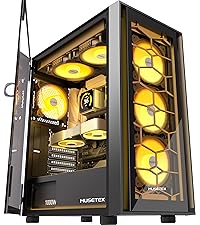
The MUSETEX Y6 is a pure white mid-tower ATX gaming PC case featuring 5 pre-installed PWM ARGB fans with advanced airflow design, 270ยฐ dual tempered glass panels for maximum visibility, and support for high-end hardware including GPUs up to 400mm and 360mm liquid cooling radiators. It offers USB 3.2 Type-C connectivity, magnetic dust filters, and a spacious interior optimized for both aesthetics and performance, making it a standout choice for gamers and professionals seeking a sleek, powerful build.









| ASIN | B0C9H8XY75 |
| Antenna Location | Gaming |
| Brand | MUSETEX |
| Case Type | Mid Tower |
| Case type | Mid Tower |
| Color | White |
| Colour | White |
| Compatible Devices | Standard ATX Components |
| Cooling Method | Air |
| Customer Reviews | 4.6 out of 5 stars 866 Reviews |
| Enclosure Material | Tempered Glass Plastic Metal |
| Fan Size | 120 Millimeters |
| Hard Disk Form Factor | 3.5 Inches |
| Internal Bays Quantity | 4 |
| Item Dimensions D x W x H | 42D x 29.5W x 36.8H centimeters |
| Item Weight | 8.06 kg |
| Light Color | Customizable |
| Manufacturer | MUSETEX |
| Manufacturer Contact Information | This is a glass sided case with a bottom mounted power supply design.Very light weight.It does come with an additional large fan which you can choose where to mount, depending on your cooling needs.However there are a few drawbacks:The motherboard mounts are minimal and are Tac-welded to the non removable - riveted back plate.(the manufacturer does supply two inverted plastic standoffs that you caโฆ |
| Material | Tempered Glass Plastic Metal |
| Mfr Part Number | Y6-N5-W |
| Model Name | Y6 |
| Model Number | Y6-N5-W |
| Motherboard compatability | ATX |
| Number of Fans | 5 |
| Other Special Features of the Product | Built-In Fan, Dust Filter |
| Power Supply Mounting Type | Bottom Mount |
| Recommended uses for product | Gaming |
| Supported Motherboard | ATX |
| Total Expansion Slots Quantity | 2 |
| Total USB 2.0 Ports | 1 |
| Total USB 3.0 Ports | 1 |
| Total Usb Ports | 3 |
| Unit Count | 1.0 Count |
J**K
Good product
Good size it works really good backwards mounted so my wires are hidden. Vary clean look
A**I
Excellent case with great airflow and lighting
This MUSETEX ATX PC case exceeded my expectations with its spacious design, strong airflow, and impressive pre-installed ARGB fans, making it a great choice for anyone who wants a case that looks fantastic, stays cool, and offers plenty of room for a clean and powerful build.
K**R
๐
This case is one of the best cases for your CPU. I bought it for my husband and he loved it. It looks great sitting on the table
E**.
very good quality for price
everything about this was great it came pre installed with fans very easy to cable manage and looked phenomenal and never overheated very cheap for what it was and handles very nice all case buttons worked exactly how they shouldโve and it was simple, the case is quite large so make sure you have enough desk room
K**Y
Nice case but plan your wiring - Read Below
Overall the case is very nice and arrived in perfect condition. All six of the stock case fans work fine. If you're not going with liquid cooling and plan to add more fans like I did, I would suggest moving the two side intake and the rear exhaust down to the bottom. Leave the other three on the top. The reason for this is that the stock fans are 6pin and connect to an adapter cable that has your 3pin argb and 4pin pwm. There are two adapters cables, each of which connect 3 fans, but each branch that connects to a fan is pretty short, and spreading the fans apart will make it near impossible to connect all of them. As others have mentioned, a full atx board goes right to the bottom of the case. You'll only be able to fit flat cables under the board, and even that is a bit challenging. PLAN YOUR WIRING OUT AHEAD OF TIME AND GET YOUR CABLES IN PLACE BEFORE INSTALLING YOUR MOBO. You'll never fit anything under there once the mobo is in place. The rear chamber was spacious enough for all of the excess cable, granted I didn't install any drives back there. I'm no expert at cable management, but I was able to get everything tucked and tied without having to force the back on lol. I ended up using the HDD compartment in the top right for a fan hub. This is a very nice looking case and has a spacious interior for airflow. If you plan everything out ahead of time you shouldn't have too much trouble.
Trustpilot
5 days ago
1 month ago