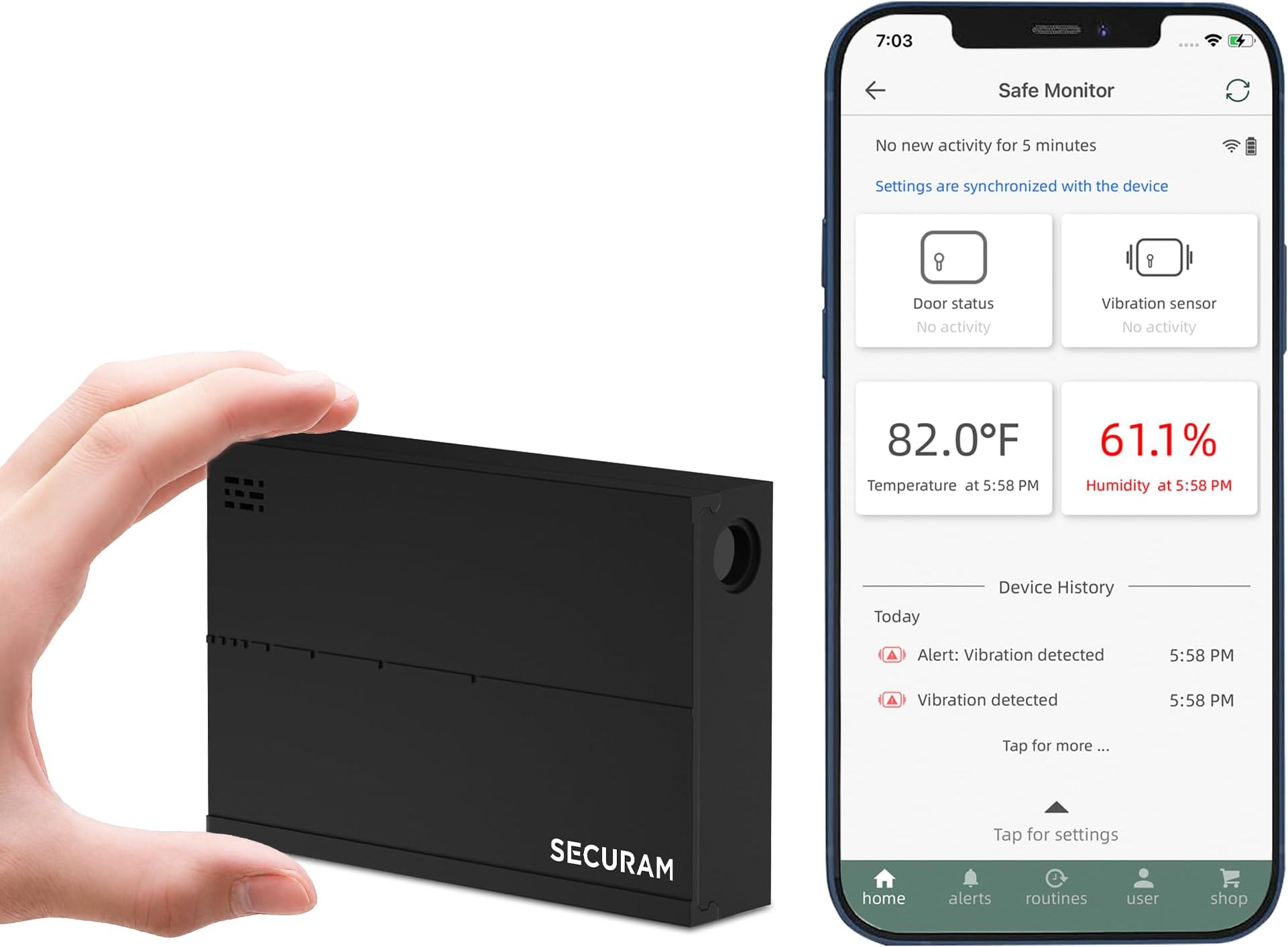
I’ll state up front that this is a pretty decent solution for anyone wanting to get notifications from a safe (or other secure area) when there is vibration, temperate changes, humidity changes, or light changes. It accomplishes this without the need for an annual service contract, relying solely on your WiFi connection and an app on your phone. For the price – this works pretty well. But you must have WiFi for this to work. I love Amazon’s return policy – but I also found a significant discount (17%-23%) when ordering this product direct from the company (securamsys). Amazon did not offer that discount. The company website also offers the purchase of the AC power supply which is not offered on the Amazon website. The cost is exorbitant at ($36.74) and I believe you could find a 5V supply with the right plug around $5 or $10. So the rest of the review is more about the minor issues I experienced with the technology. You should know that I’m an engineer and an IT person, so I tend to be pretty picky with my technology. While I’ll grump about the devices and the app – I am happy with them and feel like I got the level of security that I wanted. DEVICE SETTINGS: In the app, you can enter settings for each of the devices (“Safe Monitors”) you have connected to your Wi-Fi. You can rename the devices (e.g. “Office Safe”) and group them by rooms in your house. You can change each device’s settings for vibration sensitivity: low, medium or high. I have mine set at high, and if I bang the cabinet hard then it seems to pick this up. I would prefer it to be more sensitive. The light sensor can be enabled or disabled for each device; it seems to detect when it is exposed to room lights or safe lights. The temperature for each device can be set to alarm when it drops below a minimum or above a maximum level. However, the minimum cannot be set below 50F which is a problem if you keep your safe in a generally cold space like a garage. When setting the maximum, it sometimes ignored the value you enter and uses a nearby value (e.g. I could not set it at 85, but could set it at 84 or 86). I assume it’s storing the values in Centigrade and rounding from Fahrenheit to the closest Centigrade number. It will show a plot of temperatures recorded for each day, which is nice. You can also set minimum and maximum humidity levels. One weirdness is that you set the vibration and light settings in the device “settings”, but you set the temperature and humidity settings by clicking on the current temperate or humidity and changing the setting in those displays. ALARMS: The app does a nice job of giving alarms or notifications on the phone – supporting audible, visual, and other options. The alerts on my phone generally occur within 10 seconds of vibration or light at the device. That’s great! Within the app you can also look at all alarms by clicking on “alerts” at the bottom of the app. That gives you an alerts page with three tabs – “Alarms”, “Devices” and “Users”. Nothing shows up under “Alarms”. Clicking on “Devices” shows all the alarms. Clicking on “Users” shows all the devices and when they were added. So “Alarms” is nothing, “Devices” is alarms, and “Users” is devices. LOL. I still cannot figure out how to clear the alarms. SETUP: Every time I added a new device (“Safe Monitor”) to the app – it failed during the 4 step “Connect Safe Monitor” page of the app. It does give a “Retry” button which fixed it every time. This happened on all three devices I added. The device comes with 2 antennas – one with a short cable (~1 ft) and one with a longer cable (~6 ft). These have adhesive tape on the back and, as far as I can tell, work great. I have these units in metal cabinets with the antennas outside and they get a good Wi-Fi connection. Be sure to follow their instructions when detaching the antenna from the unit – I used small pliers to pull on the connector rather than on the cable. Pulling on the antenna cable may rip it from the connector. POWER USAGE: Speaking of Wifi – these units do not show up on my network for more than a few seconds, then they go silent. I suspect they only use Wifi when they have an alert to send, to conserve power. In the app, you can set the “Update frequency” in the app for each device to 6, 12 or 24 hours – I suspect that’s just to update the app on current WiFi signal strength, battery power, and current temperature and humidity. This does NOT affect the time for the device to alarm. Overall, I like the “low power” approach to using WiFI and routine updates. The app will show each device’s signal strength and battery life with little bars. The units run on 3 AA batteries. They claim they will last up to a year, but I have not had them long enough to check this claim. DEVELOPMENT: Given all these weirdnesses – I can’t help but feel like their development has halted or is not keeping current. When I downloaded the app to my Android phone, the phone indicated the app was not using current technology or security – I don’t remember the warning. Their website would not let me order from my phone, then it would not let me order from a PC. I contacted the company – and they told me they had their developers looked at it and to try again. It worked. Their firmware is v1.20200110 and v1.20210310 which “sounds like” the firmware has not been updated in years. The app only allows 2 languages - English or Chinese. All in all – I give it 4 stars because it works and does not require any service contracts. I wish the technology was slicker and smoother – and that would get it 5 stars.