Buy anything from 5,000+ international stores. One checkout price. No surprise fees. Join 2M+ shoppers on Desertcart.
Desertcart purchases this item on your behalf and handles shipping, customs, and support to Vietnam.
⚡ Power your smart home with the future of WiFi—speed, coverage, and security in one sleek package!
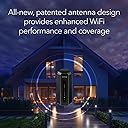
The NETGEAR Nighthawk RS700S is a WiFi 7 tri-band router delivering up to 19 Gbps wireless speeds, 2.4x faster than WiFi 6, with 360-degree coverage up to 3,500 sq. ft. It features a 10 Gigabit Ethernet port for ultra-fast wired connections and includes a 1-year subscription to NETGEAR Armor for advanced network security. Designed with a compact footprint and advanced antenna technology, it supports seamless 8K streaming, gaming, and AR/VR experiences for high-demand home networks.


| ASIN | B0C9JQLDCG |
| Antenna Location | Business |
| Antenna Type | Fixed |
| Best Sellers Rank | #139 in Computers & Accessories ( See Top 100 in Computers & Accessories ) #12 in Computer Routers |
| Brand | NETGEAR |
| Built-In Media | One (1) 19V/3.16A power adapter, One (1) 2m Ethernet cable, One (1) WiFi 7 Tri-Band Router (RS700S), Quick start guide |
| Color | Black |
| Compatible Devices | Personal Computer |
| Connectivity Protocol | Wi-Fi, Ethernet |
| Connectivity Range | 3500 Square Feet |
| Connectivity Technology | Ethernet, Wi-Fi |
| Control Method | Touch |
| Coverage | Up to 3,500 sq. ft. |
| Customer Reviews | 4.4 out of 5 stars 852 Reviews |
| Data Transfer Rate | 19 Gigabits Per Second |
| Frequency | 320 |
| Frequency Band Class | Tri-Band |
| Has Internet Connectivity | Yes |
| Has Security Updates | Yes |
| Is Modem Compatible | Yes |
| LAN Port Bandwidth | 10 Gigabits per second |
| Manufacturer | NETGEAR |
| Mfr Part Number | RS700S-100NAS |
| Model Name | RS700S-100NAS |
| Model Number | RS700S-100NAS |
| Number of Antennas | 3 |
| Number of Ports | 5 |
| Operating System | Cisco IOS, Junos OS, RouterOS, or ZyNOS |
| Other Special Features of the Product | WPS |
| Router Firewall Security Level | True |
| Router Network Type | wireless |
| Security Protocol | WPA3 |
| Special Feature | WPS |
| UPC | 606449167795 |
| Unit Count | 1.0 Count |
| Voltage | 19 Volts |
| Warranty Description | 1 year limited warranty, 90-day complimentary technical support |
| Wi-Fi Generation | WiFi 7 |
| Wireless Communication Standard | 802.11.be |
| Wireless Compability | 802.11.be |
T**S
Great router for a high demand home network
Easy setup, and very fast speeds. From a 1Gig cable modem ISP, I was able to pull full 1Gig speeds over Wifi on the 6Ghz band on my phone. 600-700 Gig over WiFi on all my devices connected to the 5Ghz band. One thing to note. We have Windows, Android, and IOS devices in my home. I had to turn off "Smart Connect" to get my Apple devices to connect. Smart Connect attempts to connect a device to either 2.4Ghz, 5Ghz, or 6Ghz bands depending on the type of device, and it's distance from the router. Apple TV, and Ipads don't like it. Simply turn it off in the Netgear app, and your good to go. Other than that, the router appears to be well built. The connections on the back and interface on the front are easy to access and understand. The app user interface is very easy to use. Although, I think it might be a tiny bit buggy, but it does the job. Our entire home is very internet dependent. We have over 25 devices connected, which includes 6 TV's, an 8 camera NVR, multiple: phones, laptops, tablets and bunch of other devices. The connectivity to all devices has been strong, and stable. Simultaneous streaming doesn't seem to slow this thing down at all. If you have a high demand home network, and want peak performance, this is your answer. Our home is 1,650sqft. The signal from this router goes way past the street in front of our house, and past the back fence of our back yard. I would say this router would work just fine for 2500sqft home. If your home is 3000+ sqft, I would probably go with the Netgear Orbi 970 Mesh system. I put one in my mothers home (two separate buildings on one property), and they rock. They are just much more expensive than this router.
F**N
Impressive Netgear Nighthawk RS700
Title: Nighthawk RS700 Description: great router, unbelievable speeds right out of the box, very easy to configure, very impressed with the features and performance, still testing the best location for it considering my setup, current ISP modem, etc. huge difference in speed if I'm near the router or on the second floor, I ordered an extender. very surprised to see Wi-Fi speed of 2 GB on my phone. highly recommended.
C**K
Netgear RS700 recommendation
Title: Netgear Nighthawk WiFi 7 Access Point Description: Oustanding performance. With the latest WiFi chip in a Subscriber Unit, WiFi speed is equal to wired ethernet speed (~650 Mbps). Beautiful coverage of my 2.5 acres with a single AP and no WiFi repeaters. Stable connection and seamless SW updates.
P**R
Really Powerful WiFi
Title: Great, Powerful WiFi 7 Description: Really Great Powerful WiFi Router So much more Powerful than my Old Router. Super Easy to Set up, Super Easy to Control with The App Huge Powerful Radios that Reach Everywhere More Than Happy
M**R
November 2024 - Firmware needs more work
Firmware: 1.0.7.86 Review written: November 26, 2024 I work in IT and have configured various wireless routers over the years, and this post is written from that perspective. The Netgear RS700S is very highly reviewed online, as of 2024 it's one of the top WiFi 7 routers on the market, in the consumer-grade class. Enterprise gear gets much more expensive, but isn't a benefit for us home users. It was released in July 2023, supporting WiFi 7. I waited until November 2024 before purchasing, to replace my old Wifi 5 (802.11ac) router. The reason for waiting so long is many new tech products aren't actually ready on release, as the software will have a lot of bugs only revealed after being on the market. On release, there were multiple bugs that got fixed over time, which can be read about in forums online or in early reviews here. My RS700S is configured in "Access Point" mode, as I already have a main router/firewall to distribute the wired Ethernet connections. The goal was to get very robust WiFi 7 capability, along with previous 5Ghz and 2.4Ghz standards for older devices. The RS700S is actually 3 broadcasters in one unit, supporting those bands. As a quick refresher, the 3 radio frequency bands of wireless have different tradeoffs. The lower the frequency, data transfers slower, but the range is longer. The higher the frequency, data transfers faster, but range is significantly lessened. A wireless "standard" such as WiFi 5, 6, 7, etc. can make use of one or more frequency bands, depending on the standard and settings. 2.4Ghz - Slow, but longest range. Okay for web pages and standard lower-resolution online video, downloads are limited to a few MB/s even with a strong signal. 5Ghz - Much much faster than 2.4Ghz, but *much* shorter range. Larger modern homes (with hollow walls) likely need several access points in a mesh network for adequate connectivity and speed. 6Ghz - Even faster, but shorter range than 5Ghz. Basically a "be in the same room as the WiFi access point, otherwise good luck" technology. The actual range and speed you will get depends on a lot of factors: The speed of your internet, the speed of the WiFi router, the WiFi connection's actual negotiated stable speed, the distance, any walls & materials between you and the router, radio interference, the antennas and hardware speed of your device, and other factors. At every point the connection must be strong to get speed, as the slowest link determines speed. The only device I have right now that supports 6Ghz is my phone, my other devices are 5Ghz, and one older 2.4Ghz device. My RS700S is stable in the 5Ghz and 2.4Ghz bands, and is quicker than my previous WiFi 5 router (which is several years older and less powerful). But my RS700S seems to have a bug in firmware version 1.0.7.86 that causes issues with the 6Ghz band, which could result in dropouts. I am getting intermittent IP traffic issues when using the 6GHz band, which manifests as phone applications pausing when trying to load data. Signal is okay-ish (4 of 5 WiFi bars, -60dbm) and data will continuously flow at speed, but then for a few seconds stop, then flow again. I am about 15 feet away, with one hollow wall between. I do not get this issue on the other bands, and have been using the 5GHz band mainly. From research online, 6Ghz dropouts seem to happen in firmware version 1.0.7.86 but not in prior firmware versions. Firmware needs to be tested extensively before release, and there should be standardized testing in place at Netgear's lab to catch this. Just test it a bit longer before release! This is an expensive device, and I've had much cheaper WiFi access points over the years that just worked. I do not want a refund or a swap, only updated (and thoroughly tested) firmware.
W**R
Stunning performance a beast of a router
Stunning performance. Didn’t realize how much my previous router was holding all my devices back. Everything feels more responsive, speed tests consistently confirm on all my devices that I am getting 10-20% more than the speed I am paying for. Setup is a breeze. This thing really is a beast. Very impressed. Only negative is whenever you are asked to create a password (admin, network ID), it only asks you for the new password and never asks you to confirm it. One mistake you don’t realize and you would not be able to connect. Otherwise setup is very easy.
S**.
Solid connection and long range . Goes through walls np
Few things on this router. The range is very good. I have brick home and I get range all the way outside. The router is located on 3rd floor I know it's best to keep it in centralized location but that's where my modem is and don't want to run a wire to 2nd floor. Regardless i get wifi throughout. 5gh band seems to be the strongest through walls but if you're close the 6gh aka wifi 7 is very strong. The 2.4 gh goes through the walls the best but 5gh seems to keep up np. I tried other routers tp link be800 and asus rtb96u and ge800 which by the way had a loud fan and this one gave me the best coverage. Asus came close but I was struggling with good connection in the basement. Rs700s holds the best signal. Set up was easy just take it off auto connect if you planning on connecting the old devices and name it as you had it on previous router and everything else should connect. I have 1gig up and 1 gig down and I get full 1gig on wireless connection on my cell phone. Not many devices have wifi 7. But it does offer wifi6e revere compatability which is good for iPad pro and other electronics that have wifi6 and wifi6e. So far I am happy . The old tp link was giving me 450mbps this gives me full 1gig speed. And holds alot of devices. I think it can handle up to 200 devices but I only have 33 connected. Bottom line ita great router wifi7. The only other router that came close to this is the Asus rtb96u which is large The ge800 tp link is good also but very loud with the built in fan . But if you looking for a good wifi 7 router rs700s I believe is best stand alone router. Next to Asus rtb96u. Hope this helps.
A**N
Great for my use but not perfect
Title: Great for my use but not perfect Description: Up-front, it beats the pants off the Eero Max 7 from Frontier that it replaces. It's just way faster. It also is a good size and fits in the same space as the Eero did, and is smaller than some routers (looking at you, Asus). I did buy mine refurbished by Netgear, so half price, and that definitely affects my experience in a positive way. (Having installed and tested it, I might not recommend paying full price.) Ethernet is solid and gives me within a whisker of 1 Gbps, which is my service max. WiFi 5 and 6, too, on my modern Windows 11 PCs is 900+ Mbps through the floor into the basement. Good speed. 2.4 is not great. And, my old school 2013 MBP that did actually get 600 Mbps with the evil Eero, only gets 500 wired and 200 WiFi on WiFi 5 with this router. :( Also, on 2.4, the MacBook gets less than 100 Mbps. Now, none of my laptops, even the new ones, have a WiFi card that accepts speeds faster than 1 Gbps. My desktop will do 5 Gbps (wired and wireless) but 1 is fine. The Nighthawk RS700's interface on their mobile app is decontented and I guess good for a quick setup and reviewing status (maybe?). The Web interface seems clean but is a pain to navigate. For example, I have not yet found how to set a static IP for an attached device. The interface definitely seems 2 generations below the competition (like Asus not Eero). I think I suffer four actual annoyances. One is the parental protections; I am tired of the Nighthawk enquiring if I want to pay for this; I don't; my kids are adults. Second is the protection you have to pay a subscription for. This seems an awkward attempt to get some SaaS revenue, and I immediately reject such things. Stop bugging me, please. Now, I do like to set my own administrator name (for security, I think), but the Nighthawk RS700 does not permit that for "security" reasons. Really, whose "security." If I mess that up, there's a reset button, so .... I don't suppose it's because Netgear might have a backdoor password or some such? Then, how in blazes do I get this ReadySHARE thing to work? None of these things are deal killers. For the money and compared to the WiFi 7 router I had, this is a great router. I would suggest Netgear replace the 1 GBPs Ethernet ports with 2.5 ones at no extra cost to the consumer, and make the router Web interface more usable, but ... Yes, recommended. Great signal strength, enough ports, not too big, and the right price. 4 stars! Recommended.
A**A
Un salto de calidad comparado con otras marcas
Rendimiento: Tenía un AP Unifi AP AC Pro y todo mejoró estrepitosamente, rango en la misma planta, velocidad de respuesta de conexión de todos los dispositivos. La cámara que tengo en la entrada emite de inmediato la imagen, antes demoraba unos segundos, pese a que es de 2.4ghz Estabilidad: No es necesario reiniciar el router, trabaja sin problemas todo el tiempo. Sólo recomiendo que en los celulares se deshabilite la opción de MAC address aleatoria, tal como lo indica Netgear. Estética: Es un poco grande, pero es muy bonito, combina con cualquier decoración, eso en comparación con las arañas gamer que tienen las antenas externas. Precio: Si vale la pena si quieres lo mejor del momento, por lo menos debería ser útil la tecnología hasta dentro de 5 años, sin embargo, creo que hay opciones nuevas con rendimiento aceptable a menos por menos de la mitad de precio. Conclusión: Actualizando firmware y configurando todo debidamente es un excelente router.
J**Z
no funciono
funciono solamente por cerca de dos horas y su cobertura y velociddad, sobresaliente. Después, simplemente se apago para no volver a encender. Iniciamos la devolución por tal motivo.
Trustpilot
5 days ago
1 day ago