


Buy anything from 5,000+ international stores. One checkout price. No surprise fees. Join 2M+ shoppers on Desertcart.
Desertcart purchases this item on your behalf and handles shipping, customs, and support to Vietnam.
🎯 Nail perfect color every time — because your work deserves no less!
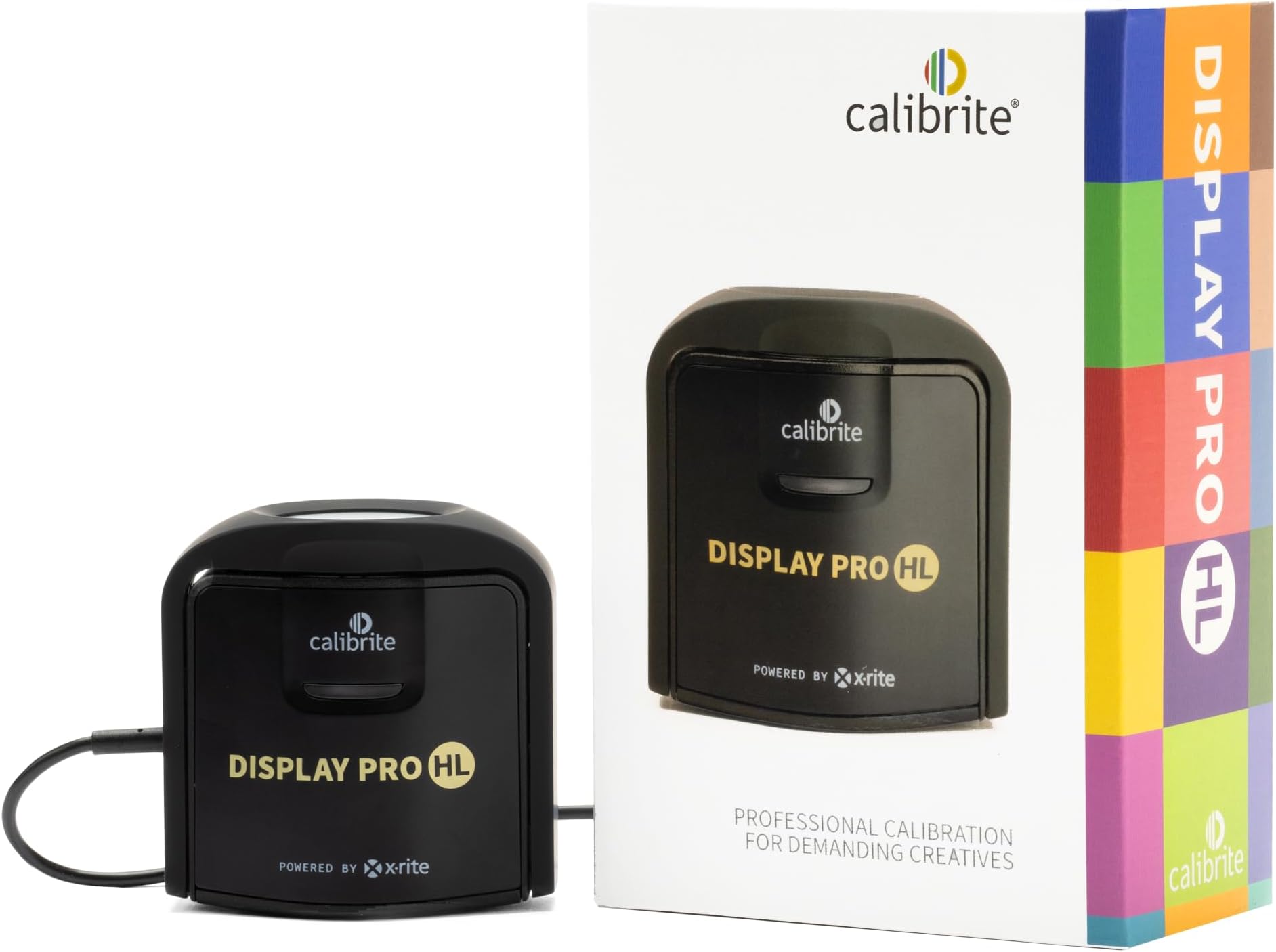
The Calibrite Display Pro HL is a professional-grade colorimeter designed for precise calibration of modern high-brightness displays including LCD, Mini LED, OLED, and Apple XDR. Featuring a high luminance sensor capable of measuring up to 3000 nits, it ensures accurate HDR profiling. The device connects via USB-C (with USB-A adapter included) and comes with Calibrite PROFILER software for Mac and Windows, offering advanced control over white point, luminance, gamma, and contrast. Validation tools like Quick Check and uniformity tests guarantee reliable color accuracy across multiple monitors, making it an essential tool for photographers, videographers, and creative professionals demanding flawless color fidelity.




| ASIN | B0C836NB5X |
| Additional Features | Clip |
| Aspect Ratio | 16:9 |
| Best Sellers Rank | #1 in Photographic Light Meter Color Calibration Charts #271 in Computer Monitors |
| Brand | Calibrite |
| Brightness | 3000 candela_per_square_meter |
| Built-In Media | Colorimeter with adjustable weight, Travel storage pouch, USB-C to USB-A adapter |
| Color | Black |
| Compatible Devices | Mac, Windows, and compatible 3rd party monitor calibration software |
| Connectivity Technology | USB Type C |
| Customer Reviews | 4.3 out of 5 stars 286 Reviews |
| Display Resolution Maximum | 2560x1440 pixels |
| Display Technology | LCD, mini-LED, OLED |
| Display Type | lcd, led, oled |
| Global Trade Identification Number | 00850028833339 |
| Hardware Connectivity | USB Type C |
| Has Color Screen | Yes |
| Item Dimensions D x W x H | 2.13"D x 2.6"W x 1.5"H |
| Item Weight | 0.3 Pounds |
| Manufacturer | Calibrite |
| Model Name | CCDIS3HL |
| Model Number | CCDIS3HL |
| Native Resolution | 2560x1440 |
| Picture Quality Enhancement Technology | High Dynamic Range, Blue Light Filter, Advanced Color Calibration |
| Resolution | QHD Wide 1440p |
| Screen Finish | Matte |
| Screen Surface Description | Matte |
| Special Feature | Clip |
| Total Usb Ports | 1 |
| UPC | 850028833339 |
| Unit Count | 1.0 Count |
| Warranty Description | 1 Year |
K**H
Crucial tool for color accuracy where accuracy matters!
Being a photographer, having a properly calibrated display is crucial for accurate color representation during post processing workflow. I used non calibrated displays for quite some time and typically would have issues where what I initially thought was correct during my post processing of photographs, wasn't. This is solved by calibration and having a tool that measures the color, luminance, and gamma to confirm what you are seeing is indeed correct. This is where the Calibrite Display Pro HL comes into play. Let me start by saying, I actually ordered this used but in excellent condition and I received the item used and in excellent condition. I was able to save some money and repurpose a returned device. I have experienced no issues whatsoever with the device. The instructions to download the software were clear and I was able to successfully download and install the software which automatically recognized my device. I actually like the software interface. This is my first Calibrite device I’ve used and I do prefer the software interface over other brands. It's very simple and step by step. That's what makes this such a simple task, the software is step by step and explains everything needed to properly calibrate your display. The process does take a bit of time so it's best to set aside 20-30 minutes of time to fully complete the process. The end result is worth the cost of the device and the time to calibrate the monitor in my opinion. It really takes all the guesswork out of accuracy which is crucial in photography and videography. Which brings me to my next point and that is, the software will ask you why you are calibrating your device and for what type of monitor you are calibrating. There is an option for video as well as photo which may appeal to videography users as well. The device itself also came with a storage bag for the unit which I appreciate. It keeps it protected when it's in my drawer and not in use. I also appreciate the USB-C interface as this is the connectivity standard we need to be moving towards. This small detail is an important step toward interface standardization. I would highly recommend this to anyone looking to calibrate their viewing device for accuracy where accuracy matters.
V**.
Accurate Colors, Easy to Use, and a lifetime purchase!
I did not realize how out of calibration most factory screens are. I've only had this for a few days but I've already calibrated over 8 screens in my house and ALL of them were horribly off. I can't believe I never looked into these until recently since I started video editing! My Samsung Odyssey G7 27" 1440p 240hz screen required tuning the white balance to 44/48/50 RGB to get it to a perfect 6500K at 26/65 Brightness/Contrast with Black equalizer at 12, for 120nits in Rec709 Gamma 2.4 and it got a respectable delta of .7 across the screen. And this is running off of the HDMI at 60hz in 12-bit color, in which it's supposed to be calibrated for. I'm disappointed in the lackluster factory calibration but happy with the results from the Calibrate! My recommendation for software? I definitely recommend DisplayCAL colors over the Calibrate software. Calibrate's software tends to leave a green overcast and I did not like that one bit. I haven't tried HDR calibration yet but I'll do that on my sisters Acer Predator monitor later Do be warned! It WILL take a while, I left it on the "High" speed and on average it took 15 minutes on each screen. There is the "Highest" setting as well and it estimates 6-minutes or so. DaVinci Resolve calibration? MAKE SURE YOU HAVE TWO HOURS!! It took 2 hours to complete the DR calibration, so do be cautious and do this when you have other things you can do since your PC will basically be inop during this Overall, I am extremely pleased with my purchase and couldn't be more excited to edit the next film! I hope this will last at least the next 5 to 10 years with how fast screen technology is changing, but that's why I bought the Calibrate Display Pro HL!
M**L
Works well for how I want to use it!
I am very happy with this purchase! It is very easy to use, and I am using it with DisplayCal, an open-source calibration tool. At first, I wasn't sure if it would be compatible with DisplayCal, but it actually is. I definitely recommend it.
G**V
Screen calibrator
Still working with it am still seeing how effective it is but easy to set up.
M**E
Definitely worth it
Really easy to use and accurate. I am a professional photographer and not sure why I haven’t used this earlier
K**R
Vital piece of hardware
Necessary serious photographers to properly calibrate your monitor
A**T
How to use Calibrite HD Pro
Software could detect my 3 monitors but it always applied the calibration to the wrong monitor. Okay fine I’ll only connect one at a time and calibrate that way, now it works but every color calibration makes the screen look orange tinted. Try again, dropdowns are invisible. Restart the app, dropdowns are invisible again, and again, and again. Restart computer, I can see dropdowns again. Run calibration, orange tinted again. Run validation, fails after confirming calibration multiple times. Consider throwing device in garbage disposal, return it instead.
B**P
Best calibration tool ever
This thing really works! It made my screen produce true colors for my film editing set up.
M**S
couldn't launch the software
couldn't even launch the software on windows 11 - it throws error "Application failed to launch Please quit the application and check your Display setting preferences are set to 'Extended Display / Desktop' and then restart the software". many reports on the same problem with no solution. real shame
B**I
Great liltle device, and very good software too!
Bought this to calibrate my TV with both Calibrite Profiler (HTPC) and through Colourspace ZRO. The device works great on both. Just wish the cable was a meter longer.
G**N
De Calibrite Display Pro HL werkt zoals beschreven.
De Calibrite Display Pro HL werkt zoals omschreven, ik heb mijn beide schermen gekalibreerd, alles wijst zichzelf.
M**O
Vale ogni centesimo speso
Utilizzo il Calibrite Display Pro HL da più di due anni per calibrare sia il mio MacBook Pro che il monitor Eizo del mio setup fotografico, e posso dire che è uno dei migliori investimenti che abbia fatto per la gestione del colore. Fin dal primo utilizzo si percepisce la qualità professionale del dispositivo. L’installazione del software è semplice e immediata, e l’interfaccia guida passo dopo passo anche chi non è esperto di profilazione colore. Su macOS funziona in modo fluido, riconosce subito il dispositivo e permette una calibrazione precisa sia dei laptop che dei monitor esterni. Sul mio MacBook Pro il risultato è stato notevole: colori più coerenti, bianchi corretti e una resa generale molto più fedele, ideale per lavorare su foto e video. Ma è con l’Eizo che il Calibrite Display Pro HL dà il meglio di sé. La misurazione è rapida e accurata, il profilo ICC generato è perfettamente stabile e la differenza prima/dopo è evidente soprattutto nei toni neutri e nelle sfumature più delicate. La qualità costruttiva del calibratore è ottima, i materiali sono solidi e il sensore ad alta luminanza permette di gestire senza problemi anche schermi molto luminosi o HDR-ready. Anche la velocità di lettura è superiore rispetto ai modelli precedenti che ho provato. ✅ Pro Compatibilità perfetta con macOS Calibrazione estremamente accurata sia su laptop che monitor professionali Ideale per schermi ad alta luminanza (HL) Software intuitivo e affidabile Costruzione solida e sensore molto preciso 📌 In sintesi: Il Calibrite Display Pro HL è un dispositivo indispensabile per chi lavora seriamente con le immagini. Affidabile, preciso e facile da usare: su MacBook Pro funziona alla perfezione, e con monitor professionali come gli Eizo dà risultati eccellenti. Lo consiglio senza esitazioni.
T**S
Expensive, but worth every euro.
After being really disappointed by the colour accuracy of my new Dell monitor compared to MBP screen I decided to buy the professional calibrator. The device is easy to use, quick an produces results that are day and night compared to stock calibration. I can only recommend it. It might not hurt if you can share the cost with similar users as the price is quite steep.
Trustpilot
1 week ago
2 months ago