


🚀 Power Your Productivity, Triple Your Impact
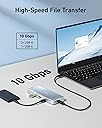
The Anker 575 USB-C Hub is a premium 12-in-1 docking station designed for professionals seeking maximum connectivity. It supports triple 4K displays via dual HDMI and DisplayPort, offers ultra-fast 10 Gbps data transfer, and delivers up to 85W pass-through charging. Compatible with major laptop brands like Dell and ThinkPad, it consolidates your workspace with Ethernet, SD card readers, and multiple USB ports, making it an essential hub for multitasking millennials who demand speed, power, and versatility.




| ASIN | B0BNZ4RY3D |
| Additional Features | HDMI™️, Powered |
| Best Sellers Rank | #116,659 in Electronics ( See Top 100 in Electronics ) #1,185 in Laptop Docking Stations |
| Brand | Anker |
| Color | Gray |
| Compatible Devices | Laptops, Monitors |
| Customer Reviews | 4.3 out of 5 stars 164 Reviews |
| Data Transfer Rate | 1 Gigabits Per Second, 10 Gigabits Per Second, 104 Megabits Per Second |
| Enclosure Material | Aluminum |
| Global Trade Identification Number | 00194644118730 |
| Hardware Interface | Ethernet , HDMI , USB, USB Type C |
| Item Dimensions L x W x H | 5.81"L x 2.56"W x 0.73"H |
| Manufacturer | Anker |
| Mfr Part Number | A83A00A1 |
| Model Number | A83A00A1 |
| Number of Ports | 12 |
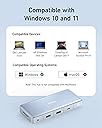
| Operating System | macOS, Windows 10, Windows 11 |
| Special Feature | HDMI™️, Powered |
| Total USB Ports | 3 |
| Total Usb Ports | 3 |
| UPC | 194644118730 |
L**R
Legion go dock
I got thos USB C hub/dock for my Lenovo Legion Go handheld pc, and it's perfect for my set up. It has triple display support, otherness, and plenty usb with 85w pass through charging. (You have to use a 100w charging brick for this much pass through). My favorite thing about this hub is that every cable can be completely disconnected, therefore you can change the length and cable for whatever your set up is. For the legion go, this is great. Sure would work nicely with steam deck or rog Aly.
A**S
Lifesaver!
This has been a lifesaver!! My 4 year old twins decided to fry my motherboard by sticking something in my broken USB of my good laptop... immediately fried 🤦♀️. So I have been stuck using my much older one. This has been a lifesaver for keeping all of my cords together! It is well made and worth the money! While not cheap, it is worth every penny! And definitely feels like it will stand the rest of time in terms of durability?!
M**K
Excellent product and fast delivery
Fast service and excellent product
L**M
Looks Cool, works good
It looks really nice, but I wish it was made of metal for the price I paid. The instruction manual could be better. I wish there was one of those get started cards. I didn't know the hub needs to be powered to work. I thought it only needs power if I want pass through charging. Came with a short USB-c cable. Wish it was a little longer and better quality
T**N
Anker 575 USB-C hub has everything you need for your laptop.
Expand your storage and connect to an external display. This hub connects 3 USB drives, and one micro-SD card to my Surface Book 3 with the Anker 575 USB-C hub. It has a small footprint and low weight for carry along. If your laptop has a powerful display card, you can connect 2 HDMI cables and 1 Display cable. 2 HDMI ports, 1 Display port, 1 SD card, 1 micro-SD, Ethernet cable, Power delivery port 100W, 1 USB-C 3.2 port, 2 USB-A 3.2 ports and a 3.5 AUX connector.
K**.
This product does not work as advertised
This product cannot support multiple monitors. I even purchased an external power supply for it to see if it was the usb c port on my computer. It does not work. I have another manufacturer and it works fine with the same computer for less. When contacted, Anker's support informed me that my product was 12 days out of warranty. There was nothing they could do. It has a 90-day warranty. That should have been the tip off. A complete waste of money. Don't spend the extra money on Anker. Not worth it.
A**M
Nice Lower Cost Option to Docking Station
Best feature for me is that the usb-c cable is not hardwired to the hub and can be swapped for a longer one. Works with my M2 Mac Pro but can only drive one monitor in extended mode (expected). Nice selection of ports, though I wish there was one more usb-c port.
T**2
Works For Windows Not Other OS
I’ve had some weird behavior with this. It works great for Windows, however for Linux and MacOS it seems to be finicky, maybe it’s a driver problem, but I cannot get the video output and stuff to be consistent. I’ve used it on multiple devices/configurations and I think the previous one was better. This one is also more cheap plastic feeling while the previous model had the quality almost aluminum feeling plastic. I do like the detachable cable though, makes storing it a lot easier.
A**.
Lots of connection options and great customer service
Bought this for my home office setup, as I needed 2 hdmi ports and a variety of connections as well as pass through charging for my laptop. This does it all and has generally worked flawlessly. However after about 6 months it did just stop working altogether - the peripherals connect stopped connecting to laptop. I contacted Anker customer service, and after a couple emails, some photos taken and a week later, a brand new fully working unit arrived, which has so far remained fully operational. Well done Anker for looking after your customers.
D**.
Funktioniert am Macbook Pro (M1) einwandfrei
Nicht ganz billig, aber dafür hat man wirklich alles dabei und es funktioniert eben auch zuverlässig und dauerhaft. Dieses Gerät ist das, was unter echten Kennern als "DAS" Gerät bewertet wird, was als einziges wirklich dauerhaft und zuverlässig am Macbook funktioniert. In Keynote kann ich nun endlich zwei Bildquellen separat ausgeben (separat Beamer für die Präsentation und einen zweiten Monitor für den Referenten auf der Bühne für die Präsentationsvorschau mit Notizenfenster). Keine Ahnung, warum hier in der Beschreibung steht: "HINWEIS: Nicht kompatibel mit Macbook", wenn doch auf der Herstellerseite explizit steht: "Vollständig kompatible Geräte: MacBook Air (M2, 2022); MacBook Pro 14″ (2021); MacBook Pro (M1, 2020); MacBook Pro (2019/2018/2017/2016) 15,4″; MacBook Pro (2020/2019/2018/2017/2016) 13,3″; MacBook Air 2020/2019/2018".
C**S
Works as adverised
2 x 4k @ 60Hz is hard to find at this price
J**N
Dual 4K didn't work with Microsoft Surface Pro 11
Dual 4K with Microsoft Surface Pro 11 is not possible. Not even at 30 Hz. If a monitor is set to 4K, the other resolution falls below 4K. For those who are looking for something which works with Surface Pro 11, I tried Baseus 10-in-1 Docking Station as well. It was similar to Anker. I suspect they use same chip. UGREEN Revodok Pro worked with Dual 4K 60Hz setup, but somehow charging didn't work. In the end, NOVOO 11 in 1 Docking Station worked for me.
A**Z
Nicht kompatibel mit MacBook Pro M1 Max
Achtung es ist nicht kompatibel mit einem Macbook Pro M1 Max! Bin leider selbst drauf reingefallen. Hab mir sogar extra die Kommentare angeschaut und gesehen, dass einer es schon getestet hat. Naja die Freude war groß als ich dann herausgefunden habe, dass es nicht funktioniert!
Trustpilot
2 days ago
3 weeks ago