Buy anything from 5,000+ international stores. One checkout price. No surprise fees. Join 2M+ shoppers on Desertcart.
Desertcart purchases this item on your behalf and handles shipping, customs, and support to Vietnam.
⚡ Upgrade Your Home Network to Pro-Level Speed & Security!
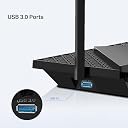
The TP-Link Archer AX72 Pro is a cutting-edge Wi-Fi 6 router delivering ultra-fast 5400 Mbps dual-band speeds, powered by a 2.5G multi-gigabit WAN/LAN port and 6 high-gain antennas with beamforming for expansive coverage. Designed for busy smart homes, it supports over 100 devices simultaneously with advanced MU-MIMO and OFDMA technology. Enhanced with HomeShield security, USB 3.0 media sharing, and robust parental controls, it’s the ultimate router for seamless streaming, gaming, and secure connectivity.


| ASIN | B0BS9W4Y93 |
| Antenna Location | Gaming |
| Antenna Type | Fixed |
| Best Sellers Rank | 45,610 in Computers & Accessories ( See Top 100 in Computers & Accessories ) 369 in Routers |
| Box Contents | Archer AX72 Pro |
| Brand | TP-Link |
| Brand Name | TP-Link |
| Colour | Multicolour |
| Compatible Devices | Laptop, Personal Computer, Smart Television, Tablet |
| Compatible devices | Laptop, Personal Computer, Smart Television, Tablet |
| Connectivity Protocol | Wi-Fi |
| Connectivity Technology | Wi-Fi |
| Control Method | App |
| Coverage | broad |
| Customer Reviews | 4.1 out of 5 stars 114 Reviews |
| Data Transfer Rate | 5400 Megabits Per Second |
| Frequency | 5 GHz |
| Frequency Band Class | Dual-Band |
| Frequency band class | Dual-Band |
| Global Trade Identification Number | 04897098686782 |
| Has Internet Connectivity | Yes |
| Has Security Updates | Yes |
| Is Modem Compatible | No |
| Item Dimensions L x W x H | 27.3L x 14.7W x 4.9H centimetres |
| LAN Port Bandwidth | 1000 Mbps |
| Manufacturer | TP-Link |
| Manufacturer Part Number | ARCHER AX72 PRO |
| Maximum Upstream Data Transfer Rate | 2500 Megabits Per Second |
| Model Name | Archer AX72 Pro |
| Model Number | Archer AX72 Pro |
| Model name | Archer AX72 Pro |
| Number of Antennas | 6 |
| Number of Ports | 3 |
| Operating System | RouterOS |
| Other Special Features of the Product | Beamforming |
| Product Warranty | 3 year manufacturer |
| Router Firewall Security Level | Basic |
| Router Network Type | wireless |
| Security Protocol | WPA2 or higher |
| Special feature | Beamforming |
| Voltage | 12 Volts (DC) |
| Wi-Fi Generation | Wi-Fi 6 |
| Wireless Compability | 2.4 GHz Radio Frequency, 5 GHz Radio Frequency, 802.11ax |
| Wireless communication standard | 2.4 GHz Radio Frequency , 5 GHz Radio Frequency , 802.11ax |
M**E
Fantastic router!
Brilliant router brought this as I was fed up with my super hub 3. Very speedy and if you have devices that are WiFi 6 you will see even better benefits, range is very good as well. Set up was easy enough and this was my first router that I put together. The router features tons of great features including IP and mac binding, smart connect, vpn features, nat forwarding, led lights control, reboot schedule, auto updates, WiFi bandwidth control, guest network. I would suggest doing the following first if you are connecting to a virgin hub. Best to connect wired. 1. Put the hub in modem mode (connect via ethernet cable 2. Once in modem mode (light turns red) turn off hub, disconnect ethernet cable. 3. Turn on tp archer router wait a few mins then connect laptop or desktop computer to the router lan port with your ethernet cable. Configure the router first make sure DCHP Is enabled (advanced settings) , finish wizzard. Make sure to select wan 2.5gb port on the wizzard. 4. Connect router to hub with ethernet cable make sure cable is in 2.5gb wan port. Turn on hub and wait a few mins. 5. You should have Internet on the router on the settings status. 6. The router will now be on 192.168.0.1 and your hub in modem mode will now be on 192.168.100.1 Overall I highly recommend this product.
A**R
Flawless
Beast of a router. Easy to setup and use. Had it connected to my gigabit fibre plugged into the 2.5 WAN on the router from the ONT. Cloned the MAC address of the ISP supplied router and out that into the AX72Pro router and was up and running in no time. Loads of features and easy to use on TP-Links Tether App you can download onto your mobile. From there I have full overview of my network. Great Parental controls. You can set permissions for individual people, and if that person has more than one device, you can group all the devices they use under that individual. You can ban certain websites, have content filtering so it protects them online. You can block social media or search engines if you wanted too. You can block communication websites if you wanted too. You can put a full block on the internet and cut it off to an individual device or with one click of a button I can stop the internet on my sons PC and tablet at the same time. You can setup bedtimes so the internet only works between certain times so you can be sure that they aren’t sat up in bed all night sneakily on a tablet , phone or PC etc. Wifi performance is great. 3 bedroom house with thick solid walls and signal reaches everywhere, including front and back gardens without the need for an extender of any kind. You really do get what you pay for when it comes to routers. And this was a steal with a RRP of £160 and Amazon having It on sale at £104. Bargain. Has latest specs with a 2.5 Gigabit WAN port and a 1 Gigabit WAN/LAN then 3 more 1 Gigabit LAN connections. Wifi 6 technology so latest devices can take full advantage of the increased speeds and reliability. If you do buy this, you won’t regret it.
G**N
Excellant router that performs brilliantly
This is a brilliant router that I bought to use in place of the router provided by Virgin, which was being used as a modem. Having now changed to BT and with a couple of adjustments to the software, this router has completely replaced the one provided by BT on my fibre connection and connects directly to the wall modem. It's fast and wifi is pretty good all round the house. Using the Tether app, you can customise all of it's features to suit you, so it's very convenient not to have to keep logging into the router via a browser. I would heartily recommend it.
S**N
Does the job
Seems to work ok. Shame that some of the security stuff is a subscription but then the device is cheap compared to direct competitors. It does feel cheap and plasticky but as it’s not getting moved about this shouldn’t be an issue
C**Y
Great Signal all around the house
I recently purchased this router as a replacement of the Asus AC88U. After using Asus routers for years I wasn't so keen to move to another brand of router. My Asus router kicked the bucket and I stated searching for new routers on Amazon but I was a little discouraged as there are TOO MANY different types of Asus Routers. Asus are literally ripping the ass out of it when it comes to router models. There must be around 30 types of router which all do the exact same thing. It's literally impossible to chose from the bunch. Luckily, our good friend Amazon was here to save the day. When I opened the Amazon app for another router search, Amazon had highlighted a featured router TP-Link AX5400. I was like, jeez that's a good price for a WIFI y router! I wonder is a loada oul dung? So I started watching reviews of the router on YouTube and learned that this router is a little beast. It boasts to have amazing WIFI coverage and lots of features. Based on this, I decided to make the purchase. The router arrived 1 day later thanks to prime. The setup was easy and all of my devices immediately connected after I set the same WIFI name and password. I soon learned that I was able to get a strong WIFI connection all over my home. Better still, when I ran a speed test, I got 850mbps on WIFI and 930 Wired. I have never got those kind of WIFI speeds on any router. This to me was a positive result. In a nutshell. For anyone that's looking a router with great WIFI speeds, loads of features and at a great price. Look no further! Highly Recommended
A**S
Wife broke after 4 months
Purchased this in 25 September 2025 and wifi packed in two weeks ago ( end of January 2026), and under starting something to download, like movie from torrenting sites internet over Wifi wouldn’t go over 120kbps, and all houses that uses wifi, wouldn’t have internet at all. Wired connection was still fine Don’t waste your money, unless you want to change router every 4 months and countless hours to set up all your smart devices in your home. My virgin hub 3 been working for 8 years now, getting hub 5 tomorrow, not wasting time and money on this 3 party routers any more. Don’t get me wrong people, its good but only for 4 months…
C**P
Disappointing range
Bought this to replace an older Tenda router as it is advertised as being able to handle more connections/devices. This is working seamlessly, it was also fairly easy to set up. It has a smart network system where the router selects which radio signal each device uses(2.4 or 5Ghz). I have devices that are for use on the 2.4Ghz signal only but the smart network feature attached them to the 5Ghz signal which meant they didn't work. This resulted in me turning off the smart network system so I could choose which device used the 2.4 and 5Ghz signals. The main disappointment is the range, this router has poorer coverage than my older Tenda router. I have had to run a network cable to the older router and set that up as an access point to give me better signal at the back of the house. Had it a few months now working perfectly WiFi not dropped the signal at all not had to reset the router once. Overall a good buy if range is not an issue. I gave no stars for technical support as I didn't access it so can't comment.
K**V
Top WiFi
Bought this back in early March as an upgrade and it hasn’t disappointed. No buffering on the firestick. Four Ethernet ports on the rear were for me why I chose this over an eero 6+ which I was also considering. Using this with a repeater upstairs as I live in an old stock brick house so signal does struggle. Even set up eero before this and it struggled upstairs so would have had to buy a repeater for that too. Very easy to set up with the tether app too. Tv and Xbox wired into it and the Dl speeds on Xbox are incredible and no buffering on tv apps either. Doesn’t look as sleek or stylish as an eero but it works just as well and has the extra ports on the rear. So if you looking for a wifi6 router you may want to consider this model.
S**A
Very good
Very good
ع**ي
يسوى حقه ورأس السلك مثلث مواصفات سعوديه
السرعه ممتازه والاعداد سهل لكن لابد تكون شابك على نفس الشبكه للراوتر في التطبيق والدخول بكلمة السر عند الاعداد في ويندوز لتدخل في التطبيق اذا علق وطلب اضافة جهاز لاتستعجل وتاكد انه مربوط بنفس الشبكه أخرج من التطبيق بدون اضافه تاكد انك على نفس الراوتر يضبط إن شاء الله بدون اعداد جديد
N**O
Good product. Works in New Zealand
per title
Trustpilot
3 days ago
1 month ago