Desertcart purchases this item on your behalf and handles shipping, customs, and support to Vietnam.
🚀 Power up your home Wi-Fi with next-gen speed and smart coverage!
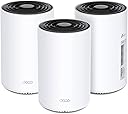
The TP-Link Deco PX50 is a cutting-edge Wi-Fi 6 powerline mesh system that delivers up to 1500 Mbps using your home's electrical wiring, covering up to 6,500 sq.ft with seamless, AI-driven mesh connectivity. Compatible with Alexa and Google Home, it offers easy app-based setup, advanced WPA3 security, and parental controls, making it the ultimate solution to eliminate dead zones and boost your home network performance.


| ASIN | B0BS9KL1HZ |
| Antenna Location | Home |
| Antenna Type | Fixed |
| Best Sellers Rank | #1,265 in Computers ( See Top 100 in Computers ) #83 in Whole Home & Mesh Wi-Fi Systems |
| Brand | TP-Link |
| Built-In Media | 1× RJ45 Ethernet Cable, 3× Deco PX50 Units, 3× Power Cords, Quick Installation Guide |
| Color | Black and White |
| Compatible Devices | Alexa, Google Home |
| Compatible devices | Alexa, Google Home |
| Connectivity Protocol | Wi-Fi, Ethernet |
| Connectivity Range | 6500 Square Feet |
| Connectivity Technology | Ethernet, Wi-Fi |
| Control Method | App |
| Controller Type | App Control |
| Coverage | up to 6,500 square feet |
| Customer Reviews | 4.2 out of 5 stars 352 Reviews |
| Data Transfer Rate | 1 Gigabits Per Second |
| Frequency | 5 |
| Frequency Band Class | Dual-Band |
| Frequency band class | Dual-Band |
| Has Internet Connectivity | Yes |
| Has Security Updates | Yes |
| Is Modem Compatible | No |
| Item Dimensions L x W x H | 10.4L x 10.4W x 17H centimeters |
| Item Type Name | Mesh WiFi |
| Item Weight | 3.38 Kilograms |
| LAN Port Bandwidth | 1 Gbps |
| Manufacturer | TP-Link |
| Maximum Upstream Data Transfer Rate | 3000 Megabits Per Second |
| Mfr Part Number | Deco PX50(3-pack) |
| Model Name | Deco PX50(3-pack) |
| Model Number | Deco PX50(3-pack) |
| Model name | Deco PX50(3-pack) |
| Number of Items | 1 |
| Number of Packs | 3 |
| Number of Ports | 3 |
| Operating System | RouterOS |
| Other Special Features of the Product | Mesh Network, Support for Alexa and Google Home, WPA3 security |
| Router Firewall Security Level | Advanced |
| Router Network Type | hybrid |
| Security Protocol | WPA3 |
| Special features | Mesh Network, Support for Alexa and Google Home, WPA3 security |
| UPC | 840030707902 |
| Unit Count | 3.0 Count |
| Wi-Fi Generation | Wi-Fi 6 |
| Wireless Compability | 802.11ax |
| Wireless communication standard | 802.11ax |
A**Q
Reliable product
Fantastic performance and the net al around the house. Furthur, the its application is so cool and easy to follow. Weldone tp link
M**I
This is it
Very powerful, gives the exact internet speed and more if connected via Ethernet. I have also integrated my old deco routers as expanders with this one with no effort (just reset old routers) and use the app. The deco app is amazing and easy to use.
D**S
Convenient and reliable
Simple to install and use. It just works.
R**E
No pudo atravesar mis paredes
Vivo en Mérida, donde las paredes son de cemento. No pudo atravesar mis paredes y no proporcionó una mejor cobertura wifi. Devuelto
L**T
Great for Homes with Additions
As I've said in other reviews, I'm an IT consultant working with business and home customers, and I install only TP-Link Deco mesh kits for home customers who need whole-home wi-fi. I just find that TP-Link Deco sets up exactly the way the way the Deco app says does (very few connection failures, and even fewer disconnects while setup is in progress), and once a Deco kit is set up, it tends to stay up as long as the power stays on and the Internet connection stays up. What sets the TP-Link Deco P50 apart from other Deco kits, such as the X25 and X55, is that it adds a third backhaul option: Powerline Networking. "Backhaul" is what mesh wi-fi kits use for the wireless access points to communicate with one another and provide a shared Internet connection via all access points in the kit. The communication between access points provides for features like roaming, which allows you to walk through the house with your wireless device and keep it connected by handing it off to whichever access point provides the best signal, rather than just allowing your device's wi-fi radio's internal logic to do this. All mesh wi-fi kits use wi-fi backhaul, usually in the form of one, two or sometimes three radios dedicated just to that purpose. Many newer mesh kits can also use an Ethernet network connection as the backhaul, if you provide one, although few mesh wi-fi users have this capability. TP-Link Deco kits have been able to use both wi-fi and Ethernet backhaul since at least the Deco M5 kit came out, and they automatically use whichever provides the best backhaul performance. The Deco P50 can also use Powerline Networking as a backhaul. Powerline Networking uses a special transceiver to send and receive network signals via the electrical wiring in your home. It's the same technology used by wired and wired/wifi Powerline Networking kits that you may have seen in the past. TP-Link is a leader in that field, and is the only company know of that adds it as a backhaul option in some of their wi-fi kits. Powerline Networking does not always provide the best backhaul signal, because the availablity and quality of Powerline Networking depends heavily on the quality and condition of the electrical wiring in your home. As a general rule, the only way to find out if Powerline Networking can work for you is to try it and see how well it works. I've seen it work well in some homes, while it provides only low bandwidth in other homes and doesn't work at all in still others. The Deco P50 will only use Powerline Networking for backhaul if it provides the best signal compared to wi-fi. (A Powerline Networking connection generally won't outperform an Ethernet connection.) There are several rules for using the Powerline Networking connection: 1. Your access points' power cords must be plugged directly into ordinary wall outlets or regular extension cords. Surge-protected outlet strips block Powerline Networking. 2. Your home's electrical system needs to provide the best available backhaul connection. 3. If your home has more than one circuit breaker panel, Powerline Networking may not travel between circuits on different panels. Powerline Networking also won't work between sections of the house that have separate power feeds from the electric company. For example, I have a client in a large, fairly new home in which each floor has its own feed from the electric company. In that home, Powerline Networking won't work between floors. 4. The system needs to be operating in Router Mode, in which your mesh network forms its own subnet and manages things like DHCP and DNS. If you switch the system to Access Point only mode, Powerline Networking does not function. (I don't know why this is the case. It seems to me that the backhaul choice should have nothing to do with the operating mode.) So, why should you care about this? Because if you have a home with one or more additions on it, you may have masonry hidden inside of what were once exterior walls, and that masonry will reduce or block wi-fi signals. I see this frequently where I live, as there are many homes here that have been built out and enlarged. It's not at all unusual for the Internet connection in such homes to be installed inside of an addition, in which case wi-fi service to the rest of the home is poor, or wi-fi service may be needed inside the addition, but the masonry makes it difficult to get it there. In such situations, the Deco P50 may be able to user Powerline Networking to get past the masonry, enabling it to provide good Internet service to the whole house.
O**R
I got a used and broken product!
I received the product in a sealed box, but it was clearly used because all three were already pired with a different network (it took me an hour to realize that because theigjts were always blinking red) I had to rest them and even then they didn't work. And the box was missing a couple of items. I already have the same product and wanted to add more, so I do know how to use the product. The buyer clearly sold me a used broken product and resealed it. Horrible experience! And the
J**Y
Make sure to plug into the wall sockets!
Ok, so I got these because my house is old, so most likely lathe and plaster walls.. and my old mesh system wasn’t able to give me good speeds at 3 of my WiFi points in my 2 story 2000 sq ft house. Except for the main WiFi point.. I could only get about 100 Mbps at my other WiFi points and it didn’t seem stable sometimes I thought going through the wiring was a good idea. I bought these , set them up (easy to do) and it seemed to be the same as without the power line/ like my old mesh system. I was disappointed, but figured this was the best I could get. .. a few months in, I was reading the instructions on some power-line extenders because the mesh system wasn’t working as I planned so I thought I needed the extenders .. .. I had looked up an installation video on you tube.. it said, make sure to plug in your powerline directly into your wall outlets, not into a power strip. (Duh!) I realized that was the mistake I had made from the beginning. Once I plugged in the three mesh points (main unit and 2 WiFi points) into the wall sockets.. it made a HIGE difference. Now I get at least 400 -500 Mbps speeds all over the house, and the WiFi points are upstairs and about 200’ away from the main unit. And lots of walls in between. My son’s room got very poor reception before (only about 30 Mbps tops) due to lots of doors and walls and the position of his room in the corner of the house. Now he gets 300-400 Mbps consistently. Make sure you plug these power line mesh units directly into your wall outlets.. NOT into power strips. They will not work as they are meant to without it. Lesson learned! I am now relieved and very happy! I was going to give it one star less for not making sure “plugging into wall sockets only” was clear in the instructions and in the app for set up!! But I caved and gave it 5 stars for the functionality.
D**I
So far so good. Took minutes to set up, works great!
Got this when I learned that the reason my brand-new wifi 6 router wasn't getting around my not-that-big house is because my house is 133 years old and the walls are made of plaster and lath and thick wood beams. I have Spectrum service, and the service person just happened to be a sheetrock guy before going to work for Spectrum. He knew what my problem was right away and suggested this exact product, because it gets signal through your walls and floors. It took literal minutes to set this up. Even someone who isn't tech savvy could do this - as long as you can plug something into a socket and match the ends of an ethernet cable to what are typically very clearly marked, you can set this up. The app lets you monitor everything from your phone, even who's logged into the network. The ONLY problem I have is that I cannot seem find these units for sale individually, and I need ONE more upstairs. You can connect ANY Deco units to each other, which is nice, but given where I need to place it and the issues my old house presents, I really need another one of these. Going to call the company later to inquire about that but otherwise, this is perfectly suitable for my needs and would be perfectly suitable for any average internet user with thick or plaster-and-lath walls in their home.
Trustpilot
2 days ago
1 week ago