![SABRENT Rocket 2230 1TB NVMe SSD – PCIe Gen4 M.2 2230 Internal SSD for Steam Deck, Surface Pro, ROG Ally – Up to 5000 MB/s Gen4 x4 Speed, DRAM-Less HMB Design [SB-2130-1TB]](https://m.media-amazon.com/images/I/71BVLQNOlmL._AC_SL3840_.jpg)



🚀 Upgrade your gear, dominate your day — speed and coolness in a tiny package!
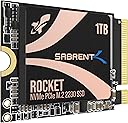
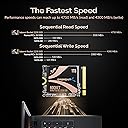
The SABRENT Rocket 2230 1TB NVMe SSD is a cutting-edge PCIe Gen4 x4 internal drive designed specifically for compact devices like the Steam Deck, Surface Pro 8/9, and ROG Ally. Delivering up to 5000 MB/s read speeds and 4300 MB/s write speeds, it ensures lightning-fast load times and smooth multitasking. Its DRAM-less Host Memory Buffer design optimizes power efficiency and thermal performance, making it ideal for handheld gaming and ultrabooks. This retail-grade SSD includes a 1-year warranty (extendable to 3 years) and free Acronis True Image software for effortless data cloning, providing a reliable, high-performance upgrade that fits perfectly in your portable tech arsenal.


| ASIN | B0BQG6JCRP |
| Additional Features | Gen4 NVMe SSD Controller, Single-Sided Form Factor, up to 5GBps Speeds, up to 800,000 IOPS |
| Best Sellers Rank | #205 in Internal Solid State Drives |
| Brand | SABRENT |
| Built-In Media | SSD |
| Cache Memory Installed Size | 1 |
| Color | Multicolor |
| Compatible Devices | Asus ROG Ally, Compact HTPC, Microsoft Surface Pro x Tab, Ultrabook and many more., Valve Steam Deck |
| Compatible Video Game Console Models | Valve Steam Deck |
| Connectivity Technology | PCIe |
| Customer Package Type | Retail |
| Customer Reviews | 4.8 out of 5 stars 2,714 Reviews |
| Data Transfer Rate | 5000 Megabytes Per Second |
| Digital Storage Capacity | 1 TB |
| Enclosure Material | Fiberglas oder Epoxid-Verbundwerkstoff |
| Form Factor | m 2 |
| Global Trade Identification Number | 00840025259379 |
| Hard Disk Description | Solid State Drive |
| Hard Disk Form Factor | 2230 Inches |
| Hard Disk Interface | PCIE x 4 |
| Hard-Drive Size | 1 TB |
| Hardware Connectivity | PCIE x 4, Solid State Drive |
| Hardware Platform | Mac, PC |
| Installation Type | Internal Hard Drive |
| Item Dimensions L x W x Thickness | 1.18"L x 0.87"W x 0.09"Th |
| Item Type Name | internal solid state drive |
| Item Weight | 20 Grams |
| Manufacturer | SABRENT |
| Media Speed | 6000 Megabits Per Second |
| Mfr Part Number | SB-2130-1TB |
| Model Name | Rocket 2230 |
| Model Number | SB-2130-1TB |
| Number of Items | 1 |
| Read Speed | 4750 Megabytes Per Second |
| Special Feature | Gen4 NVMe SSD Controller, Single-Sided Form Factor, up to 5GBps Speeds, up to 800,000 IOPS |
| Specific Uses For Product | Multimedia |
| UPC | 840025259379 |
| Unit Count | 1.0 Count |
| Warranty Description | 1 year limited. 3 years with manufacturer registration. |
B**B
Great upgrade for the Surface Pro 8
I had read a lot of horror stories about upgrading the M.2 NVMe drive on the Surface Pro 8 (SP8). There were a lot of stories about overheating and BSOD when trying to re-install Windows. When I saw this Sabrent drive advertised on Amazon it specifically said Surface Pro compatible and that it ran cool, so I took a chance on it. I am very pleased with the result. I'll do the TL;DR part up front: I upgraded my 256GB M.2 Drive on my Surface Pro 8 with the 1 TB Sabrent Rocket 2230 NVMe M.2 drive, and the drive runs great at PCIe 4.0 Speeds according to CrystalMark 8. No BSOD and runs under 50 Celsius *EDIT*: Under maximum load, about 35 degrees celcius degrees idle/normal operations *END EDIT* according to CrystalDiskInfo 8. I was able to copy all of my files using Acronis partitioning software you get to use free from Sabrent when you purchase their drive. If you want to know exactly how I copied everything over without ever having to go into the BIOS, keep reading: UPFRONT DISCLAIMER: You will need to purchase three things to do this upgrade if you don't have them already. Two of them you would need anyway if you were to upgrade like Microsoft suggests: #4 Torx screwdriver/bit, thermal compound, and an external NVMe drive enclosure. 1) First I did purchase an external NVMe enclosure to copy the old drive to the new one. You can find them on Amazon for under $30 US. You need to make sure the enclosure can take 2230 size drives. I got one that had USB C to USB C cable and was thunderbolt compatible. Another consideration is that after you swap the NVMe drives you can use the enclosure with your old drive and have another high speed hard drive to back stuff up on, although I found you will need an NVMe thermal pad/heatsink for the old drive or it can overheat. 2) After reading about BSOD NVMe upgrade horror stories on the SP8 it lead me to articles talking about AHCI Link Power Management - HIPM/DIPM. HIPM/DIPM power management is not on by default and you actually have to do a Windows registry edit to make it available. There are some good guides on how to do this via a quick google search. I recommend you enable it and turn the feature on. 3) I had to disable drive encryption before copying files over (it is on by default). You can either disable encryption or get a USB encryption key. I chose to decrypt the drive which will take hours depending on how much data you have on the drive. You can re-encrypt once everything is over to the new drive. THIS NEXT PART IS WHERE MOVING FILES OVER AND GETTING WINDOWS SETEP ON THE NEW DRIVE DIFFERS FROM WHAT MICROSOFT WANTS YOU TO DO. 4) I cannot stress enough the kudos to Sabrent for having their own disk partition software. Acronis, which you can get from Sabrent's website, will copy all of your files over for you verbatim; no reinstalling necessary. Follow the disk cloning prompts, and the best part is it will automatically increase the size of your main windows drive to maximum while keeping your boot partition and recovery partition intact (just make sure you chose the correct cloning prompt). Acronis alone makes it worth it to go with Sabrent. 5) The SP8 comes with a front and back metal sleave for the NVMe drive. YOU WILL NEED a #4 Torx screwdriver bit (very tiny!) to unscrew the drive and screw it back in. The metal casing snaps off (do so gently so as not to bend the casing). I cleaned off the thermal compound the old drive had, put in the Sabrent drive, re-applied some CPU thermal compound I already had, and put the casing back together, then screwed it back into the SP8. A lot of videos show using a thermal pad instead of re-using the Microsoft drive enclosure. I think the drive enclosure helps distribute heat evenly back into the SP8 chassis. I turned the SP8 on and it recognized me with all of my files intact without ever having to go into the BIOS the first time. I have been running normally for almost two weeks and not a single issue. Drive runs cool and fast. Works great and couldn't be happier. I hope this helps you out if you are on the fence!
J**S
Exceptional quality and speed!
The SABRENT Rocket 2230 NVMe 4.0 1TB SSD was the perfect addition to my ASUS ROG Ally handheld build, providing much-needed additional storage space and performance. Assembling a compact and powerful gaming device required careful consideration of storage options, and the Rocket 2230 NVMe SSD fit the bill perfectly. Its compact form factor and high-speed PCIe 4.0 interface seamlessly integrated into the build, offering blazing-fast read and write speeds for smooth gaming experiences. With 1TB of storage capacity, I have ample space to store my favorite games, apps, and media files without worrying about running out of space. The reliability and performance of the SABRENT SSD have exceeded my expectations, contributing to the overall success of my handheld gaming setup. If you're looking to upgrade your gaming device with additional storage and speed, I highly recommend the SABRENT Rocket 2230 NVMe 4.0 1TB SSD. It's a game-changer!
B**S
2 years later and still flawless
I’ve been using this mini NVMe drive in my Steam Deck for about two years now with zero complaints. It was super easy to install, instantly recognized, and more than doubled my storage space. Load times are fast, performance has stayed consistent, and it’s handled all my games without a hiccup. Definitely one of the best upgrades I’ve made for the Deck.
I**R
If upgrading a Surface Pro 8, you need to read this
PCIe Gen 4 drives do have a compatibility issue with Surface Pro 8 and possibly 9 too were it randomly reboots and is very unstable. This drive does work without any issues if you make the following changes before cloning existing drive to it. I get double the speed from my stock drive at 4600MB/s read speeds and battery last around 6 hours (same as my stock) at 120Hz refresh, 50% brightness and using the keyboard at lowest backlight setting and just browsing the web over Wifi 6. Drive temperatures stayed at 41C or below at high load. This is what you need to do before cloning. Step #4 is necessary for stable upgrade without random reboots. 1.) Update Windows 11 to 22H2 2.) Download the latest firmware updates for Surface Pro 8, there are some recent ones. Launch the surface app and verify that you have the latest. These are my versions. SAM: 11.101.139.0 UEFI: 18.102.141.0 3.) Turn off bitlocker so the drive is decrypted, you can turn bitlocker again after you replace the drive. 4.) In control panel, search for an applet called Power Options, it's under the advance power settings when you try to edit the Power plan. Under PCI Express, change PCI Express -> Link Power State Management to Moderate Power Savings, default is maximum power savings, this was what was causing random reboots for me. This is the only change that is needed from the default factory image that ships with Surface Pro 8. 5.) Clone to Sabrent drive using an external USB C enclosure that can house a 2230 ssd (there are several sold here). You can use their free Acronis tool from Sabrent's website. I personally used Macrium Reflect free version to clone as it kept the partitions the same as before, Acronis does merge the partition's which causes issues when trying to do a factory reset or recovery as partition will not be found. 6.) Swap the drives. I did not re-use the metal surface pro ssd enclosure, I instead added .5mm thermal pad directly to the top of the Sabrent Drive, it fits nicely. With 1mm thermal pad, the magnetic door did not close, so .5mm is only choice. Max temperature at high load was 41c. 7.) Boot to your new drive, test to make sure its stable, you can re-enable bitlocker to encrypt drive again. There is an optional setting you can set before or after the clone, which may give you better battery life. There is a hidden power setting in Power Options under Hard disk called AHCI Link Power Management - HIPM/DIPM By default it's already set to HIPM (Host Initiated Power Management), you can set this setting to Lowest for battery to give you deeper sleep states if supported, the drive still wakes up fast regardless of the power state. To enable this setting in Power Options you can add this to the registry. Create a text file in notepad that ends in .reg extension, example "Add_AHCI_Power_Setting.reg" without quotes. Copy and paste registry setting below (line starts with [HKEY....) into the file and save it, double click the file in file explorer to add this setting into your registry (when prompted, click yes). This option will now show up in Power Options under Hard disk. For battery, set to Lowest, for Plugged In, you can set to Active (There is no power management with this option), for faster performance. [HKEY_LOCAL_MACHINE\SYSTEM\CurrentControlSet\Control\Power\PowerSettings\0012ee47-9041-4b5d-9b77-535fba8b1442\0b2d69d7-a2a1-449c-9680-f91c70521c60] "Attributes"=dword:00000002
S**R
Installed into Steam Deck with no headaches
I'm happy with this drive. It came well presented in a copper package and felt like a quality product. I used this to replace the SSD that came with my Steam Deck for more space. Aside from having to open up the Deck, which isn't difficult, this went right in without any fuss. I then used a bootable Linux with Gparted and the dd command to clone the old drive to the new one using a NVME dock. Then, the deck booted right up. I was happy to get the extra SSD space, and it is a little faster than the old one, though I don't really notice in games, as in most even the SD cards it's hard to really notice. As this is a 2230 form factor drive, it is a bit more expensive than 2280 drives as it has to use larger and more expensive flash modules rather than many smaller ones. Still, I felt the value was good.
K**S
Steamdecks best friend!
For devices requiring M.2 2230 storage, the Sabrent Rocket 2230 1TB is unmatched in performance and efficiency. It delivers Gen4-level throughput and solid responsiveness in extremely compact spaces—ideal for Steam Deck users, Surface Pro upgrades, or ultra-thin portable machines. Even on PCIe 3.0 platforms, it performs admirably while offering efficiency advantages. However, weigh the decision based on your typical usage: if your system runs long sustained writes or you’re sensitive to price, explore alternatives or lower-capacity models. Also verify firmware revisions and community feedback before buying due to rare but noted failure cases.
P**J
Fantastic Upgrade for Steam Deck or ROG Ally
I purchased the 1TB model of this drive to upgrade my Steam Deck's OEM 512gb SSD. The process of cloning the OEM drive to the Sabrent drive was quite easy using a Sabrent USB-C External m.2 SSD enclosure connected to the Deck. Swapping out the drive was relatively simple but if you're not a technical-type person I would recommend leaving it to someone with experience with working on electronics. There are plenty of available guides on YouTube that show how to do this... make sure you remember to transfer the RF shield from the OEM device to the Sabrent drive. After cloning and swapping the drives a simple reboot of the Deck is all that is needed for it to provision the entire 1TB of storage automatically and away you go. The performance is noticeably improved with better load times and reduced pop-in in various titles, not to mention having double the space is extremely useful. Overall I'm very impressed and I think the 1TB model is a good compromise between capacity and speed (the larger 2TB drive is notably slower). Between this and my 1TB SD Card my Steam Deck now has plenty of storage for even the largest games and loads them much faster than before.
L**S
Not for Nikon Z9
I tried this item with a CFExpress adapter in my Nikon Z9. Initial speeds are great, it even does 8K60 NRAW. But after about 55% of the card is filled the recording stops. Always at 13:15-13:20 into the recording. This happens regardless of video format. To get it fast again a full format is required, quick format is not enough. My guess is that 45% of the card is slower storage, down to less than 100 MB/sec. That might be okay in a computer, where the card controller can do its housekeeping and move data off the fast storage in the background. But in a camera, especially shooting video, we care about sustained write speed across the entire card. Most benchmarking software, including Blackmagic, don't catch this. Blackmagic only tests up to 5GB. So essentially, for video in a Z9 and similar cameras, this 1TB card should be seen as a 512GB card. For stills it takes some effort to get to the slow portion so I think it's OK for stills. Performance on the fast storage is in line with the fastest cards on the market, or within 5% of the performance. Shooting RAW lossless + JPEG F* I get about 82 frames before buffer is full. Fastest cards get mid 80s. Interesting experiment - there's a reason the best Sabrent CFExpress card costs $399 for 1TB while this one is $109. One star deducted because Sabrent doesn't disclose how large fraction of the storage is much slower. Otherwise it's an excellent product, just not for cameras.
O**R
Thanks Amazon.
Its nice easy to install, easy to manage, really I love it. Thanks Amazon
L**S
Buena pero usar con cuidado
Yo le cambiĂ© la memoria que tenĂa la Steam deck y puse esa, y admito que funciona excelente como se esperarĂa. Sin embargo aquellos que no son muy experimentados en armar y/o desarmar aparatos y no están muy familiarizados, usar con mucha precacucion. En mi caso desgarrĂ© la lámina de aluminio (o no se que sea) que cubre la memoria de la Steam deck y, aunque sĂ© perfectamente que fue culpa mĂa, no quita el hecho de que esta memoria no sea tan fácil como otras porque tiene un pequeño relieve que hace que estĂ© más ancha. Eso no quita que la memoria merezca sus 5 estrellas porque el error fue mĂo por no investigar o hacer las cosas mejor y por eso comparto mi exp para que tengan cuidado y no les pase lo mismo a ustedes
P**G
Works great with Zitay CFExpress adapter
Bought to use with the Zitay CFExpress adapter, for use in my Canon R5C. Works great and is super fast to offload. Get the 1TB if this is your application as the 2TB uses quad level memory which has lower sustained write speeds. Recommended!
M**0
Très correct
J’ai acheté ce SSD pour booster les performances de mon ordinateur portable, qui dispose d’un emplacement M.2 2230. Le SSD est compatible avec la norme PCIe 4.0, ce qui lui permet d’atteindre des vitesses de lecture et d’écriture impressionnantes. Le SSD a une capacité de 1 To, ce qui est rare pour un SSD de cette taille. Il me permet de stocker tous mes fichiers, mes jeux et mes applications sans problème. Le SSD est de qualité et facile à installer, il suffit de le glisser dans l’emplacement M.2 et de le visser. Le SSD a un design sobre et compact, il ne chauffe pas trop et ne fait pas de bruit. Je suis très satisfait de ce SSD, il a transformé mon ordinateur portable en une bête de course. Je le recommande à tous ceux qui cherchent un SSD M.2 2230 performant et abordable.
K**N
Leistungsstarker Turboantrieb fĂĽr das Steam Deck: SABRENT Rocket 2230 NVMe SSD M.2 im Review
Die SABRENT Rocket 2230 NVMe SSD M.2 hat sich als wahrer Game-Changer für mein Steam Deck erwiesen, und ich bin begeistert von ihrer herausragenden Performance und Zuverlässigkeit. Performance: Die Geschwindigkeit dieser SSD ist schlichtweg beeindruckend. Mit Lesegeschwindigkeiten von bis zu 3400 MB/s und Schreibgeschwindigkeiten von bis zu 3000 MB/s sorgt sie für blitzschnelle Ladezeiten und ein flüssiges Spielerlebnis. Spiele starten im Handumdrehen, und auch anspruchsvolle Anwendungen laufen äußerst reaktionsschnell. Die NVMe-Technologie zeigt hier ihr volles Potenzial und macht Gaming auf dem Steam Deck zu einem wahren Vergnügen. Kapazität und Speicherplatz: Mit verschiedenen Kapazitätsvarianten ist die SABRENT Rocket 2230 NVMe SSD M.2 flexibel und bietet ausreichend Speicherplatz für eine umfangreiche Spielebibliothek. Das Steam Deck verfügt ohnehin über begrenzten internen Speicher, und diese SSD schafft Abhilfe, indem sie genügend Platz für Spiele, Anwendungen und sogar Multimedia-Inhalte bietet. Installation im Steam Deck: Die Installation war denkbar einfach. Die kompakte Bauweise der SABRENT Rocket 2230 passt perfekt ins Steam Deck, und das PCIe M.2 Format gewährleistet eine problemlose Integration. Nach dem Einbau konnte ich sofort von den verbesserten Ladezeiten und der generell gesteigerten Leistung profitieren. Die SSD passt sich nahtlos in das Gesamtdesign des Steam Decks ein und macht es zu einem noch leistungsstärkeren Handheld-Gaming-System. Fazit: Die SABRENT Rocket 2230 NVMe SSD M.2 ist ein absoluter Gewinn für jeden, der das Maximum aus seinem Steam Deck herausholen möchte. Mit beeindruckender Performance und einer unkomplizierten Installation bietet sie einen erheblichen Mehrwert. Ob für schnelle Ladezeiten, flüssiges Gameplay oder einfach nur mehr Speicherplatz – diese SSD erfüllt alle Erwartungen. Ich kann sie uneingeschränkt empfehlen und bin dankbar, dass sie mein Gaming-Erlebnis auf dem Steam Deck auf ein neues Level gehoben hat.
Trustpilot
2 months ago
2 weeks ago